
1. Sarrera
Thank you for choosing the Casio G-Shock PRG-100 watch. This manual provides essential information regarding the setup, operation, and maintenance of your new timepiece. The PRG-100 is a robust digital watch featuring a quartz movement, alarm functionality, and a durable resin band, designed for reliability and performance.
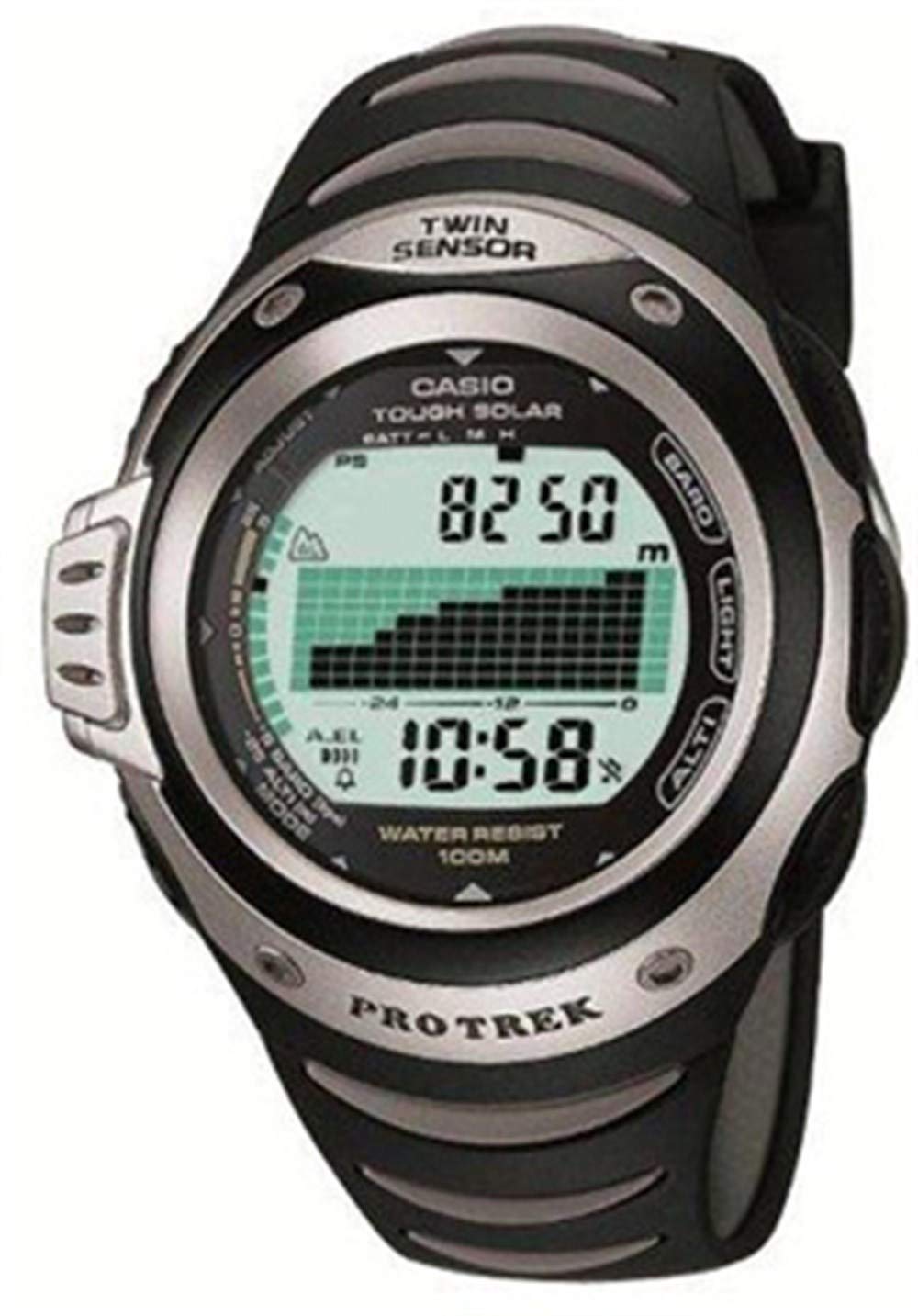
1. irudia: Aurrealdea view of the Casio G-Shock PRG-100 watch. This image shows the digital display and the overall design of the watch face.
2. Konfigurazioa
2.1 Hasierako ordua eta data ezartzea
- Eduki sakatuta EGOKITU button (usually top-left) until the city code starts to flash.
- Erabili MODUA button (bottom-left) to cycle through the settings: City Code → DST (Daylight Saving Time) → 12/24-hour format → Seconds → Hour → Minute → Year → Month → Day.
- Erabili AURRERA (goian eskuinaldean) eta ATZEKOZ (bottom-right) buttons to change the flashing value.
- Ezarpen guztiak zuzenak direnean, sakatu botoia EGOKITU botoia berriro ezarpen modutik irteteko.
2.2 Alarma ezarpena
- Ordua neurtzeko modutik, sakatu MODUA button until you reach the Alarm Mode (indicated by "AL" or an alarm icon).
- Eduki sakatuta EGOKITU button until the alarm time starts to flash.
- Erabili MODUA botoia ordu eta minutu ezarpenen artean hautatzeko.
- Erabili AURRERA eta ATZEKOZ botoiak nahi duzun alarma ordua ezartzeko.
- Sakatu EGOKITU botoia berresteko eta irteteko.
- Alarma pizteko/itzaltzeko, sakatu AURRERA button while in Alarm Mode (without holding ADJUST).
3. Funtzionamendua
3.1 Nabigazio Modua
Your PRG-100 watch features several modes. Press the MODUA button (bottom-left) to cycle through them in the following order:
- Timekeeping Mode (current time and date)
- Alarm Mode (set and activate alarms)
- Stopwatch Mode (measure elapsed time)
- Timer Mode (countdown timer)
- World Time Mode (view time in different cities)
- Note: Specific modes may vary slightly based on the exact module. Refer to the full module manual for advanced features.
3.2 Kronometroa erabiltzea
- Navigate to the Stopwatch Mode using the MODUA botoia.
- Sakatu AURRERA button (top-right) to start the stopwatch.
- Sakatu AURRERA botoia berriro sakatu kronometroa gelditzeko.
- Sakatu ATZEKOZ button (bottom-right) to reset the stopwatch to zero.
3.3 Atzeko argiztapen funtzioa
Argi gutxiko baldintzetan pantaila argiztatzeko, sakatu ARGIA button (usually top-right or front-center). The backlight duration may be adjustable in settings.
4. Mantentzea
4.1 Erlojua garbitzea
Wipe the watch regularly with a soft, dry cloth to remove dirt and moisture. For stubborn grime, a slightly damp cloth with mild soap can be used, followed by thorough drying. Avoid using harsh chemicals or abrasive cleaners.
4.2 Bateria zaintzea
The PRG-100 is powered by a battery. When the display becomes dim or functions become unreliable, it may be time for a battery replacement. It is recommended to have the battery replaced by an authorized Casio service center to ensure proper sealing and water resistance.
4.3 Urarekiko erresistentzia
Your G-Shock watch is designed with a high level of water resistance. However, avoid operating buttons while the watch is submerged in water. After exposure to saltwater, rinse the watch with fresh water and wipe it dry. Do not expose the watch to extreme temperature changes.
5. Arazoak
- Pantaila hutsik edo ilun dago: The battery may be low or depleted. Consider battery replacement.
- Ordua okerra da: Re-adjust the time and date settings as described in Section 2.1. Ensure the correct city code and DST setting are selected.
- Botoiek ez dute erantzuten: Ensure the watch is not in a locked mode (if applicable). If submerged, dry the watch thoroughly. If the issue persists, a service check may be required.
- Alarmak ez du jotzen: Check if the alarm is enabled in Alarm Mode (Section 2.2). Ensure the volume is not set to mute (if applicable).
If you encounter issues not covered here, please contact Casio customer support or an authorized service center.
6. Zehaztapenak
| Ezaugarri | Xehetasuna |
|---|---|
| Marka | Casio |
| Ereduaren izena | PRG-100 |
| Modelo zenbakia | PRG-100 |
| Bistaratzeko formatua | Digitala |
| Mugimendu Mota | Kuartzoa |
| Ezaugarri bereziak | Alarma |
| Energia iturria | Bateria |
| Estiloa | Uhala |
| Forma | Biribila |
| Bandaren kolorea | Beltza |
| Banda Materiala | Erretxina |
| Kasuaren Diametroa | 41 milimetro |
| ASIN | B000JS57EC |
| Fabrikatzailearen pieza zenbakia | PRG-100-1AVDR_WW |
7. Bermea eta Laguntza
Your Casio G-Shock PRG-100 watch is covered by a manufacturer's warranty. For specific warranty terms and conditions, please refer to the warranty card included with your purchase or visit the official Casio webgunea.
For further assistance, technical support, or service inquiries, please contact Casio customer service through their official website or an authorized service center in your region.