
Sarrera
Eskerrik asko erosketagatik.asing the Optimus F-1230 12-Inch Oscillating 3-Speed Table Fan. This manual provides essential information for the safe and efficient operation, maintenance, and care of your new fan. Please read these instructions thoroughly before use and retain them for future reference.

Figure 1: Optimus F-1230 12-Inch Oscillating 3-Speed Table Fan, White.
Segurtasun-argibide garrantzitsuak
- Irakurri argibide guztiak haizagailu hau erabili aurretik.
- Ez erabili haizagailurik kablea edo entxufea hondatuta duen. Baztertu haizagailua edo itzuli baimendutako zerbitzu-instalazio batera aztertu eta/edo konpontzera.
- Ez jarri kablea alfonbra azpian. Ez estali kablea alfonbra, lasterkari edo antzeko estalkiekin. Jarri kablea trafiko-eremutik urrun eta estropezu egingo ez den tokitik.
- Always unplug the fan when moving it, cleaning, or when not in use.
- Do not insert fingers or any foreign objects into the grille openings.
- Do not use this fan near windows, in wet areas, or where it may come into contact with water.
- Ziurtatu haizagailua gainazal egonkor eta lau batean jartzen dela, iraultzea saihesteko.
Paketearen edukia
Upon opening the package, ensure all components are present and undamaged. The Optimus F-1230 fan typically includes the following parts:
- Fan Motor Unit with Base and Control Panel
- Aurrealdeko parrilla
- Atzeko parrilla
- Zaleen pala
- Grille Retaining Nut
- Pala eusteko txanoa

Figure 2: Components of the Optimus F-1230 Table Fan.
Muntatzeko jarraibideak
The Optimus F-1230 fan is designed for no-tool assembly. Follow these steps to set up your fan:
- Attach Rear Grille: Align the rear grille with the motor housing, ensuring the alignment pins on the motor housing fit into the corresponding holes on the rear grille. Secure it with the grille retaining nut by turning clockwise.
- Install Fan Blade: Slide the fan blade onto the motor shaft, making sure the notch on the blade aligns with the pin on the shaft. Secure it with the blade retaining cap by turning counter-clockwise.
- Attach Front Grille: Place the front grille over the rear grille, aligning the clips. Snap the front grille into place, ensuring it is securely fastened around the entire circumference.
- Kokatu zalea: Place the assembled fan on a stable, flat surface.
Funtzionamendu-argibideak
Once assembled, your Optimus F-1230 fan is ready for use. Ensure the fan is plugged into a standard 120V AC electrical outlet.
Potentzia eta abiadura ezarpenak
The fan features a 4-position push button switch located on the base for controlling power and speed:
- Press the appropriate button to select one of the 3 abiadura ezarpenak (Low, Medium, High).
- Press the 'OFF' button to turn the fan off.
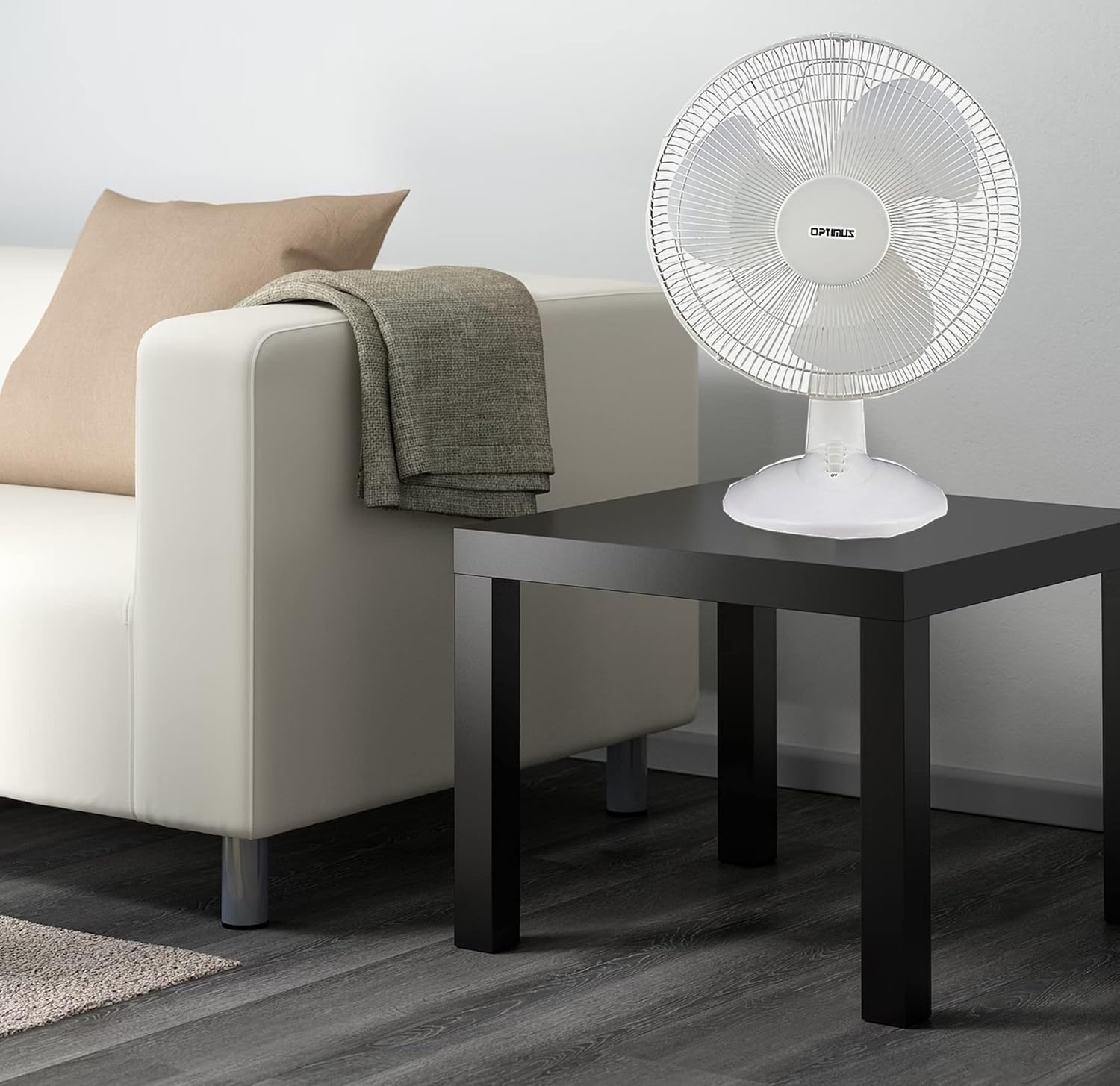
Figure 3: 4-Position Push Button Switch for speed control.
Oszilazio Funtzioa
The fan offers a full room of directional 90-degree oscillation to distribute air across a wider area:
- To start oscillation, push down the oscillation knob located on top of the motor housing.
- To stop oscillation and direct airflow in a fixed position, pull up the oscillation knob.
Adjustable Tilt/Angle Head
The fan head can be adjusted vertically to direct airflow precisely where needed:
- To adjust the tilt, gently push the fan head up or down to the desired angle. The fan head will remain in the selected position.

Figure 4: Adjustable tilt/angle head for vertical airflow adjustment.
Mantentzea eta Garbiketa
Regular cleaning and maintenance will ensure optimal performance and extend the life of your fan.
Garbiketa
- Deskonektatu beti haizagailua entxufetik garbitu aurretik.
- Erabili biguna, damp zapi bat haizagailuaren kanpoko gainazalak garbitzeko. Ez erabili garbitzaile edo disolbatzaile urratzailerik.
- To clean the fan blades, you may need to carefully remove the front grille. Refer to the assembly instructions in reverse order for safe removal and reattachment.
- Ziurtatu pieza guztiak guztiz lehor daudela haizagailua berriro konektatu aurretik.
Biltegiratzea
Denbora luzez erabiltzen ez baduzu, gorde haizagailua leku fresko eta lehor batean, hobe jatorrizko ontzian, hautsetik eta kalteetatik babesteko.
Arazoak konpontzea
Zure haizagailua behar bezala funtzionatzen ez badu, kontsultatu arazo eta irtenbide ohikoenak:
- Fan ez da pizten:
- Ziurtatu kablea ondo konektatuta dagoela funtzionatzen duen entxufe elektriko batera.
- Check if the outlet is receiving power by plugging in another appliance.
- Verify that the speed control button is pressed to an 'ON' setting (1, 2, or 3).
- Fan zaratatsua da:
- Ziurtatu haizagailua gainazal egonkor eta mailakatu batean jartzen dela.
- Egiaztatu haizagailuaren sareten barruan edo palen inguruan pieza solte edo oztoporik dagoen.
- Clean the fan blades and grilles to remove any dust buildup that might cause imbalance.
- Fan does not oscillate:
- Ensure the oscillation knob on top of the motor housing is pushed down.
Konponbide hauek saiatu ondoren arazoa konpontzen ez bada, jarri harremanetan bezeroarentzako arreta-zerbitzuarekin.
Zehaztapenak
| Marka | Optimus |
| Modelo zenbakia | F-1230 |
| Haizagailu elektrikoaren diseinua | Mahai haizagailua |
| Kolorea | Zuria |
| Energia iturria | Kable elektrikoa |
| Abiadura kopurua | 3 |
| Ezaugarri Berezia | oszilatzen |
| Muntatze Mota | Mahai gaineko muntaia |
| Kontrolagailu mota | Botoien Kontrola |
| Wattage | 50 watt |
| liburukiatage | 120 Volt |
| Elementuaren pisua | 4.95 kilo |
| Material Mota | Plastikoa |
| Barruko/Kanpoko erabilera | Barruan |
Bermea eta Bezeroarentzako Arreta
Bermearen informazioa
This Optimus F-1230 fan comes with a 1 urteko piezak eta eskulana warranty. Please retain your proof of purchase for any warranty claims.
Bezeroarentzako Arreta
For technical assistance, troubleshooting not covered in this manual, or warranty service, please contact Optimus Enterprises. The manufacturer's contact information is: SEATTLE, WA, 98109 US.
You may also visit the official Optimus weblaguntza baliabide gehigarrietarako gunea.