
1. Bukatu daview
The Casio SL-300SV is a compact, standard function desktop calculator designed for everyday calculations. It features a large 8-digit display and operates using a dual power source, combining solar power with battery backup for reliable use in various lighting conditions. Its durable hard cover provides protection, making it suitable for both home and office environments.
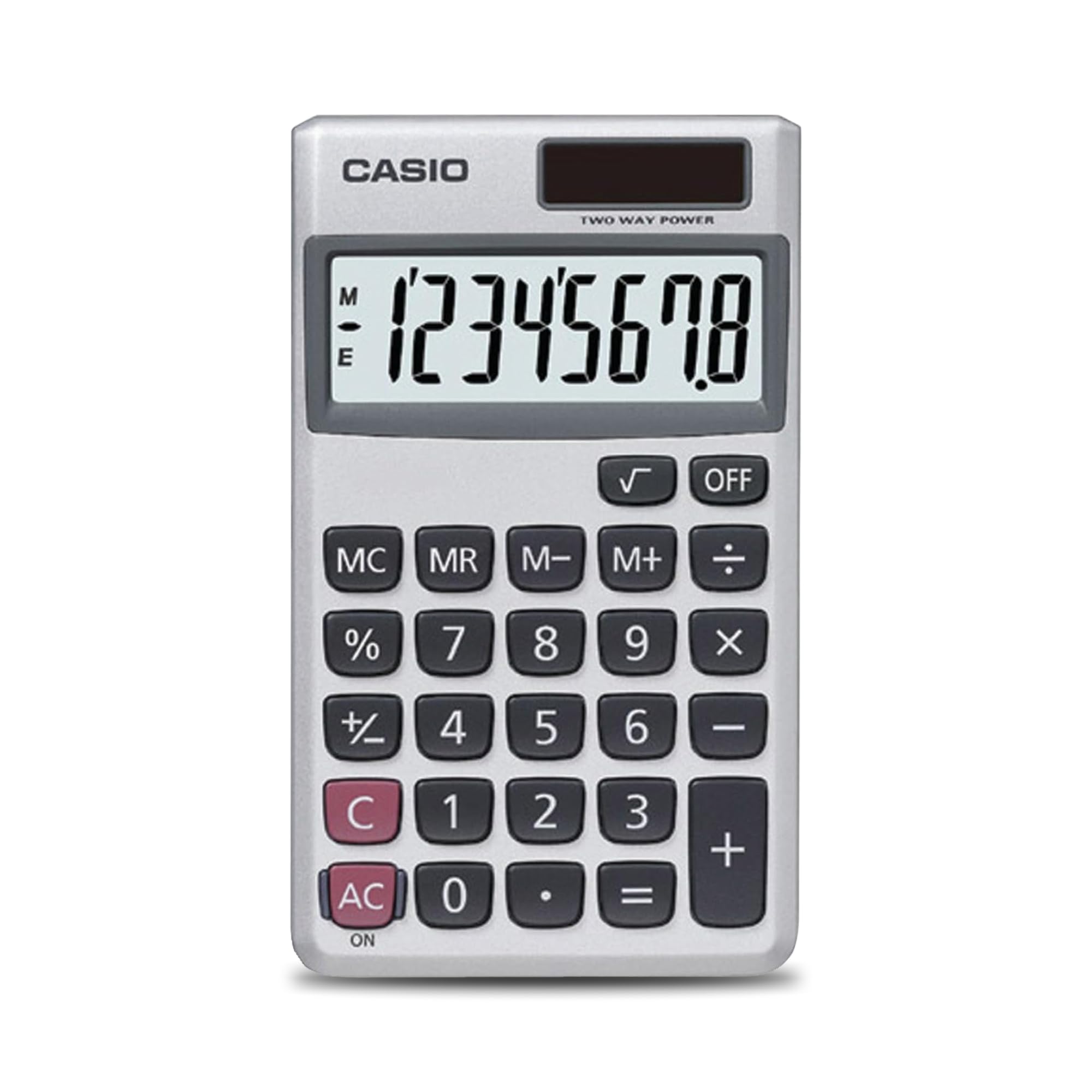
1.1. irudia: Aurrealdea view of the Casio SL-300SV calculator, highlighting its 8-digit display and key layout.
Ezaugarri nagusiak:
- Diseinu trinkoa eta eramangarria: Space-saving design that fits easily on any desk or in a briefcase.
- 8 digituko pantaila handia: Clear and easy-to-read display for accurate results.
- Helburu orokorra: Ideal for basic math, business, and personal use.
- Energia iturri bikoitza: Operates on solar power with battery backup.
- Durable Hard Cover: Built-in protective case shields the calculator from scratches and wear.
2. Konfigurazioa
2.1 Desontziratzea eta hasierako ikuskapena
Carefully remove the calculator from its packaging. Inspect the device for any visible damage. Ensure all components, including the calculator and its protective hard cover, are present.

Image 2.1: The Casio SL-300SV calculator shown with its retail packaging.
2.2 Energia iturria
The Casio SL-300SV calculator utilizes a dual power system: solar power and battery backup. Under sufficient light, the calculator will operate using its solar panel. In low-light conditions or when solar power is insufficient, the battery backup will automatically engage.
- Eguzki-panela: Located above the display. Ensure it is exposed to light for optimal performance.
- Bateria: The calculator requires 2 product-specific batteries. These are typically pre-installed. If the display is dim or unresponsive in adequate light, battery replacement may be necessary.

2.2 irudia: Gertuko planoa view of the solar panel on the Casio SL-300SV, which provides power in well-lit conditions.
2.3 Attaching the Hard Cover
The calculator comes with a durable hard cover for protection. This cover can be attached to the calculator to shield it from scratches, drops, and everyday wear when not in use or during transport.
2.1. bideoa: Over batview demonstrating the physical features and handling of the Casio SL-300SV calculator, including its protective cover.
3. Funtzionamendua
This section details the basic functions and operations of your Casio SL-300SV calculator.
3.1 Basic Arithmetic Operations
Perform addition, subtraction, multiplication, and division using the dedicated keys.
- Gehikuntza (+): Sartu lehenengo zenbakia, sakatu +, sartu bigarren zenbakia eta sakatu =.
- Kenketa (-): Sartu lehenengo zenbakia, sakatu -, sartu bigarren zenbakia eta sakatu =.
- Multiplication (×): Sartu lehenengo zenbakia, sakatu ×, sartu bigarren zenbakia eta sakatu =.
- Zatiketa (÷): Sartu lehenengo zenbakia, sakatu ÷, sartu bigarren zenbakia eta sakatu =.
3.2 Funtzio bereziak
- Ehunekotage (%): To calculate a percentage, enter the number, press ×, enter the percentage value, then press %. Adibidezample, to find 15% of 200, enter 200 × 15 %.
- Square Root (√): Enter the number, then press √.
- Sign Change (+/-): Sakatu +/- key to change the sign of the displayed number.
3.3 Memoria funtzioak
The calculator includes independent memory functions:
- M+: Bistaratutako balioa memoriara gehitzen du.
- M-: Bistaratutako balioa memoriatik kentzen du.
- MR (Memoria berreskuratzea): Recalls the value stored in memory.
- MC (Memoria Garbitu): Memorian gordetako balioa ezabatzen du.
3.4 Piztu/Itzali
- ON/AK: Sakatu ON/AK to turn on the calculator or clear the current entry and memory.
- DESaktibatuta: Sakatu OFF to turn off the calculator. The calculator also features an automatic power-off function after approximately 7 minutes and 10 seconds of inactivity to conserve power.

Image 3.1: Visual representation of the Casio SL-300SV calculator's display, calculation, memory, and design features.
4. Mantentzea
4.1 Garbiketa
To clean the calculator, wipe it with a soft, dry cloth. Do not use abrasive cleaners, solvents, or harsh chemicals, as these can damage the casing edo pantaila.
4.2 Biltegiratzea
When not in use, store the calculator in a cool, dry place, away from direct sunlight and extreme temperatures. Utilize the provided hard cover to protect the display and keys from dust and physical damage.
4.3 Bateria ordezkatzea
The Casio SL-300SV uses 2 product-specific batteries as backup for the solar panel. If the display becomes dim or unresponsive even in bright light, the batteries may need replacement. Refer to the diagram on the back of the calculator or consult the manufacturer's website for specific battery type and replacement instructions. It is recommended to have battery replacement performed by a qualified service technician if you are unsure.
5. Arazoak
If you encounter issues with your Casio SL-300SV calculator, refer to the following common problems and solutions:
| Arazoa | Irtenbidea |
|---|---|
| Pantaila hutsik edo ilun dago. | Ensure the solar panel is exposed to sufficient light. If the issue persists, the backup batteries may need replacement. |
| Kalkulagailua ez da pizten. | Sakatu ON/AK button. Verify the solar panel is receiving light. If not, check or replace batteries. |
| Kalkulu-emaitza okerrak. | Sakatu ON/AK to clear any previous calculations or memory entries. Re-enter the calculation carefully. |
| Giltzek ez dute erantzuten. | Ensure no debris is lodged under the keys. Press ON/AK to reset. If the problem continues, contact customer support. |
6. Zehaztapenak
Detailed technical specifications for the Casio SL-300SV calculator.
- Marka: Casio
- Ereduaren izena: SL-300SV
- Kalkulagailu mota: Funtzio estandarra
- Bistaratzeko mota: LCD, 8 digitukoa
- Pantailaren tamaina: 3.2 hazbetekoa
- Energia iturria: Solar Powered with Battery Backup (2 product-specific batteries required)
- Kolorea: Zilarrezkoa
- Itxituraren materiala: Plastikoa
- Elementuaren neurriak (L x Z): 4.63 cm-ko luzera x 2.75 cm-ko zabalera
- Elementuaren pisua: 0.27 g
- Fabrikatzailea: Casio
- UPC: 014445147879 (and others)

Image 6.1: The Casio SL-300SV calculator displaying its compact dimensions of 4.7 inches in length and 2.8 inches in width.
7. Bermea eta Laguntza
For warranty information and customer support, please contact the manufacturer directly. Details regarding the warranty period and terms are typically provided with the product packaging or can be found on the official Casio webgunea.
- Bermearen deskribapena: Jarri harremanetan fabrikatzailearekin
- Fabrikatzailea: Casio


