
1. Sarrera
The TP-Link TL-R480T+ Load Balance Broadband Router is a robust networking device designed for small and medium businesses. It features 5 ports, with up to 4 configurable WAN ports, allowing for multiple internet connections to be utilized simultaneously. This router enhances network reliability and bandwidth through its intelligent load balancing capabilities, ensuring optimal performance for various network demands.
Ezaugarri nagusiak:
- Multi-WAN Ports: Up to 4 configurable WAN/LAN ports for flexible internet connectivity.
- Load Balance: Automatically distributes data streams according to the bandwidth proportion of each WAN port, maximizing multi-line broadband utilization.
- Advanced Firewall: Provides robust security against external threats.
- Bandwidth Control: Manages bandwidth allocation for specific users or applications.
- Port Mirroring: Allows network traffic to be monitored.
- DDNS, UPnP, VPN Pass-through: Supports various network protocols for enhanced functionality.
2. Paketearen edukia
Please verify that all items listed below are included in your package. If any item is missing or damaged, please contact your retailer or TP-Link support.
- TL-R480T+ Load Balance Broadband Router
- Elikatze kablea
- RJ-45 Ethernet kablea
- Instalazio Gida
- Baliabideen CDa
3. Konfigurazio gida
3.1 Hardwarearen instalazioa
Follow these steps to connect your TL-R480T+ router:
- Itzali: Deskonektatu modema eta dauden bideratzaile guztiak.
- Konektatu WAN sarera: Connect your modem's Ethernet cable to the WAN port (Port 1) on the TL-R480T+. If you have multiple internet connections, connect additional modems to the WAN/LAN ports (Ports 2-4) configured as WAN.
- Konektatu LANera: Connect your computer or a network switch to any of the LAN ports (Port 5, or Ports 2-4 if configured as LAN) using an Ethernet cable.
- Piztu: Connect the power adapter to the router and plug it into a power outlet. Power on your modem first, then the router.

Figure 3.1: Front panel of the TL-R480T+ router, illustrating the WAN, WAN/LAN, and LAN ports, along with LED indicators.
3.2 Hasierako konfigurazioa
Routerraren sarbidea izateko webOinarritutako kudeaketa interfazea:
- Ziurtatu ordenagailua routerraren LAN ataka batera konektatuta dagoela.
- Ireki a web nabigatzailea (adibidez, Chrome, Firefox, Edge).
- Helbide-barran, idatzi lehenetsitako IP helbidea: 192.168.0.1 eta sakatu Sartu.
- Saioa hasteko leiho bat agertuko da. Erabiltzaile-izen eta pasahitza lehenetsiak biak dira admin (guztiak letra xehez).
- Follow the on-screen Quick Setup Guide to configure your WAN connections and basic network settings. It is highly recommended to change the default login credentials for security.
4. Funtzionamendu-argibideak
4.1 Load Balance Functionality
The TL-R480T+ intelligently distributes internet traffic across multiple WAN connections to optimize bandwidth usage and provide redundancy. You can configure load balancing policies through the web interface under the 'Load Balance' section. Options typically include:
- Link Backup: Designate a primary WAN and a backup WAN. If the primary fails, traffic automatically switches to the backup.
- Policy Routing: Define rules to route specific types of traffic or traffic from certain IP addresses through a particular WAN port.
- Bandwidth Based Balance: Distribute traffic based on the configured bandwidth of each WAN port.
4.2 WAN/LAN Port Configuration
Ports 2, 3, and 4 on the TL-R480T+ are configurable, meaning they can function as either WAN or LAN ports. This flexibility allows you to adapt the router to your specific network needs, whether you require more internet connections or more internal network ports. Configuration is performed within the router's web management interface under the 'Network' or 'WAN' settings.
4.3 Ezaugarri aurreratuak
The router offers several advanced features to enhance network management and security:
- Firewall: Configure rules to filter incoming and outgoing network traffic, protecting your network from unauthorized access and attacks.
- Port Bandwidth Control: Manage the upload and download speeds for specific IP addresses or IP ranges within your network.
- Port Mirror: Monitor network traffic by sending a copy of packets from one port to another for analysis.
- DDNS (DNS dinamikoa): Allows you to access your network resources remotely using a domain name, even if your public IP address changes.
- UPnP (Universal Plug and Play): Enables automatic discovery and configuration of network devices.
- VPN Pass-through: Supports VPN tunnels to allow secure remote access to your network.
5. Mantentzea
Regular maintenance ensures the optimal performance and longevity of your TL-R480T+ router:
- Firmware eguneraketak: Aldian-aldian egiaztatu TP-Link ofiziala website for the latest firmware versions. Updating firmware can improve performance, add new features, and fix security vulnerabilities.
- Ohiko berrabiarazpena: Rebooting the router every few weeks can help clear its memory and resolve minor performance issues.
- Garbiketa fisikoa: Keep the router in a well-ventilated area. Gently clean dust from the vents and ports using a soft, dry cloth or compressed air.
- Konfigurazioaren babeskopia: Egin aldizka zure bideratzailearen konfigurazio ezarpenen babeskopiak honen bidez: web interface. This allows for quick restoration in case of a factory reset or unexpected issues.
6. Arazoak
If you encounter issues with your TL-R480T+ router, refer to the following common problems and solutions:
- Interneterako sarbidea ez:
- Check all cable connections between the modem, router, and computer.
- Verify that the WAN port LEDs on the router are lit, indicating a connection.
- Reboot your modem and router in sequence (modem first, then router).
- Ensure your WAN settings in the router's web interface are correct (e.g., IP address, DNS).
- Ezin da sartu Web Kudeaketa orria:
- Ensure your computer's IP address is in the same subnet as the router (e.g., 192.168.0.x).
- Saiatu zure arakatzailearen cachea garbitzen edo beste arakatzaile bat erabiltzen.
- Verify the router's IP address (default is 192.168.0.1).
- Sarearen abiadura motela:
- Check the status of your internet service provider (ISP).
- Review load balancing settings to ensure optimal distribution.
- Egiaztatu abiadura mugatzen ari diren banda-zabalera kontrolatzeko arauak.
- Ensure the router is in a well-ventilated area to prevent overheating.
- Forgot Login Password:
- Press and hold the Reset button on the router for about 5-10 seconds until the system LED blinks rapidly. This will restore the router to factory default settings (username/password: admin/admin). Note that this will erase all your custom configurations.
7. Zehaztapen Teknikoak
Below are the key technical specifications for the TP-Link TL-R480T+ Load Balance Broadband Router:
| Ezaugarri | Zehaztapena |
|---|---|
| Marka | TP-Link |
| Ereduaren izena | TL-R480T |
| Elementuaren eredu-zenbakia | FBA_TL-R480T+ |
| Haririk gabeko mota | 802.11ac (Note: This router is primarily wired, this specification might refer to internal components or compatibility) |
| Konektibitate Teknologia | Wi-Fi (Note: This router is primarily wired, this specification might refer to internal components or compatibility) |
| Sistema eragileen bateragarritasuna | Linux, Microsoft Windows |
| Elementuaren pisua | 3.52 libra (gutxi gorabehera 1.6 kg) |
| Produktuaren neurriak | 7.1 x 11.6 x 1.7 hazbete (gutxi gorabehera 18 x 29.5 x 4.3 cm) |
| Kolorea | Beltza |
| liburukiatage | 100 Volt |
| Eskuragarri dagoen lehen data | 22ko abenduaren 2011a |
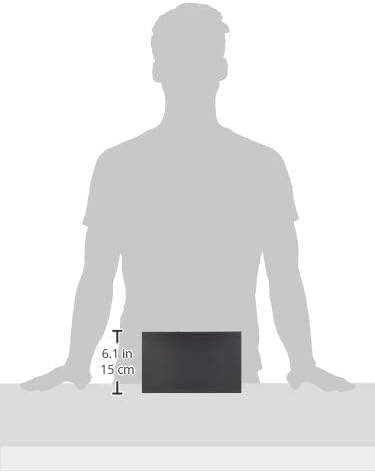
Figure 7.1: Illustrative image showing the approximate dimensions of the TL-R480T+ router.
8. Bermearen informazioa
TP-Link products are backed by a limited warranty. The specific terms and duration of the warranty may vary by region and product. For detailed warranty information, including coverage, limitations, and the process for making a warranty claim, please refer to the official TP-Link webwebgunean edo produktuarekin batera datorren berme-txartelean. Gorde erosketa-agiria erosketaren frogagiri gisa.
9. Laguntza Teknikoa
For further assistance, technical support, or to download the latest drivers and firmware, please visit the official TP-Link support webgunea. Normalean maiz egiten diren galderak, arazoak konpontzeko gidak eta bezeroarentzako arreta-zerbitzuaren harremanetarako informazioa aurki ditzakezu bertan.
TP-Link Ofiziala Webgunea: https://www.tp-link.com/us/support/
When contacting support, please have your product model (TL-R480T+) and serial number ready.