
Sarrera
This manual provides essential instructions for setting up, operating, maintaining, and troubleshooting your Kodak EasyShare M583 14 MP Digital Camera. Please read this guide thoroughly to ensure proper use and to maximize your camera's performance.
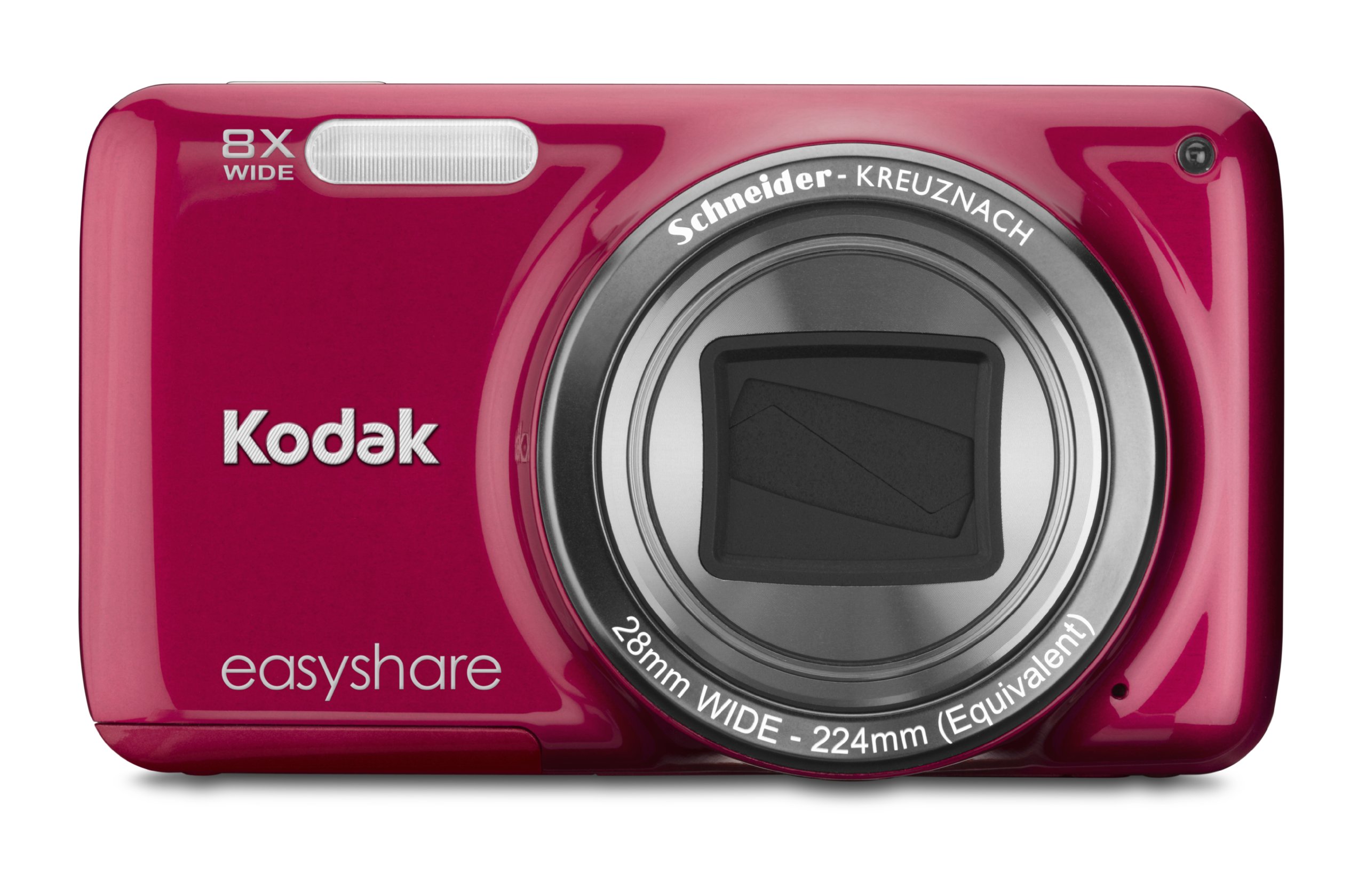
Irudia: Aurrealdea view of the Kodak EasyShare M583 Digital Camera in red, showcasing the lens and branding.
Konfigurazioa
1. Bateria instalatzea eta kargatzea
The Kodak EasyShare M583 uses a rechargeable Li-Ion battery.
- Ireki kameraren behealdean dagoen bateriaren konpartimentuaren estalkia.
- Insert the Li-Ion battery, ensuring the contacts align correctly.
- Itxi bateriaren konpartimenduaren estalkia ondo.
- Connect the camera to a power source using the supplied USB cable for charging. The battery indicator light will show charging status.
2. Memoria Txartelaren Instalazioa
The camera supports MicroSD and MicroSDHC memory cards. A memory card is required to store photos and videos.
- Bilatu memoria txartelaren zirrikitua, normalean bateriaren konpartimentuaren ondoan.
- Insert the MicroSD/MicroSDHC card with the gold contacts facing down, pushing gently until it clicks into place.
- Txartela kentzeko, sakatu berriro barrurantz, atera arte.
Oharra: The camera supports up to 4 GB of memory. Ensure the card is formatted in the camera before first use.
Funtzionamendu-argibideak
1. Powering On and Basic Photography
- Sakatu Boterea button to turn on the camera. The lens will extend.
- Markatu zure argazkia 3 hazbeteko LCD pantaila erabiliz.
- Press the shutter button halfway down to focus. The camera will confirm focus.
- Sakatu obturadorearen botoia erabat irudia ateratzeko.

Irudia: Aurrealdea view of the Kodak EasyShare M583 camera, showing the extended lens and flash unit.
2. Zoom funtzioa
The camera features an 8x optical zoom. Use the zoom lever (W/T) located near the shutter button to adjust the focal length.
- Move the lever towards T (Teleobjektua) zooma handitzeko.
- Move the lever towards W (Zabala) txikitzeko.
3. Bideo Grabaketa
To record videos, press the dedicated video record button. The camera supports 720p HD video.
- Sakatu Bideo grabaketa botoia grabatzen hasteko.
- Sakatu botoia berriro grabaketa gelditzeko.
- Videos are saved to the memory card in MP4 format.
4. Image Stabilization and Flash Modes
- The camera incorporates both digital and optical image stabilization to reduce blur caused by camera shake.
- The built-in flash operates in automatic mode, activating when lighting conditions require it.
5. BerriroviewEdukia sortzea eta partekatzea
View your captured photos and videos on the 3-inch LCD screen.
- Sakatu Review button (usually indicated by a play icon) to enter playback mode.
- Use the directional pad to navigate through your images and videos.
- To share content, press the dedicated Partekatu button. This allows one-button upload to email, KODAK PULSE Display, and various social networking sites.

Irudia: Atzealdea view of the Kodak EasyShare M583 camera, displaying the 3-inch LCD screen with sharing options for platforms like Twitter and Facebook.
6. Ordenagailu batera konektatzea
Connect the camera to your computer using the supplied USB cable to transfer photos and videos.
- Ziurtatu kamera piztuta dagoela.
- Connect one end of the USB cable to the camera's USB port and the other end to your computer.
- The camera will appear as a removable drive, allowing you to access your media files.
Mantentzea
1. Kamera garbitzea
- Erabili zapi leun eta lihorik gabeko bat kameraren gorputza garbitzeko.
- For the lens and LCD screen, use a specialized lens cleaning cloth and solution. Avoid abrasive materials.
- Do not use organic solvents such as alcohol or thinner.
2. Bateria zaintzea
- Bateria guztiz kargatu lehen erabili aurretik.
- Saihestu bateria muturreko tenperaturetara ez jartzea.
- Kamera denbora luzez erabiliko ez baduzu, kendu bateria.
3. Biltegiratzea
- Gorde kamera leku fresko eta lehor batean, eguzki-argitik eta hezetasun handitik babestuta.
- Use a camera case to protect it from dust and scratches.
Arazoak konpontzea
| Arazoa | Irtenbidea |
|---|---|
| Kamera ez da pizten. | Ensure the battery is fully charged and correctly inserted. Try charging the battery for at least 30 minutes. |
| Blurred pictures. | Press the shutter button halfway to allow the camera to focus before fully pressing to capture. Ensure sufficient lighting. Image stabilization is active, but excessive movement can still cause blur. |
| Lens does not extend or retract. | Check for obstructions around the lens. Remove and reinsert the battery to reset the camera. If the issue persists, contact support. |
| Memoria txartela ez da ezagutzen. | Ensure the MicroSD/MicroSDHC card is inserted correctly. Try reinserting the card. If possible, test with another compatible memory card. Format the card in the camera if it's new or causing issues (this will erase all data). |
| Kamera blokeatu egiten da edo ez du erantzuten. | Remove the battery for a few seconds, then reinsert it and power on the camera. |
Zehaztapenak
| Ezaugarri | Xehetasuna |
|---|---|
| Ereduaren izena | M583 |
| Argazki sentsorearen bereizmena | 14 MP |
| Zoom optikoa | 8x |
| Zoom digitala | 5x |
| Pantailaren tamaina | 3 hazbeteko (LCD) |
| Irudi Egonkortzea | Digitala, Optikoa |
| Bideo Ebazpena | 720p (30 FPS) |
| Onartua File Formatua | JPEG (Images), MP4 (Video) |
| Memoria Txartel Mota | Mikro SD, Mikro SDHC |
| Bateria mota | Litio ioia |
| Konektibitatea | USBa |
| Elementuaren pisua | 0.32 kilo |
| Lentea | 28mm wide-angle lens with 8x optical zoom |
| Gehieneko irekiera | F2.8 |
Bermearen informazioa
KODAK products are manufactured to high quality standards. For specific warranty terms and conditions applicable to your Kodak EasyShare M583 camera, please refer to the warranty card included with your purchase or visit the official KODAK support webgunea. Gorde erosketaren egiaztagiria bermearen erreklamazioetarako.
Bezeroarentzako Arreta
If you encounter issues not covered in this manual or require further assistance, please contact KODAK customer support.
- Lineako laguntza: Bisitatu KODAKen laguntza ofiziala webMaiz egiten diren galderen, gidariak eta softwarea deskargatzeko gunea.
- Telefono-laguntza: Kontsultatu zure produktuaren ontzia edo KODAK webeskualdeko harremanetarako zenbakietarako gunea.
When contacting support, please have your camera model (M583) and serial number ready.