
1. Sarrera
The ViewSonic VA2248M-LED is a 22-inch (21.5-inch visible) widescreen LED-backlit monitor designed for various computing needs. It features a Full HD 1920x1080 resolution, a thin bezel design, and integrated stereo speakers. This monitor offers a 10,000,000:1 dynamic contrast ratio and a 5ms response time for clear visuals. Connectivity options include DVI with HDCP and VGA inputs. The monitor is VESA mountable and includes an automatic aspect ratio adjustment feature.
This manual provides instructions for setting up, operating, maintaining, and troubleshooting your ViewSonic VA2248M-LED monitore.
2. Paketearen edukia
Egiaztatu behean zerrendatutako elementu guztiak zure produktuaren paketean daudela:
- ViewSonic VA2248M-LED LCD Monitor
- Elikatze-kablea
- VGA kablea
- Hasierako gida azkarra
- ViewSonic Wizard CD-ROM
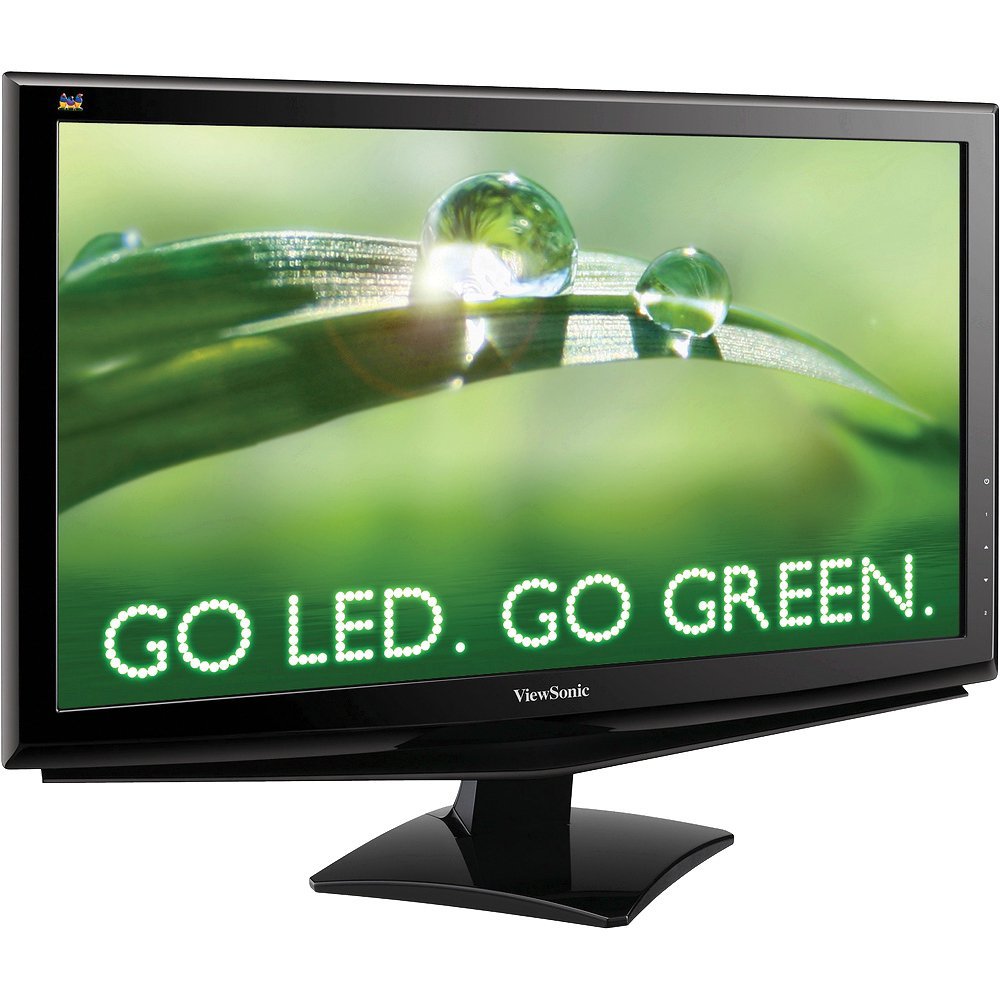
Irudia: The ViewSonic VA2248M-LED monitor with its stand and various cables, representing the typical package contents.
3. Konfigurazioa
3.1 Standa muntatzea
Carefully remove the monitor from its packaging. Attach the base to the monitor stand column, ensuring it clicks securely into place. Then, attach the assembled stand to the back of the monitor. Ensure all connections are firm before placing the monitor on a stable surface.
3.2 Monitorea konektatzea
- Potentzia-konexioa: Konektatu elikatze-kablea monitorearen elikatze-sarrerara eta gero lurrera konektatutako entxufe elektriko batera.
- Bideo-konexioa:
- VGA konexioa: Connect one end of the VGA cable to the VGA port on your computer and the other end to the VGA input on the monitor. Tighten the screws on the VGA connector to secure the connection.
- DVI konexioa: Connect one end of the DVI cable to the DVI port on your computer's graphics card and the other end to the DVI input on the monitor. Tighten the screws on the DVI connector to secure the connection.
Note: The monitor supports DVI with HDCP. Use only one video connection at a time.
- Audio-konexioa (aukerakoa): If you prefer to use external speakers, connect your external speakers to your computer's audio output. The monitor has integrated speakers, but for enhanced audio, external speakers are recommended.
3.3 VESA muntatzea
The ViewSonic VA2248M-LED monitor is VESA mountable (100mm x 100mm). To mount the monitor on a wall or an articulating arm, remove the stand assembly. Follow the instructions provided with your VESA-compatible mounting kit for proper installation.
4. Monitorea funtzionatzea
4.1 Piztu/Itzaltzea
Press the power button located on the monitor's front or bottom bezel to turn the monitor on or off. The power indicator light will illuminate when the monitor is on.
4.2 Pantailan bistaratzeko (OSD) menua
The OSD menu allows you to adjust various display settings. Use the control buttons, typically located on the bottom right of the monitor, to navigate the menu.
- Menuko botoia: OSD menua irekitzen du.
- Gora/Behera edo Ezkerra/Eskuina botoiak: Nabigatu menuko aukeren artean eta doitu balioak.
- Hautatu/Sartu botoia: Hautaketa bat berresten du edo azpimenu batera sartzen da.
- Irten botoia: Uneko menutik edo OSDtik irteten da.
4.3 Irudiaren doikuntzak
Within the OSD menu, you can fine-tune picture settings:
- Distira: Pantailaren luminantzia orokorra doitzen du.
- Kontrastea: Adjusts the difference between the lightest and darkest areas of the image.
- Kolore Tenperatura: Selects preset color modes (e.g., 9300K, 6500K, User Color).
- Aspektu-erlazioa: The monitor features automatic aspect ratio adjustment. It will detect the input signal and display 4:3 signals with sidebars instead of stretching the image. Manual adjustment options may also be available in the OSD.
- Modu ekologikoa: Activates energy-saving modes to reduce power consumption.
4.4 Audio ezarpenak
The monitor includes integrated stereo speakers. You can adjust the volume through the OSD menu. For higher quality audio, connecting external speakers to your computer is recommended.
5. Mantentzea
5.1 Pantaila garbitzea
To clean the screen, power off the monitor and disconnect the power cable. Use a soft, lint-free cloth lightly dampened with water or a non-abrasive screen cleaner. Do not spray cleaner directly onto the screen. Avoid using alcohol, ammonia, or abrasive cleaners.
5.2 Armairua garbitzea
Wipe the monitor cabinet with a soft, dry cloth. For stubborn stains, use a cloth lightly dampened with a mild detergent solution. Ensure no liquid enters the monitor's vents.
5.3 Arreta orokorra
- Saihestu monitorea eguzki-argia zuzenean edo bero iturrietatik gertu jartzea.
- Ziurtatu monitorearen inguruan aireztapen egokia dagoela.
- Ez blokeatu aireztapen zirrikituak.
- Avoid dropping or subjecting the monitor to strong impacts.
6. Arazoak
| Arazoa | Kausa posiblea | Irtenbidea |
|---|---|---|
| Ez dago irudirik pantailan |
|
|
| Irudia iluna edo argiegia da |
|
|
| Image is stretched or distorted |
|
|
| No sound from integrated speakers |
|
|
| Stuck pixel (a single pixel always on) |
|
|
7. Zehaztapenak
| Ezaugarri | Xehetasuna |
|---|---|
| Modelo zenbakia | VA2248M-LED |
| Pantailaren tamaina | 22 hazbete (21.5 hazbete ikusgai) |
| Bistaratzeko mota | LED atzeko argiztatutako LCDa |
| Ebazpena | Full HD 1920 x 1080 |
| Aspektu-erlazioa | 16:9 |
| Freskatze tasa | 75 Hz |
| Erantzun Denbora | 5 milisegundo |
| Kontraste-erlazioa | 10,000,000:1 (dinamikoa) |
| Distira | 250 cd/m² |
| Viewangelua | 178 gradu |
| Konektibitatea | 1x DVI (with HDCP), 1x VGA |
| Bozgorailu Integratuak | Bai |
| VESA muntaia bateragarria | 100 mm x 100 mm |
| Energia-kontsumoa | Energy Star 5.0 Certified |
| Elementuaren pisua | 10.1 kilo |
| Kolorea | Beltza |
8. Bermea eta Laguntza
8.1 Produktuaren bermea
The ViewSonic VA2248M-LED monitor comes with a three-year limited manufacturer's warranty. This warranty covers defects in materials and workmanship under normal use. Please refer to the ViewSonic Wizard CD-ROM or the official ViewSonic webwebgunea bermearen baldintza eta zehaztapen osoak ikusteko.
8.2 Laguntza Teknikoa
For technical assistance, product registration, or to download drivers and user guides, please visit the official ViewSonic laguntza website. You may also contact ViewSonic customer service directly for further assistance.
Lineako laguntza: www.viewsonic.com/support