
TESA 55672-00021-03
tesa Insect Stop Standard Window Fly Screen Instruction Manual
Eredua: 55672-00021-03
Marka: TESA
Produktua amaituview
The tesa Insect Stop Standard Window Fly Screen provides an effective and uncomplicated solution to keep insects out while allowing fresh air to circulate. This mosquito net is designed to be cut to your desired size and features a self-adhesive hook-and-loop tape for easy, drill-free installation. Its transparent anthracite mesh ensures clear visibility and high UV resistance, making it a hygienic and reusable choice for your home.

The tesa Insect Stop Standard Window Fly Screen package, displaying the product name, brand, and the included anthracite mesh.
Konfigurazioa eta Instalazioa
Prestaketa
Before installation, ensure the window frame surface is clean, dry, and free of dust or grease. This will ensure optimal adhesion of the hook-and-loop tape.
Urratsez urratseko instalazioa
- Measure and Cut the Mesh: Unroll the tesa Insect Stop mesh and measure your window opening. Carefully cut the mesh to the required dimensions, ensuring it is slightly larger than the window frame to allow for trimming.
- Apply Hook-and-Loop Tape: Peel the protective film from the self-adhesive hook-and-loop tape. Apply the tape firmly around the entire perimeter of your clean window frame, pressing down to ensure good contact.
- Lotu sarea: Starting from one corner, carefully press the tesa Insect Stop mesh onto the hook-and-loop tape, working your way around the frame. Ensure the mesh is taut and smooth, avoiding wrinkles.
- Moztu gehiegizkoa: Once the mesh is fully attached, use a sharp knife or scissors to carefully trim any excess mesh that extends beyond the hook-and-loop tape for a neat and flush finish.

A person demonstrating the installation of the tesa Insect Stop Standard Fly Screen, showing the mesh being applied to a window frame.

A sequence of three images illustrating the installation process: first, applying the self-adhesive hook-and-loop tape to the window frame; second, pressing the mesh onto the tape; and third, trimming any excess mesh for a neat fit. A 'no drilling' icon is also shown.
Funtzionamendu-argibideak
The tesa Insect Stop Standard Fly Screen is designed to allow full functionality of your window. Once installed, you can open and close your window as usual without any restrictions, while the mesh continuously provides protection against insects. The transparent design ensures your view oztoporik gabe jarraitzen du.
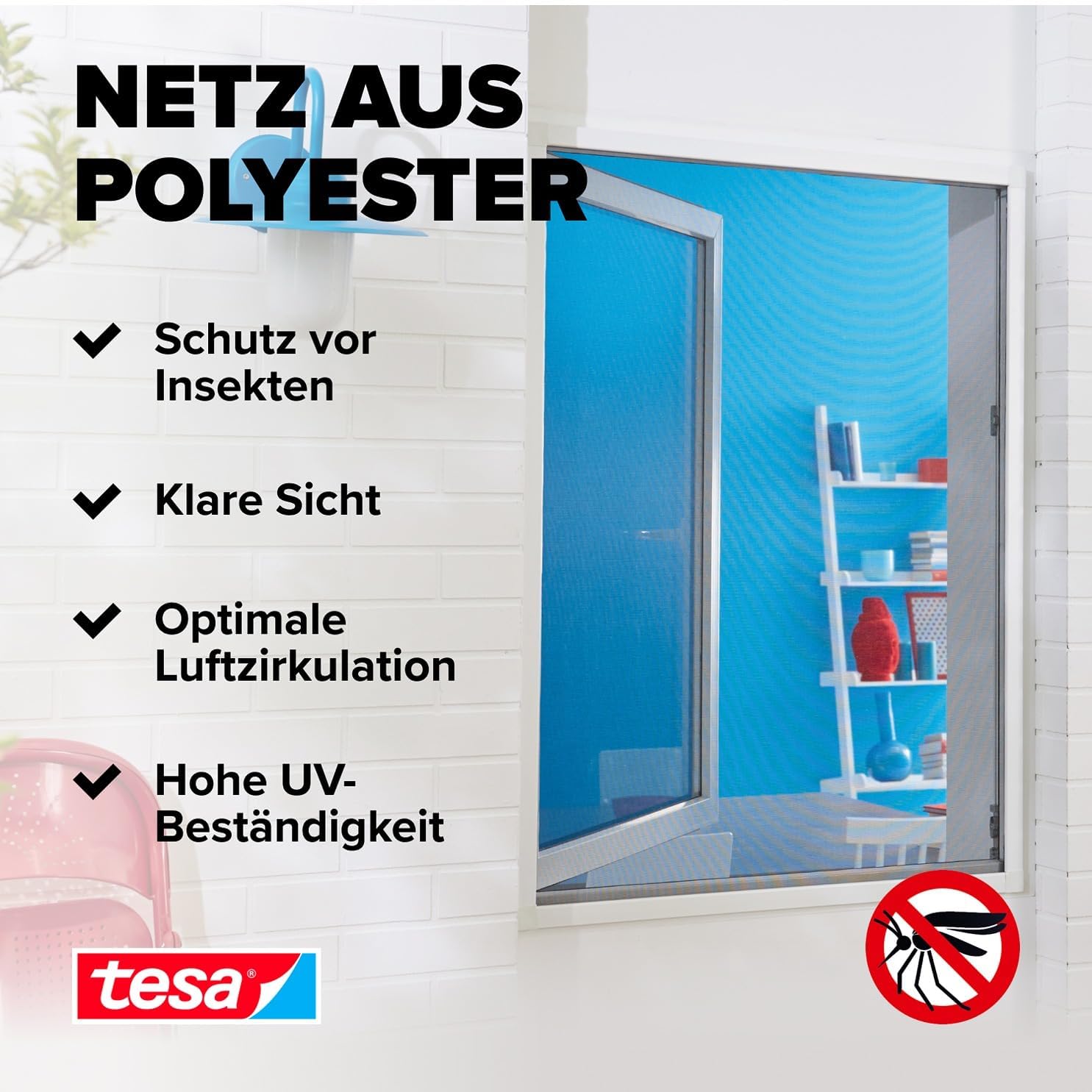
An installed tesa Insect Stop mesh on a window, with text highlighting its benefits: protection from insects, clear visibility, optimal air circulation, and high UV resistance.
Mantentzea
Garbiketa
To maintain the hygiene and effectiveness of your tesa Insect Stop mesh, it can be easily cleaned. The insect net is machine washable at up to 30°C. Gently remove the mesh from the hook-and-loop tape, wash it, and allow it to air dry completely before reattaching it to the window frame.

A close-up image showing the tesa Insect Stop mesh, emphasizing its hygienic properties and indicating that it is machine washable at 30°C.
Arazoak konpontzea
- Issue: The mesh does not adhere well to the frame.
Irtenbidea: Ensure the window frame surface was thoroughly cleaned and dry before applying the hook-and-loop tape. Residue or moisture can reduce adhesion. Re-clean the surface and apply new tape if necessary. - Issue: Gaps appear between the mesh and the frame.
Irtenbidea: This can happen if the mesh was not applied tautly or if the tape was not pressed firmly enough. Re-attach the affected section, ensuring the mesh is stretched smoothly and the tape is securely pressed against the frame. - Issue: Mesh appears wrinkled or uneven.
Irtenbidea: When attaching the mesh, ensure you apply it evenly and smoothly from one end to the other, gently pulling it taut as you go. If wrinkles persist, carefully detach the section and reapply.
Produktuaren zehaztapenak
| Marka | TESA |
| Modelo zenbakia | 55672-00021-03 |
| Neurriak | 130 cm x 150 cm |
| Kolorea | Anthracite (Transparent) |
| Materiala | Poliesterra |
| Elementuaren pisua | 99.8 g |
| Dakarten osagaiak | Zinta |
Bermea eta Laguntza
tesa products are manufactured to high-quality standards. For any questions regarding installation, usage, or product performance, please refer to the manufacturer's official website or contact their customer support. Specific warranty details may vary by region and purchase location.
Erlazionatutako dokumentuak - 55672-00021-03
 |
tesa INSECT STOP Aluminium Frame Insect Screen for Doors: Assembly & Safety Guide Comprehensive assembly instructions and safety information for the tesa INSECT STOP Aluminium Frame Insect Screen for Doors. Learn how to measure, cut, assemble, and install your insect screen for effective pest protection. |
 |
tesa Insect Stop Frames: Safety Warnings and Precautions Important safety information for tesa Insect Stop Frames, covering risks of falling, sharp edges, and pinching hazards. Ensure safe installation and use. |
 |
Safety Instructions for tesa Insect Stop Frames Essential safety guidelines for the installation and use of tesa Insect Stop Frames, including warnings regarding fall hazards, sharp edges, and pinch points. |
 |
tesa Insect Stop Lightwell: Segurtasun eta Muntaketa Gida tesa Insect Stop Lightwell-erako segurtasun-argibide garrantzitsuak eta muntatzeko baldintzak. Ikasi beharrezko tresnak, babes-ekipoak eta segurtasun-neurri garrantzitsuak argi-zuloen instalazioan edo inguruan lan egitean. |
 |
Assembly Instructions for TESA Table 1179/TESA/150920 Step-by-step guide to assembling a TESA table (model 1179/TESA/150920), including parts list, tools required, and assembly duration. |
 |
tesa Powerstrips CLICK: Easy On/Off Mounting System Instructions Detailed instructions for using tesa Powerstrips CLICK adhesive strips to hang pictures and frames securely. Learn about surface preparation, application, removal, weight limits, and suitable surfaces for this nail-free mounting solution. |
Ask a question about this manual
Ask about setup, troubleshooting, compatibility, parts, safety, or missing instructions. Manuals+ will review the question and use this page’s manual context to help answer it.