
1. Sarrera
The Mohu Yagi HDTV Antenna is designed to receive free over-the-air digital television broadcasts, including 4K Ultra HD and 1080P network programming. This compact antenna can be used both indoors and outdoors, offering flexibility in placement to optimize signal reception. This manual provides essential information for the proper installation, operation, and maintenance of your antenna.
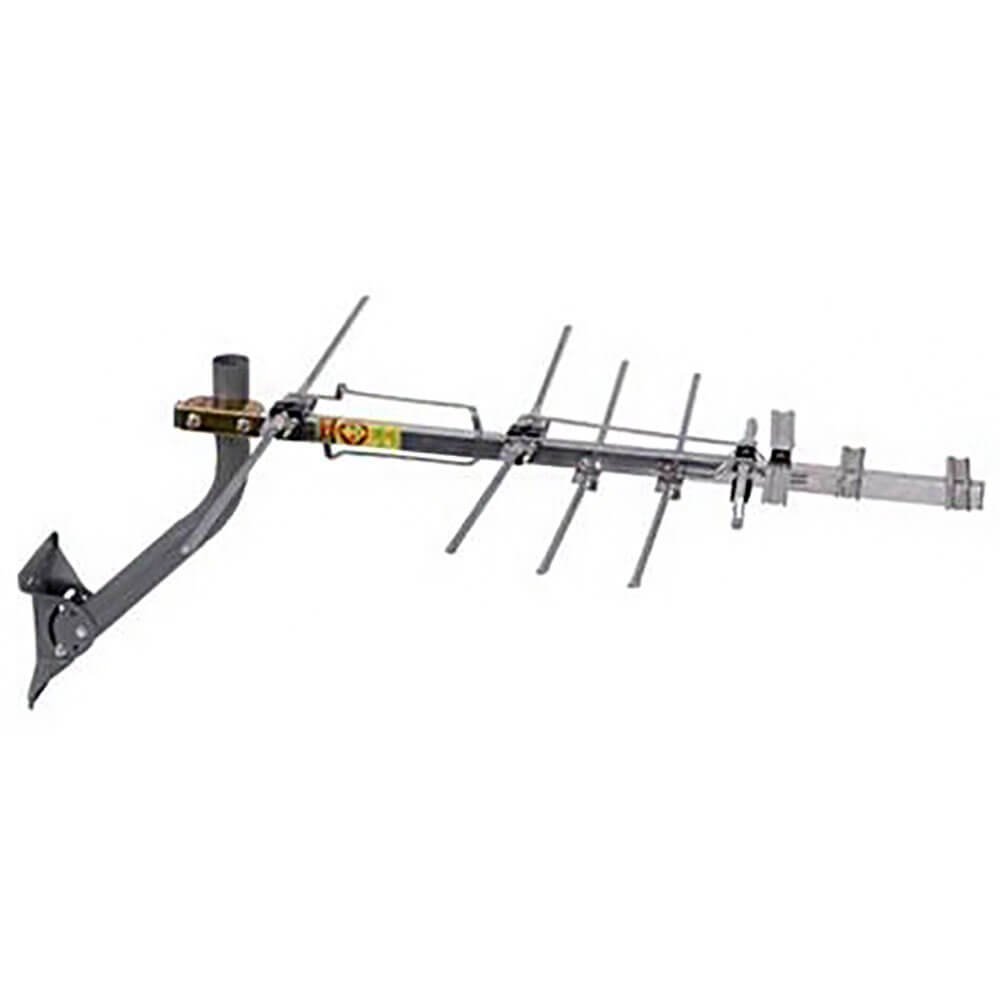
Image 1.1: Mohu Yagi HDTV Antenna. This image displays the compact design of the antenna, suitable for various installation environments.
2. Paketearen edukia
Instalazioarekin jarraitu aurretik, egiaztatu elementu guztiak paketean daudela:
- Mohu Yagi HDTV Antenna
- 75 Ohm Matching Transformer
- Muntatzeko Hardwarea
- Argibide eskuliburua (dokumentu hau)
Oharra: A coaxial cable is not included and must be purchased separately.
3. Konfigurazioa eta instalazioa
Follow these steps to set up your Mohu Yagi HDTV Antenna:
- Antena deskonprimitu: Kontu handiz kendu osagai guztiak ontzitik.
- Assemble the Antenna: The antenna features a pre-assembled design with easy-lock fold-out UHF reflector and snap-lock elements. Extend these components until they lock into place.
- Aukeratu kokapena:
- For indoor use, place the antenna near a window, preferably facing the direction of broadcast towers.
- For outdoor use, select a high location free from obstructions like trees or buildings.
- Consider using an online tool to find the direction of local broadcast towers for optimal placement.
- Muntatu antena: Use the provided mounting hardware to secure the antenna in your chosen location. Ensure it is stable and safely installed.
- Konektatu kable koaxiala:
- Attach one end of a coaxial cable (not included) to the 75 Ohm Matching Transformer on the antenna.
- Connect the other end of the coaxial cable to the "Antenna In" or "RF In" port on your television or digital converter box.
- Energia-konexioa (hala badagokio): If your antenna model includes an amplifier or requires power, connect the Mini-USB connector to a compatible USB power source (e.g., a USB port on your TV or a USB wall adapter).
- Kanalen eskaneatzea egin:
- Piztu telebista.
- Access your TV's menu and navigate to the "Channel Setup" or "Antenna Setup" section.
- Select "Antenna" or "Air" as the input source.
- Initiate an "Auto Program" or "Channel Scan" function. This process will search for available over-the-air channels.
After the scan is complete, you should be able to access the received channels. If you receive fewer channels than expected, try repositioning the antenna and performing another channel scan.
4. Operating the Antenna
Once installed and connected, the Mohu Yagi HDTV Antenna operates passively (unless an amplifier is used). Your television will receive broadcast signals directly through the coaxial connection.
- Kanalaren hautaketa: Use your TV remote control to browse and select channels discovered during the channel scan.
- Seinalearen kalitatea: Signal strength and quality can vary due to environmental factors, weather, and obstructions. If you experience pixelation or loss of channels, refer to the Troubleshooting section.
- Kanalak berriro eskaneatzen: It is recommended to perform a channel scan periodically, especially if new broadcast towers become active in your area or if you reposition the antenna.
5. Mantentzea
The Mohu Yagi HDTV Antenna requires minimal maintenance to ensure optimal performance.
- Garbiketa: Gently wipe the antenna with a soft, damp cloth to remove dust or dirt. Do not use harsh chemicals or abrasive cleaners.
- Kanpoko instalazioa: If installed outdoors, periodically check the mounting hardware for security and inspect the coaxial cable for any signs of wear or damage. Ensure all connections remain tight.
- Eguraldi-baldintzak: While designed for outdoor use, extreme weather conditions (e.g., heavy snow, ice, strong winds) may temporarily affect signal reception or cause physical damage. Ensure the antenna is securely mounted to withstand local weather.
6. Arazoak
If you encounter issues with your Mohu Yagi HDTV Antenna, try the following solutions:
- No Signal or Few Channels:
- Ensure all cable connections are secure between the antenna, matching transformer, and TV.
- Verify that your TV's input source is set to "Antenna" or "Air."
- Egin kanal berrien eskaneatzea zure telebistan.
- Reposition the antenna. Even a slight adjustment can significantly improve reception. Try different locations, especially higher up or closer to a window.
- Check for obstructions (buildings, trees, hills) between the antenna and broadcast towers.
- Bat erabiliz gero amplifier (if applicable), ensure it is properly powered.
- Pixelated or Intermittent Channels:
- This indicates a weak signal. Try repositioning the antenna for better reception.
- Ensure there are no sources of interference nearby (e.g., large metal objects, other electronic devices).
- Consider using a longer or higher-quality coaxial cable if your current one is old or damaged.
- Antenna Not Receiving 4K/1080P:
- The antenna receives the broadcast signal as it is transmitted. Ensure your TV is 4K or 1080P compatible and that the broadcast station is transmitting in that resolution.
- Signal strength is crucial for higher resolution reception. Optimize antenna placement.
If problems persist after trying these steps, contact customer support for further assistance.
7. Zehaztapenak
| Ezaugarri | Xehetasuna |
|---|---|
| Marka | Mohu |
| Modelo zenbakia | Yagi HDTV Antenna |
| Elementuaren pisua | 1 kilo |
| Produktuaren neurriak | 11.75 x 1 x 12 hazbete |
| Inpedantzia | 75 ohmio |
| Konektore mota | 75 ohm F-connector (Antenna), Mini-USB connector (Power, if applicable) |
| Antena Mota | Telebista |
| Kanal kopurua | Up to 10 (dependent on local broadcasts) |
| Eskuragarri dagoen lehen data | 1ko abenduaren 2011a |
8. Bermea eta Laguntza
The Mohu Yagi HDTV Antenna comes with a 1 Urteko Bermea from RCA (as per product features). For warranty claims or technical support, please refer to the contact information provided with your purchase documentation or visit the official Mohu webgunea.
For additional resources and frequently asked questions, you may visit the Mohu Store on Amazon: Mohu Store.