
Sarrera
The Adesso AKB-132UB Multimedia Desktop Keyboard is designed to enhance your computing experience with its 104-key layout and integrated multimedia and internet hotkeys. This keyboard features quiet membrane key switches for a comfortable and responsive typing experience. It connects to your computer via a USB interface.
Paketearen edukia
Mesedez, egiaztatu elementu guztiak zure paketean daudela:
- Adesso AKB-132UB Multimedia Desktop Keyboard
- Hasierako gida azkarra
Konfigurazioa
- Itzali ordenagailua: For optimal installation, it is recommended to power off your computer before connecting the keyboard.
- Konektatu USB kablea: Locate an available USB port on your computer. Plug the USB connector of the Adesso AKB-132UB keyboard firmly into the USB port. Note: Some USB keyboards may be sensitive to the specific port used. If the keyboard does not function, try a different USB port, preferably one directly on the computer's motherboard (e.g., at the back of a desktop PC) rather than a USB hub.
- Power On Your Computer: Turn on your computer. The operating system should automatically detect and install the necessary drivers for the keyboard.
- Egiaztatu funtzionaltasuna: Once the drivers are installed, test the keyboard by typing in a text editor or navigating your system. The Num Lock, Caps Lock, and Scroll Lock indicator lights should function correctly.
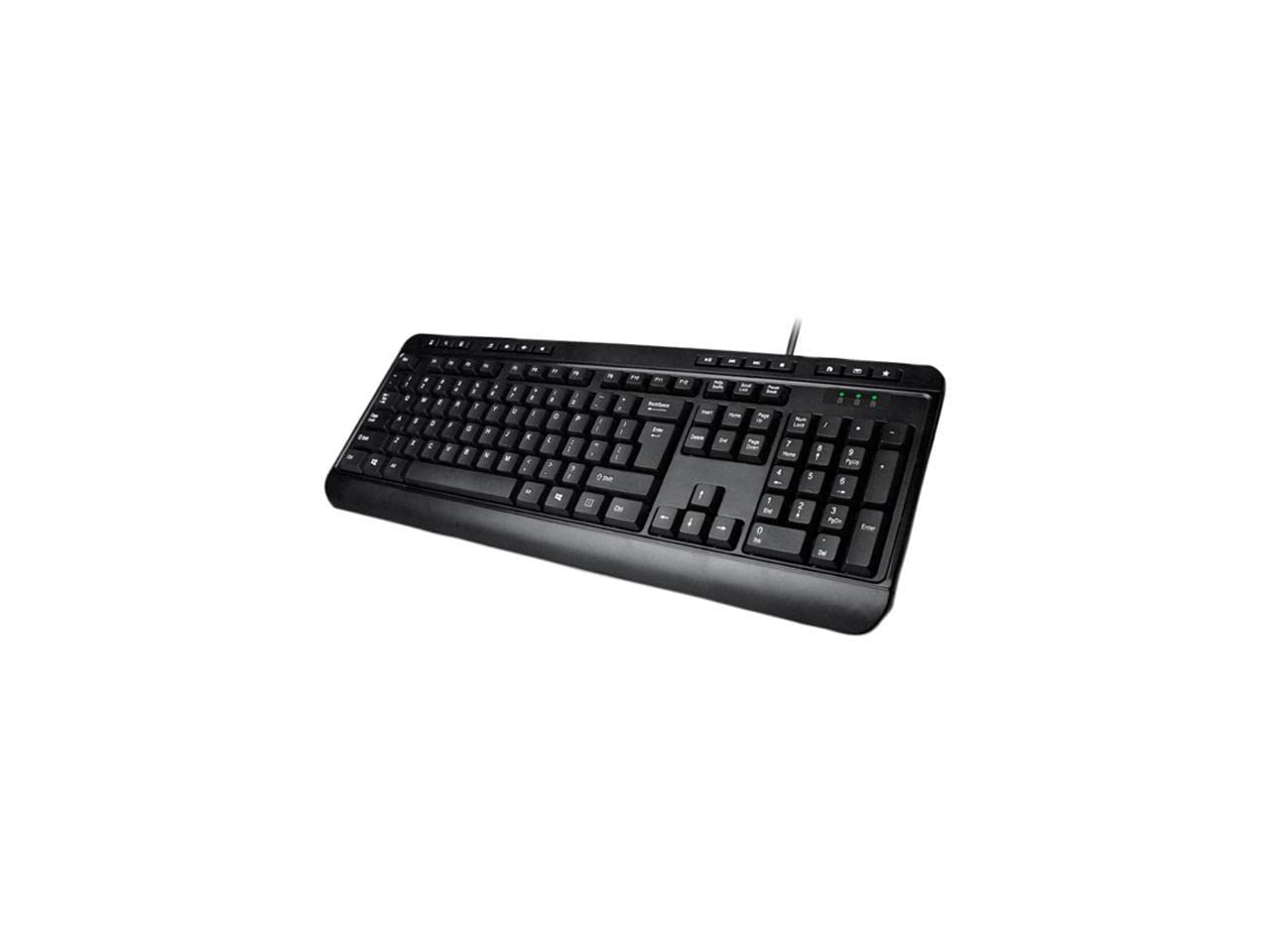
Image: Adesso AKB-132UB Multimedia Desktop Keyboard. This image shows the full keyboard with its standard 104-key layout and the attached USB cable for connection.
Funtzionamendu-argibideak
Standard Keyboard Functions
The Adesso AKB-132UB features a standard 104-key US layout. Keys operate as labeled. The keyboard utilizes membrane switches, providing a quiet and tactile typing experience.
- Adierazle argiak: Located above the numeric keypad, these lights indicate the status of Num Lock, Caps Lock, and Scroll Lock.
- Inklinazio erregulagarria: The keyboard includes foldable feet on the underside to adjust the typing angle for comfort.
Multimedia laster-teklak
The keyboard includes 8 dedicated multimedia hotkeys for quick access to media player controls:
- Multimedia erreproduzitzailea: Opens your default media player application.
- Bolumena jaitsi: Sistemaren bolumena gutxitzen du.
- Bolumena igo: Sistemaren bolumena handitzen du.
- Ezkutatu: Toggles the system sound on or off.
- Erreproduzitu/Pausatu: Multimedia erreprodukzioa erreproduzitzen edo pausatzen du.
- Aurreko pista: Skips to the previous track in your media player.
- Hurrengo ibilbidea: Skips to the next track in your media player.
- Gelditu: Stops media playback.
Windows & Internet Hotkeys
The keyboard also features 6 hotkeys for common Windows and Internet functions:
- Nire ordenagailua: Opens the "This PC" or "My Computer" window.
- Bilatu: Opens the system search utility.
- Kalkulagailua: Launches the Windows Calculator application.
- Posta: Opens your default email client.
- Hasiera: Zure lehenetsitakoa irekitzen du web browser to its home page.
- Gogokoak: Zure irekitzen du web browser's favorites/bookmarks.
Zehaztapenak
| Ezaugarri | Xehetasuna |
|---|---|
| Marka | Adesso |
| Modelo zenbakia | AKB-132UB |
| Konektibitate Teknologia | Kablez (USB) |
| Teklatuaren diseinua | 104-Key US Layout (QWERTY) |
| Gako mota | Mintzaren etengailuak |
| Multimedia laster-teklak | 8 (Media Player, Volume Down, Volume Up, Mute, Play/Pause, Previous Track, Next Track, Stop) |
| Windows & Internet Hotkeys | 6 (My Computer, Search, Calculator, Mail, Home, Favorites) |
| Adierazleak | Blokeo zenbaki, Bloke maiuskulak, Desplazamendu blokeoa |
| Bizitza Zikloa | 5 milioi tekla sakatzea |
| Kolorea | Beltza |
| Materiala | Plastikoa |
| Elementuaren pisua | 1.5 kilo |
Arazoak konpontzea
- Teklatuak ez du erantzuten:
- Ziurtatu USB kablea ordenagailuko USB ataka funtzional batera ondo konektatuta dagoela.
- Try plugging the keyboard into a different USB port, especially a direct port on the computer's rear, bypassing any USB hubs.
- Berrabiarazi ordenagailua sistema eragileak gailua berriro detektatu ahal izateko.
- Test the keyboard on another computer to determine if the issue is with the keyboard or your computer's setup.
- Keys Not Functioning Correctly or Unexpected Characters:
- Egiaztatu teklatuaren diseinu zuzena hautatuta dagoela zure sistema eragilearen ezarpenetan.
- Ziurtatu giltzen azpian ez dagoela kanpoko objekturik.
- For specific keys like the 'Enter' key, be aware that some keyboard layouts may place the backslash key adjacent to it. Familiarization with the physical layout is key.
- Wobbly Keyboard:
- Ensure the keyboard is placed on a flat, stable surface.
- Check if the adjustable tilt feet are fully extended or retracted evenly.
Mantentzea
To maintain the performance and longevity of your Adesso AKB-132UB keyboard:
- Garbiketa: Erabili leuna, apur bat damp cloth to wipe the surface of the keyboard. Avoid using harsh chemicals or abrasive cleaners. For cleaning between keys, use compressed air to remove dust and debris.
- Saihestu isurketak: Mantendu likidoak teklatutik urrun barneko osagaiei kalterik ez egiteko.
- Biltegiratzea: Denbora luzez erabiltzen ez baduzu, gorde teklatua leku garbi eta lehor batean.
Bermea eta Laguntza
The Adesso AKB-132UB Multimedia Desktop Keyboard comes with a 1 urteko berme mugatua erosketa-datatik aurrera. Berme honek ohiko erabileran materialen eta eskulanen akatsak estaltzen ditu.
For technical support, warranty claims, or further assistance, please contact Adesso customer service. Refer to the official Adesso webgunea kontaktu-informazio eguneratuena lortzeko.
Note: This product contains chemicals known to the State of California to cause cancer and birth defects or other reproductive harm.