
Sarrera
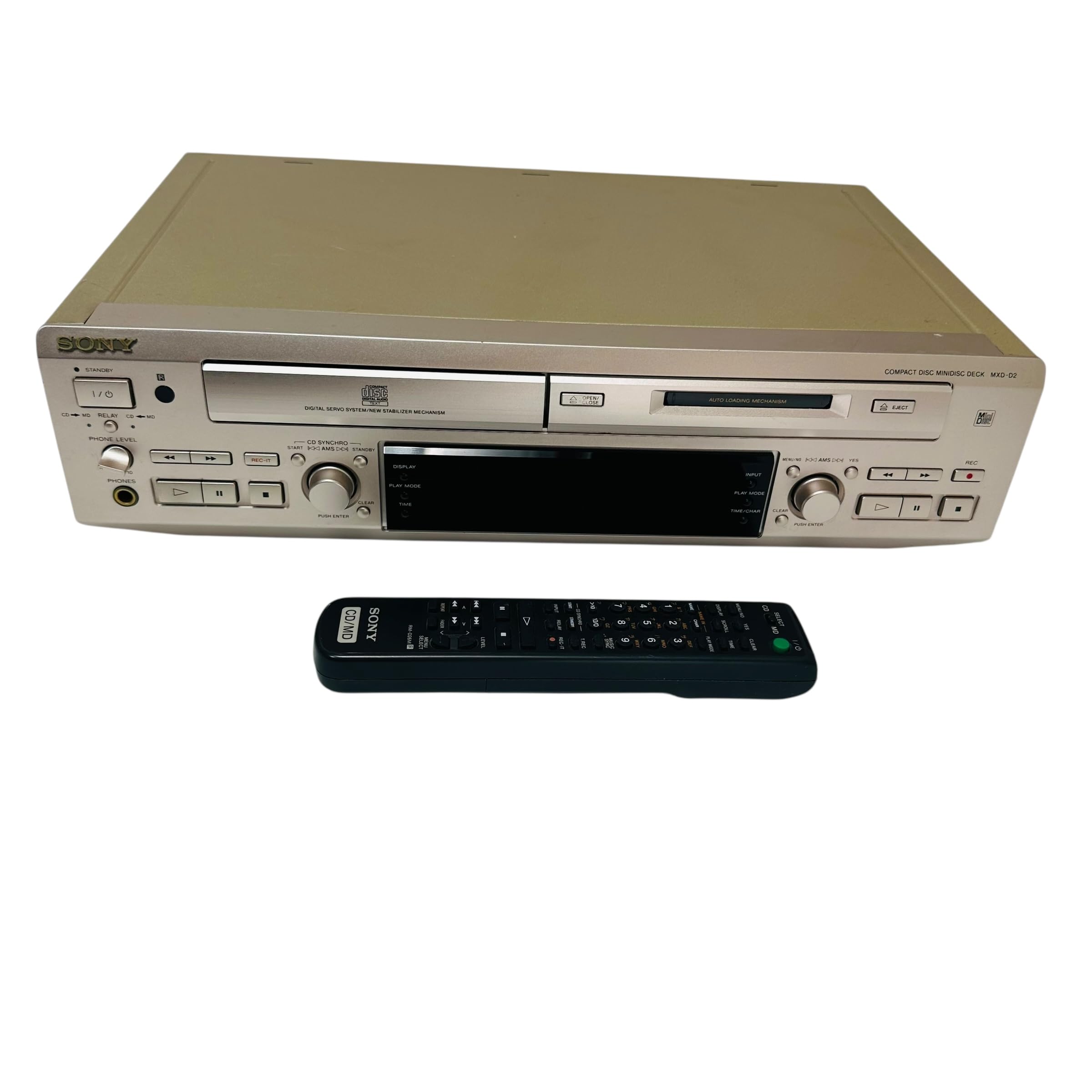
This manual provides essential information for the safe and efficient use of your Sony MXD-D2 MD Recorder/CD Player integrated deck. Please read these instructions thoroughly before operating the unit and retain them for future reference.
Segurtasun Informazioa
Jarraitu segurtasun neurri hauek deskarga elektrikoak, suteak edo unitateari kalteak saihesteko:
- Energia iturria: Konektatu unitatea 100V-ko eta 50/60Hz-ko korronte-iturri batera soilik.
- Aireztapena: Ensure adequate ventilation by not blocking the ventilation openings. Do not place the unit on soft surfaces that may block these openings.
- Hezetasuna: Ez jarri unitatea euripean edo hezetasunean. Saihestu likidoz betetako objektuak, hala nola loreontziak, unitatearen gainean jartzea.
- Atzerriko objektuak: Ez sartu objektu metalikorik edo likidorik unitatean.
- Zerbitzua: Ez saiatu unitatea zeuk konpontzen. Konponketa guztiak langile kualifikatuei eskatu.
Konfigurazioa
Despaketatzea eta Kokatzea
Carefully remove the unit from its packaging. Place the unit on a stable, level surface, ensuring sufficient space around it for proper ventilation.
Atzeko panelaren konexioak
The rear panel of the MXD-D2 provides various input and output terminals for connecting to other audio components. Refer to the image below for a visual guide to the connections.
Irudia: Rear panel of the Sony MXD-D2 unit. This view displays the analog RCA input/output, digital coaxial input, optical input/output, and Control 1 port, along with the power cord connection and product information label.
- Audio-konexio analogikoak: Use RCA cables to connect the SARRERA ANALOGIKOA (入力) to the audio output of an external device (e.g., a tape deck or tuner). Connect the IRTEERA ANALOGIKOA (出力) to the audio input of your amplifier or receiver. Ensure left (左) and right (右) channels are matched.
- Audio digitalaren konexioak:
- Coaxial Digital Input (コアキシャル 入力): Connect a coaxial digital cable from the digital output of an external device.
- Optical Digital Input (オプチカル 入力): Connect an optical digital cable from the digital output of an external device.
- Optical Digital Output (オプチカル 出力): Connect an optical digital cable to the digital input of an external recording device or ampbiziagoa.
- Control 1 (コントロール 1): This port is for connecting to other compatible Sony components for synchronized operation. Refer to the manuals of connected components for specific instructions.
- Potentzia-konexioa: After all audio connections are made, plug the power cord into an AC 100V wall outlet.
Funtzionamendu-argibideak
Piztu/Itzali
Sakatu BOTEREA button on the front panel to turn the unit on or off.
CD erreprodukzioa
- Sakatu CD OPEN/CLOSE CDaren erretilua irekitzeko botoia.
- Place a CD with the label side up in the tray.
- Sakatu CD OPEN/CLOSE botoia berriro erretilua ixteko.
- Sakatu CD PLAY botoia erreproduzitzen hasteko.
- Erabili PAUSENA, GELDITU, SALTATU (►►| / |◄◄), and BILATU erreprodukzioa kontrolatzeko botoiak.
MD Playback
- Insert a MiniDisc into the MD slot with the arrow pointing inwards.
- Sakatu MD PLAY botoia erreproduzitzen hasteko.
- Erabili PAUSENA, GELDITU, SALTATU (►►| / |◄◄), and BILATU erreprodukzioa kontrolatzeko botoiak.
MD Recording
The MXD-D2 allows recording from CD, analog, or digital sources to a MiniDisc.
- Insert a blank or erasable MiniDisc into the MD slot.
- Select the desired input source (CD, ANALOG, DIGITAL COAXIAL, or DIGITAL OPTICAL) using the SARRERA HAUTATZAILEA botoia.
- For CD-to-MD recording, load the CD and select CD as the input source.
- Sakatu MD REC botoia grabazio-itxarote moduan sartzeko.
- Start playback on the source device (if external) or press CD PLAY (for CD-to-MD recording).
- Sakatu MD REC berriro grabatzen hasteko.
- Sakatu MD STOP grabatzen amaitzeko.
- Track Marking: The unit can automatically mark tracks during digital recording. For manual marking, press the MARKATU button during recording.
Mantentzea
Unitatea garbitzea
Garbitu unitatearen kanpoaldea zapi leun eta lehor batekin. Orban egoskorretarako, erabili zapi leun bat.ampGarbigarri leun batekin garbitu, eta gero lehortu. Ez erabili zapi urratzailerik, garbigarririk edo alkohola edo bentzenoa bezalako disolbatzailerik.
Diskoen Zainketa
- Handle discs by their edges to avoid fingerprints on the recording surface.
- Keep discs in their cases when not in use to protect them from dust and scratches.
- Ez jarri diskoak eguzki-argia edo bero-iturri zuzenetara.
Arazoak konpontzea
If you experience problems with your unit, consult the following table before seeking professional service.
| Arazoa | Kausa posiblea | Irtenbidea |
|---|---|---|
| Botererik ez | Kable elektrikoa ez dago ondo konektatuta. | Check that the power cord is firmly plugged into the unit and the wall outlet. |
| Soinurik ez | Incorrect input selected; audio cables not connected properly; amplikifikatzailearen bolumena baxuegia da. | Select the correct input source. Check all audio cable connections. Increase the volume on your ampbiziagoa. |
| CD/MD does not play or record | Disc inserted incorrectly; disc is dirty or scratched; disc is unrecordable (for MD). | Ensure the disc is inserted correctly. Clean the disc with a soft cloth. Use a recordable MD. |
| Recording level is too low/high | Source device output level is incorrect. | Adjust the output level on the source device or the recording level on the MXD-D2 if available. |
Zehaztapenak
| Ezaugarri | Xehetasuna |
|---|---|
| Modelo zenbakia | MXD-D2 |
| Marka | Sony |
| Potentzia-eskakizunak | AC 100V, 16W, 50/60Hz |
| Media formatuak | Compact Disc (CD), MiniDisc (MD) |
| Analogiko Sarrerak | RCA (Left/Right) |
| Irteera analogikoak | RCA (Left/Right) |
| Sarrera digitalak | Coaxial (1), Optical (1) |
| Irteera digitalak | Optikoa (1) |
| Kontrol Portua | Kontrola 1 |
| Gailu bateragarriak | Bozgorailuak, entzungailuak |
| Serie zenbakia | 213013 (Example) |
| Jatorrizko Herrialdea | Japonian egina |
Bermea eta Laguntza
For warranty information and technical support, please refer to the warranty card included with your product or visit the official Sony webzure eskualdeko gunea. Gorde erosketa-agiria erosketaren frogagiri gisa.


