
iHome IDL100GC
iHome iDL100 Lightning Dock Hirukoitzeko Kargatzeko FM Erloju Irratia USB Kargatzeko/Erreproduzitzeko Argibide Eskuliburua
1. Sarrera
The iHome iDL100 is a versatile Lightning Dock FM Clock Radio designed to enhance your bedside experience. It features triple charging capabilities, allowing you to charge up to three devices simultaneously via two flexible Lightning docks and a universal USB port. Enjoy waking up or falling asleep to your favorite iPad, iPhone, iPod, a custom playlist, or FM radio. The clock also includes an auto-sync feature for seamless time setting with your iPhone and a 7-5-2 alarm system for flexible scheduling.
2. Produktua amaitu daview

1. irudia: Aurrealdea view of the iHome iDL100 with multiple Apple devices docked and charging.
The iHome iDL100 is designed for convenience and multi-device compatibility. Its sleek design integrates seamlessly into any bedroom or office environment. The top panel features intuitive controls for alarm settings, radio functions, and display adjustments.

2. irudia: Aldea view highlighting the dual Lightning docks and overall compact design.
Ezaugarri nagusiak hauek dira:
- Dual flexible Lightning docks for iPhone/iPad/iPod.
- One universal USB port for additional device charging.
- FM radio with programmable presets.
- Dual alarms with 7-5-2 scheduling.
- Auto-sync time with docked iPhone.
- Adjustable display dimmer.
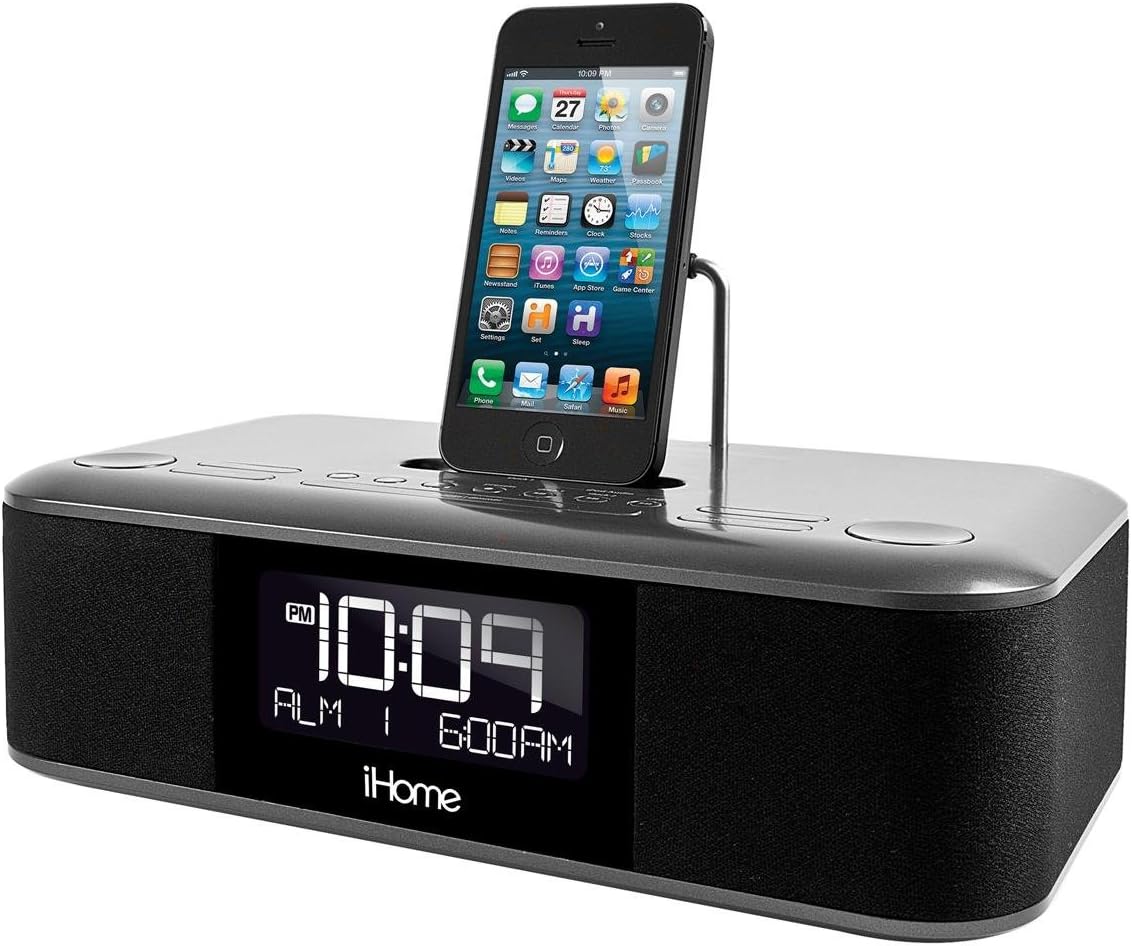
Figure 3: Close-up of the top controls and a single iPhone docked.

Figure 4: The adjustable Lightning connector in one of the docks.
3. Konfigurazioa
3.1 Energia-konexioa
- Connect the supplied AC adapter to the DC jack on the back of the iDL100.
- Plug the AC adapter into a working wall outlet.
- Unitatea piztuko da eta pantaila argituko da.
3.2 Ordua ezartzea
The iDL100 features an auto-sync function to set the time automatically when a compatible iPhone is docked.
- Sinkronizazio automatikoa: Dock your iPhone into one of the Lightning docks. The iDL100 will automatically synchronize its time with your iPhone's time.
- Eskuzko ordua ezarri: Refer to the included quick start guide for detailed instructions on manually setting the time and switching between 12/24-hour formats using the dedicated buttons.
3.3 Alarma ezarpena
The iDL100 allows for two independent alarms with a 7-5-2 day setting feature.
- Press and hold the desired Alarm button (Alarm 1 or Alarm 2) to enter alarm setting mode.
- Use the navigation buttons to adjust the alarm time.
- Select your desired alarm source: docked device (iPad, iPhone, iPod), custom playlist, or FM radio.
- Choose the 7-5-2 setting for daily, weekday, or weekend alarms.
- Confirm your settings by pressing the Alarm button again.
4. Funtzionamendu-argibideak
4.1 Kargatzeko gailuak
The iDL100 offers triple charging options:
- Lightning Docks: Place your compatible iPhone, iPad, or iPod onto one of the two flexible Lightning docks. Ensure the device is properly seated for charging to begin.
- USB ataka: Connect any USB-powered device (e.g., smartphone, tablet, earbuds) to the USB port located on the back of the unit using its charging cable.
4.2 FM irratiaren funtzionamendua
- Press the FM Radio button to turn on the radio.
- Use the tuning buttons to scan for stations or manually adjust the frequency.
- To save a station as a preset, press and hold a preset button until the display flashes, then release.
4.3 Audio Playback from Docked Devices
Once your Apple device is docked, you can play audio through the iDL100's speakers.
- Start playback on your docked device.
- Use the volume controls on the iDL100 or your device to adjust the audio level.
- Track navigation buttons on the iDL100 may control playback on your device.
4.4 Pantailaren distira doitzea
Adjust the display brightness to your preference using the dedicated dimmer button, typically located on the top panel or rear of the unit.
5. Mantentzea
- Clean the unit with a soft, dry cloth. Do not use liquid cleaners or abrasive materials.
- Keep the unit away from direct sunlight, heat sources, and excessive moisture.
- Ziurtatu aireztapen egokia unitatearen inguruan.
6. Arazoak
- Potentziarik gabe: Ziurtatu korronte-egokitzailea ondo konektatuta dagoela unitatean eta funtzionatzen duen hormako entxufe batean.
- Alarma ez da jotzen: Verify that the alarm is set correctly, enabled, and the volume is not set to minimum. Check the alarm source.
- Gailua ez da kargatzen: Ensure your device is properly seated on the Lightning dock or securely connected to the USB port. Check for any debris in the connectors.
- FM harrera eskasa: Extend the FM antenna fully and try repositioning it for better signal.
7. Zehaztapenak
- Eredua: IDL100GC
- Produktuaren neurriak: 12.1 x 9.8 x 6.2 hazbete
- Elementuaren pisua: 4.94 kilo
- Potentzia: Universal 100-240V AC adaptor
- Kargatzeko atakak: 2 x Lightning Docks, 1 x USB Port (5V Input)
- Hardware Interfazea: USBa
- Gailu bateragarriak: iPad, iPhone, iPod (Lightning connector models)
- Kolorea: Beltza
8. Produktuaren bideo ofiziala
Video: A user demonstrates the iHome iDL100, highlighting its features and functionality.
9. Bermea eta Laguntza
For warranty information and customer support, please refer to the documentation included with your product or visit the official iHome webgunea. Gorde erosketa-agiria berme-erreklamazioetarako.
Ask a question about this manual
Ask about setup, troubleshooting, compatibility, parts, safety, or missing instructions. Manuals+ will review the question and use this page’s manual context to help answer it.