
Sarrera
This manual provides essential information for the proper use and care of your Beats Studio Wireless Over-Ear Headphones. Please read these instructions carefully before using your headphones to ensure optimal performance and longevity. The Beats Studio Wireless headphones offer a premium audio experience with wireless connectivity and Adaptive Noise Canceling technology.
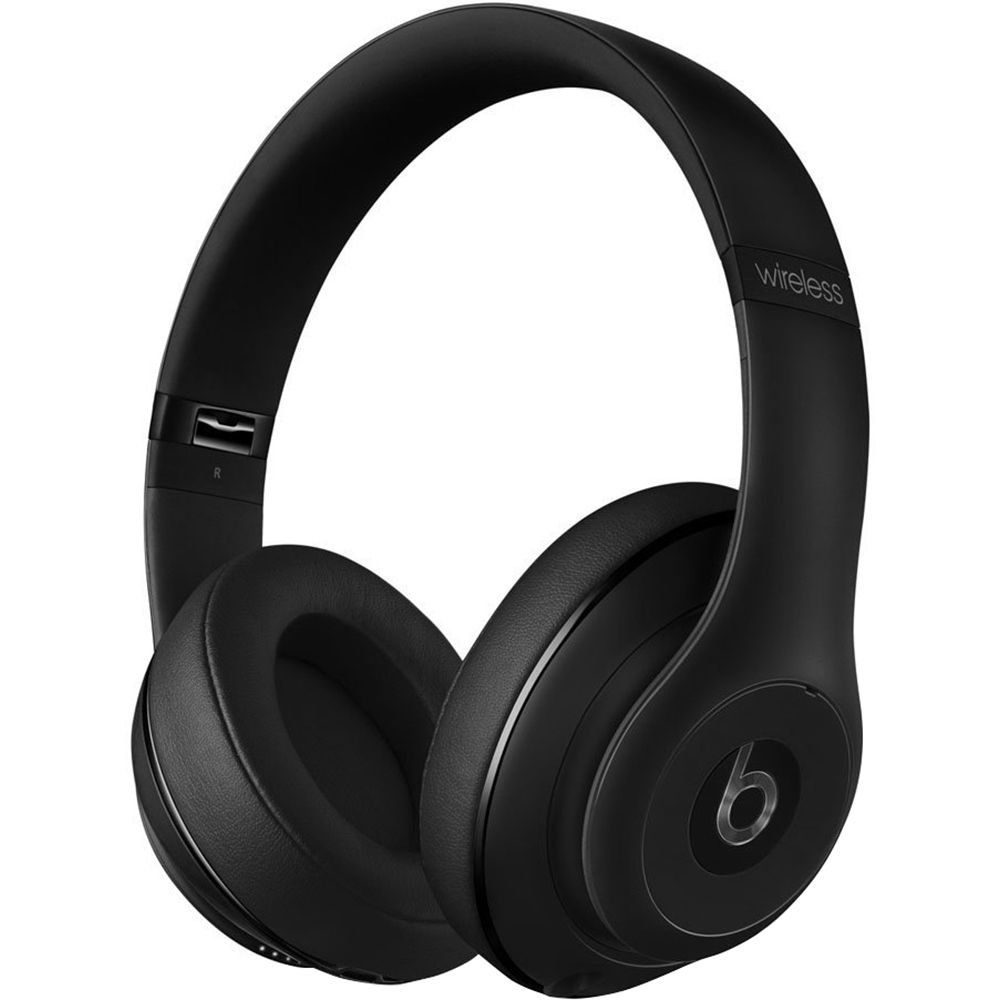
Image: Beats Studio Wireless Over-Ear Headphones in Matte Black, showcasindiseinu dotorea g.
Kutxan dagoena
Egiaztatu elementu guztiak zure paketean daudela:
- Beats Studio Wireless over-ear headphones
- 3.5mm audio cable with RemoteTalk (for wired connection and controls)
- Standard 3.5 mm audio cable (for wired connection without RemoteTalk features)
- USB 2.0 cable (USB-A to USB Micro-B) for charging
- Hard-shell carrying case with carabiner clip

Image: The Beats Studio Wireless headphones, hard-shell carrying case, and various cables laid out from the packaging.
Konfigurazioa
1. Entzungailuak kargatzea
Before first use, fully charge your Beats Studio Wireless headphones. A full charge provides approximately 12 hours of wireless playback or 20 hours of wired playback with Adaptive Noise Canceling enabled.
- Connect the small end of the USB 2.0 cable (USB-A to USB Micro-B) to the Micro-USB port on the right earcup of the headphones.
- Connect the larger end of the USB cable to a USB power adapter (not included) or a powered USB port on a computer.
- The Fuel Gauge LEDs on the right earcup will indicate charging status. When all five LEDs are solid white, the headphones are fully charged.
Oharra: The headphones cannot be used while charging.
2. Bluetooth parekatzea
Konektatu entzungailuak Bluetooth gaitutako gailuarekin haririk gabeko audioa lortzeko.
- Ziurtatu entzungailuak kargatuta eta itzalita daudela.
- Press and hold the power button on the right earcup for 3-5 seconds until the Fuel Gauge LEDs begin to pulse. This indicates pairing mode.
- Zure gailuan, joan Bluetooth ezarpenetara eta gaitu Bluetooth.
- Select "Beats Studio Wireless" from the list of available devices.
- Once paired, the Fuel Gauge LEDs will turn solid white.
The headphones have a Bluetooth range of up to 30 feet (9 meters).
3. Kable bidezko konexioa
For a wired connection, use the provided 3.5mm audio cables.
- Plug one end of the 3.5mm audio cable into the audio input port on the left earcup.
- Plug the other end into the 3.5mm audio output jack of your device.
The RemoteTalk cable allows for inline control of music and calls when connected to compatible devices.
Funtzionamendu-argibideak
1. Piztu/Itzali
- Pizteko: Press and hold the power button on the right earcup until the Fuel Gauge LEDs illuminate.
- Itzaltzeko: Press and hold the power button until the Fuel Gauge LEDs turn off.
2. Controls (Wireless Mode)
The "b" button on the left earcup and the volume buttons control playback and calls.
- Erreproduzitu/Pausatu: Press the "b" button once.
- Hurrengo ibilbidea: Press the "b" button twice quickly.
- Aurreko pista: Press the "b" button three times quickly.
- Bolumena igo: Press the top volume button.
- Bolumena jaitsi: Press the bottom volume button.
- Deia erantzun/amaitu: Press the "b" button once during an incoming call or active call.
- Deia baztertu: Press and hold the "b" button for 2 seconds during an incoming call.
- Aktibatu Ahots Laguntzailea: Press and hold the "b" button for 2 seconds (functionality depends on device).
3. Adaptive Noise Canceling (ANC)
The Beats Studio Wireless headphones feature Dual-Mode Adaptive Noise Canceling. ANC is automatically active when the headphones are powered on. There are two modes:
- Full ANC: Engaged when listening to music or media, providing maximum noise reduction.
- ANC Only: When the audio cable is unplugged and the headphones are powered on, ANC will automatically switch to a more aggressive mode to reduce external noise without playing audio.
Mantentzea
1. Garbiketa
Entzungailuen itxura eta errendimendua mantentzeko:
- Garbitu entzungailuak eta buruko zinta oihal leun, lehor eta lihorik gabeko batekin.
- Ez erabili garbitzaile urratzailerik, alkoholik edo disolbatzaile kimikorik.
- Saihestu hezetasuna irekiduretan sartzea.
2. Biltegiratzea
When not in use, store your headphones in the provided hard-shell carrying case to protect them from damage.
- Fold the headphones carefully to fit into the case.
- Keep headphones away from extreme temperatures and humidity.
3. Bateria zaintzea
Bateriaren iraupena luzatzeko:
- Saihestu bateria maiz erabat deskargatzea.
- Kargatu entzungailuak aldizka, denbora luzez erabili ez badira ere.
- Leku fresko eta lehor batean gorde.
Arazoak konpontzea
If you encounter issues with your Beats Studio Wireless headphones, try the following solutions:
Argindarrik gabe / Ez da pizten
- Ziurtatu entzungailuak guztiz kargatuta daudela. Konektatu itzazu energia-iturri batera USB kablea erabiliz.
- Begiratu USB kablea eta kargatzeko ataka kalterik ez dagoen.
No Sound / Intermittent Audio
- Haririk gabekoa:
- Ensure headphones are paired and connected to your device.
- Check the volume levels on both the headphones and your device.
- Move closer to your device to avoid interference or exceeding Bluetooth range.
- Saiatu entzungailuak zure gailuarekin desparekatzen eta berriro parekatzen.
- Sare:
- Ensure the 3.5mm audio cable is securely plugged into both the headphones and your audio source.
- Try a different 3.5mm audio cable if available.
Parekatze arazoak
- Ensure the headphones are in pairing mode (pulsing Fuel Gauge LEDs).
- Itzali eta gero piztu zure gailuaren Bluetooth-a.
- Forget "Beats Studio Wireless" from your device's Bluetooth list and attempt to pair again.
- Ziurtatu beste Bluetooth gailuek ez dutela parekatze prozesuan oztopatzen.
Adaptive Noise Canceling (ANC) Not Working
- Ensure the headphones are powered on. ANC requires power.
- Check for any obstructions around the external microphones on the earcups.
Zehaztapenak
Key technical specifications for the Beats Studio Wireless Over-Ear Headphones:
- Ereduaren izena: Estudioa
- Konektibitate Teknologia: Bluetooth (Wireless), 3.5 mm Jack (Wired)
- Haririk gabeko komunikazio teknologia: Bluetootha
- Bluetooth barrutia: Gehienez 30 oin (9 metro)
- Zarata kontrola: Active Noise Cancellation (Dual-Mode Adaptive Noise Canceling)
- Bateriaren iraupena: Approximately 12 hours (wireless), 20 hours (wired with ANC)
- Bateria mota: Litio-ioizko bateria 1 (kargagarria)
- Kontrol mota: Media Control (on-earcup "b" button, volume buttons)
- Mikrofonoa: Esku libreko deiak egiteko integratua
- Forma-faktorea: Belarri gainean
- Belarrien kokapena: Belarri gainean
- Materiala: Plastikoa
- Elementuaren pisua: Gutxi gorabehera 9.2 ontza (0.26 kilogramo)
- Produktuaren neurriak: 9.6 x 7.3 x 4.5 hazbete
- Fabrikatzailea: Beats Electronics, LLC
- Lehen eskuragarri dagoen data: 1ko abenduaren 2013a

Irudia: Gertutik view of the headphone's inner band, displaying the model number B0501.
Bermea eta Laguntza
For warranty information and customer support, please refer to the official Beats webwebgunera edo jarri harremanetan zuzenean bezeroarentzako arreta-zerbitzura. Gorde erosketaren frogagiria berme-erreklamazioetarako.
Oharra: This product is an older model. Specific warranty terms may vary based on purchase date and region. Please consult the manufacturer's official resources for the most accurate and up-to-date information.
Laguntza gehiago behar baduzu, bisitatu: Beats laguntza