
Sarrera
This manual provides detailed instructions for the safe and efficient operation of your Ozeri 360 Oscillation Micro-Blade Noise Reduction Technology Tower Fan, Model OZF5. Please read all instructions carefully before use and retain this manual for future reference.
Segurtasun Informazioa
Sute, deskarga elektriko edo lesio arriskua murrizteko, jarraitu beti oinarrizko segurtasun neurri hauek:
- Ziurtatu haizagailua gainazal egonkor eta mailakatu batean jartzen dela, iraultzea saihesteko.
- Ez sartu hatzak edo objektu arrotzak haizagailuaren irekiduretan.
- Keep the fan away from water or moist areas.
- Deskonektatu haizagailua entxufetik garbitu edo mantentze-lanak egin aurretik.
- Ez erabili haizagailua hondatutako kable edo entxufe batekin.
- Etxetresna hau barrualdean erabiltzeko soilik da.
Paketearen edukia
Egiaztatu osagai guztiak daudela:
- Ozeri 360 Oscillation Tower Fan Unit
- Zaleen oinarria (2 erdi)
- Urruneko Kontrola
- Screws for Base Assembly (3 pieces)
- Erabiltzailearen eskuliburua
Konfigurazioa
Follow these steps to assemble your Ozeri Tower Fan:
- Carefully remove all packaging materials from the fan unit and its components.
- Connect the two halves of the fan base. Ensure they fit together securely.
- Align the assembled base with the bottom of the fan unit.
- Secure the base to the fan unit using the 3 provided screws. Hand assembly is sufficient; no special tools are required.
- Jarri haizagailua gainazal sendo eta mailakatu batean.
- Entxufatu korronte-kablea entxufe elektriko estandar batean.
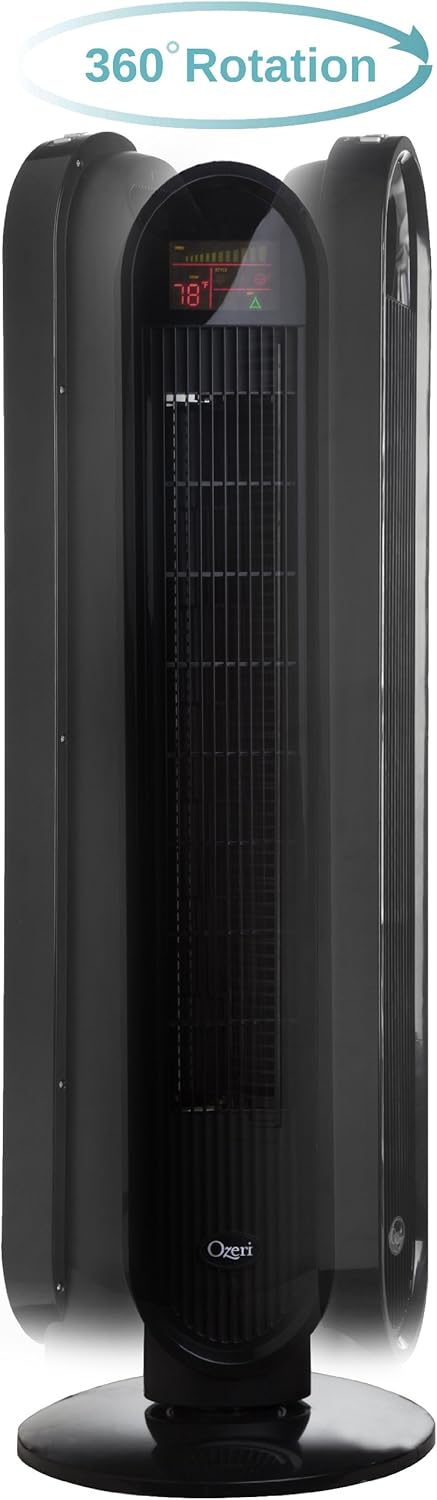
Funtzionamendu-argibideak
Your Ozeri Tower Fan can be operated using the control panel on top of the unit or the included remote control.
Kontrol panelaren funtzioak:

- Pizteko botoia: Haizagailua piztu edo itzaltzen du.
- Abiadura botoia: Cycles through 3 whisper-quiet speed settings. The LCD display will show the current speed level.
- Modu botoia: Selects between 3 preprogrammed airflow patterns (e.g., normal, natural, sleep).
- Oscillation (OSC) Button: Activates or deactivates the oscillation feature. You can select oscillation angles of 60, 90, 120, or 360 degrees for partial to complete air circulation.
- Tenporizadorearen botoia: Sets the 8-hour programmable timer in 30-minute increments.
- Auto botoia: Engages the auto mode, which adjusts fan speed based on room temperature.
LCD pantaila:

The multi-colored LCD displays all active fan functions and the current room temperature, allowing for easy monitoring and control.
Urruneko kontrola:
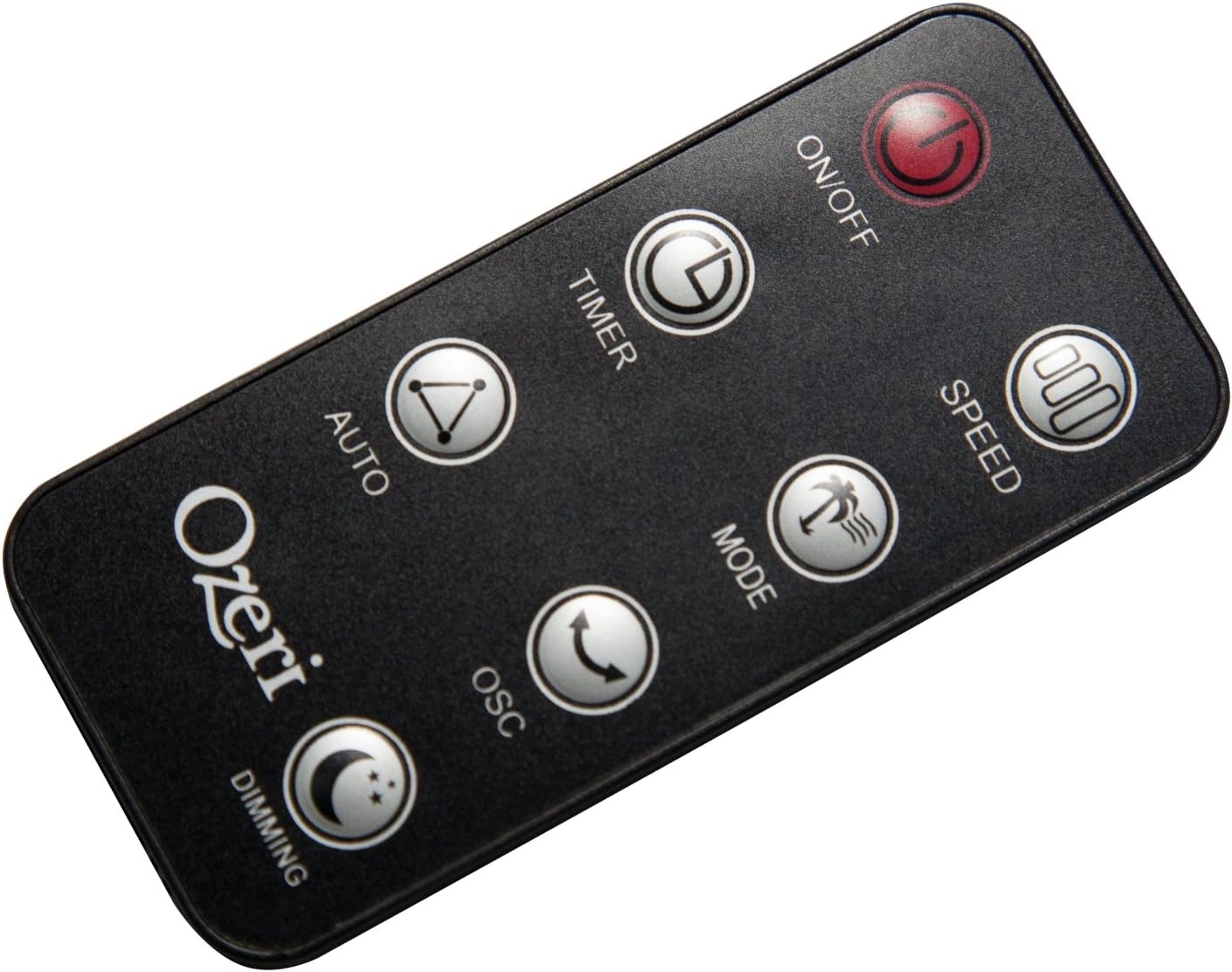
The extended-range remote control provides convenient access to all fan features from a distance. It includes buttons for On/Off, Speed, Timer, Mode, Auto, Oscillation, and Dimming (for the LCD display). The remote can be stored in a dedicated slot on the fan unit.

Produktuaren bideo ofiziala:
Video: This official product video demonstrates the Ozeri 360 Oscillation Tower Fan, highlighting its micro-blade noise reduction technology and various features.
Mantentzea
Regular cleaning ensures optimal performance and longevity of your fan:
- Deskonektatu beti haizagailua garbitu aurretik.
- Erabili biguna, damp kanpoko gainazalak garbitzeko zapi bat. Ez erabili garbitzaile edo disolbatzaile urratzailerik.
- Erabili eskuila-eranskin bat duen xurgagailu bat aire-sarrerako eta irteerako saretetatik hautsa astiro kentzeko.
- Ez murgildu haizagailua uretan eta ez utzi ura isurtzen motorraren karkasan.
- Gorde haizagailua leku fresko eta lehor batean erabiltzen ez duzunean.
Arazoak konpontzea
Zure haizagailuarekin arazoak badituzu, jo ezazu honako arazo eta irtenbide ohikoenei:
- Fan ez da pizten: Ensure the power cord is securely plugged into a working outlet. Check if the power button on the fan or remote has been pressed.
- Aire fluxu ahula: Check the fan speed setting and increase it if necessary. Ensure the air intake and exhaust grilles are not obstructed by dust or other objects.
- Fan makes unusual noise: Turn off and unplug the fan. Inspect for any foreign objects caught in the grilles or internal components. If the noise persists after clearing any obstructions, contact customer support.
- Urruneko kontrola ez dabil: Ensure the remote control batteries are correctly installed and not depleted. Point the remote directly at the fan's receiver.
Zehaztapenak
| Ezaugarri | Xehetasuna |
|---|---|
| Marka | Ozeri |
| Modelo zenbakia | OZF5 |
| Kolorea | Beltza |
| Haizagailu elektrikoaren diseinua | Solairuko haizagailua |
| Energia iturria | Kable elektrikoa |
| Ezaugarri Berezia | Oscillating (60, 90, 120, 360 degrees) |
| Abiadura kopurua | 3 |
| Wattage | 60 watt |
| Aire Fluxuaren Ahalmena | 5000 oin kubiko minutuko |
| liburukiatage | 127 Volt |
| Kontrol-metodoa | Remote Control, Electronic Touch Controls |
| Materiala | Plastikoa |
| Elementuaren pisua | 9 kilo |
Bermea eta Laguntza
This Ozeri Tower Fan comes with a 1-year no questions asked warranty. For warranty claims, technical support, or any inquiries, please refer to the contact information provided on the Ozeri official webgunea edo zure erosketa-dokumentazioa.