
Reizen RL-350
RL-350 Braille Labeler User Manual
Model: RL-350 (263667) | Brand: Reizen
Sarrera
The Reizen RL-350 Braille Labeler is a lightweight, portable device designed for creating Braille labels. It is an essential tool for various applications, including organizing files, records, DVDs, and personal items like credit cards and business cards. This manual provides comprehensive instructions for the proper setup, operation, and maintenance of your RL-350 Braille Labeler.
Ezaugarri nagusiak
- Erraz erabiltzeko diseinua.
- Ergonomic handle for comfortable grip.
- Simple tape loading mechanism.
- Compact size for portability.
- Eraikuntza arina eta iraunkorra.
- Compatible with 3/8 inch and 1/2 inch wide labeling tape.

Figure 1: The Reizen RL-350 Braille Labeler shown alongside a roll of compatible labeling tape.
Konfigurazioa
Despaketatzea
Carefully remove the RL-350 Braille Labeler from its packaging. Inspect the device for any signs of damage. Ensure all components, including the labeler and any included sample tape, are present.
Loading Label Tape
- Open the tape compartment cover, typically located on the side or bottom of the labeler.
- Insert a compatible 3/8 inch or 1/2 inch wide Braille labeling tape roll into the compartment, ensuring the tape feeds correctly into the designated slot. The adhesive side of the tape should face down.
- Pull a small length of tape through the tape exit slot until it is taut.
- Close the tape compartment cover securely.
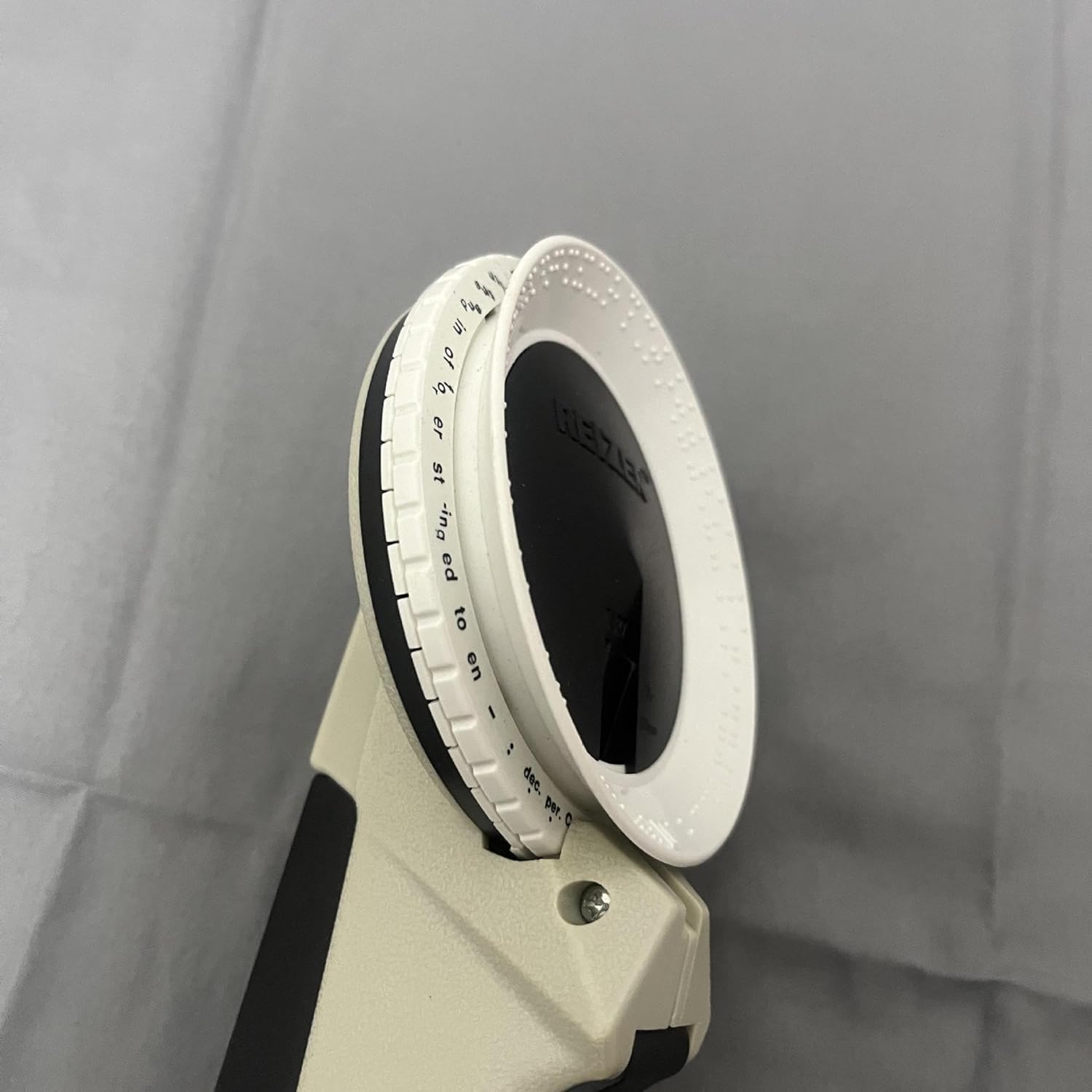
2. irudia: Aldea view illustrating the tape loading and feeding mechanism of the labeler.
Funtzionamendu-argibideak
Selecting Characters
The RL-350 features a rotating dial with Braille characters and symbols. To select a character:
- Rotate the character dial until the desired Braille character or symbol is aligned with the indicator mark, typically a small arrow or line on the labeler's body.
- Ensure the dial clicks into place for precise alignment.

3. irudia: Goikoa view of the labeler, highlighting the character selection dial and indicator.
Embossing Labels
- After selecting your first character, firmly squeeze the trigger handle to emboss the character onto the tape. You will feel a distinct click.
- Release the trigger. The tape will automatically advance to the next position.
- Repeat steps 1 and 2 for each subsequent character until your word or phrase is complete.
- For a space, select the blank space character on the dial and squeeze the trigger.
Etiketak ebakitzea
Once you have finished embossing your label:
- Rotate the character dial to the "Cut" symbol (often represented by scissors or a blade icon).
- Firmly squeeze the trigger handle completely to cut the tape. The label will be cut and a small tab may be created for easy backing removal.
- Remove the embossed label from the labeler.
Mantentzea
Garbiketa
To ensure optimal performance and longevity of your RL-350 Braille Labeler:
- Periodically wipe the exterior of the labeler with a soft, dry cloth.
- If tape residue accumulates around the cutting mechanism or tape path, carefully remove it using a small, non-abrasive tool or a cotton swab lightly dampened with rubbing alcohol. Ensure the device is dry before next use.
- Ez erabili produktu kimiko gogorrik edo garbigailu urratzailea.
Biltegiratzea
Store the labeler in a cool, dry place away from direct sunlight and extreme temperatures. Keep it in its original packaging or a protective case when not in use to prevent dust accumulation and accidental damage.
Arazoak konpontzea
If you encounter issues with your RL-350 Braille Labeler, refer to the following common problems and solutions:
Tape Not Feeding or Jamming
- Check Tape Installation: Ensure the tape is correctly loaded and threaded through the mechanism. The tape should be taut but not overly tight.
- Garbitu oztopoak: Open the tape compartment and inspect for any small pieces of tape or debris that might be obstructing the tape path or cutting mechanism. Carefully remove any blockages.
- Zinta mota: Verify you are using the correct width (3/8 or 1/2 inch) and type of labeling tape designed for this device.
Characters Not Embossing Clearly
- Firm Trigger Press: Ensure you are pressing the trigger handle firmly and completely for each character. A weak press may result in faint or incomplete embossing.
- Character Alignment: Make sure the character dial is precisely aligned with the indicator mark before pressing the trigger.
- Tape Condition: Check if the tape is damaged or creased, which can affect embossing quality.
Label Not Cutting Properly
- "Cut" Position: Ensure the dial is set to the "Cut" symbol.
- Full Trigger Press: The cutting mechanism requires a full, firm squeeze of the trigger.
- Blade Obstruction: Check for any tape residue or debris around the cutting blade that might be preventing a clean cut.
Zehaztapenak
| Ezaugarri | Xehetasuna |
|---|---|
| Marka | Reizen |
| Ereduaren izena | RL-350 |
| Elementuaren eredu-zenbakia | 263667 |
| Product Dimensions (Imperial) | 10 inch L x 4 inch W x 2.38 inch H |
| Product Dimensions (Metric) | 254.00 mm L x 101.60 mm W x 60.45 mm H |
| Pisua | 10.55 ontza |
| Zinta zabalera bateragarriak | 3/8 hazbeteko eta 1/2 hazbeteko |
| Kolorea | Zuria |
| Ezaugarri Berezia | Arina, eramangarria |
Bermea eta Laguntza
Bermearen informazioa
The Reizen RL-350 Braille Labeler comes with a 1 urteko berme mugatua from the date of purchase. This warranty covers defects in materials and workmanship under normal use. It does not cover damage resulting from misuse, accident, modification, or unauthorized repair.
Mesedez, gorde zure erosketa-froga berme-erreklamazioetarako.
Bezeroarentzako Arreta
For technical assistance, troubleshooting, or warranty inquiries, please contact Reizen customer support:
- Webgunea: Visit the official Reizen webmaiz egiten diren galderen eta laguntza-baliabideen gunea.
- Posta elektronikoa: Refer to your product packaging or the Reizen webwebgunean laguntza-helbide elektroniko eguneratuena lortzeko.
- Telefonoa: Refer to your product packaging or the Reizen webwebgunean laguntza-telefono zenbaki eguneratuena aurkitzeko.
When contacting support, please have your product model number (RL-350) and purchase date available.
Ask a question about this manual
Ask about setup, troubleshooting, compatibility, parts, safety, or missing instructions. Manuals+ will review the question and use this page’s manual context to help answer it.