
1. Sarrera
This manual provides essential instructions for the safe and efficient operation of your ICOM BC-152 charger. Please read this manual thoroughly before using the charger to ensure proper setup, operation, and maintenance. Keep this manual for future reference.
2. Segurtasun informazioa
Always observe the following safety precautions to prevent injury, damage to the charger, or damage to the device being charged.
- Use only with compatible ICOM battery packs. Using incompatible batteries may cause fire, explosion, or injury.
- Ez jarri kargagailua euripean, hezetasunean edo muturreko tenperaturetan.
- Ez desmuntatu edo aldatu kargagailua. Mantendu konponketa guztiak langile kualifikatuen esku.
- Ziurtatu entxufearen bolumenatage matches the charger's specifications.
- Mantendu kargagailua bero-iturrietatik eta eguzki-argitik urrun.
- Deskonektatu kargagailua entxufetik erabiltzen ez duzunean edo garbitu aurretik.
3. Konfigurazioa
3.1 Paketatzea
Carefully remove the ICOM BC-152 charger from its packaging. Verify that all components are present:
- ICOM BC-152 Charger Unit
- AC Adapter (if included)
- Argibide eskuliburua (dokumentu hau)
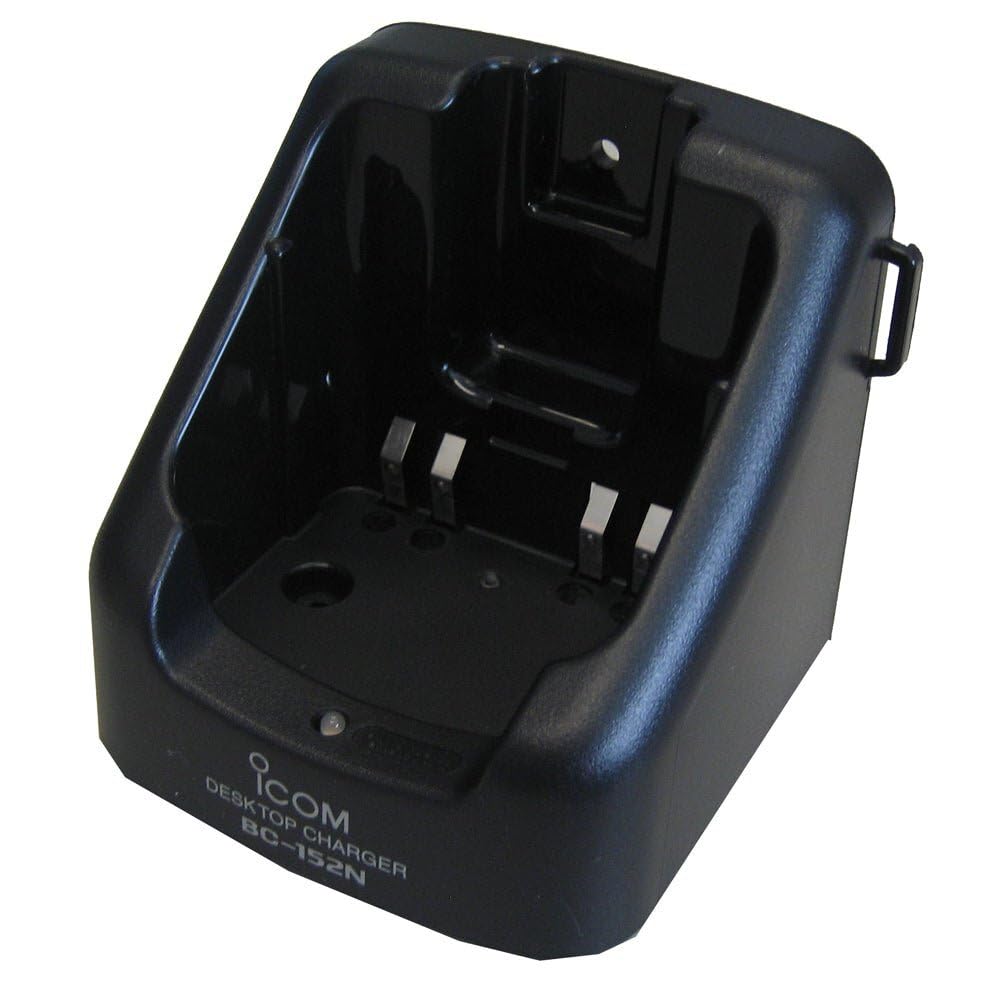
Figure 1: The ICOM BC-152 charger unit. This image shows the compact black charger with a single slot for a battery pack.
3.2 Potentzia konektatzea
- Connect the AC adapter cable to the DC input jack on the rear of the BC-152 charger unit.
- Entxufatu AC egokitzailea hormako entxufe estandar batera.
- Kargagailua erabiltzeko prest dago.
4. Funtzionamendu-argibideak
4.1 Charging a Battery Pack
Follow these steps to charge a compatible ICOM battery pack:
- Ensure the charger is connected to a power source as described in Section 3.2.
- Carefully insert the battery pack into the charging slot of the BC-152 charger. Ensure it is seated firmly.
- Observe the charging indicator light.
4.2 Adierazle argiak
The BC-152 charger features an LED indicator to show the charging status:
- Gorria (Soloa): Bateria kargatzen ari da.
- Berdea (solidoa): Charging is complete. The battery pack is fully charged.
- Gorri keinukaria: Charging error or battery fault. Remove the battery and re-insert. If the error persists, consult the troubleshooting section.
- Argirik gabe: Charger is not connected to power, or no battery is inserted.
Charging time may vary depending on the battery's capacity and its current charge level. Typically, a fully depleted battery will take approximately 2-4 hours to charge.
5. Mantentzea
5.1 Garbiketa
Errendimendu eta itxura optimoak mantentzeko:
- Deskonektatu beti kargagailua entxufetik garbitu aurretik.
- Erabili zapi leun eta lehor bat kargagailuaren kanpoaldea garbitzeko.
- Ez erabili garbitzaile urratzailerik, disolbatzailerik edo produktu kimiko gogorrik.
- Ensure no moisture enters the charging slot or power input.
5.2 Biltegiratzea
When not in use for extended periods, store the charger in a cool, dry place, away from direct sunlight and extreme temperatures. Disconnect it from the power supply.
6. Arazoak
If you encounter issues with your BC-152 charger, refer to the table below for common problems and solutions.
| Arazoa | Kausa posiblea | Irtenbidea |
|---|---|---|
| Kargagailuaren adierazle-argia itzalita dago. | No power supply or battery not inserted. | Check AC adapter connection. Ensure battery is correctly inserted. |
| Adierazle-argia gorriz keinuka hasten da. | Battery fault or charging error. | Remove and re-insert the battery. Try a different compatible battery if available. |
| Bateria ez da kargatzen. | Faulty battery, charger, or power supply. | Verify power connection. Test with a known good battery. If problem persists, contact support. |
7. Zehaztapenak
| Marka | ICOM |
| Eredua | BC-152 |
| Sarrera boltage | 12-16V DC (via AC adapter) |
| Irteera boltage | 8.4V DC |
| Karga-korrontea | Gutxi gorabehera. 450mA |
| Neurriak (W×H×D) | Approx. 80 × 50 × 90 mm (3.1 × 2.0 × 3.5 inches) |
| Pisua | 0.18 kilo (82 g inguru) |
| Kolorea | Beltza |
Oharra: Hobekuntzak egiteko, zehaztapenak alda daitezke abisurik gabe.
8. Bermearen informazioa
ICOM products are manufactured with high-quality components and are subject to rigorous quality control. This product is covered by a limited warranty against defects in materials and workmanship. The specific terms and duration of the warranty may vary by region. Please refer to the warranty card included with your purchase or visit the official ICOM webbermearen informazio zehatza lortzeko gunea.
This warranty does not cover damage caused by misuse, accident, unauthorized modification, or improper installation.
9. Bezeroarentzako arreta
If you have any questions, require technical assistance, or need to report a problem that cannot be resolved using the troubleshooting guide, please contact ICOM customer support.
ICOM America Inc.
Visit ICOM America's Contact Page
Please have your product model (BC-152) and serial number ready when contacting support.