
1. Sarrera
The Cooler Master CM Storm QuickFire Rapid-i is a mechanical gaming keyboard designed for performance and durability. It features full LED backlighting with ActivLite Technology, allowing for dynamic lighting effects and per-key customization. This keyboard is equipped with a 32-bit ARM processor for advanced lighting control without the need for software. Its tenkeyless form factor provides a compact design, ideal for gaming setups and travel.
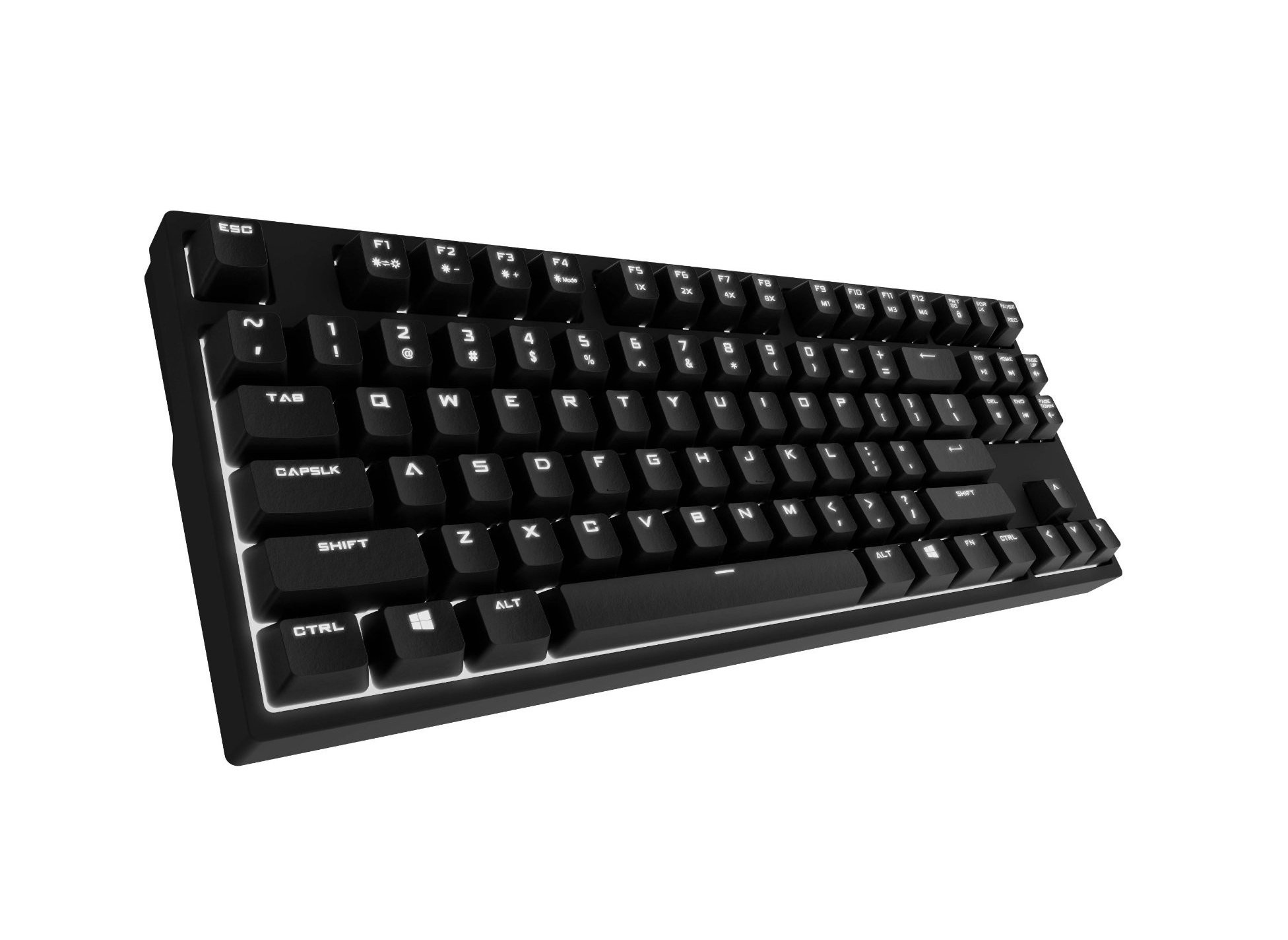
Image 1.1: Cooler Master CM Storm QuickFire Rapid-i Mechanical Gaming Keyboard.
2. Paketearen edukia
Egiaztatu elementu guztiak zure paketean daudela:
- Cooler Master CM Storm QuickFire Rapid-i Keyboard
- 1.8m Detachable Braided USB Cable
- Erabiltzailearen eskuliburua (dokumentu hau)
3. Produktuaren ezaugarriak
- Fully Mechanical CHERRY MX Brown Keyswitches: Provides tactile feedback with low noise, optimized for gaming.
- Tengilarik gabeko formatu-faktorea: Compact and ergonomic design for portability and improved mouse positioning.
- Fully White LED Backlit: Ensures visibility in low-light environments.
- ActivLite Technology: Features instant response and trailing light effects, powered by a 32-bit ARM processor.
- Individual Key Lighting: Allows saving up to 4 different lighting profilehainbat aplikazio edo jokotarako.
- 1.8m Detachable Braided Cable: Durable and convenient for transport.
- N-teklaren birjartzea: Registers an unlimited number of simultaneous keypresses, preventing ghosting.
4. Konfigurazioa
4.1 Teklatua konektatzea
- Locate the detachable 1.8m braided USB cable.
- Connect the micro-USB end of the cable to the port on the back of the QuickFire Rapid-i keyboard.
- Connect the standard USB-A end of the cable to an available USB port on your computer.
- The keyboard is plug-and-play compatible with Windows operating systems and should be recognized automatically.

Image 4.1: Connecting the detachable USB cable to the keyboard.
5. Funtzionamendu-argibideak
5.1 Oinarrizko teklatuaren funtzioak
The QuickFire Rapid-i functions as a standard QWERTY keyboard. All keys perform their labeled actions. Special functions are typically accessed via the Function (Fn) key combined with other keys.
5.2 ActivLite Technology and LED Backlighting
The keyboard features fully white LED backlighting with ActivLite Technology, offering various lighting modes and effects. These effects are controlled directly from the keyboard using key combinations, without requiring software.
- Berehalako erantzuna: Keys light up immediately upon press.
- Trailing Effect: Keys remain lit for a short duration after being pressed, creating a trailing light effect.
- Distira doitzea: Erabili Fn + F1 (decrease brightness) and Fn + F2 (increase brightness) to adjust the LED intensity.
- Argiztapen moduak: Cycle through various pre-programmed lighting modes using Fn + F3 to Fn + F8. Refer to the keyboard's keycap legends for specific mode indicators.

5.1 irudia: Adibideaample of LED backlighting on the QuickFire Rapid-i.
5.3 Per-Key Lighting and Profiles
The QuickFire Rapid-i allows users to customize individual key lighting and save up to 4 different profiles directly on the keyboard's onboard memory.
- Entering Customization Mode: Sakatu Fn + F9 to enter the per-key lighting customization mode. The keyboard LEDs may flash to indicate this mode.
- Selecting Keys: Press any key you wish to toggle its LED on or off.
- Saving a Profile: Once your desired lighting pattern is set, press Fn + F10, Fn + F11, Fn + F12, edo Fn + Print Screen to save the current lighting pattern to one of the four available profiles. The keyboard will confirm the save.
- Pro bat kargatzenfile: To load a saved profile, sakatu besterik ez Fn + F10, Fn + F11, Fn + F12, edo Fn + Print Screen corresponding to the desired profile.
- Exiting Customization Mode: Sakatu Fn + F9 again to exit customization mode.

Image 5.2: Customizing individual key lighting for a personalized profile.
5.4 N-Key Rollover (NKRO)
The QuickFire Rapid-i supports N-Key Rollover, meaning every single keypress is registered accurately, regardless of how many keys are pressed simultaneously. This feature is crucial for fast-paced gaming where multiple commands might be executed at once.
6. Mantentzea
6.1 Teklatua garbitzea
- Deskonektatu teklatua ordenagailutik garbitu aurretik.
- Erabili lipurrik gabeko zapi leun bat dampGarbitu urarekin edo garbiketa-soluzio leun batekin teklak eta xasisa garbitzeko.
- Saihestu likidoak zuzenean teklatuan ihinztatzea.
- Teklen arteko hautsa eta hondakinak lortzeko, erabili aire konprimatua.
- Do not use harsh chemicals, abrasives, or solvents as they may damage the keyboard's finish or keycap legends.
6.2 Kableen zaintza
- Avoid sharp bends or kinks in the detachable braided cable.
- When disconnecting, pull from the connector head, not the cable itself.
7. Arazoak
7.1 Teklatuak ez du erantzuten
- Ziurtatu USB kablea ondo konektatuta dagoela bai teklatura bai ordenagailura.
- Saiatu teklatua ordenagailuko beste USB ataka batera konektatzen.
- Probatu teklatua beste ordenagailu batean sistemaren arazo espezifiko bat baztertzeko.
- Berrabiarazi ordenagailua.
7.2 LED Backlighting Not Working or Flickering
- Check if the brightness is set to minimum using Fn + F1. Increase brightness with Fn + F2.
- Argiztapen moduen artean txandakatu erabiliz Fn + F3 to Fn + F8 to see if other modes function.
- Ensure you are not in a custom profile with all LEDs turned off. Try loading a different profile or resetting the lighting.
- Deskonektatu eta berriro konektatu teklatua.
7.3 Keys Not Registering Correctly (Ghosting)
- The QuickFire Rapid-i features N-Key Rollover, which should prevent ghosting. If you experience this, ensure the keyboard is connected directly to a USB port on your computer, not through a hub.
- Clean the affected keys as described in the Maintenance section.
- If the issue persists, contact Cooler Master support.
8. Zehaztapenak
| Marka | Cooler Master |
| Ereduaren izena | SGK-4040-GKCB1 (CHERRY MX Brown switch) |
| Modelo zenbakia | SGK-4040-GKCM1-US |
| Aldatu mota | CHERRY MX Brown (Tactile) |
| Konektibitate Teknologia | Kable bidezkoa (USB kable desmuntagarria) |
| Teklatuaren diseinua | QWERTY, Tenkeyless Form Factor |
| Atzeko argiztapena | Fully White LED, ActivLite Technology, Per-Key Lighting |
| Prozesadorea | 32-bit ARM Processor |
| N-teklaren birjartzea | Onartua |
| Kablearen luzera | 1.8 meters (Braided, Detachable) |
| Sistema eragile bateragarria | Leihoak |
| Produktuaren neurriak (L x W x H) | 14.13" x 5.43" x 1.54" (35.89 cm x 13.79 cm x 3.91 cm) |
| Elementuaren pisua | 2.05 libra (0.93 kg) |
| Itxituraren Materiala | Plastikoa |
9. Bermea eta Laguntza
9.1 Bermearen informazioa
The Cooler Master CM Storm QuickFire Rapid-i Mechanical Gaming Keyboard comes with a 12 hilabeteko bermea erosketa-datatik aurrera. Berme honek fabrikazio-akatsak eta erabilera normalaren ondoriozko arazoak estaltzen ditu. Ez ditu estaltzen erabilera okerrak, istripuek, baimenik gabeko aldaketek edo mantentze-lan desegokiek eragindako kalteak.
Mesedez, gorde zure erosketa-froga berme-erreklamazioetarako.
9.2 Laguntza Teknikoa
For technical assistance, troubleshooting beyond this manual, or warranty inquiries, please visit the official Cooler Master support website or contact their customer service department. Contact information can typically be found on the Cooler Master official webgunea.
Note: Product specifications and warranty terms are subject to change without prior notice.