
SureFlap MPF001
SureFeed Microchip Pet Feeder
Model: MPF001 Standard Version
Brand: SureFlap
Produktua amaituview
The SureFeed Microchip Pet Feeder is designed to provide selective access to food for your pets. It operates by recognizing a pet's unique veterinary implanted microchip or an RFID collar tag, ensuring that only authorized pets can access the food within. This system is particularly beneficial in multi-pet households to manage individual dietary needs, prevent food theft, and assist with weight management.
The feeder features a sealed bowl compartment that helps keep food fresh. A training mode is included to gradually introduce timid pets to the feeder's operation.
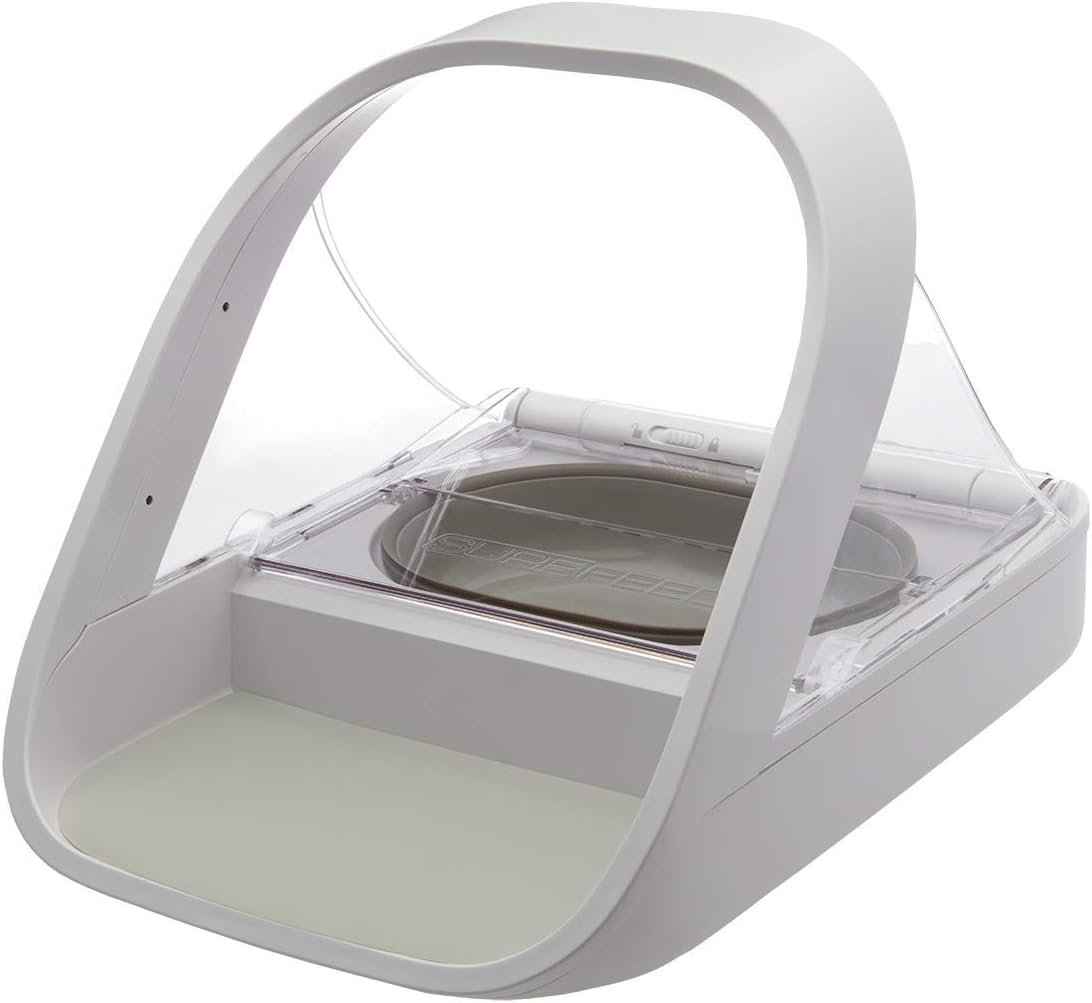
Image: The SureFeed Microchip Pet Feeder in its closed position, ready for use.
Zer sartzen da
The SureFeed Microchip Pet Feeder package contains the following items:
- 1 x SureFeed Microchip Pet Feeder unit
- 1 x Grey single bowl
- 1 x Grey split bowl (for wet and dry food)
- 1 x Grey mat
- 1 x RFID collar tag
- 1 x Erabiltzailearen eskuliburua (dokumentu hau)
Additional bowls and mats in various colors (grey, green, pink, blue) and stainless steel bowls can be purchased separately.
Konfigurazioa
- Deskargatzea: Kontu handiz kendu osagai guztiak ontzitik.
- Bateriaren instalazioa: The feeder requires 4 C batteries (not included). Locate the battery compartment on the underside of the unit and insert the batteries, ensuring correct polarity.
- Bowl and Mat Placement: Place the desired bowl (single or split) into the feeder's designated slot. Position the grey mat on the front base of the feeder.
- Hasierako piztea: Once batteries are installed, the feeder will power on.

Irudia: Albokoa view of the feeder demonstrating the open lid mechanism, revealing the food bowl.
Funtzionamendu-argibideak
1. Programming Microchips or RFID Tags
The feeder can be programmed to recognize up to 32 unique microchip numbers or RFID collar tags. It is compatible with 9 (Avid Secure), 10 (FDXA), and 15 (FDXB) digit microchip numbers.
- Sartu Ikasteko moduan: Press and hold the "Add Pet" button (usually marked with a paw print or '+' symbol) until the indicator light begins to flash.
- Introduce Pet/Tag: Guide your pet to place its head into the archway of the feeder, or hold the RFID collar tag directly over the sensor area. The feeder will emit a click sound and the light will turn solid green to indicate successful registration.
- Exit Learning Mode: The feeder will automatically exit learning mode after a short period of inactivity, or you can press the "Add Pet" button again briefly.
If you are unsure of your pet's microchip number, consult your veterinarian, pet shelter, or animal rescue.
2. Training Mode
For timid pets, the training mode allows the lid to close in stages, helping them to gradually become accustomed to the movement and sound of the feeder.
- Activating Training Mode: Refer to your specific model's user manual for the exact button or switch to activate training mode. This typically involves a dedicated "Training" button or a switch on the underside.
- Progressive Closure: In training mode, the lid will close in smaller increments each time it activates, reducing the initial startling effect for the pet.
- Exiting Training Mode: Once your pet is comfortable, deactivate training mode to enable full lid closure.
3. Feeding Operation
Once programmed, the feeder will automatically open when a recognized pet approaches and places its head within the feeder's arch. The lid will close when the pet moves away, sealing the food and maintaining freshness.
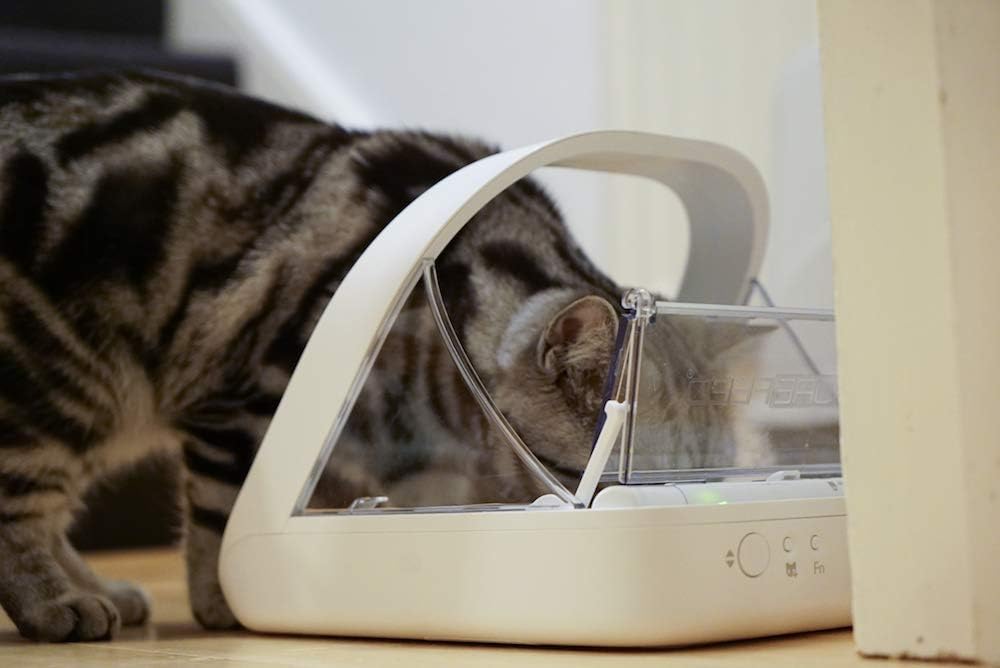
Image: A cat actively eating from the SureFeed Microchip Pet Feeder, demonstrating the open lid during use.

Image: The SureFeed Microchip Pet Feeder placed on a kitchen floor, with an orange cat standing nearby, illustrating typical placement.

Image: The SureFeed Microchip Pet Feeder with wet food visible in the bowl, demonstrating its capacity for various food types.
Mantentzea
- Garbiketa: The feeder bowls and mat can be removed for cleaning. The main unit should be wiped clean with a damp cloth. Do not submerge the main unit in water. The bowls and mat are suitable for hand washing only.
- Bateria ordezkatzea: When the batteries are low, an indicator light will typically signal the need for replacement. Replace all 4 C batteries simultaneously to ensure optimal performance.
- Sentsoreen garbiketa: Periodically check and gently clean the sensor area within the archway to ensure unobstructed detection of microchips or RFID tags.
Arazoak konpontzea
| Arazoa | Kausa posiblea | Irtenbidea |
|---|---|---|
| Feeder not opening for pet. | Pet's microchip/tag not registered; low batteries; obstructed sensor. | Ensure pet's microchip/tag is correctly registered. Replace batteries. Clean sensor area. |
| Lid not closing completely. | Obstruction in lid path; feeder in training mode. | Check for any debris blocking the lid. Deactivate training mode if not needed. |
| Elikagailua ez da pizten. | Incorrect battery installation; dead batteries. | Verify battery polarity. Replace with fresh C batteries. |
Zehaztapenak
- Ereduaren izena: SureFeed Microchip Pet Feeder
- Modelo zenbakia: MPF001 (also known as 194705)
- Neurriak (LxWxH): 12.86 x 7.75 x 10.24 hazbete
- Pisua: 3.28 libra (1.49 kilogramo)
- Energia iturria: 4 x C bateria (ez daude barne)
- Materiala: Plastikoa
- Kolorea: Zuria
- Bateragarritasuna: 9, 10, and 15 digit microchips; SureFlap RFID collar tags
- Ontziaren edukiera: 13.5 fl. oz (wet or dry food)
- Xede-espezieak: Cats, Small to Medium Dogs
Bermea eta Laguntza
The SureFeed Microchip Pet Feeder comes with a Hiru urteko Bermea erosketa-datatik aurrera. Berme honek ohiko erabileran materialen eta eskulanen akatsak estaltzen ditu.
For technical support, troubleshooting assistance, or warranty claims, please visit the official Sure Petcare website or contact their customer service department. Contact information can typically be found on the Sure Petcare webgunean edo produktuaren ontzian.
Sareko baliabideak: For additional information, FAQs, and video tutorials, please refer to the Sure Petcare Store on Amazon.
Erlazionatutako dokumentuak - MPF001
 |
SureFeed mikrotxipdun maskotentzako elikagailuaren erabiltzailearen eskuliburua SureFeed mikrotxipdun maskotentzako janari-banagailua konfiguratzeko, erabiltzeko eta arazoak konpontzeko gida osoa, maskotek janarirako sarbide selektiboa emateko diseinatua. |
 |
SureFlap mikrotxiparen maskotentzako atearen argibideen eskuliburua SureFlap mikrotxiparen maskotentzako atea instalatzeko, erabiltzeko eta arazoak konpontzeko gida osoa, mikrotxipa eta RFID barne. tag maskotentzako sarbide segururako bateragarritasuna. |
 |
SureFlap mikrotxipdun maskotentzako atea: argibideen eskuliburua, instalazio gida eta ezaugarriak This instruction manual guides users through the installation, setup, operation, and maintenance of the SureFlap Microchip Pet Door. Learn about its features, programming options, troubleshooting tips, and warranty information for secure and convenient pet access. |
 |
SureFlap mikrotxiparen katu-atearen erabiltzailearen eskuliburua SureFlap mikrotxiparen katu-atearen erabiltzailearen eskuliburu osoa, instalazioari, programazioari, funtzionamenduari, mantentze-lanei, arazoak konpontzeari eta bermeari buruzko informazioa zehazten duena. |
 |
SureSense mikrotxip irakurgailuaren erabiltzailearen eskuliburua SureFlap-en SureSense mikrotxip irakurgailuaren erabiltzailearen eskuliburu osoa, ezaugarriak, funtzionamendua, zehaztapen teknikoak, arazoak konpontzea eta bermeari buruzko informazioa zehazten duena. Mikrotxipak irakurtzeko eta tenperatura detektatzeko argibideak barne hartzen ditu. |
 |
SureFlap mikrotxipdun katuentzako atea: instalazio eta erabiltzailearen gida Gida honek SureFlap mikrotxipdun katuentzako atea instalatzeko, erabiltzeko eta mantentzeko argibide osoak eskaintzen ditu. Ikasi mikrotxiparen bateragarritasunari, konfigurazioari, arazoak konpontzeari eta bermeari buruzko informazioa maskoten sarbide segurua bermatzeko. |
Ask a question about this manual
Ask about setup, troubleshooting, compatibility, parts, safety, or missing instructions. Manuals+ will review the question and use this page’s manual context to help answer it.