
1. Sarrera
The D-Link DCS-6100LHV2 Full HD Wi-Fi Compact Camera is designed for indoor home monitoring, offering 1080p resolution, night vision, and two-way audio. This manual provides essential information for setting up, operating, and maintaining your camera, ensuring optimal performance and security.
2. Paketearen edukia
Egiaztatu elementu guztiak zure paketean daudela:
- DCS-6100LHV2 Full HD Compact Wi-Fi Camera
- Mikro USB elikatze egokitzailea
- Instalazio azkarraren gida
- Horma-papera
3. Produktua amaitu daview
Familiarize yourself with the camera's components.
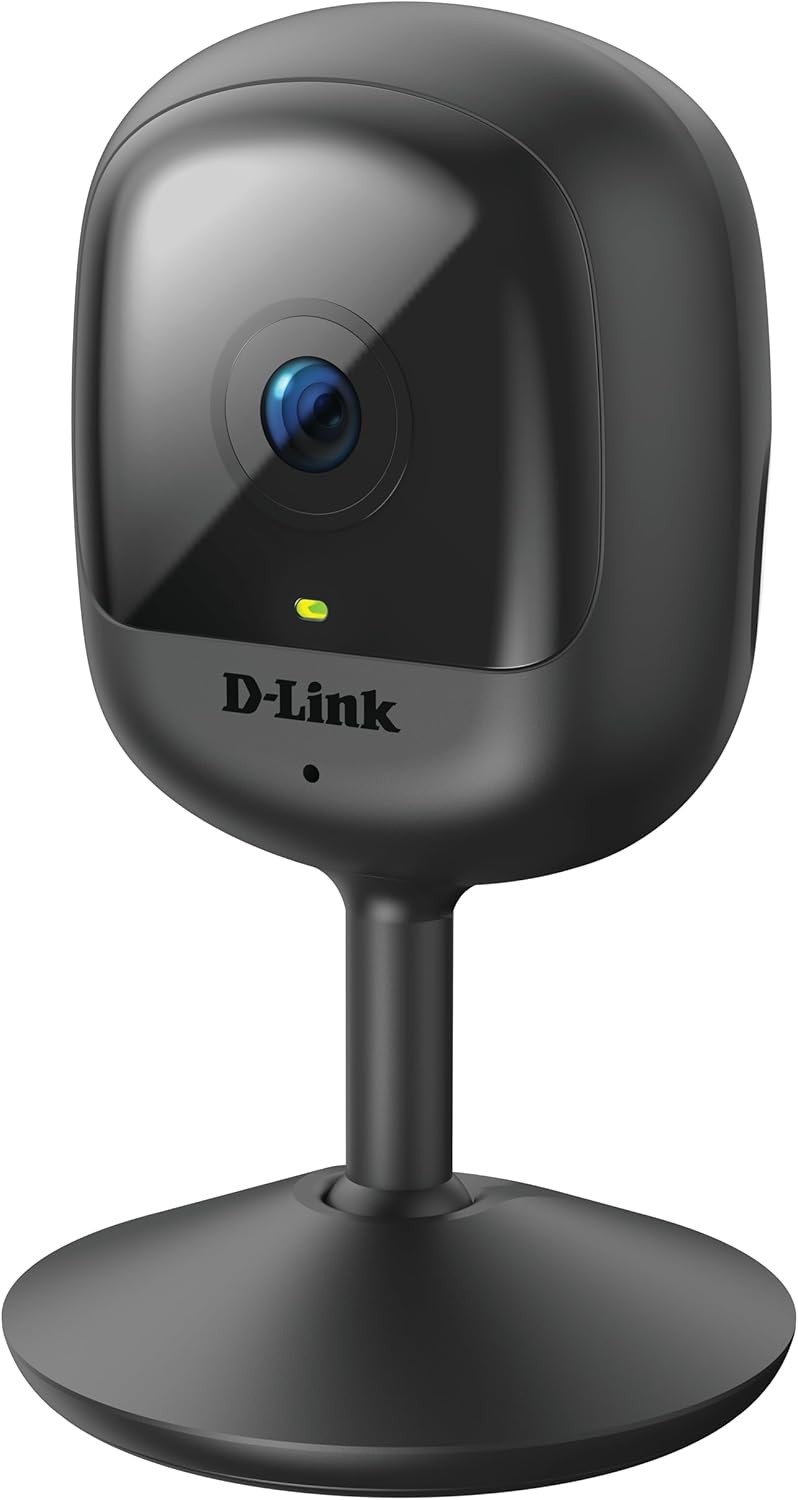
3.1. irudia: Aurrealdea view of the D-Link DCS-6100LHV2 camera, showing the lens and status LED.

3.2. irudia: Atzekoa view of the D-Link DCS-6100LHV2 camera, highlighting the speaker, reset button, and power port.
Funtsezko osagaiak:
- Kameraren lentea: Captures Full HD 1080p video.
- Egoera LED: Indicates camera status (e.g., power, connection).
- Mikrofonoa: Audio sarrerarako eta bi norabideko komunikaziorako.
- Hizlaria: Audio irteerarako eta bi norabideko komunikaziorako.
- Berrezarri botoia: Fabrika-ezarpen lehenetsiak berrezartzeko erabiltzen da.
- Mikro USB Power Portua: Korronte-egokigailura konektatzen da.
- MicroSD txartelaren zirrikitua: For local video storage (supports up to 128 GB).
4. Konfigurazioa
4.1. Aplikazioaren instalazioa
- Deskargatu mydlink aplikazioa App Store-tik (iOS) edo Google Play Store-tik (Android).
- Instalatu aplikazioa telefonoan edo tabletan.
- Launch the mydlink app and create a new account or log in with an existing one.
4.2. Piztea eta Wi-Fi konexioa
- Connect the micro USB power adapter to the camera's power port and plug it into a power outlet.
- Wait for the camera's status LED to blink orange, indicating it is ready for setup.
- In the mydlink app, tap the "Add a Device" icon and follow the on-screen instructions to connect your camera to your Wi-Fi network. Ensure your Wi-Fi network is 2.4 GHz.
- Once connected, the status LED will turn solid green.
4.3. Kamera muntatzea
The camera can be placed on a flat surface or mounted to a wall.
- Mahai gaineko kokapena: Simply place the camera on a stable, flat surface within range of your Wi-Fi signal and a power outlet.
- Horman muntatzea: Use the provided wall mount kit. Secure the mount to the desired location on the wall using screws, then attach the camera to the mount. Adjust the camera angle as needed.

4.1. irudia: The D-Link DCS-6100LHV2 camera discreetly placed in a home environment.
5. Funtzionamendu-argibideak
5.1. Bizi View
Open the mydlink app and select your camera from the device list to view the live video feed. You can pinch to zoom and pan across the image.
5.2. Recording Options (MicroSD & Cloud)
- MicroSD txartelaren grabaketa: Insert a microSD card (up to 128 GB, not included) into the camera's slot for local storage of recorded events. Configure recording settings (e.g., continuous, event-based) via the mydlink app.
- mydlink Cloud Recording: The camera supports cloud recording. A 1-year free mydlink cloud subscription is included, allowing remote storage and access to video clips. Manage cloud recording settings and view stored videos through the mydlink app.
5.3. Mugimendu eta soinu detekzioa
The camera features integrated motion and sound detection. When motion or sound is detected, the camera can automatically start recording and send push notifications to your mobile device. Sensitivity levels and detection zones can be customized in the mydlink app settings.
5.4. Bi norabideko audioa
Utilize the camera's built-in microphone and speaker for two-way audio communication. From the live view in the mydlink app, tap the microphone icon to speak through the camera, and listen to audio from the camera's location.
5.5. Gaueko Ikusmena
The camera automatically switches to night vision mode in low-light conditions, providing clear black-and-white video up to 5 meters (16 feet) in complete darkness.
5.6. Smart Home Integrazioa
The D-Link DCS-6100LHV2 is compatible with Amazon Alexa and Google Assistant. Follow the instructions in the mydlink app or your smart home assistant's app to link your camera and enable voice control for features like viewzuzeneko jarioa pantaila adimendun bateragarrietan ikustea.
6. Mantentzea
6.1. Garbiketa
To clean the camera, gently wipe the exterior with a soft, dry cloth. Do not use liquid cleaners or aerosols, as they may damage the device. Ensure the lens is free of dust and smudges for optimal image clarity.
6.2. Firmware eguneraketak
Regularly check for and install firmware updates via the mydlink app. Firmware updates often include performance improvements, new features, and security enhancements.
7. Arazoak
7.1. Kamera ez da Wi-Fira konektatzen
- Ziurtatu zure Wi-Fi sarea 2.4 GHz-koa dela. Kamerak ez ditu 5 GHz-ko sareak onartzen.
- Verify that the camera is within range of your Wi-Fi router.
- Egiaztatu zure Wi-Fi pasahitza zehatza dela.
- Try restarting your Wi-Fi router and the camera.
- If issues persist, perform a factory reset on the camera by pressing and holding the reset button for 10 seconds, then attempt setup again.
7.2. No Video Recording
- For microSD recording, ensure a compatible microSD card is inserted and properly formatted via the mydlink app.
- Check recording schedules and event detection settings in the mydlink app.
- For cloud recording, verify your mydlink cloud subscription status.
7.3. Irudiaren kalitate eskasa
- Ensure the camera lens is clean and free of obstructions.
- Egiaztatu zure Interneteko konexioaren abiadura. Konexio egonkor eta azkarra behar da streaming optimoa lortzeko.
- Doitu kameraren posizioa distira edo atzeko argiztapen indartsua saihesteko.
7.4. Bi norabideko audio arazoak
- Ziurtatu kameraren mikrofonoa eta bozgorailua ez daudela oztopoz.
- Check the volume settings on your mobile device and within the mydlink app.
- Verify that your internet connection is stable, as audio streaming requires consistent bandwidth.
8. Zehaztapenak
| Ezaugarri | Xehetasuna |
|---|---|
| Ereduaren izena | DCS-6100LHV2 |
| Bideo Ebazpena | Full HD 1080p |
| Viewangelua | 120 gradu |
| Gaueko Ikusmenaren barrutia | Gehienez 5 metro (16 oin) |
| Konektibitatea | Wi-Fi (2.4 GHz) |
| Biltegiratze-aukerak | MicroSD card (up to 128 GB), mydlink Cloud Recording |
| Audioa | Bi norabideko audioa (mikrofono eta bozgorailu integratuak) |
| Detekzioa | Motion Detection, Sound Detection |
| Etxe adimendunen bateragarritasuna | Amazon Alexa, Google Laguntzailea |
| Potentzia Sarrera | Micro USB, 220V, 4W |
| Neurriak (L x W x H) | 6 x 6 x 10.4 cm |
| Pisua | 65 gramo |
| Materiala | Plastikoa |
| Ingurune Operatiboa | Barruko Erabilera |
9. Bermearen informazioa
The D-Link DCS-6100LHV2 camera comes with a 2 urteko bermea from the date of purchase. This warranty covers defects in materials and workmanship under normal use. Please retain your proof of purchase for warranty claims. The warranty does not cover damage caused by misuse, accidents, unauthorized modifications, or external factors.
10. Laguntza
For further assistance, technical support, or to access additional resources, please visit the official D-Link support website or contact their customer service. Refer to the Quick Installation Guide included in your package for specific contact details for your region.


