
1. Sarrera
This manual provides essential information for the proper use and maintenance of your Transcend 8GB SDHC Class 4 Memory Card, model HDR-XR160-KSD48GB. This memory card is designed for compatibility with devices such as the Sony HDR-XR160 Camcorder, offering reliable storage for your digital content.
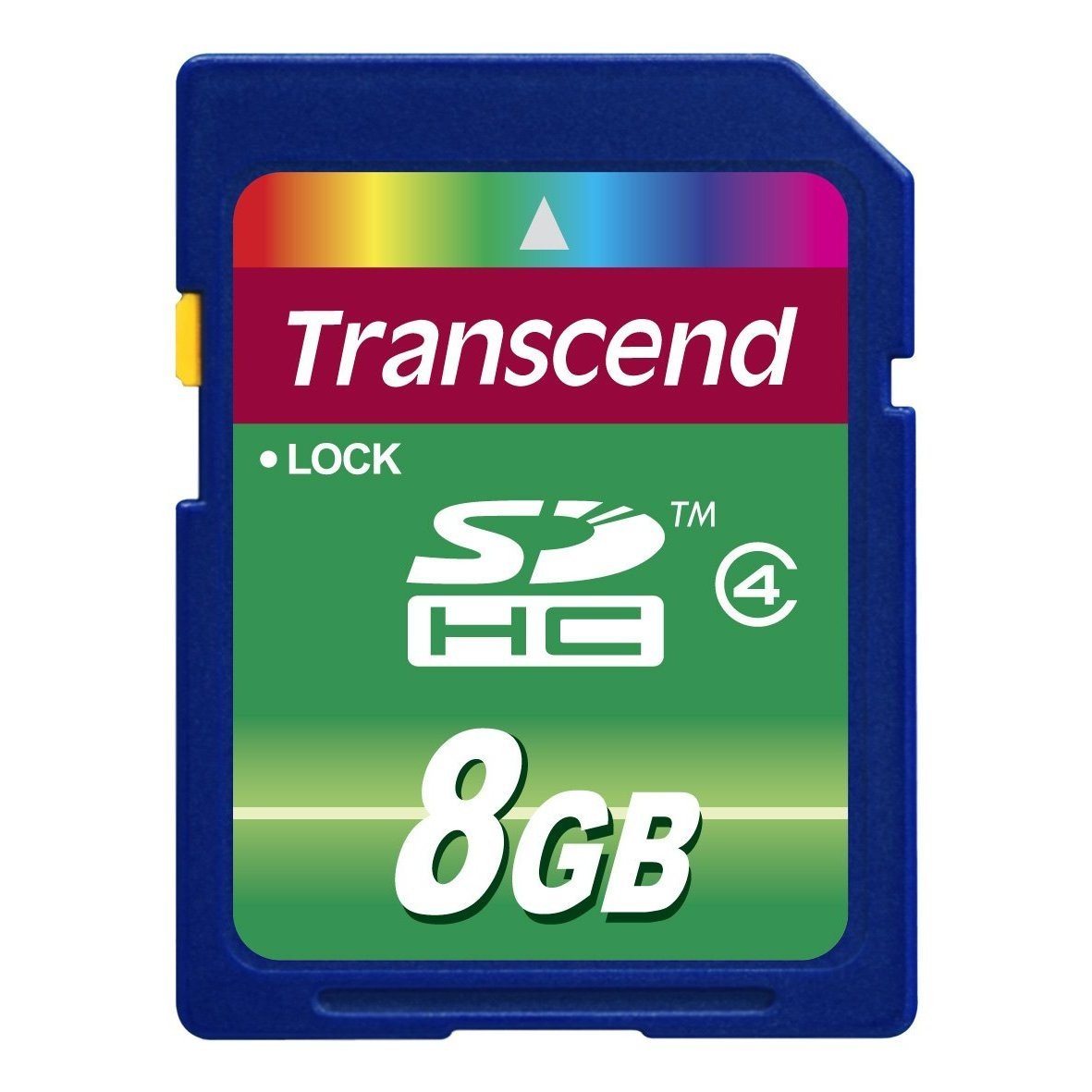
Image 1: Transcend 8GB SDHC Class 4 Memory Card. This image displays the physical appearance of the memory card, highlighting its compact design and branding.
2. Ezaugarriak
The Transcend 8GB SDHC Class 4 Memory Card offers the following key features:
- Edukiera: 8GB (Gigabytes) of storage, suitable for recording videos and storing photos.
- Mota: SDHC (Secure Digital High Capacity) format, designed for larger storage needs.
- Abiadura klasea: Class 4 rating, ensuring a minimum write speed of 4 MB/s, which is suitable for standard definition video recording and continuous shooting of still images.
- Bateragarritasuna: Specifically designed for use with compatible devices such as camcorders, including the Sony HDR-XR160.
- Iraunkortasuna: Diseinu arina maneiatzeko erraza izateko.
3. Konfigurazioa eta instalazioa
Follow these steps to properly install your memory card into a compatible device:
- Itzali gailua: Ensure your camcorder or other compatible device is powered off before inserting the memory card. This prevents potential data corruption or damage to the card or device.
- Txartelaren zirrikitua bilatu: Identify the SD card slot on your device. Refer to your device's user manual for the exact location.
- Sartu memoria txartela: Gently slide the Transcend SDHC card into the slot with the gold contacts facing down (or as indicated by your device's manual). Push until it clicks into place. Do not force the card, as this may cause damage.
- Piztu gailua: Turn on your device. It should recognize the newly inserted memory card.
- Format Card (Optional but Recommended): For optimal performance and to ensure compatibility, it is recommended to format the memory card using your device's internal formatting function before first use. Note: Formatting will erase all data on the card. Back up any important data before proceeding.
4. Funtzionamendu-argibideak
Once installed and formatted, your Transcend SDHC memory card is ready for use.
- Recording/Storing Data: Use your device's functions to record videos, capture photos, or store other digital files directly onto the memory card. The Class 4 speed rating supports standard video recording and photo capture.
- Datuetara sartzea: To view or transfer data, connect your device to a computer, or insert the memory card into a compatible card reader connected to a computer. The card will appear as a removable storage device.
- Safely Removing Card: Before physically removing the memory card from your device or card reader, always ensure that all data transfer operations are complete and safely eject the card through your operating system (e.g., "Safely Remove Hardware" on Windows, "Eject" on macOS). This prevents data corruption.
5. Mantentzea eta Zainketa
Proper care extends the life of your memory card and protects your data.
- Babes fisikoa: Store the memory card in a protective case when not in use to prevent scratches, dust, and static discharge. Avoid bending or dropping the card.
- Ingurumen-baldintzak: Do not expose the card to extreme temperatures, direct sunlight, moisture, or strong magnetic fields.
- Garbiketa: If necessary, gently wipe the gold contacts with a clean, dry, lint-free cloth. Avoid using harsh chemicals or abrasive materials.
- Datuen babeskopia: Regularly back up important data from your memory card to another storage device (e.g., computer hard drive, cloud storage) to prevent data loss.
6. Arazoak
If you encounter issues with your Transcend memory card, consider the following:
- Txartela ez da ezagutzen:
- Ensure the card is fully inserted into the device slot.
- Power off and restart your device.
- Saiatu txartela beste gailu bateragarri edo txartel-irakurgailu batean arazoa txartelarekin edo gailuarekin den zehazteko.
- Check your device's manual for maximum supported memory card capacity and type (SD, SDHC, SDXC).
- Data Transfer Errors:
- Ensure the card is securely connected.
- Avoid disconnecting the card during data transfer.
- Try a different USB port or card reader.
- Check for sufficient free space on both the card and the destination device.
- Errendimendu motela:
- Ensure your device supports the card's speed class.
- Format the card periodically (after backing up data) to optimize performance.
- Avoid filling the card to its absolute maximum capacity.
7. Zehaztapenak
| Ezaugarri | Xehetasuna |
|---|---|
| Modelo zenbakia | HDR-XR160-KSD48GB |
| Flash memoria mota | SDHC (Secure Digital High Capacity) |
| Memoria Biltegiratzeko Ahalmena | 8 GB |
| Elkarte Digital Seguruaren Abiadura Klasea | Class 4 (Minimum 4 MB/s write speed) |
| Hardware interfazea | SDHC, Secure Digital Card |
| Gailu bateragarriak | Camcorders (e.g., Sony HDR-XR160) |
| Produktuaren neurriak | 0.08 x 1.26 x 0.94 hazbete (gutxi gorabehera) |
| Elementuaren pisua | 0.16 ontza (gutxi gorabehera) |
| UPC | 876544745239 |
8. Bermea eta Laguntza
For information regarding warranty coverage, technical support, or frequently asked questions, please visit the official Transcend webgunea. Gorde erosketa-agiria erosketaren frogagiri gisa berme-erreklamazioetarako.
Transcend Ofiziala Webgunea: www.transcend-info.com