
Sarrera
The Ozeri WeightMaster II Digital Body Weight Scale is designed to provide a comprehensive and simple solution for measuring and tracking your weight. This scale features BMI measurement, automatic user recognition, and advanced weight change detection technology to help you monitor your progress effectively. It supports a maximum weight capacity of 440 lbs (200 kg).
Please read this manual thoroughly before using your new scale to ensure proper operation and to maximize its features.
Segurtasun Informazioa
- Do not use this scale on wet or slippery surfaces. Ensure the scale is placed on a firm, flat, and dry surface before use.
- Avoid dropping the scale or subjecting it to strong impacts, as this may damage the device.
- Do not immerse the scale in water or use abrasive cleaning agents. Clean with a damp oihal.
- This scale is intended for household use only and not for medical or commercial purposes.
- Mantendu bateriak haurren eskura. Irensten bada, bilatu berehala medikuaren arreta.
Paketearen edukia
- Ozeri WeightMaster II 440 lbs Digital Bath Scale
- Erabiltzailearen eskuliburua
- 2 AA bateria
Konfigurazioa
1. Bateriaren instalazioa
- Open the battery compartment cover on the underside of the scale.
- Insert the two included AA batteries, ensuring correct polarity (+/-).
- Itxi bateriaren konpartimenduaren estalkia ondo.
2. Hasierako kokapena
Jarri balantza gainazal gogor, lau eta egonkor batean. Saihestu alfonbrak edo zoru irregularrak, zehaztasunean eragina izan baitezakete.
3. Unit Selection (lbs/kg)
On the underside of the scale, locate the unit switch. Toggle the switch to select your preferred unit of measurement: pounds (lb) or kilograms (kg).
4. Erabiltzailea Profile Setup (for BMI and Auto-Recognition)
The scale can store data for up to 8 unique users. To set up a user profile and enable BMI calculation:
- Press the 'SET' button on the scale. The display will show a user number (P1-P8). Use the arrow buttons to select your desired user number.
- Press 'SET' again. The display will prompt for height. Use the arrow buttons to adjust your height.
- Press 'SET' to confirm. Your profile is now set.
- The scale will automatically recognize you based on your weight when you step on it, provided your weight is within a reasonable range of your last recorded weight for that profile.
Funtzionamendu-argibideak
1. Neurketa bat egitea
- Ziurtatu balantza gainazal gogor eta lau batean dagoela.
- Gently step onto the scale with bare feet. The scale will automatically turn on.
- Egon geldirik zure pisua bistaratu eta egonkortu arte.
- The scale will then display your Body Mass Index (BMI).
- Following the BMI, the scale will show your weight change detection data (L1, L3, L7, L30) with color alerts.
- Step off the scale. It will automatically power off after a few seconds.

Image: The Ozeri WeightMaster II scale display showing initial zero reading.
2. Weight Change Detection and Color Alert Technology
The WeightMaster II provides immediate feedback on your weight trends using its unique Weight Change Detection and Color Alert Technology:
- L1: Displays your net weight change from your last weigh-in.
- L3: Displays your net weight change from the average of your last 3 weigh-ins.
- L7: Displays your net weight change from the average of your last 7 weigh-ins.
- L30: Displays your net weight change from the average of your last 30 weigh-ins.
The display illuminates in different colors to indicate your trend:
- GREEN Illumination: Indicates weight loss.
- RED Illumination: Indicates weight gain.
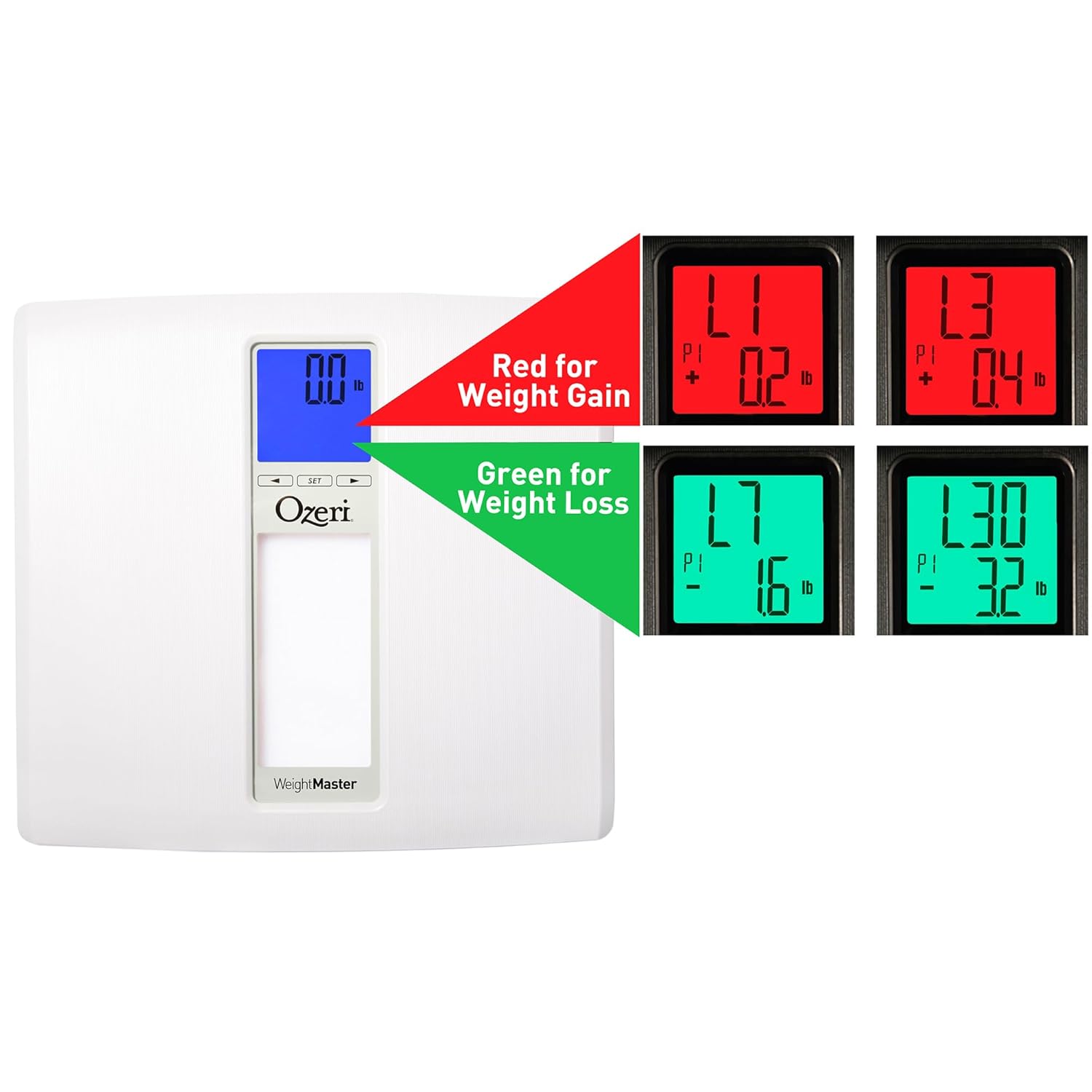
Image: The scale display illustrating red for weight gain and green for weight loss.

Image: Close-up of the display showing 'L1' in red, indicating a net weight gain from the previous recorded weight.
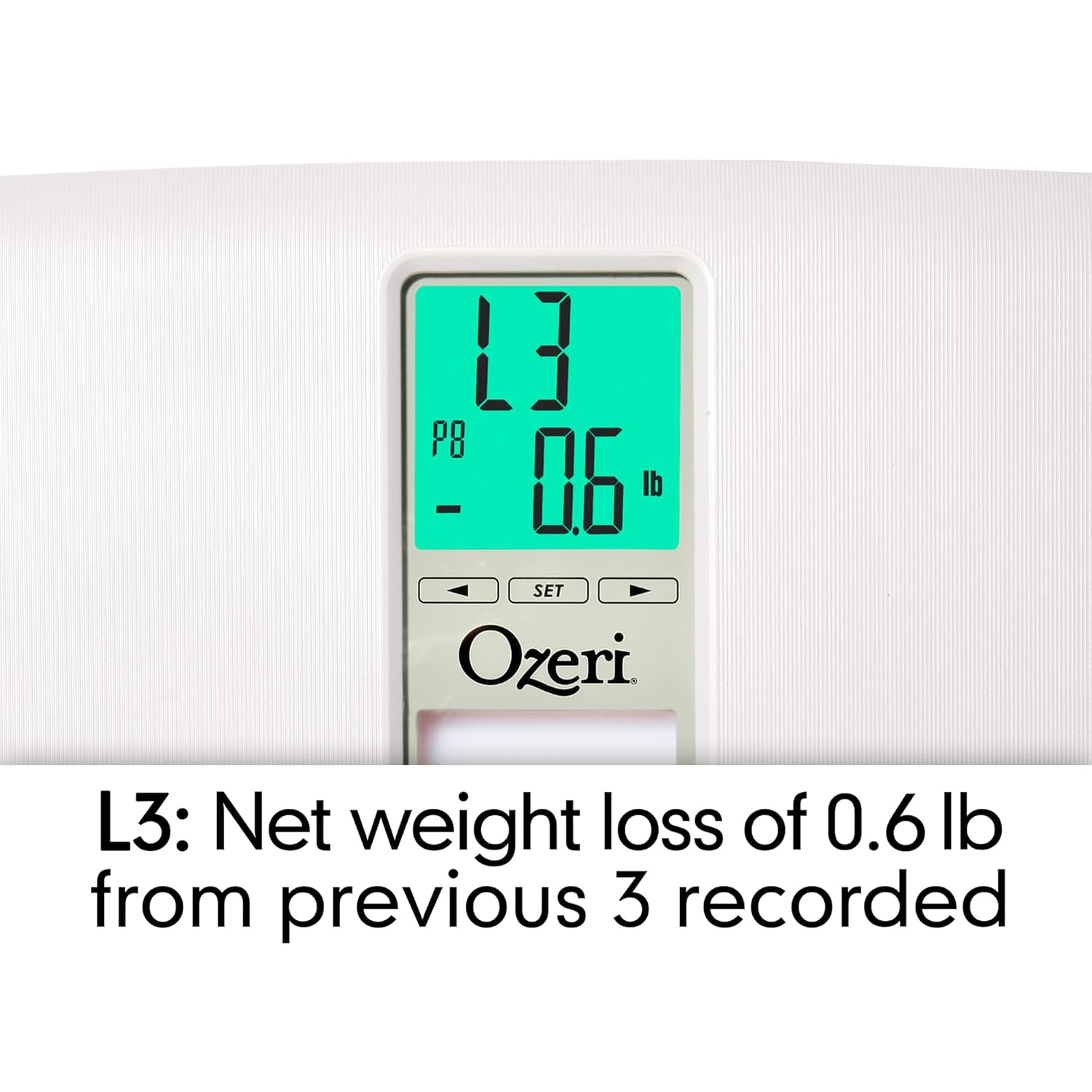
Image: Close-up of the display showing 'L3' in green, indicating a net weight loss from the average of the last 3 recorded weights.
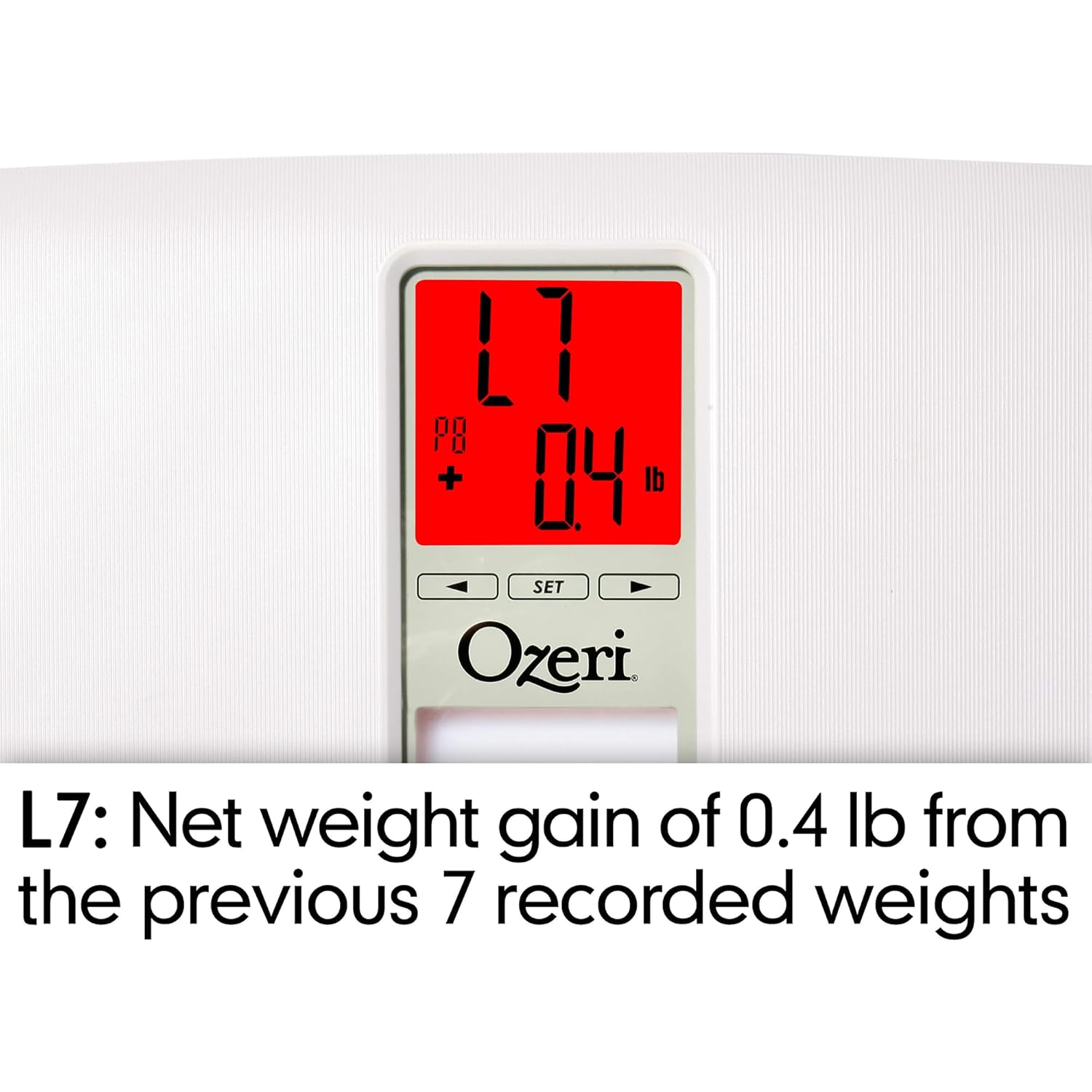
Image: Close-up of the display showing 'L7' in red, indicating a net weight gain from the average of the last 7 recorded weights.

Image: Close-up of the display showing 'L30' in green, indicating a net weight loss from the average of the last 30 recorded weights.
Mantentzea
Garbiketa
- Garbitu eskalaren gainazala oihal leun batekin,amp oihal.
- Do not use abrasive cleaners or chemical solvents, as these can damage the finish and electronic components.
- Ziurtatu balantza lehor dagoela gorde edo hurrengo erabileraren aurretik.
Bateria ordezkatzea
If the display becomes dim or shows a 'Lo' indicator, it is time to replace the batteries. Follow the battery installation steps in the 'Setup' section.
Biltegiratzea
Store the scale in a cool, dry place away from direct sunlight and extreme temperatures. Do not place heavy objects on the scale when not in use.
Arazoak konpontzea
| Arazoa | Kausa posiblea | Irtenbidea |
|---|---|---|
| Eskala ez da pizten. | Pilak agortuta daude edo gaizki instalatuta daude. | Egiaztatu bateriaren polaritatea edo ordezkatu AA bateria berriekin. |
| Irakurketa zehaztugabeak edo koherenteak ez direnak. | Scale is on an uneven surface; scale needs re-calibration; user is moving during measurement. | Place scale on a hard, flat surface. Step off and then back on to allow auto-calibration. Stand still during measurement. |
| Pantailak "Err" edo "O-Ld" erakusten du. | Pisuak gehienezko edukiera gainditzen du (440 lbs / 200 kg). | Murriztu pisua balantzan. |
| Scale shows 440 lbs (or max weight) for all users. | Internal error or severe calibration issue. | Remove batteries for 10 seconds, then reinsert. If problem persists, contact customer support. |
| Pantailak "Lo" erakusten du. | Bateria baxua. | Ordeztu bateriak. |
| Scale does not recognize user. | Erabiltzaile profile not set or significant weight change from last recorded weight. | Ziurtatu zure erabiltzaile profesionalafile is set. If your weight has changed significantly, the scale may not recognize you immediately; it will assign the reading to the closest profile or a new one. |
Zehaztapenak
- Eredua: ZB20-W
- Marka: Ozeri
- Pisu-gaitasuna: 440 lb (200 kg)
- Irakurketa zehaztasuna: 0.1 libra (0.05 kg)
- Bistaratzeko mota: LCD with Color Alert Technology
- Materiala: ABS exterior with tempered glass interior
- Neurriak: 11.75 x 12.5 x 1 hazbete (29.8 x 31.75 x 2.54 cm)
- Elementuaren pisua: 3.75 libra (1.7 kg)
- Energia iturria: 2 x AA bateria (barne)
- Ezaugarri bereziak: Body Mass Index (BMI) measurement, Weight Change Detection (L1, L3, L7, L30), Auto-recognition for up to 8 users, Step-on technology, Auto-power off.
Bermea eta Laguntza
Ozeri products are manufactured to high-quality standards. For specific warranty information regarding your Ozeri WeightMaster II scale, please refer to the warranty card included with your purchase or visit the official Ozeri webgunea.
If you encounter any issues or have questions not covered in this manual, please contact Ozeri customer support for assistance. Contact details can typically be found on the product packaging or the official Ozeri webgunea.