
1. Sarrera
The Motorola RLN6554A Wireless Remote Speaker Microphone (RSM) provides convenient and secure communication for mission-critical users. Designed for use with Motorola APX series radios, this wireless accessory offers enhanced security, quick pairing, and fast Push-To-Talk (PTT) capabilities. Its robust design ensures reliable performance in demanding environments, allowing users to operate without the hindrance of wires.
Key features include large, recessed PTT and emergency buttons to prevent accidental activation, easy quick-touch pairing with voice prompts, and a user-removable battery (PMNN4461) for extended multi-shift usage. The RSM also features volume control, an audio jack for earpieces, a 360-degree rotatable clip, and a task light for low-light conditions.
2. Zer dago kutxan
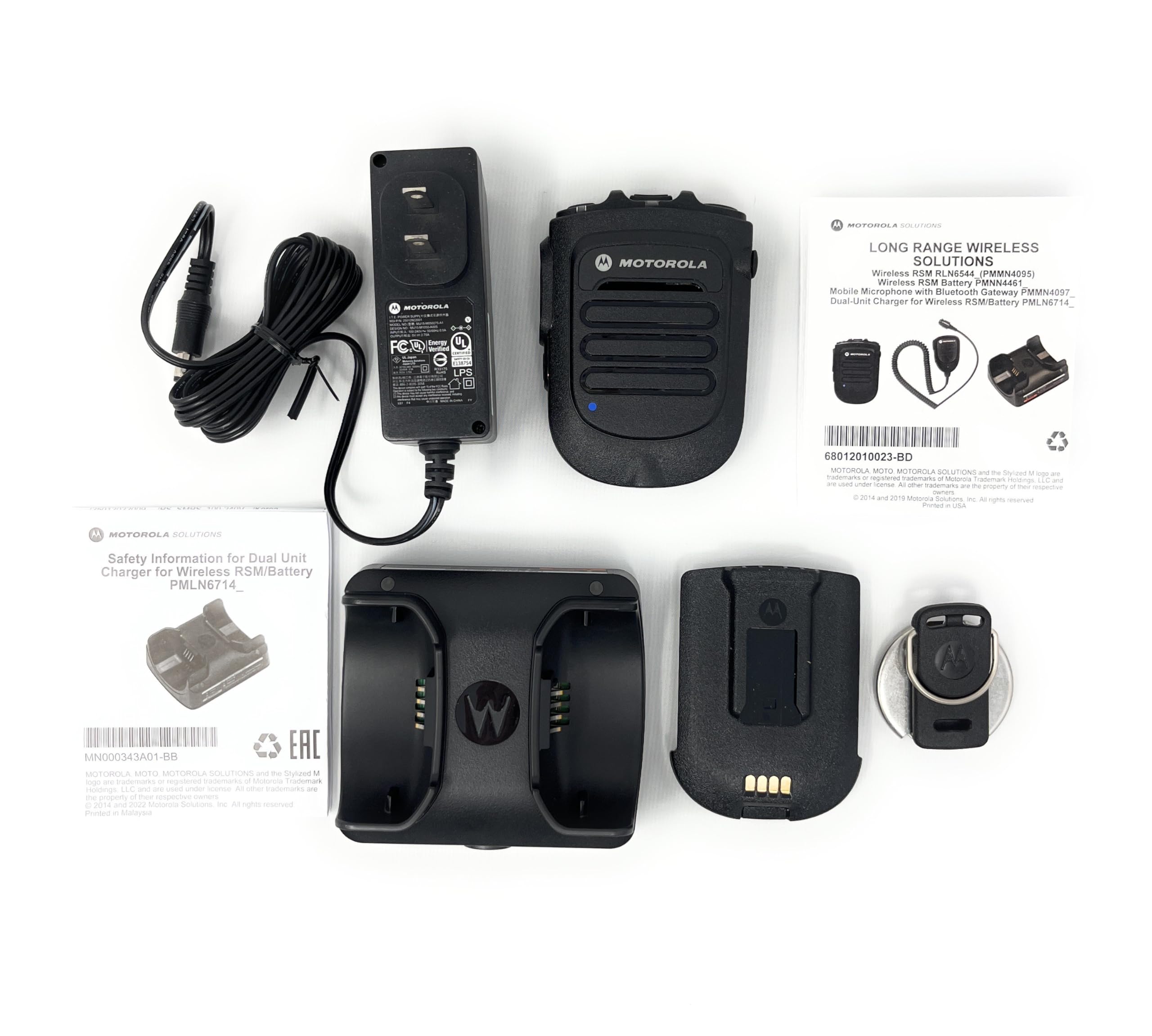
Verify that all items are present upon unpacking your Motorola RLN6554A Wireless Remote Speaker Microphone package:
- Motorola RLN6554A Wireless Remote Speaker Microphone
- Rechargeable Battery (PMNN4461)
- Dual Unit Charger (PMLN6714)
- Kargagailurako egokitzailea
- Klip birakaria
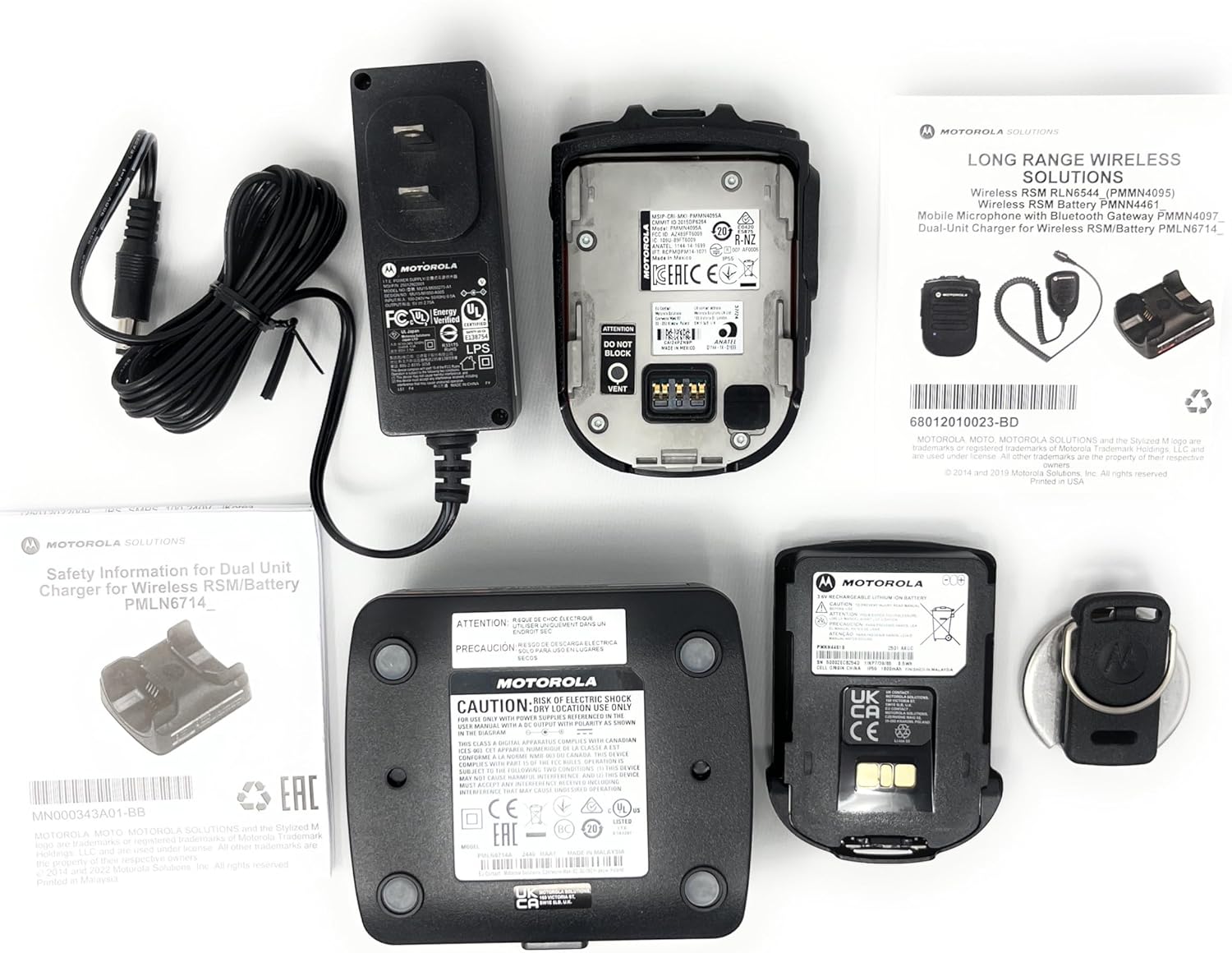
Image 1: Package contents of the RLN6554A Wireless Remote Speaker Microphone. This includes the RSM unit, a dual-unit charger, a power adapter, and a rechargeable battery.
3. Konfigurazioa
3.1. Bateriaren instalazioa
- Ensure the RSM is powered off.
- Locate the battery compartment on the back of the RSM.
- Align the battery (PMNN4461) with the compartment contacts.
- Sakatu bateria astiro-astiro bere lekuan klik egin arte.
- Close the battery compartment cover, if applicable, ensuring it is latched.
3.2. Bateria kargatzea
Before first use, fully charge the battery. The dual unit charger (PMLN6714) is designed for this purpose.
- Connect the power adapter to the dual unit charger and plug it into a power outlet.
- Place the RSM with the installed battery into one of the charger pockets.
- Observe the charging indicator light on the charger. It typically glows red during charging and green when fully charged.
- Karga oso batek hainbat ordu iraun dezake.

2. irudia: Atzekoa view of the RLN6554A RSM, illustrating the battery compartment and contacts for charging.
3.3. Pairing with Your Radio
The RLN6554A uses Bluetooth for wireless communication. Ensure your Motorola APX series radio has Bluetooth enabled before attempting to pair.
- Enable Bluetooth on Radio: Access your APX radio's menu and ensure Bluetooth is turned on. Refer to your radio's user manual for specific instructions.
- Power On RSM: Press and hold the power button on the RSM until it powers on.
- Hasi parekatzea: The RSM supports quick-touch pairing. Bring the RSM close to your radio (typically within a few inches). The RSM will provide voice prompts confirming pairing actions.
- Berretsi parekatzea: Your radio may display a prompt to confirm the connection. Accept the pairing request. The RSM will indicate successful pairing, often with a voice prompt or LED indicator change.
- Proba konexioa: Perform a radio check to ensure audio transmission and reception are functioning correctly through the RSM.
4. Funtzionamendu-argibideak
4.1. Push-To-Talk (PTT) botoia
- To transmit, press and hold the large, recessed PTT button located on the side of the RSM.
- Hitz egin argi mikrofonoan.
- Askatu PTT botoia entzuteko.
4.2. Bolumenaren kontrola
The RSM features dedicated volume control buttons. Use these to adjust the speaker volume of the RSM independently of the radio's main volume.
- Sakatu Bolumena igo button to increase the audio output.
- Sakatu Bolumena jaitsi button to decrease the audio output.
4.3. Larrialdi botoia
The recessed emergency button is designed to prevent accidental activation. Consult your radio's programming and your organization's protocols for the specific function of this button.
- To activate the emergency function, press and hold the emergency button for the duration specified by your radio's programming.
4.4. Task Light
The integrated task light assists in reading documents or identifying objects in low-light conditions.
- Locate the task light button on the RSM.
- Press the button to turn the task light on or off.
4.5. Entzungailuaren konexioa
The RSM includes an audio jack for connecting compatible earpieces (e.g., RLN4941, AARLN4885) for private listening.
- Insert the earpiece's 3.5mm connector into the audio jack on the RSM.
- Audio will automatically route to the earpiece when connected.
5. Mantentzea
5.1. Garbiketa
- Wipe the exterior of the RSM with a soft, damp oihal.
- Ez erabili produktu kimiko gogorrik, disolbatzailerik edo garbitzaile urratzailerik.
- Ensure the RSM is completely dry before use or charging.
5.2. Bateria zaintzea
- Use only genuine Motorola PMNN4461 batteries and the provided dual unit charger.
- Saihestu bateria muturreko tenperaturetara ez jartzea.
- If the RSM will not be used for an extended period, remove the battery and store it in a cool, dry place.
- Ordeztu bateria bere funtzionamendu-denbora nabarmen murrizten denean.
6. Arazoak
| Arazoa | Kausa posiblea | Irtenbidea |
|---|---|---|
| RSM does not power on. | Bateria agortuta dago edo ez dago behar bezala instalatuta. | Charge the battery. Ensure the battery is properly seated in the compartment. |
| Cannot pair RSM with radio. | Bluetooth is off on the radio; RSM is out of range; previous pairing conflict. | Ensure radio Bluetooth is enabled. Bring RSM closer to the radio. Try unpairing and re-pairing both devices. |
| No audio from RSM speaker. | Volume is too low; earpiece is connected; RSM is not paired. | Increase RSM volume. Disconnect earpiece if not needed. Verify RSM is paired with the radio. |
| Audioa distortsionatua edo tarteka entzuten da. | Bluetooth-aren irismenetik kanpo; interferentziak; bateria baxua. | Move closer to the radio. Avoid sources of strong electromagnetic interference. Charge the battery. |
| Task light not working. | Bateria baxua; matxura. | Charge the battery. If the issue persists, contact support. |
7. Zehaztapenak
| Ereduaren izena | RLN6554A |
| Marka | Motorola |
| Konektibitate Teknologia | Bluetootha |
| Mikrofonoaren forma-faktorea | Eskukoa |
| Eredu polarra | Norabide orotarikoa |
| Kanal kopurua | 1 |
| Energia iturria | Bateriaren bidez |
| Bateria mota | Lithium Ion (PMNN4461) |
| Materiala | Metala, Plastikoa |
| Elementuaren pisua | Libra 1.3 (gutxi gorabehera 0.59 kg) |
| Paketearen neurriak | 9.65 x 8.35 x 3.19 hazbete |
| Seinaleen eta zarataren arteko erlazioa | 80 dB |
| Ezaugarri Berezia | Clip, Task Light |
| Gailu bateragarriak | Motorola APX 1000, 3000, 4000, 6000, 7000 Series Radios |
8. Bateragarritasuna
The Motorola RLN6554A Wireless Remote Speaker Microphone is designed for seamless integration with the following Motorola APX series radios:
- APX 1000 Series
- APX 3000 Series
- APX 4000 Series
- APX 6000 Series
- APX 7000 Series
It is also compatible with earpieces such as the RLN4941 and AARLN4885, which can be connected via the integrated audio jack.
3 irudia: Adibideaample of Motorola APX series radios, which are compatible with the RLN6554A Wireless Remote Speaker Microphone.
9. Bermea eta Laguntza
Bermeari buruzko informazioa eta laguntza teknikoa lortzeko, jo Motorola Solutions-en webgune ofizialera. website or contact your authorized Motorola dealer. Keep your purchase receipt as proof of purchase for warranty claims.
Online resources and contact information can typically be found at the Motorola Solutions webgunea.