
1. Sarrera
The Samsung Galaxy Tab A 8.0" (2015) is a compact and practical tablet designed for everyday use. It features an 8-inch display with a 4:3 aspect ratio, making it ideal for reading and browsing. Powered by a quad-core processor and 1.5GB of RAM, it efficiently handles basic tasks. The tablet includes 16GB of internal storage, which can be expanded further using a microSD card. Its 4200mAh battery provides reliable usage throughout the day. Lightweight and portable, this tablet is suitable for casual entertainment and productivity on the go.
2. Produktua amaitu daview

1. irudia: Aurrealdea view of the Samsung Galaxy Tab A SM-T350 8-Inch Tablet. The display shows the time 12:45 PM, Friday, May 1, with a weather widget indicating 65 degrees Fahrenheit in New York. The Samsung logo is at the top, and navigation buttons are at the bottom.

2. irudia: Aurrealdea view of the Samsung Galaxy Tab A SM-T350 8-Inch Tablet in landscape orientation. The display shows the time 12:45 PM, Friday, May 1, with a weather widget indicating 65 degrees Fahrenheit in New York. The Samsung logo is at the top, and navigation buttons are on the right side.

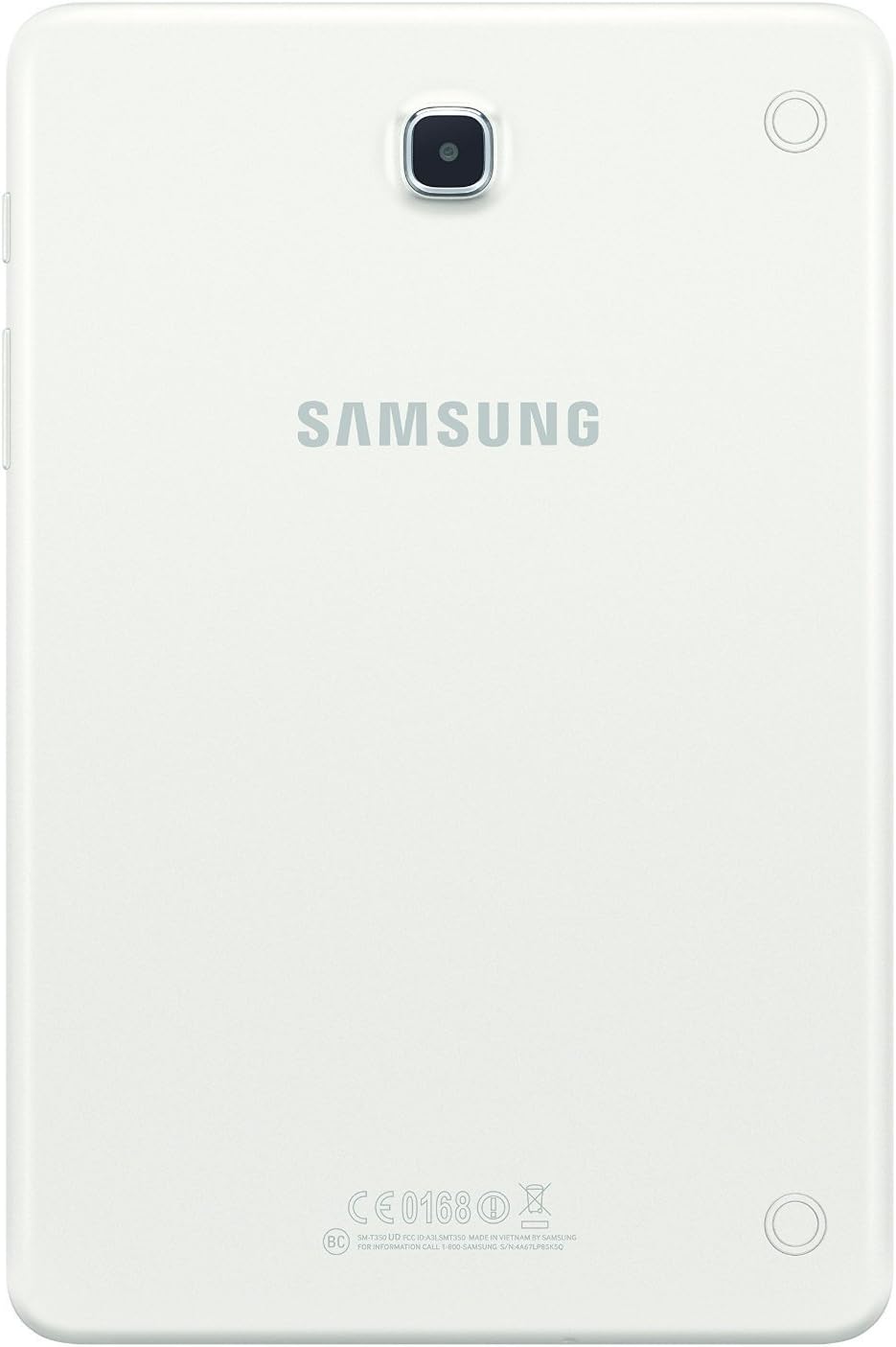
3. irudia: Atzekoa view of the Samsung Galaxy Tab A SM-T350 8-Inch Tablet. The Samsung logo is prominently displayed in the center, with the rear camera lens located in the upper center. Regulatory markings are visible at the bottom.
4. irudia: Aldea view of the Samsung Galaxy Tab A SM-T350 8-Inch Tablet, highlighting the power button, volume rocker, and microSD card slot. The slim profile of the tablet is also visible.
Official Product Video: Initial Setup
This video provides a detailed walkthrough of the initial setup process for a Samsung Galaxy tablet, including language selection, Wi-Fi connection, date and time settings, and agreement to terms and conditions. It demonstrates how to navigate through the accessibility settings and personalize the device. The video also highlights the tablet's physical features, such as the charging port, volume buttons, and camera, and shows how to access various pre-installed apps and widgets.
3. Konfigurazioa
3.1 Hasierako kargatzea eta piztea
- Kargatu tableta: Before first use, connect the tablet to the charger using the provided USB cable and power adapter. Ensure the tablet is fully charged.
- Piztu: Press and hold the Power button (located on the side) until the Samsung logo appears on the screen.
- Jarraitu pantailan agertzen diren argibideei: The tablet will guide you through the initial setup steps, including language selection, Wi-Fi connection, and account setup.
3.2 Wi-Fi konexioa
- During initial setup, select your preferred Wi-Fi network from the list of available networks.
- Sareko pasahitza idatzi behar baduzu eta sakatu Konektatu.
- If skipping initial setup, go to Ezarpenak > Konexioak > Wi-Fi konektatzeko.
3.3 Kontuaren konfigurazioa
- Google kontua: Hasi saioa zure Google kontuarekin edo sortu berri bat. Hau ezinbestekoa da Google Play Store eta beste Google zerbitzu batzuk atzitzeko.
- Samsung kontua: You may also be prompted to sign in or create a Samsung account to access exclusive Samsung features and services.
3.4 Data eta ordua
- During setup, confirm the date and time settings. You can usually set it to automatically update via the network.
- If needed, adjust the time zone manually.
4. Tabletaren erabilera
4.1 Nabigazioa eta interfazea
- Hasierako pantaila: The main screen where you can access apps, widgets, and shortcuts.
- Nabigazio-barra: Located at the bottom of the screen, it typically includes Back, Home, and Recent Apps buttons.
- Jakinarazpen panela: Irristatu hatza pantailaren goialdetik behera ezarpen azkarrak eta jakinarazpenak atzitzeko.
4.2 Aplikazioak erabiltzea
- Punteatu aplikazio baten ikonoa irekitzeko.
- To close an app, tap the Azken aplikazioak button and swipe the app card away, or use the Itzuli irteteko botoia.
- Download new apps from the Google Play Store.
4.3 Kameraren funtzioak
- Ireki Kamera aplikazioa hasierako pantailatik edo aplikazioen tiraderatik.
- Sakatu Pertsiana argazkia ateratzeko botoia.
- Switch between front and rear cameras using the camera icon on the screen.
- Explore various modes like Panorama, Beauty, and Night mode (if available).
4.4 Split Screen Multitasking
- Sakatu Azken aplikazioak botoia.
- Tap the app icon at the top of an app card and select Open in split screen view.
- Choose a second app to use simultaneously.
5. Mantentzea eta Zainketa
- Garbiketa: Use a soft, lint-free cloth to clean the screen and body of the tablet. Avoid harsh chemicals.
- Bateria zaintzea: To prolong battery life, avoid extreme temperatures. Charge the tablet regularly, but avoid leaving it fully charged or fully depleted for extended periods.
- Software eguneraketak: Keep your tablet's software updated to ensure optimal performance and security. Go to Ezarpenak > Software eguneratzea.
- Biltegiratze kudeaketa: Garbitu beharrezkoak ez direnak aldizka files and uninstall unused apps to free up storage space and improve performance.
6. Arazoak
- Tableta ez da pizten: Ziurtatu tableta behar bezala kargatuta dagoela. Konektatu kargagailura eta itxaron minutu batzuk berriro pizten saiatu aurretik.
- Errendimendu motela: Close unused applications, clear cache, and check for available software updates. Consider performing a factory reset if issues persist (back up data first).
- Wi-Fi konexio-arazoak: Berrabiarazi Wi-Fi bideratzailea eta tableta. Ahaztu sarea Wi-Fi ezarpenetan eta konektatu berriro.
- Bateria azkar husten: Reduce screen brightness, disable unnecessary features like Bluetooth or GPS when not in use, and close background apps.
7. Zehaztapenak
| Ezaugarri | Zehaztapena |
|---|---|
| Marka | Samsung |
| Ereduaren izena | Galaxy Tab A |
| Elementuaren eredu-zenbakia | SM-T350NZWAXAR |
| Sistema eragilea | Android |
| Pantailaren tamaina | 8 hazbete |
| Pantailaren bereizmena | 1024 x 768 pixel |
| Prozesadorea | 1.2 GHz Quad-Core (Qualcomm) |
| RAM | 1.5 GB |
| Disko gogorraren / Flash memoriaren tamaina | 16 GB |
| Biltegiratze zabalgarria | microSD txartelaren zirrikitua |
| Haririk gabeko mota | 802.11bgn |
| Bateriaren batez besteko iraupena | 10 ordu (4200 mAh) |
| Atzekoa Webkamaren ebazpena | 5 MP |
| Aurrealdea Webkamaren ebazpena | 2 MP |
| Elementuaren pisua | 11 ontza |
| Produktuaren neurriak | 8.2 x 0.3 x 5.43 hazbete |
| Kolorea | Zuria |
8. Bermea eta Laguntza
This product is listed as a Renewed item. Amazon Renewed products are pre-owned and professionally inspected, tested, and cleaned by Amazon-qualified suppliers. They come with a 90-day Amazon Renewed Guarantee. For specific warranty details and support, please refer to the documentation provided with your renewed product or contact Amazon Renewed customer service.
For general product support and troubleshooting, visit the official Samsung support website or refer to the device's built-in help features.