
1. Sarrera
This manual provides essential information for setting up, operating, and maintaining your Acer R240HY bidx 23.8-inch Full HD IPS monitor. Please read this manual thoroughly before using your new monitor to ensure proper functionality and safety.
2. Segurtasun informazioa
- Always place the monitor on a stable, flat surface.
- Ez blokeatu aireztapen baoak.
- Use only the power adapter and cables provided by Acer.
- Mantendu monitoreak uretatik, hezetasunetik eta muturreko tenperaturetatik urrun.
- Deskonektatu monitorea korronte-hartunetik garbitu aurretik.
- Jarri zerbitzu-zerbitzu guztiak zerbitzu-pertsonal kualifikatuari.
3. Paketearen edukia
Egiaztatu elementu guztiak zure paketean daudela:
- Acer R240HY bidx 23.8-inch Monitor
- Monitorearen euskarria (oinarria eta lepoa)
- Korronte egokitzailea eta korronte kablea
- HDMI kablea
- DVI kablea
- VGA kablea
- Erabiltzailearen eskuliburua (dokumentu hau)
4. Konfigurazioa
4.1 Monitorearen euskarria muntatzea
- Kontu handiz atera monitorearen eta euskarriaren osagaiak paketetik.
- Lotu euskarriaren lepoa monitorearen panelera fitxak lerrokatuz eta klik egin arte bultzatuz.
- Lotu euskarriaren oinarria euskarriaren lepoari. Finkatu oinarriaren azpialdean dagoen torloju harrapatuarekin.
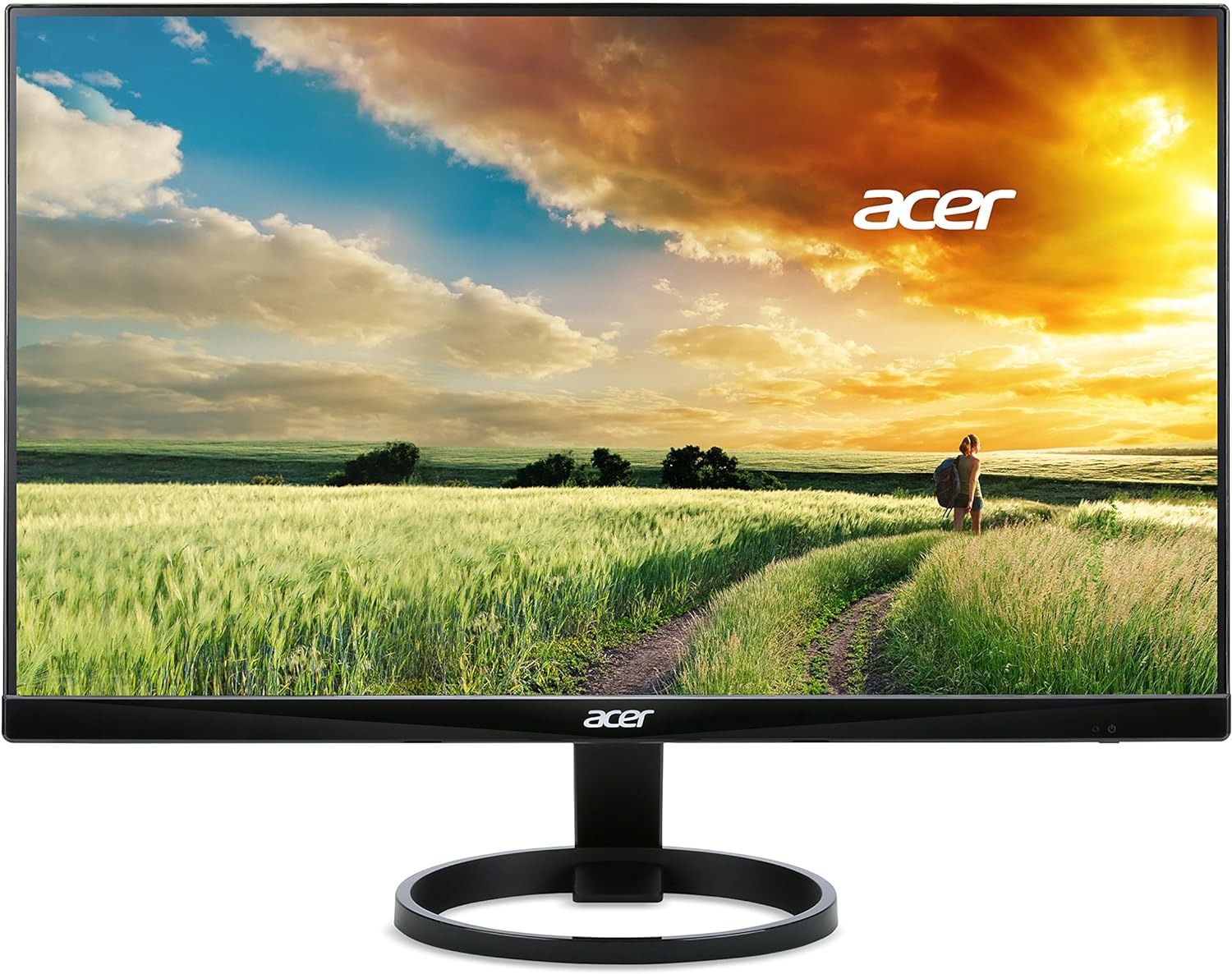
1. irudia: Aurrealdea view of the Acer R240HY bidx monitor, showcasing its zero-frame design and circular stand base.

2. irudia: Angelu bat. view of the monitor highlights its slim profile and the elegant circular stand.
4.2 Monitorea konektatzea
- Ensure your computer and monitor are powered off.
- Connect one end of the appropriate video cable (HDMI, DVI, or VGA) to the corresponding port on your computer's graphics card.
- Connect the other end of the video cable to the matching input port on the back of your Acer R240HY bidx monitor.
- Konektatu korronte-egokitzailea monitorearen elikatze-sarrerara, eta ondoren, entxufatu korronte-kablea hormako entxufe batera.

3. irudia: The back of the monitor is shown, detailing the available input ports: HDMI, DVI, and VGA, along with the power input.
4.3 Hasierako piztea
- Piztu ordenagailua.
- Press the power button on the monitor (located on the bottom right bezel) to turn it on.
- The monitor should automatically detect the active input signal. If not, use the OSD menu to manually select the input source.
1. bideoa: Official product video demonstrating the features and connectivity options of the Acer R240HY bidx 23.8-inch monitor, including its IPS display, HDMI, DVI, and VGA ports.
5. Monitorea funtzionatzea
5.1 Pantailan bistaratzeko (OSD) menua
The OSD menu allows you to adjust various monitor settings. The control buttons are located on the bottom right bezel of the monitor.
- Pizteko botoia: Monitorea pizten edo itzaltzen du.
- Menuko botoia: Accesses the main OSD menu.
- Nabigazio botoiak: Menu aukeretan nabigatzeko eta balioak doitzeko erabiltzen da.
- Sarrera hautatzeko botoia: Quickly switches between available input sources (HDMI, DVI, VGA).
5.2 Pantailaren ezarpenak doitzea
Within the OSD menu, you can modify settings such as:
- Distira/Kontrastea: Doitu luminantzia eta kontraste maila orokorrak.
- Kolore ezarpenak: Doitu kolore-tenperatura, gamma eta saturazioa.
- Sarrera iturria: Manually select the video input (HDMI, DVI, VGA).
- Irudiaren ezarpenak: Adjust sharpness, aspect ratio, and other image properties.
- OSD ezarpenak: Customize OSD language, timeout, and transparency.
6. Ezaugarri nagusiak
- 23.8 hazbeteko Full HD IPS pantaila: Enjoy vibrant colors and consistent image quality from wide viewing angles with 1920 x 1080 resolution.
- Zero Frame Diseinua: Maximizes screen visibility from edge to edge, ideal for multi-monitor setups.
- Erantzun denbora azkarra: A 4ms response time ensures smooth transitions and reduced ghosting for fast-paced content.
- Zabala ViewAngelua: 178° horizontala eta bertikala viewing angles provide clear visuals from almost any perspective.
- Konektibitate-aukera anitz: Includes 1 x HDMI, 1 x DVI (with HDCP 1.4), and 1 x VGA inputs for broad compatibility.
- Argi urdin baxua: Reduces blue light emission to minimize eye strain during prolonged use.
7. Mantentzea
7.1 Monitorea garbitzea
To clean your monitor:
- Deskonektatu beti monitorearen entxufea korrontetik garbitu aurretik.
- Erabili lipurrik gabeko zapi leun bat dampUrarekin edo pantaila-garbitzaile leun eta ez-urratzaile batekin garbitu.
- Ez ihinztatu garbitzailea zuzenean pantailan.
- Saihestu produktu kimiko gogorrak, garbitzaile urratzaileak edo disolbatzaileak erabiltzea.
7.2 Arreta orokorra
- Saihestu objektu astunak monitorearen edo haren kableen gainean jartzea.
- Do not expose the monitor to direct sunlight or heat sources.
- Ziurtatu monitorearen inguruan aireztapen egokia dagoela.
8. Arazoak
8.1 No Picture Visible
- Ensure the monitor is powered on and the power indicator light is active.
- Check that the video cable is securely connected to both the monitor and the computer.
- Verify that the correct input source is selected via the OSD menu.
- If the screen is too dark, adjust brightness and contrast settings in the OSD menu or reset them to default.
- Test the monitor with another computer or video source if possible.
8.2 Irudiaren kalitatearen arazoak
- Doitu distira, kontrastea eta kolore ezarpenak OSD menuan.
- Ensure the display resolution on your computer matches the monitor's native resolution (1920 x 1080).
- Check for any physical damage to the video cable or ports.
8.3 Monitor Not Responding to Controls
- Unplug the monitor's power cord, wait for 30 seconds, then plug it back in and try again.
- Ensure no buttons are stuck or obstructed.
9. Zehaztapenak
| Ezaugarri | Zehaztapena |
|---|---|
| Zutik pantailako tamaina | 23.8 hazbete |
| Pantailaren bereizmena | 1920x1080 (HD osoa) |
| Gehienezko pantailaren bereizmena | 1920 x 1080 pixel |
| Marka | Acer |
| Seriea | R240HY bidx |
| Elementuaren modelo-zenbakia | R240HY bidx |
| Elementuaren pisua | 6.4 kilo |
| Produktuaren neurriak | 21.3 x 7.3 x 16 hazbete |
| Kolorea | Beltza |
| Fabrikatzailea | Acer |
| Pantailaren tamaina | 23.8 hazbete |
| Ebazpena | FHD 1080p |
| Aspektu-erlazioa | 16:9 |
| Pantailaren gainazalaren deskribapena | Matea |
10. Bermea eta Laguntza
Your Acer R240HY bidx monitor comes with a standard manufacturer's warranty. For specific warranty terms and conditions, please refer to the warranty card included in your product packaging or visit the official Acer support webgunea.
For technical support, troubleshooting assistance, or to inquire about service, please contact Acer Customer Service through their official channels. Have your monitor's model number and serial number ready when contacting support.