
1. Sarrera
Thank you for choosing the Baseus Bluetooth Selfie Stick with Tripod. This versatile device combines an extendable selfie stick with a stable tripod and a detachable Bluetooth remote control, allowing you to capture photos and videos with ease. Please read this manual carefully before use to ensure proper operation and to maximize your product experience.
2. Produktua amaitu daview
The Baseus Selfie Stick with Tripod is designed for portability and functionality. It features a compact, foldable design that extends to 810mm, a 360-degree rotatable phone holder, and a removable Bluetooth remote for convenient shooting.
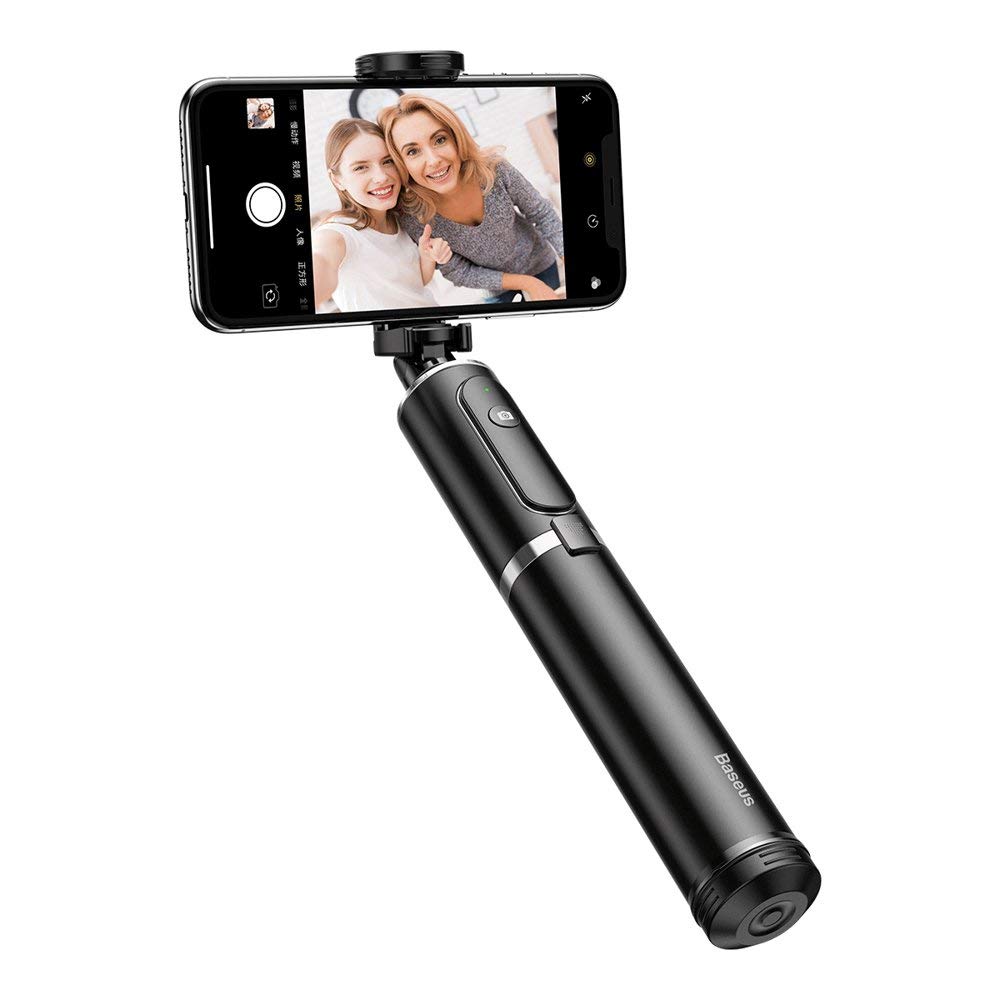
2.1. irudia: The Baseus Selfie Stick fully extended with a smartphone in tripod mode.

2.2. irudia: The selfie stick in its compact, folded form, highlighting the remote control.
3. Segurtasun informazioa
- Ez jarri gailua tenperatura altuen edo eguzki-argiaren eraginpean denbora luzez.
- Mantendu gailua uretatik eta beste likidoetatik urrun.
- Ez saiatu gailua desmuntatzen edo aldatzen.
- Ensure your smartphone is securely mounted before extending the stick or using the tripod.
- Mantendu haurren eskura.
4. Paketearen edukia
Egiaztatu elementu guztiak zure paketean daudela:
- Baseus Bluetooth Selfie Stick with Tripod (Black/Gray)
- Bluetooth urrutiko aginte desmuntagarria
5. Konfigurazioa
5.1 Unfolding and Extending the Selfie Stick
- Gently pull the top part of the stick upwards to unfold it from its compact state.
- Extend the telescopic rod segments to your desired length. The stick can extend up to 810mm.
5.2 Zure telefonoa konektatzea
- Ireki telefonoa clamp at the top of the stick.
- Kontu handiz jarri zure telefonoa giltzarrian.amp, ensuring it is held securely. The clamp supports phones up to 6.5 inches.
- Adjust the phone holder's angle and rotation (360 degrees) as needed.

5.1. irudia: Smartphone mounted horizontally in the clamp.

5.2. irudia: Smartphone mounted vertically in the clamp.
5.3 Bluetooth Pairing for Remote Control
- Remove the remote control from its slot on the selfie stick.
- Press and hold the button on the remote control until the indicator light starts flashing, indicating it is in pairing mode.
- Zure telefonoan, joan Bluetooth ezarpenetara eta bilatu eskuragarri dauden gailuak.
- Select "Baseus Selfie" or a similar name from the list to pair.
- Once paired, the indicator light on the remote will stop flashing and remain solid or turn off.
6. Funtzionamendu-argibideak
6.1 Selfie makila gisa erabiltzea
Hold the handle firmly and extend the stick to your desired length. Use the Bluetooth remote control to take photos or start/stop video recording.

6.1. irudia: Using the selfie stick in handheld mode.

6.2. irudia: Example of a user taking a selfie with the stick.
6.2 Tripode gisa erabiltzea
- While the stick is folded or partially extended, gently push the bottom part to deploy the tripod legs.
- Jarri tripodea gainazal lau eta egonkor batean.
- Adjust the stick's height and phone holder's angle for optimal shooting.
- Use the remote control to capture photos or videos from a distance.

6.3. irudia: Close-up of the tripod legs.
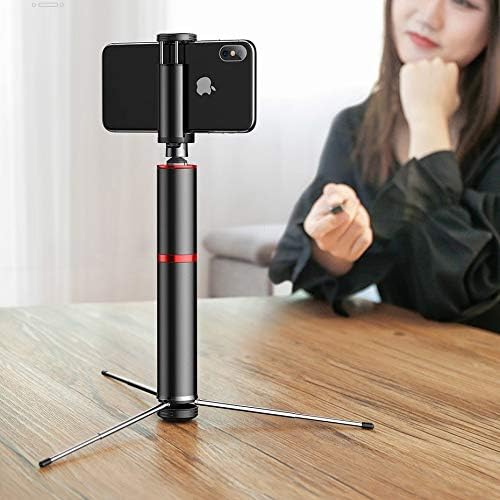
6.4. irudia: Selfie stick used as a tripod on a table.

6.5. irudia: Tripod setup with the remote control nearby.
7. Mantentzea
- Garbiketa: Garbitu gailua zapi leun eta lehor batekin. Ez erabili produktu kimiko gogorrik edo garbitzaile urratzailerik.
- Biltegiratzea: When not in use, fold the selfie stick to its compact size and store it in a cool, dry place away from direct sunlight.
- Bateria: The remote control uses a small button cell battery. Replace it when the remote's performance degrades.
8. Arazoak
8.1 Remote Control Not Pairing
- Ensure the remote control is charged or has a fresh battery.
- Ziurtatu Bluetootha gaituta dagoela zure telefonoan.
- Restart both your smartphone and the remote control (by removing and reinserting the battery if possible, or turning it off and on).
- Garbitu telefonoaren aurreko Bluetooth konexioak eta saiatu berriro parekatzen.
8.2 Selfie Stick Instability
- Ensure all telescopic segments are fully extended and locked into place (if applicable).
- When using as a tripod, ensure the legs are fully deployed and placed on a flat, stable surface.
- Verify that your smartphone is securely clamped and balanced.
9. Zehaztapenak
| Modelo zenbakia | SUDYZP-D1S |
| Marka | Baseus |
| Gailu bateragarriak | Mobile Phones (up to 6.5 inches) |
| Produktuaren pisua | 0.3 Kilogramo |
| Gehienezko luzapena | 810 mm |
| Ezaugarriak | Bluetooth Remote Control, Tripod Function, 360-Degree Rotatable Phone Holder |
| Kolorea | Black - Gray |
10. Bermea eta Laguntza
This product comes with a manufacturer's warranty. For detailed warranty information, please refer to the warranty card included in your product packaging or visit the official Baseus webgunea.
For technical support, troubleshooting assistance, or any other inquiries, please contact Baseus customer service through their official channels. You can often find support contact information on the Baseus webgunean edo produktuaren ontzian.
Lineako laguntza: www.baseus.com


