
myTouchSmart 26892
myTouchSmart Programmable Indoor Digital Timer Instruction Manual
Brand: myTouchSmart
Eredua: 26892
Sarrera
The myTouchSmart Plug-In Digital Timer is designed to help you save time, money, and energy by automating the scheduling of your indoor lights, lamps, small appliances, electronics, and seasonal lighting. This timer allows you to set specific ON/OFF times, choose from convenient presets, or utilize a custom countdown feature to suit your daily schedule and needs. It features a single polarized outlet, a large digital display, and blue LED indicators for active programs, ensuring ease of use and reliable performance.
Konfigurazioa
Setting up your myTouchSmart Digital Timer is straightforward. Follow these steps to get started:
- Konektatu: Insert the timer into a standard indoor wall outlet. Ensure it is securely plugged in.
- Ezarri uneko ordua: Use the up and down arrow buttons (▲ eta ▼) to scroll and set the current time on the digital display.
- Programaren ezarpenak: You can choose from preset options or set custom ON/OFF times.

Image: Fast, Easy Setup Guide. This image illustrates the two main steps for setting up the timer: scrolling to set the current time and then setting custom ON/OFF times or choosing presets.

Image: Timer Plugged In. The myTouchSmart Digital Timer is shown plugged into a standard wall outlet, with a red canister and wooden spoon in the foreground, indicating indoor use.
Video: myTouchSmart 26892 Indoor Digital Timer Overview. This video demonstrates the basic setup and programming options of the myTouchSmart timer, including setting the current time and utilizing preset and custom ON/OFF functions.
Funtzionamendu-argibideak
The myTouchSmart Digital Timer offers various programming options for flexible control:
- Custom ON/OFF Times: Use the "my on time" and "my off time" buttons to set specific daily turn-on and turn-off times. You can create up to two distinct custom daily ON/OFF times.
- Daily Presets:
- Evening (5pm-12am): Automatically turns on in the evening and off at midnight.
- Morning (5am-8am): Automatically turns on in the morning and off after a few hours.
- All Night (6pm-6am): Keeps the connected device on throughout the night.
- Countdown Feature: Use the "countdown" button to set a specific duration (up to 24 hours in 1-minute intervals) after which the connected device will turn off.

Image: Programming Options. This image highlights the custom ON/OFF time buttons, simple daily preset options (Evening, Morning, All Night), and the custom countdown feature on the timer's interface.

Image: Display and Button Functions. This image details the digital display, indicating clock vs. countdown mode, and points out the scroll buttons for time setting, custom ON/OFF time buttons, and the active program indicator.
Ezaugarriak
- Energy and Cost Savings: Automate your lighting and appliance schedules to reduce energy consumption and save on electricity bills.
- Versatile Scheduling: Offers both custom daily ON/OFF times and three convenient daily presets (Evening, Morning, All Night) for various needs.
- Atzerako kontaketa tenporizadorea: Set a countdown from 1 minute up to 24 hours for temporary control.
- Single Polarized Outlet: Equipped with one polarized outlet located on the right side of the timer.
- Bateragarritasun zabala: Works with LED, CFL, Incandescent, and Halogen bulbs, including dimmable LED and CFL bulbs.
- Digital Display & LED Indicators: Features a large digital display for easy reading and blue LED indicator lights to show active programs.
- Ordezko Bateria: An internal backup battery preserves your settings during power outages or if the timer is temporarily disconnected from the outlet.
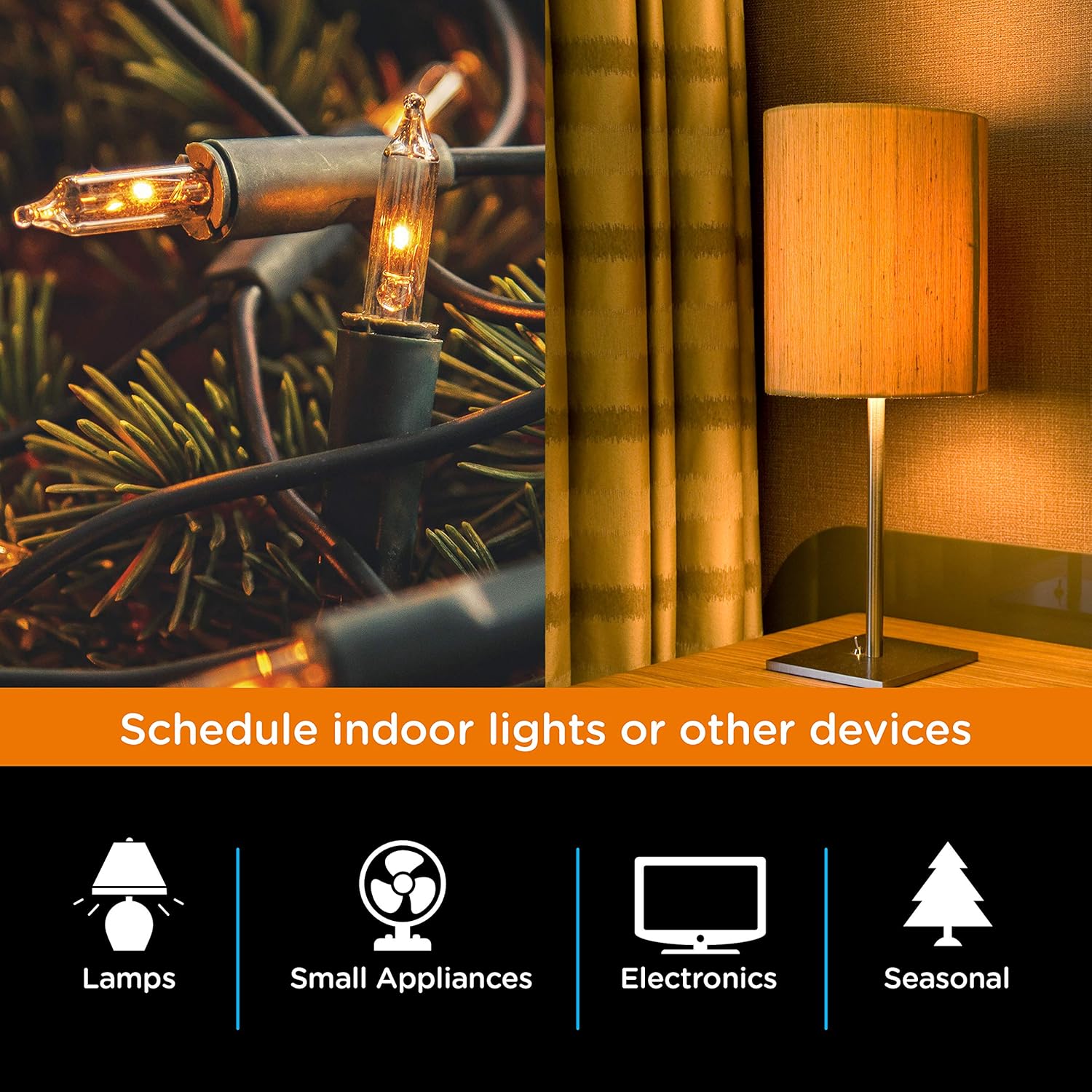
Image: Schedule Indoor Devices. This image highlights the versatility of the timer for scheduling various indoor devices, including lamps, small appliances, electronics, and seasonal lighting.

Image: Deters Crime. This image shows the timer being used to automate lights, creating the impression of an occupied home to deter potential intruders.
Mantentzea
To ensure the longevity and optimal performance of your myTouchSmart Digital Timer, follow these simple maintenance guidelines:
- Garbiketa: Disconnect the timer from the power outlet before cleaning. Use a soft, dry cloth to wipe the exterior. Do not use liquid cleaners or abrasive materials.
- Biltegiratzea: Denbora luzez erabiltzen ez baduzu, gorde tenporizadorea leku fresko eta lehor batean, eguzki-argitik eta muturreko tenperaturetatik babestuta.
- Ingurumen-baldintzak: This timer is designed for indoor use only. Avoid exposing it to moisture, humidity, or extreme temperatures.
Arazoak konpontzea
If you encounter issues with your myTouchSmart Digital Timer, consider the following common solutions:
- Timer Not Turning On/Off:
- Ziurtatu tenporizadorea ondo konektatuta dagoela funtzionatzen duen entxufe batera.
- Verify that the connected appliance or light is properly plugged into the timer's outlet and is in working condition.
- Check that the programmed ON/OFF times or preset options are correctly set and active (indicated by blue LED lights).
- Settings Lost After Power Outage:
- The timer has a backup battery designed to retain settings during brief power interruptions. If settings are lost, the battery may be depleted or the power outage was prolonged. Re-program the desired settings.
- Pantaila ez dabil:
- Ensure the timer is receiving power. If the display remains blank, try plugging it into a different outlet.
Zehaztapenak
| Marka | myTouchSmart |
| Modelo zenbakia | 26892 |
| Kolorea | Zuria |
| Materiala | Plastikoa |
| Produktuaren neurriak | 2.55" L x 5.92" W x 7.3" H |
| Elementuaren pisua | 4 ontza |
| Kalifikazio elektrikoak | 125V 50/60 Hz, 15A 1875W General Purpose / Resistive, 10A 1250W Tungsten ½ HP |
| Ezarpen kopurua | 4 (Custom ON/OFF, Evening, Morning, All Night, Countdown) |
| UPC | 030878268929 |
| Ziurtagiria | UL Listed (Note: Product information also mentions CSA listed) |
| Dakarten osagaiak | Mytouchsmart(tm) Indoor Plug-in Digital Timer |
Bermea eta Laguntza
The myTouchSmart Digital Timer comes with a Urtebeteko berme mugatua fabrikatzailearengandik.
For detailed information, troubleshooting, or support, please refer to the official user guide:
Deskargatu erabiltzailearen eskuliburua (PDF)
You can also visit the manufacturer's webinformazio gehiago lortzeko gunea: jascoproducts.com
Erlazionatutako dokumentuak - 26892
 |
myTouchSmart Barruko Entxufagarri Digitaleko Tenporizadore Sinplea - Erabiltzailearen Gida Ikasi nola konfiguratu eta programatu zure myTouchSmart Simple Set Barruko Entxufagarri Digital Tenporizadorea argiztapen kontrol automatizaturako. Ordutegi pertsonalizatuetarako, aurrezarritako orduetarako eta atzerako kontaketa funtzioetarako argibideak barne hartzen ditu. |
 |
myTouchSmart SunSmart Plug-In Timer User Manual User manual for the myTouchSmart SunSmart Plug-In Timer, detailing setup, programming options, and specifications for indoor digital timing. Learn how to automate your indoor lighting and appliances. |
 |
myTouchSmart Ezarpen Sinplearen Tenporizadorea: Konfigurazio eta Programazio Gida Argiak eta etxetresna elektrikoak automatikoki kontrolatzeko myTouchSmart Simple Set Plug-In Timerra konfiguratzeko eta programatzeko gida laburra. Ikasi pizteko/itzaltzeko orduak nola ezarri, funtzioak nola ulertu eta segurtasun-argibideak nola jarraitu. |
 |
myTouchSmart Simple Set Plug-In Timer - User Guide Instructions and specifications for the myTouchSmart Simple Set Plug-In Timer, an outdoor/indoor digital timer for automating lights and appliances. Learn how to mount, set the time, program on/off times, and understand safety warnings. |
 |
myTouchSmart In-Wall Digital Timer 26893 User Manual & Installation Guide Comprehensive user manual and installation guide for the myTouchSmart In-Wall Digital Timer (Model 26893). Learn how to safely install and use this programmable timer for indoor/outdoor lights and fans. |
 |
myTouchSmart Wi-Fi Smart Devices Setup and Integration Guide Comprehensive guide for setting up myTouchSmart Wi-Fi smart plugs and switches, including app integration, voice assistant compatibility with Alexa and Google Assistant, and product details. |
Ask a question about this manual
Ask about setup, troubleshooting, compatibility, parts, safety, or missing instructions. Manuals+ will review the question and use this page’s manual context to help answer it.