
1. Produktua amaitu daview
The Laser 6365 Fork Top Cap Socket is a specialized tool designed for the safe and efficient removal and installation of fork caps on specific motorcycle models equipped with Öhlins FG811 forks. This tool prevents damage or marring to the fork cap during service procedures.

1. irudia: Goikoa view of the Laser 6365 Fork Top Cap Socket.
2. Ezaugarri nagusiak
- Precision Design: Specifically engineered for Öhlins FG811 forks, ensuring a perfect fit.
- Kalteen Prebentzioa: Fitted with steel pins and rubber O-rings to protect the fork cap from scratches or deformation during use.
- Versatile Drive: Can be operated with a 1/2"D ratchet, a 24mm ring spanner, or a 24mm socket.
- Eraikuntza iraunkorra: Manufactured from lightweight aluminum for strength and longevity.
- OEM baliokidea: Matches OEM tool number 88713.2854.
3. Aplikazioak
This tool is compatible with the following motorcycle models equipped with Öhlins FG811 forks:
- Ducati Monster 1100, 1100S (2009 - 2010)
- Ducati Multistrada 1100S (2007 - 2008)
- Ducati Streetfighter 1098, 1098S (2010 - 2011)
- Ducati Superbike 1098R, 1098, Bayliss 1098S, 1098S, Tricolore (2007 - 2009)
- Ducati Superbike 1198, 1198S, 1198S Corse, 1198R and 1198R Corse (2009 - 2011)
4. Konfigurazioa
Before using the Laser 6365 Fork Top Cap Socket, ensure you have the necessary accompanying tools:
- A 1/2"D ratchet, a 24mm ring spanner, or a 24mm socket.
- Appropriate tools for loosening fork tube clamps (top yoke/triple trees).
Segurtasun-ohar garrantzitsua:
Always loosen the top yoke (triple trees) fork tube clamps before attempting to loosen or tighten the fork caps. Failure to do so can result in damage to the fork components or the tool itself.

2. irudia: Angeludun view of the Laser 6365 Fork Top Cap Socket.
5. Funtzionamendu-argibideak
Follow these steps for the removal and installation of fork caps:
- Prestatu motozikleta: Secure the motorcycle on a stand, ensuring stability.
- Loosen Fork Clamps: As noted in the Setup section, loosen the top yoke (triple trees) fork tube clamps. This reduces pressure on the fork cap, allowing for easier and safer removal/installation.
- Kokatu tresna: Carefully place the Laser 6365 Fork Top Cap Socket onto the fork cap, ensuring that the steel pins align correctly with the recesses on the cap. The rubber O-rings should make full contact with the cap surface.
- Attach Drive Tool: Insert your chosen drive tool (1/2"D ratchet, 24mm ring spanner, or 24mm socket) into the square drive opening of the socket.
- Remove/Install Cap:
- Kentzeko: Apply steady, counter-clockwise pressure to loosen the fork cap.
- For Installation: Apply steady, clockwise pressure to tighten the fork cap. Refer to your motorcycle's service manual for the correct torque specifications.
- Remove Tool: Once the cap is removed or tightened, carefully detach the drive tool and then the Laser 6365 socket from the fork cap.
- Tighten Fork Clamps: After completing the fork cap procedure, tighten the top yoke (triple trees) fork tube clamps to the manufacturer's specified torque.
6. Mantentzea
To ensure the longevity and optimal performance of your Laser 6365 Fork Top Cap Socket:
- Garbiketa: After each use, wipe the tool clean with a dry cloth to remove any grease, oil, or debris.
- Biltegiratzea: Store the tool in a dry environment, away from direct sunlight and extreme temperatures, to prevent corrosion or material degradation.
- Ikuskapena: Periodically inspect the steel pins and rubber O-rings for wear or damage. Replace if necessary to maintain the tool's protective function.
7. Arazoak
- Tresna ez da egokia: Ensure the fork cap is an Öhlins FG811 type and that the motorcycle model is listed in the Applications section. Verify the tool is correctly aligned with the cap's recesses.
- Cap is Stuck/Difficult to Turn: Double-check that the top yoke (triple trees) fork tube clamps are sufficiently loosened. If the cap is still difficult to turn, consult a professional mechanic. Do not apply excessive force that could damage the tool or fork components.
- Damage to Fork Cap: If the fork cap shows signs of damage after using the tool, ensure the tool's pins and O-rings are intact and that the tool was properly seated and operated.
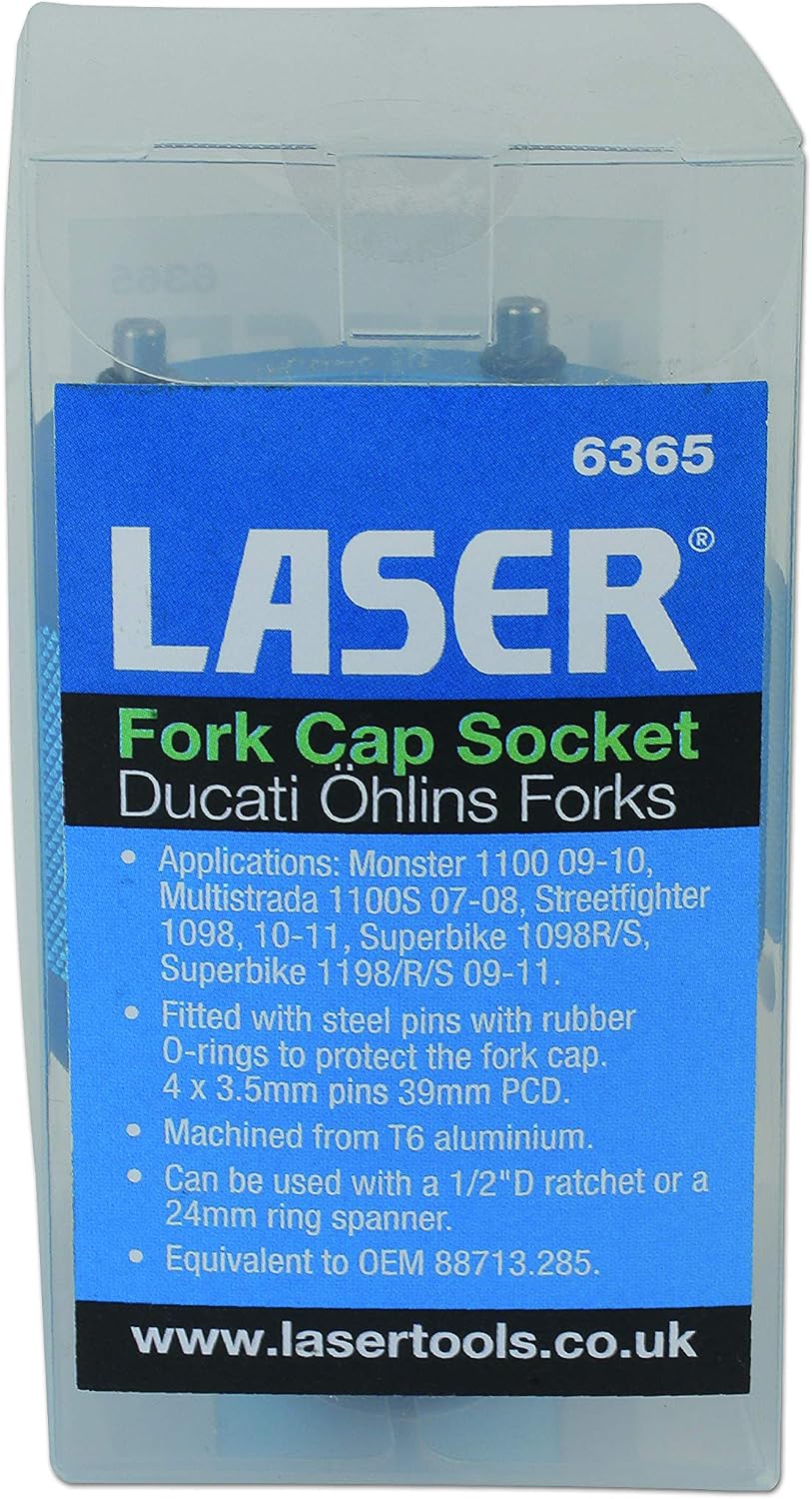
Figure 3: Laser 6365 Fork Top Cap Socket in its packaging.
8. Zehaztapenak
| Modelo zenbakia | 6365 |
| Materiala | Aluminio arina |
| Pin Konfigurazioa | 8 x 3.5mm pins; 39mm PCD |
| Drive bateragarritasuna | 1/2"D Ratchet, 24mm Ring Spanner, or 24mm Socket |
| OEM baliokidea | 88713.2854 |
| Dakarten osagaiak | Fork Top Cap Socket - Öhlins FG811 Forks |
9. Bermea eta Laguntza
This Laser 6365 Fork Top Cap Socket comes with a 1 urteko bermea, excluding consumables. For warranty claims or technical support, please contact your retailer or the manufacturer directly. Keep your proof of purchase for warranty validation.