
1. Sarrera
Thank you for choosing the Kaiser MSS-8915 Audio System. This professional 15-inch speaker is designed to deliver powerful and clear audio for various applications, including events, parties, and professional use. This manual provides essential information for safe and efficient operation, setup, maintenance, and troubleshooting.
2. Segurtasun-argibide garrantzitsuak
Mesedez, irakurri eta ulertu segurtasun-jarraibide guztiak gailu hau erabili aurretik. Gorde eskuliburu hau etorkizunean erreferentzia gisa.
- Energia iturria: Konektatu unitatea zehaztutako elikatze-iturrira soilik.tage. Ensure the power cable is not damaged.
- Aireztapena: Ez blokeatu aireztapen-irekidurak. Ziurtatu aire-fluxu egokia unitatearen inguruan.
- Ura eta hezetasuna: Ez jarri unitatea euripean, hezetasunean edo gehiegizko hezetasunean. Ez jarri likidoz betetako objekturik unitatearen gainean.
- Beroa: Mantendu unitatea bero-iturrietatik urrun, hala nola erradiadoreetatik, bero-erregistroetatik, sukaldeetatik edo beroa sortzen duten beste aparatu batzuetatik.
- Garbiketa: Garbitu aurretik, deskonektatu unitatea entxufetik. Erabili zapi lehor bat garbitzeko.
- Zerbitzua: Ez saiatu produktu hau zuk zeuk ematen. Bidali zerbitzu guztiak zerbitzu kualifikatuko langileengana.
- Lekua: Ensure the unit is placed on a stable surface or securely mounted on a stand to prevent tipping.
- Haurrak: Mantendu unitatea eta bere osagarriak haurren eskura ez dauden lekuetan.
3. Paketearen edukia
Egiaztatu elementu guztiak paketean daudela:
- Kaiser MSS-8915 Audio System Unit
- Elikatze-kablea
- Erabiltzailearen eskuliburua (dokumentu hau)
4. Produktua amaitu daview
Familiarize yourself with the components and features of your Kaiser MSS-8915 Audio System.
4.1 Aurrealdea View
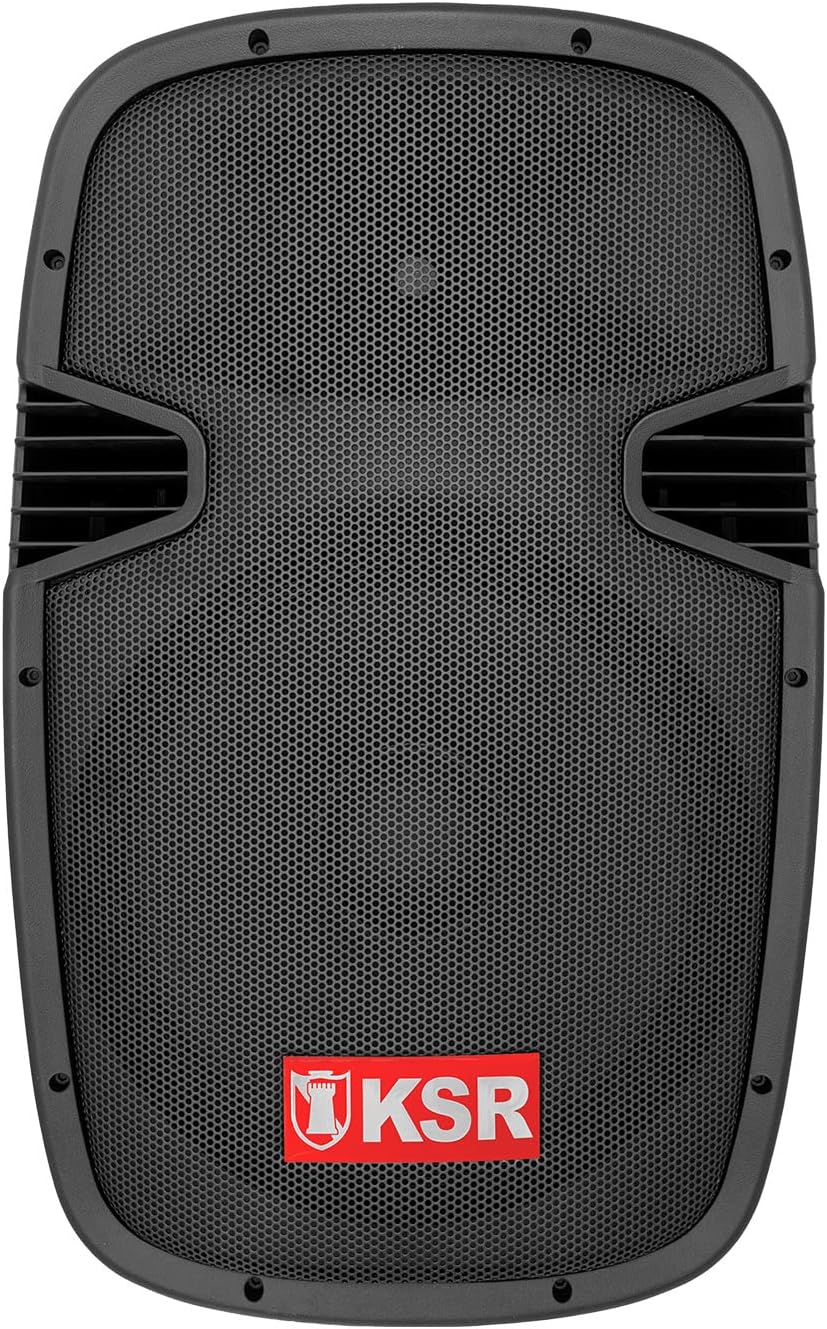
4.1. irudia: Aurrealdea view of the Kaiser MSS-8915 speaker, showing the protective grille and the KSR logo.
4.2 Atzeko panela eta konexioak

4.2. irudia: Rear panel of the Kaiser MSS-8915, featuring Speakon quick connections for audio input/output and the Kaiser branding plate.
- Speakon Connectors: For secure and reliable audio input and daisy-chaining to other speakers.
- Potentzia sarrera: Connection for the main power cable.
- Kontrol-panela: (If applicable, for Bluetooth, USB, and SD features).
4.3 Transport and Mounting Features

4.3. irudia: Aldea view illustrating the integrated side handle for easy transport.

4.4. irudia: Behean view of the speaker, highlighting the integrated wheels for convenient mobility.
- Side and Top Handles: Ergonomically designed for comfortable lifting and carrying.
- Gurpilak: Integrated at the bottom for effortless transportation.
- Zutik muntaia: A rear knob and socket allow for secure mounting on a speaker stand.
5. Konfiguratzeko argibideak
Follow these steps to set up your Kaiser MSS-8915 Audio System.
5.1 Jartzea
- Choose a stable, flat surface for the speaker.
- For optimal sound dispersion, consider placing the speaker on a compatible stand using the rear mounting socket.
- Ensure there is adequate space around the speaker for ventilation.
5.2 Energia-konexioa
- Ensure the speaker's power switch (if present) is in the OFF position.
- Connect the provided power cable to the power input on the rear panel of the speaker.
- Entxufatu kablearen beste muturra entxufe elektriko egoki batera.
5.3 Audio-konexioak
The MSS-8915 uses Speakon connectors for audio input and output.
- Connect your audio source (e.g., mixer, amplifier) to the Speakon input connector on the rear panel using a compatible Speakon cable.
- To daisy-chain multiple MSS-8915 speakers, connect a Speakon cable from the output of the first speaker to the input of the next speaker.
6. Funtzionamendu-argibideak
This section details how to operate your audio system. Note: While the product description mentions a "passive speaker," the product title and specifications indicate integrated Bluetooth, USB, and SD functionality, suggesting an active component. These instructions assume the presence of such active features.
6.1 Piztu/Itzaltzea
- Konexio guztiak egin ondoren, jarri pizteko botoia ON posizioan.
- To power off, switch the power button to the OFF position and then unplug the power cable from the outlet.
6.2 Bluetooth konexioa
- Ziurtatu bozgorailua piztuta dagoela.
- Aktibatu Bluetooth-a zure gailu mugikorrean (smartphone-a, tableta, etab.).
- Bilatu available Bluetooth devices and select "Kaiser MSS-8915" (or similar name).
- Behin parekatuta, audioa haririk gabe erreproduzitu dezakezu zure gailutik bozgorailura.
6.3 USB and SD Card Playback
- Insert a USB flash drive or SD card into the respective port on the speaker's control panel.
- The speaker should automatically detect the media and begin playback.
- Use the control panel buttons (Play/Pause, Next/Previous Track, Volume) to manage playback.
6.4 Bolumen kontrola
Adjust the master volume using the dedicated volume control knob on the speaker's control panel. Start with a low volume and gradually increase it to your desired level.
7. Mantentzea
Proper maintenance ensures the longevity and optimal performance of your audio system.
7.1 Garbiketa
- Always unplug the speaker before cleaning.
- Erabili zapi leun eta lehor bat kanpoko gainazalak garbitzeko.
- Ez erabili garbitzaile, argizari edo disolbatzaile urratzailerik, akabera kaltetu baitezakete.
- For the speaker grille, use a soft brush or vacuum cleaner with a brush attachment to remove dust.
7.2 Biltegiratzea
- Denbora luzez erabiltzen ez baduzu, gorde bozgorailua leku fresko eta lehor batean, eguzki-argitik eta muturreko tenperaturetatik urrun.
- If possible, use the original packaging or a protective cover to prevent dust accumulation and physical damage.
8. Arazoak
If you encounter issues with your Kaiser MSS-8915, refer to the following common problems and solutions.
| Arazoa | Kausa posiblea | Irtenbidea |
|---|---|---|
| Botererik ez | Power cable not connected; Power outlet not working; Speaker power switch off. | Ensure power cable is securely connected. Test the outlet with another device. Turn the speaker power switch ON. |
| Ez dago soinu irteerarik | Volume too low; Incorrect audio input connection; Audio source issue; Damaged cable. | Increase volume. Check Speakon cable connections. Verify audio source is playing. Try a different audio cable. |
| Bluetooth parekatzeak huts egin du | Bozgorailua ez dago parekatze moduan; Gailua urrunegi dago; Interferentzia. | Ensure speaker is discoverable. Move device closer to speaker. Avoid other wireless devices. |
| USB/SD playback not working | Onartu gabe file format; Corrupted media; Incorrect insertion. | Ziurtatu files are in a supported format (e.g., MP3). Try a different USB drive/SD card. Reinsert media correctly. |
| Soinu distortsionatua | Volume too high; Input signal too strong; Damaged speaker component. | Reduce volume on speaker and audio source. Check input levels. If problem persists, contact support. |
9. Zehaztapenak
Technical specifications for the Kaiser MSS-8915 Audio System.

9.1. irudia: Atzekoa view of the Kaiser MSS-8915, including key dimensions for reference.
| Ereduaren izena | MSS-8915 |
| Hizlari mota | Professional Passive Speaker, 2-way, Surround Sound |
| Woofer tamaina | 15 hazbete (38.1 cm) |
| Gidaria | Titanium Driver |
| Audio Power (PMPO) | 4000 W PMPO |
| Audio Power (RMS) | 150 W RMS |
| Inpedantzia | 8 Ohm |
| Konektibitate Teknologia | Bluetooth, USB, SD (for active system features) |
| Haririk gabeko komunikazioa | Bluetootha |
| Kontrol-metodoa | Tactile (for integrated audio system controls) |
| Energia iturria | Kable elektrikoa |
| Neurriak (L x W x H) | 49 x 42 x 76 cm |
| Pisua | 15 kg |
| Osagaiak barne | Elikatze kablea |
| Muntatze Mota | Solairuaren mendia |
10. Bermea eta Laguntza
Kaiser products are manufactured to high-quality standards. For warranty information and technical support, please refer to the warranty card included with your product or visit the official Kaiser webgunea.
- Berme Epea: Please consult your purchase documentation or the manufacturer's webwebgunean berme-baldintza zehatzak ikusteko.
- Laguntza teknikoa: For assistance with setup, troubleshooting, or product inquiries, contact Kaiser customer service.
- Sareko baliabideak: Bisitatu Kaiser Brand Store on Amazon produktuari buruzko informazio eta laguntza gehigarria lortzeko.