
Sarrera
Eskerrik asko erosketagatik.asing the OttLite CY4009-FFP LED Desk Lamp. This manual provides important information regarding the setup, operation, maintenance, and troubleshooting of your new desk lampMesedez, irakurri arretaz argibide hauek erabili aurretik eta gorde itzazu etorkizunean erreferentzia gisa.
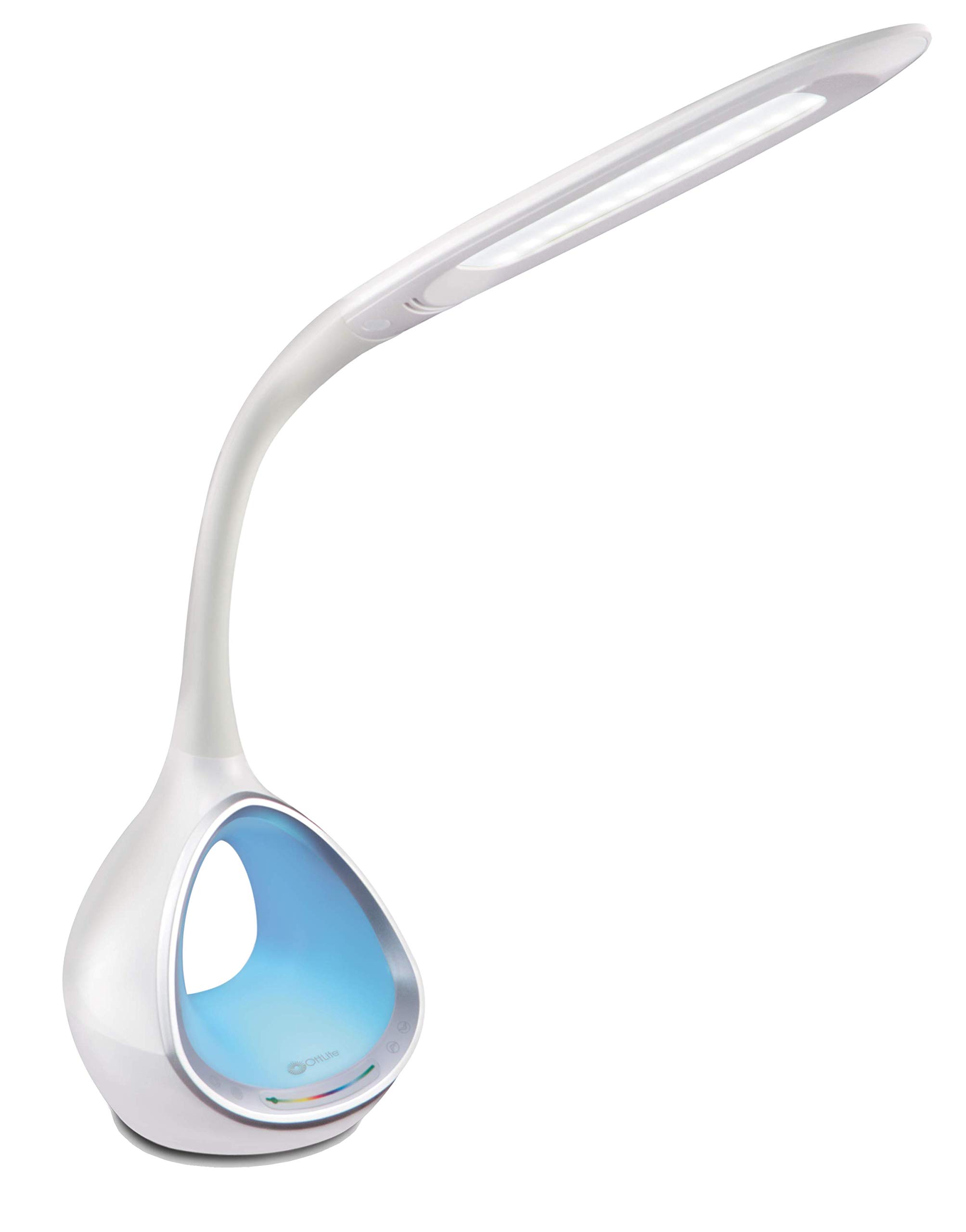
Image: The OttLite CY4009-FFP LED Desk Lamp, erakutsiasing its sleek white design and flexible neck.
Segurtasun-argibideak
Funtzionamendu segurua bermatzeko, kontuan hartu neurri hauek:
- Ez erabili lamp hondatutako kable edo entxufe batekin.
- Ez aldatu lamp edo bere osagaiak.
- Mantendu lamp away from water or other liquids. This product is not water resistant.
- Ziurtatu lamp gainazal egonkor eta lau batean jartzen da.
- Deskonektatu lamp garbitu edo edozein mantentze-lan egin aurretik.
- Hau lamp barrualdean erabiltzeko bakarrik da.
Paketearen edukia
Egiaztatu elementu guztiak paketean daudela:
- OttLite CY4009-FFP LED Desk Lamp
- AC/DC korronte egokitzailea
Produktua amaituview
Familiarize yourself with the main components of your desk lamp:
- Lepo malgua: Allows adjustment of the light head position.
- LED argi-burua: Provides natural daylight illumination with adjustable brightness and color temperature.
- Kontrol-panela: Touch-sensitive buttons for power, brightness, color temperature, and color-changing base.
- Color Changing Tunnel Base: Illuminates with a choice of colors or cycles through the spectrum.
- USB kargatzeko ataka: Located on the side of the base for charging devices.

Image: The OttLite CY4009-FFP LED Desk Lamp illustrating its adjustable height (11.75 to 16 inches) and base diameter (4.375 inches).
Konfigurazioa
- Kontu handiz kendu lamp eta ontziko osagai guztiak.
- Jarri lamp gainazal egonkor eta lau batean.
- Connect the AC/DC power adapter to the power input port located at the back of the lamp oinarria.
- Entxufatu korronte-egokigailua entxufe elektriko estandar batean.
- Lamp orain martxan jartzeko prest dago.
Funtzionamendu-argibideak
Argiaren Eragiketa Nagusia

Irudia: l-ren hurbileko planoaamp base showing touch-activated controls for brightness and color settings.
- Piztu/Itzali: Ukitu Pizteko botoia on the control panel to turn the main light on or off.
- Doitu distira: Lamp features 4 brightness settings. Repeatedly touch the Distira botoia distira-mailetan zehar zirkulatzeko.
- Kolore-tenperatura aldatu: Lamp offers 3 color temperature modes. Repeatedly touch the Modu botoia to switch between different light temperatures (e.g., warm white, bright white, cool white).

Image: Three different light outputs from the lamp head, demonstrating the warm, neutral, and cool color temperature settings.
Color Changing Tunnel Base Operation

Irudia: Lau ohiampl-ren lesamp's base glowing in different colors: blue, red, purple, and green.
- Activate Color Base: Ukitu Kolore botoia on the control panel to turn on the color-changing base.
- Hautatu kolore bat: Once activated, touch the color spectrum bar on the base to select a specific color.
- Zikloaren koloreak: To have the base continuously cycle through the entire color spectrum, touch and hold the Kolore botoia until the colors begin to transition automatically.
- Turn Off Color Base: Ukitu Kolore botoia again to turn off the color-changing base.
USB kargatzeko ataka
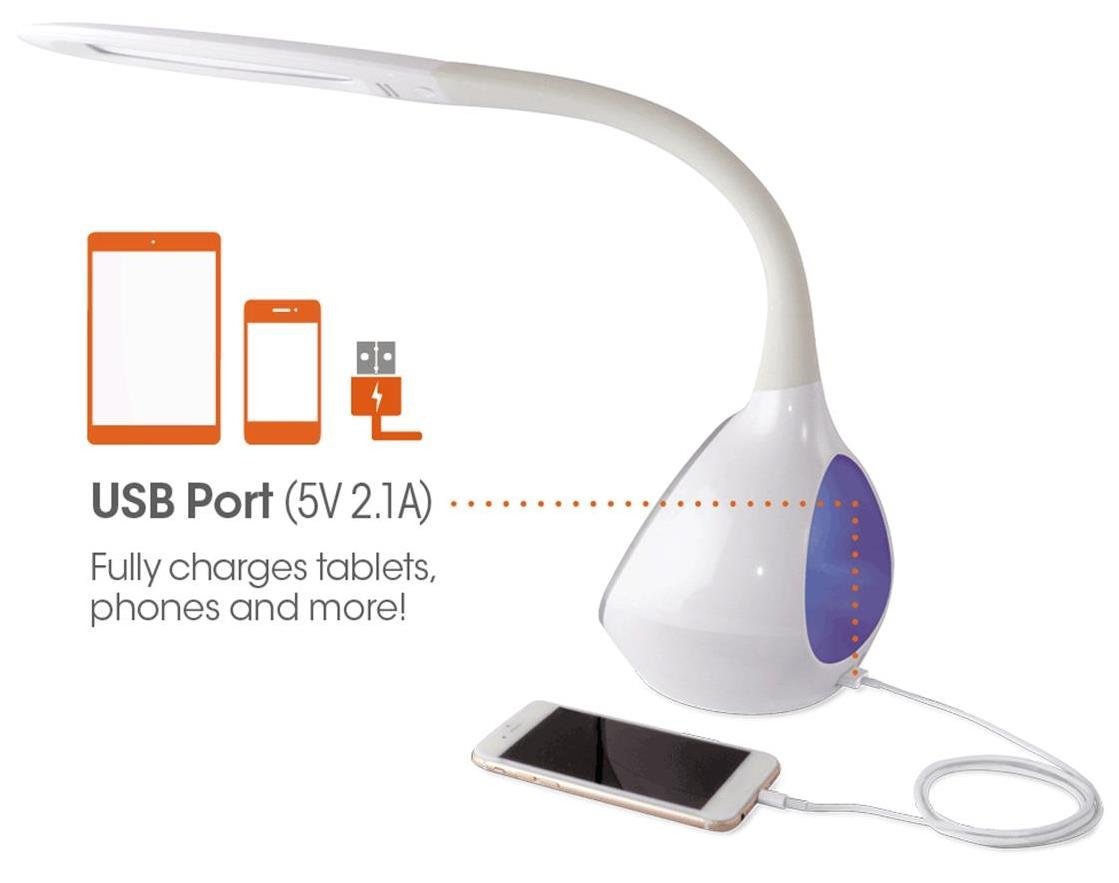
Irudia: Lamp's base with a smartphone connected to the 5V 2.1A USB charging port, illustrating its charging capability for phones and tablets.
Lamp includes a 5V, 2.1A USB charging port located on the side of the base. This port can be used to charge smartphones, tablets, and other USB-powered devices. Simply connect your device's USB charging cable to the port.
Mantentzea
- Garbiketa: Ziurtatu lamp deskonektatuta dago garbitu aurretik. Erabili zapi leun eta lehor bat garbitzeko.amp. Ez erabili garbitzaile edo disolbatzaile urratzailerik.
- LED: The integrated LEDs are designed to last up to 40,000 hours and are not replaceable.
- Biltegiratzea: l gordez geroamp for an extended period, unplug it and store it in a cool, dry place.
Arazoak konpontzea
| Arazoa | Kausa posiblea | Irtenbidea |
|---|---|---|
| Lamp ez da pizten. | Korronte-egokitzailea ez dago behar bezala konektatuta edo ez dago korronterik entxufetik. | Egiaztatu korronte-egokitzailea ondo konektatuta dagoen bi entxufeetan.amp eta hormako entxufea. Probatu entxufea beste gailu batekin. |
| Main light works, but color-changing base does not. | Color button not activated. | Ensure the Color button on the control panel has been touched to activate the base light. |
| USB kargatzeko ataka ez dabil. | Gailua ez da bateragarria edo kablea akastuna da. | Ensure your device is compatible with 5V, 2.1A charging. Try a different USB cable. |
| Ukipen-kontrolek ez dute erantzuten. | Temporary electrical interference or power issue. | Deskonektatu lamp from the power outlet for 30 seconds, then plug it back in. |
Zehaztapenak
| Modelo zenbakia: | CY4009-FFP |
| Marka: | OttLite |
| Argi iturri mota: | LED |
| Wattage: | 10 Watt |
| Distira ezarpenak: | 4 (up to 500 lumens) |
| Kolore tenperaturak: | 3 |
| USB ataka irteera: | 5 V, 2.1 A |
| LED bizitza: | Gehienez 40,000 ordu |
| Produktuaren neurriak (LxWxH): | 24.1D x 7Z x 29.8A zentimetro |
| Elementuaren pisua: | 1.32 kg (2.91 lb) |
| Energia iturria: | Kable elektrikoa |
| Etengailu mota: | Ukitu |
| Kolorea: | Zuria |
| Uraren erresistentzia: | Ez Urarekiko Erresistentea |
| UPC: | 761712012346 |
Bermea eta Laguntza
For warranty information or technical support, please refer to the documentation provided with your purchase or visit the official OttLite webgunea. Gorde erosketaren egiaztagiria bermearen erreklamazioetarako.
Fabrikatzailea: Environmental Lighting Concepts