
1. Sarrera
This manual provides comprehensive instructions for the installation, operation, and maintenance of your Honeywell Home RDWL311A2000 Series 3 Portable Wireless Doorbell and Push Button. This system offers a convenient and customizable solution for home entry notification without requiring complex wiring.

Image 1.1: The Honeywell Home Series 3 Portable Wireless Doorbell and its accompanying Push Button.
The portable design allows for flexible placement of the doorbell unit, while the wireless push button ensures easy installation at your desired entry point. The system is designed for ease of use and reliability.
2. Zer dago barne
Egiaztatu osagai guztiak paketean daudela:
- Haririk gabeko ateko txirrin eramangarria
- Sakatu botoia
- CR2032 battery (for Push Button)
- Doorbell wall mounting bracket
- Push button mounting bracket and adhesive pad
- Buru lauko torlojuak
- Buru biribileko torlojuak
- Hormako aingurak
Oharra: 4 AA batteries for the Portable Wireless Doorbell are ez dago barne eta bereiz erosi behar dira.
3. Ezaugarri nagusiak
The Honeywell Home Series 3 Doorbell system offers the following features:
- Haririk gabeko funtzionamendua: No wiring required for installation, simplifying setup.
- Preinstalled Tunes: Comes with 4 selectable tunes.
- Barruti hedatua: Robust wireless signal provides a range of up to 250 feet (76 meters).
- Diseinu eramangarria: The doorbell unit can be placed on a shelf, table, or mounted on a wall.
- Bateriak: Doorbell requires 4 AA batteries (not included); Push Button includes a CR2032 battery.
- Illuminated Push Button: Features an LED halo feedback when pressed.
- Weather Resistant Push Button: Suitable for outdoor surface mounting.
4. Konfigurazioa eta instalazioa
4.1. Installing Batteries in the Doorbell Unit
- Locate the battery compartment on the back of the portable doorbell unit.
- Ireki bateriaren konpartimenduaren estalkia.
- Insert 4 AA alkaline batteries (not included), ensuring correct polarity (+/-).
- Itxi bateriaren konpartimenduaren estalkia ondo.

4.1. irudia: Atzekoa view of the doorbell unit with the battery compartment open, showing where to insert 4 AA batteries.
4.2. Installing the Push Button
The push button comes with a pre-installed CR2032 battery. It can be mounted using the adhesive pad or screws.
- Aukeratu kokapena: Choose a suitable location near your door, ensuring it is within the 250-foot range of the doorbell unit.
- Itsasgarriaren muntaketa:
- Garbitu muntatzeko gainazala ondo.
- Peel the backing from the adhesive pad on the push button mounting bracket.
- Press the bracket firmly onto the desired surface for at least 30 seconds.
- Attach the push button to the mounted bracket.
- Torlojuen muntaketa:
- Remove the push button from its mounting bracket.
- Hold the mounting bracket against the desired surface and mark the screw holes.
- Drill pilot holes if necessary. For masonry, insert wall anchors.
- Lotu euskarria emandako torlojuekin.
- Attach the push button to the mounted bracket.
4.3. Pairing the Push Button with the Doorbell Unit
The push button and doorbell unit are typically pre-paired from the factory. If they are not responding, follow these steps to pair them:
- Ensure batteries are correctly installed in both units.
- On the doorbell unit, press and hold the Ezarpenak button (gear icon) for approximately 5 seconds until the unit emits a short beep.
- Within 10 seconds, press the push button. The doorbell unit should chime, indicating successful pairing.
- Test the connection by pressing the push button again.
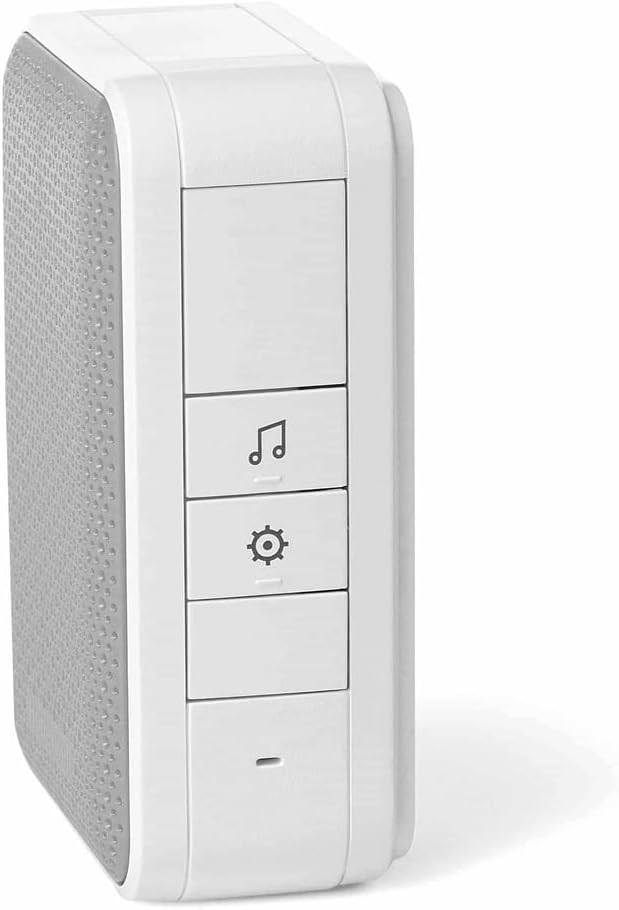
4.2 irudia: Albokoa view of the doorbell unit, highlighting the tune selection and settings buttons.
5. Funtzionamendu-argibideak
5.1. Changing the Chime Tune
The doorbell unit comes with 4 preinstalled tunes. To change the tune:
- Sakatu Doinu aukeraketa button (music note icon) on the side of the doorbell unit. Each press will cycle through the available tunes.
- Stop pressing when you hear your desired tune.
5.2. Bolumena doitzea
The doorbell unit typically has a volume control button or a setting within the settings menu. Refer to the specific button on the side of your unit (often indicated by a speaker icon or +/- symbols) to adjust the volume.
5.3. Eguneroko Erabilera
When a visitor presses the push button, the doorbell unit will sound the selected chime tune and the push button's halo LED will illuminate briefly.
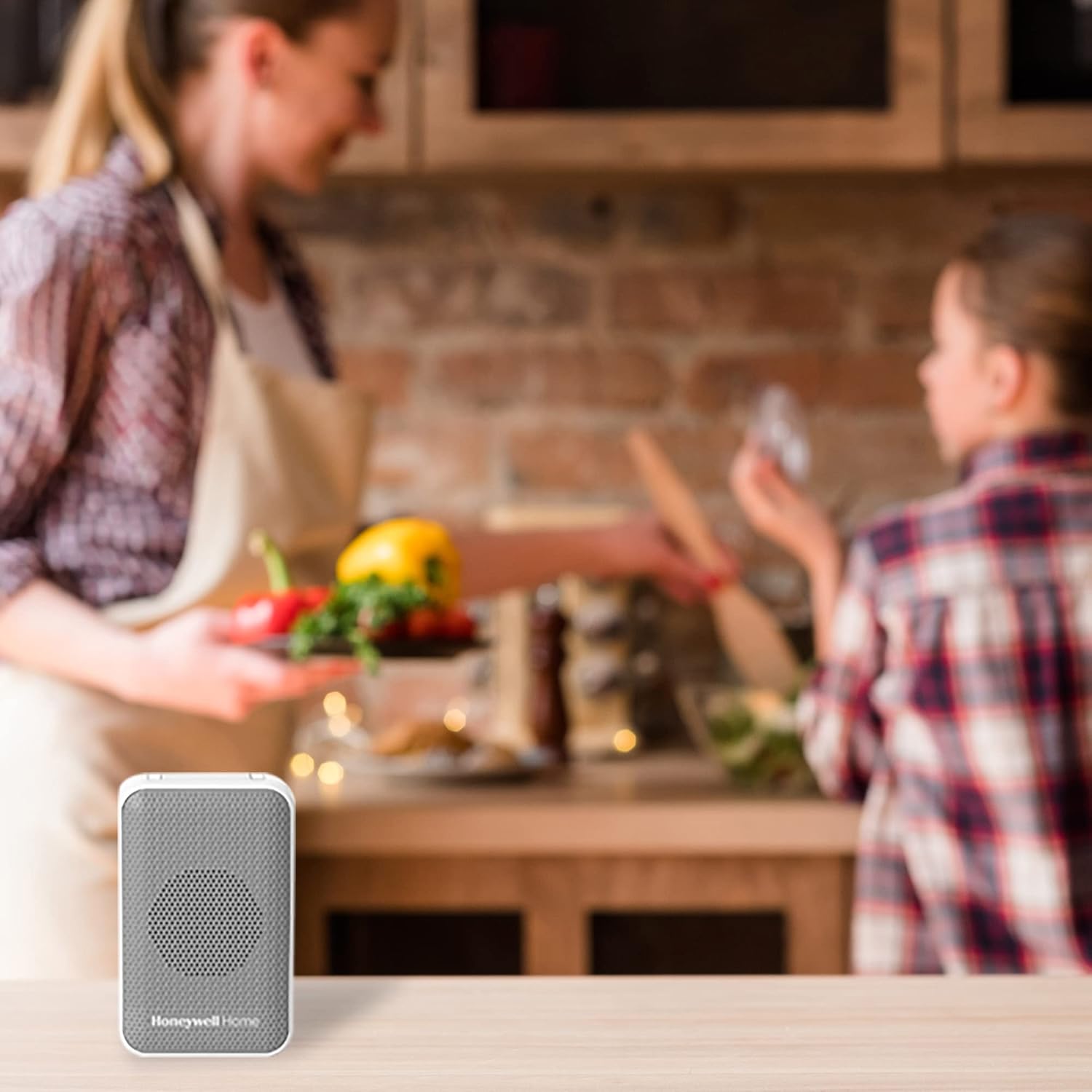
Image 5.1: The portable doorbell unit can be conveniently placed in various locations, such as a kitchen counter.
6. Mantentzea
6.1. Bateria ordezkatzea
Doorbell Unit (4 AA batteries):
- When the doorbell unit's sound becomes weak or inconsistent, it's time to replace the batteries.
- Ireki bateriaren konpartimendua unitatearen atzealdean.
- Kendu bateria zaharrak eta bota itzazu arduraz.
- Sartu 4 AA pila alkalino berri, polaritate zuzena errespetatuz.
- Itxi konpartimentuaren estalkia.
Push Button (CR2032 battery):
- If the push button's LED halo does not light up or the doorbell unit does not chime when pressed, the CR2032 battery may need replacement.
- Kontu handiz ireki c botoiaasing (refer to the diagram in the full user manual if needed).
- Ordeztu CR2032 bateria zaharra berri batekin, polaritate zuzena ziurtatuz.
- Itxi ondo c-aasing.
6.2. Garbiketa
Wipe the doorbell unit and push button with a soft, dry cloth. Do not use abrasive cleaners or solvents, as these can damage the finish or internal components.
7. Arazoak
| Arazoa | Kausa posiblea | Irtenbidea |
|---|---|---|
| Doorbell unit does not chime when push button is pressed. |
|
|
| Chime sound is weak or distorted. | Low batteries in doorbell unit. | Replace AA batteries in the doorbell unit. |
| Push button LED does not light up. | Low or dead battery in push button. | Replace CR2032 battery in the push button. |
8. Zehaztapenak
| Atributua | Xehetasuna |
|---|---|
| Modelo zenbakia | RDWL311A2000 |
| Marka | Honeywell Etxea |
| Power Source (Doorbell) | 4 x AA pila (ez daude barne) |
| Energia iturria (botoi-sakagailua) | 1 x CR2032 bateria (barne) |
| Wireless Range | Gehienez 250 oin (76 metro) |
| Dimensions (Doorbell Unit) | 1.67 x 2.75 x 4.33 hazbete |
| Elementuaren pisua | 8 ontza |
| Kolorea | Grisa |
| liburukiatage | 110 Volts (for reference, product is battery powered) |
| Dakarten osagaiak | CR2032 battery, Doorbell wall mounting bracket, Flat head screws, Portable Wireless Doorbell, Push Button, Push button mounting bracket and adhesive pad, Round head screws, Wall anchors |

Image 8.1: Dimensional drawing of the doorbell unit and push button with measurements.
9. Bermea eta Laguntza
For warranty information, technical support, or to access the full user manual, please visit the official Honeywell Home website or refer to the documentation provided with your product. You can also find the official user manual hemen.
Fabrikatzailea: Honeywell Etxea
For further assistance, contact Honeywell Home customer service.