1. Sarrera
This manual provides detailed instructions for the installation, operation, and maintenance of the NVIDIA E220370 Video Card. This graphics card is designed to enhance the visual performance of your desktop computer, supporting various display outputs and applications.
Please read this manual thoroughly before attempting installation or operation to ensure proper usage and to prevent damage to the product or your system.
2. Segurtasun informazioa
Observe the following safety precautions to prevent injury and damage to your equipment:
- Deskonektatu beti ordenagailuaren korrontea edozein osagai instalatu edo kendu aurretik.
- Wear an anti-static wrist strap or frequently touch a grounded metal object to discharge static electricity before handling the video card. Static discharge can damage electronic components.
- Handle the video card by its edges. Avoid touching the gold connector pins or other components on the board.
- Ziurtatu ordenagailuaren karkasa behar bezala aireztatuta dagoela gehiegi berotzea saihesteko.
- Keep the video card away from liquids and excessive moisture.
3. Konfigurazioa eta instalazioa
Follow these steps to install the NVIDIA E220370 Video Card into your desktop computer.
3.1. Prestaketa
- Power off your computer and unplug the power cord from the wall outlet.
- Open your computer case. Refer to your computer's manual for specific instructions on how to open the case.
- Locate an available PCI Express x16 slot on your motherboard. This card requires a PCI Express x16 slot for optimal performance.
- Remove the metal bracket cover from the back of the computer case corresponding to the chosen PCI Express slot.
3.2. Card Installation
- Carefully align the video card with the PCI Express x16 slot.
- Press down firmly and evenly on both ends of the card until it is fully seated in the slot. You should hear a click as the retention clip engages.
- Secure the video card to the computer case with a screw or the case's retention mechanism.
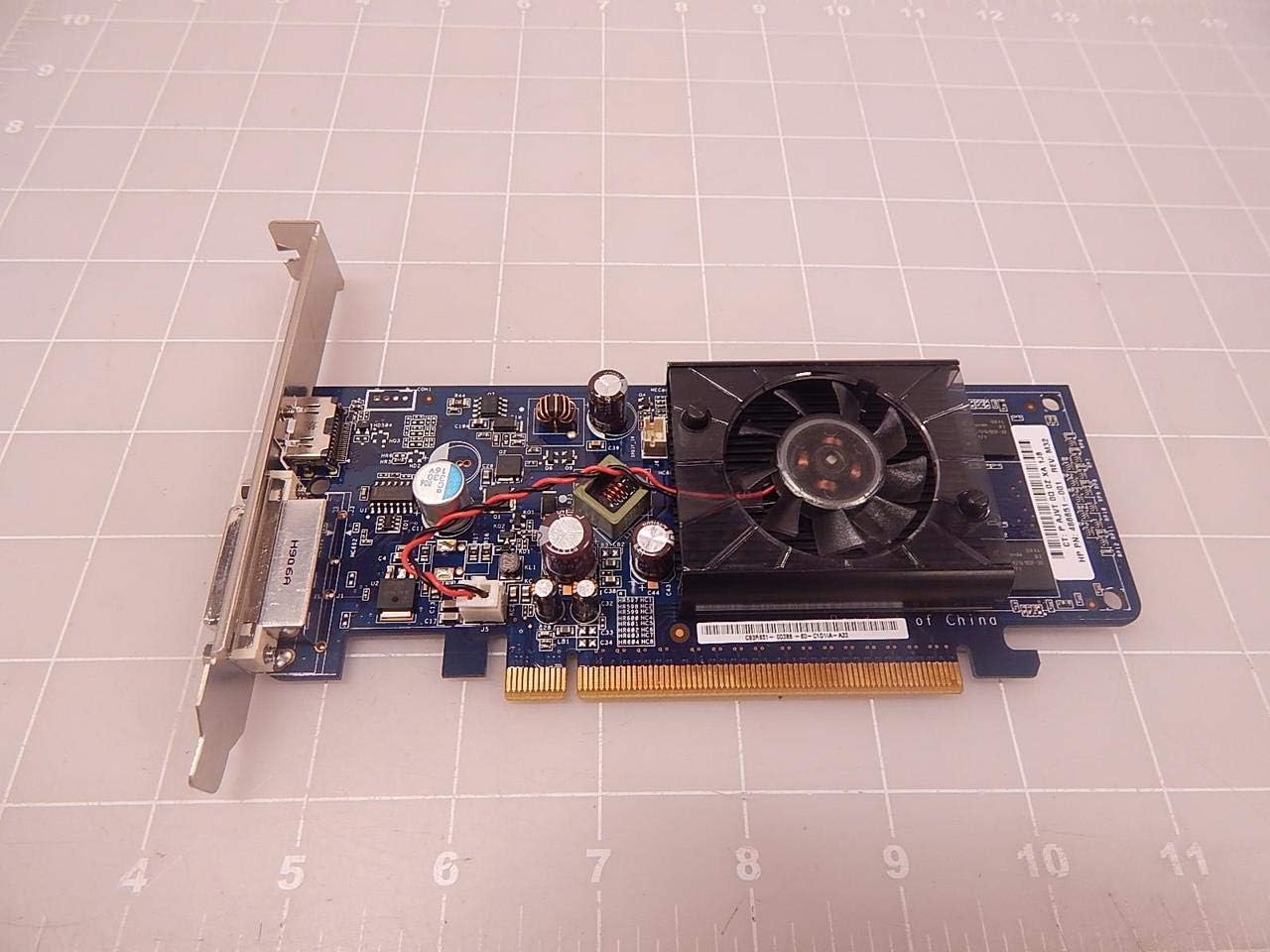
3.2.1. irudia: Goikoa view of the NVIDIA E220370 Video Card, showing the cooling fan and general layout. This view helps in identifying the card for installation.
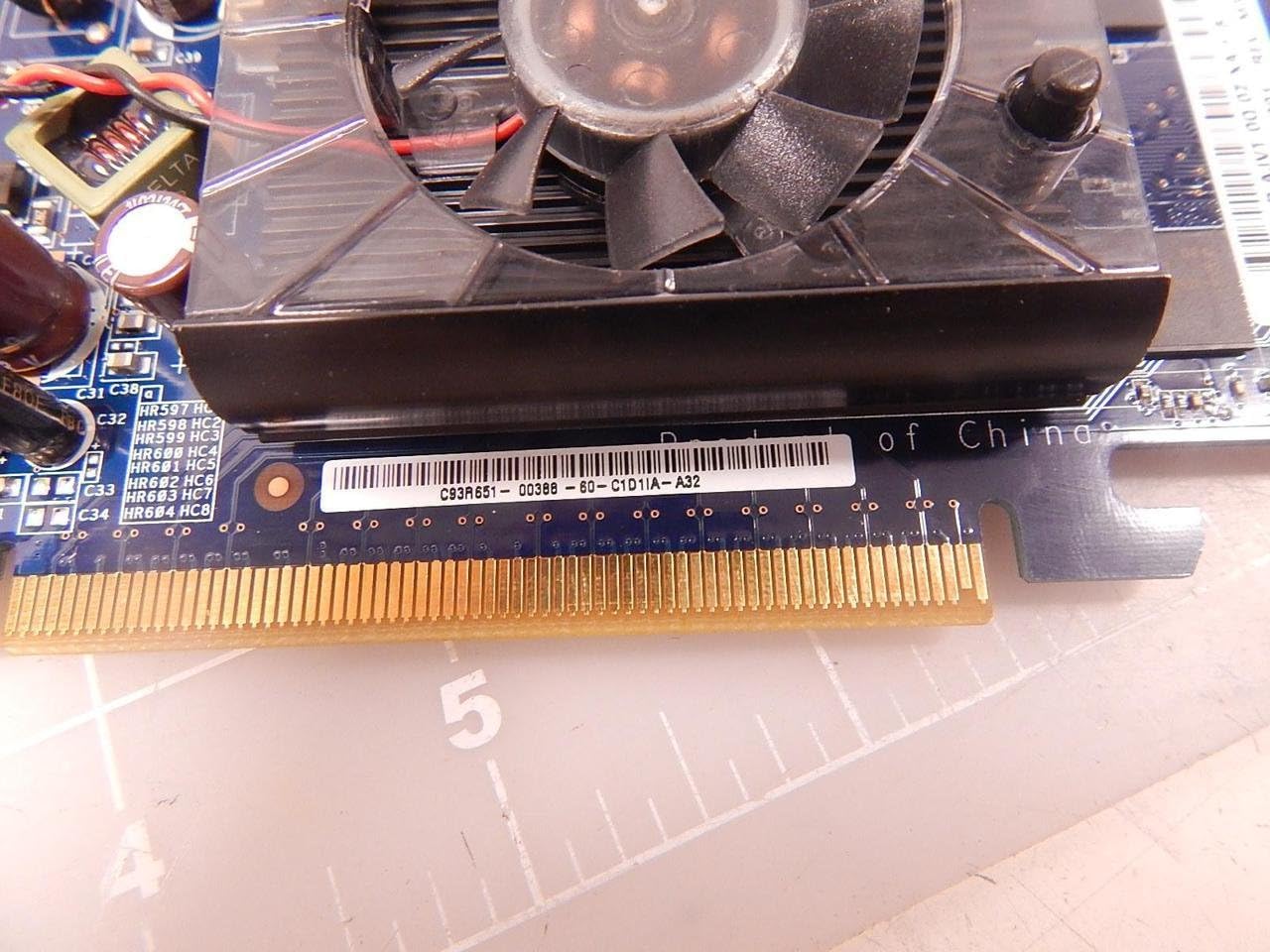
Figure 3.2.2: Close-up of the PCI Express connector (gold pins) on the NVIDIA E220370 Video Card. This connector must be fully seated into the motherboard's PCI Express slot.
3.3. Gidariaren instalazioa
- Itxi ordenagailuaren karkasa eta konektatu berriro elikatze-kablea.
- Connect your monitor to one of the video card's output ports (HDMI or DVI).
- Piztu ordenagailua.
- Once the operating system loads, download the latest drivers for the NVIDIA E220370 from the official NVIDIA webgunea (www.nvidia.com/drivers).
- Jarraitu pantailan agertzen diren argibideei kontrolatzailearen instalazioa osatzeko. Baliteke sistema berrabiarazi behar izatea.
4. Operating the Video Card
Once installed and drivers are updated, your NVIDIA E220370 Video Card will automatically handle graphics processing for your system.
4.1. Pantailak konektatzea
The video card supports multiple display outputs. You can connect your monitor(s) to the available ports:
- HDMI: Definizio handiko bideo eta audio digitalarentzat.
- DVI: For digital video output.
- DisplayPort: For high-resolution digital video and audio (if available on your specific model variant).
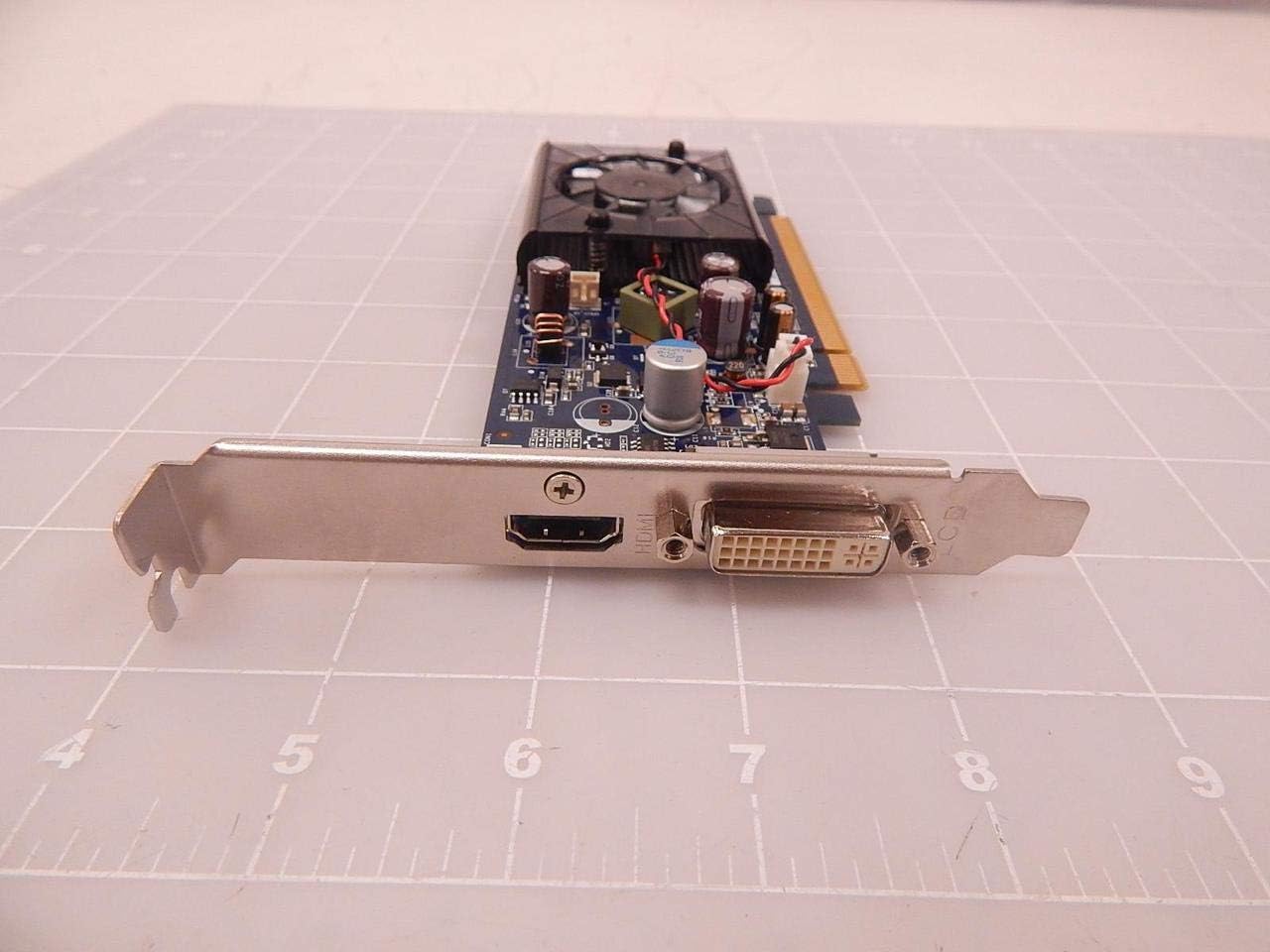
Figure 4.1.1: The output panel of the NVIDIA E220370 Video Card, showing the HDMI and DVI ports for connecting displays.
4.2. Graphics Settings
You can adjust graphics settings through the NVIDIA Control Panel (usually accessible via your desktop's right-click context menu or Windows Control Panel). This allows you to:
- Configure display resolution and refresh rates.
- Manage multiple displays.
- Optimize 3D settings for games and applications.
- Eguneratu gidariak.
5. Mantentzea
Regular maintenance helps ensure the longevity and optimal performance of your video card.
- Hautsa kentzea: Periodically clean the cooling fan and heatsink to prevent dust buildup, which can impede airflow and lead to overheating. Use compressed air to gently blow dust away from the fan blades and heatsink fins. Ensure the fan is held stationary while cleaning to prevent damage.
- Aire-fluxua: Ensure your computer case has adequate airflow. Keep vents clear and consider additional case fans if temperatures are consistently high.
- Gidarien eguneraketak: Keep your graphics drivers updated. NVIDIA regularly releases new drivers that include performance improvements, bug fixes, and compatibility updates.
6. Arazoak
If you encounter issues with your NVIDIA E220370 Video Card, refer to the following troubleshooting steps:
6.1. Ez dago pantaila-irteerarik
- Egiaztatu konexioak: Ensure the monitor cable is securely connected to both the video card and the monitor. Try a different cable or monitor if possible.
- Card Seating: Power off the computer, unplug it, and re-seat the video card firmly into its PCI Express slot.
- Elikatze-iturria: Verify that your power supply unit (PSU) meets the minimum wattage requirements for your system, including the video card.
- BIOS/UEFI ezarpenak: Check your motherboard's BIOS/UEFI settings to ensure the primary display output is set to PCI Express (PEG) if applicable.
6.2. Display Artifacts or Glitches
- Gidariaren arazoak: Uninstall current drivers using Display Driver Uninstaller (DDU) in Safe Mode, then install the latest drivers from NVIDIA's webgunea.
- Gehiegizko berotzea: Monitor the GPU temperature using third-party software. If temperatures are high, clean the heatsink and fan, and ensure proper case airflow.
- Card Fault: If issues persist after driver and temperature checks, the card itself might be faulty.
6.3. Sistemaren ezegonkortasuna edo kraskadurak
- Gidarien arteko gatazkak: Ensure all other system drivers are up to date.
- Elikatze-iturria: Energia-iturri nahikorik ez izateak edo akastunak ezegonkortasuna sor dezake.
- Gehiegizko berotzea: As mentioned, high temperatures can lead to system crashes.
7. Zehaztapenak
The following are key specifications for the NVIDIA E220370 Video Card:
| Ezaugarri | Zehaztapena |
|---|---|
| Marka | NVIDIA |
| Ereduaren izena | E220370 |
| Parte-zenbakiak | E220370, BTC-202B, 466851-001 |
| Graphics Co-processor | NVIDIA |
| RAM grafiko mota | GDDR5 |
| Bideo Irteerako Interfazea | DisplayPort, HDMI |
| Txartel grafikoen interfazea | PCI Express |
| Produktuaren erabilera gomendatuak | Gaming, Professional Use |
| Gailu bateragarriak | Mahaigaina |
| Wattage | 2.16 watt |
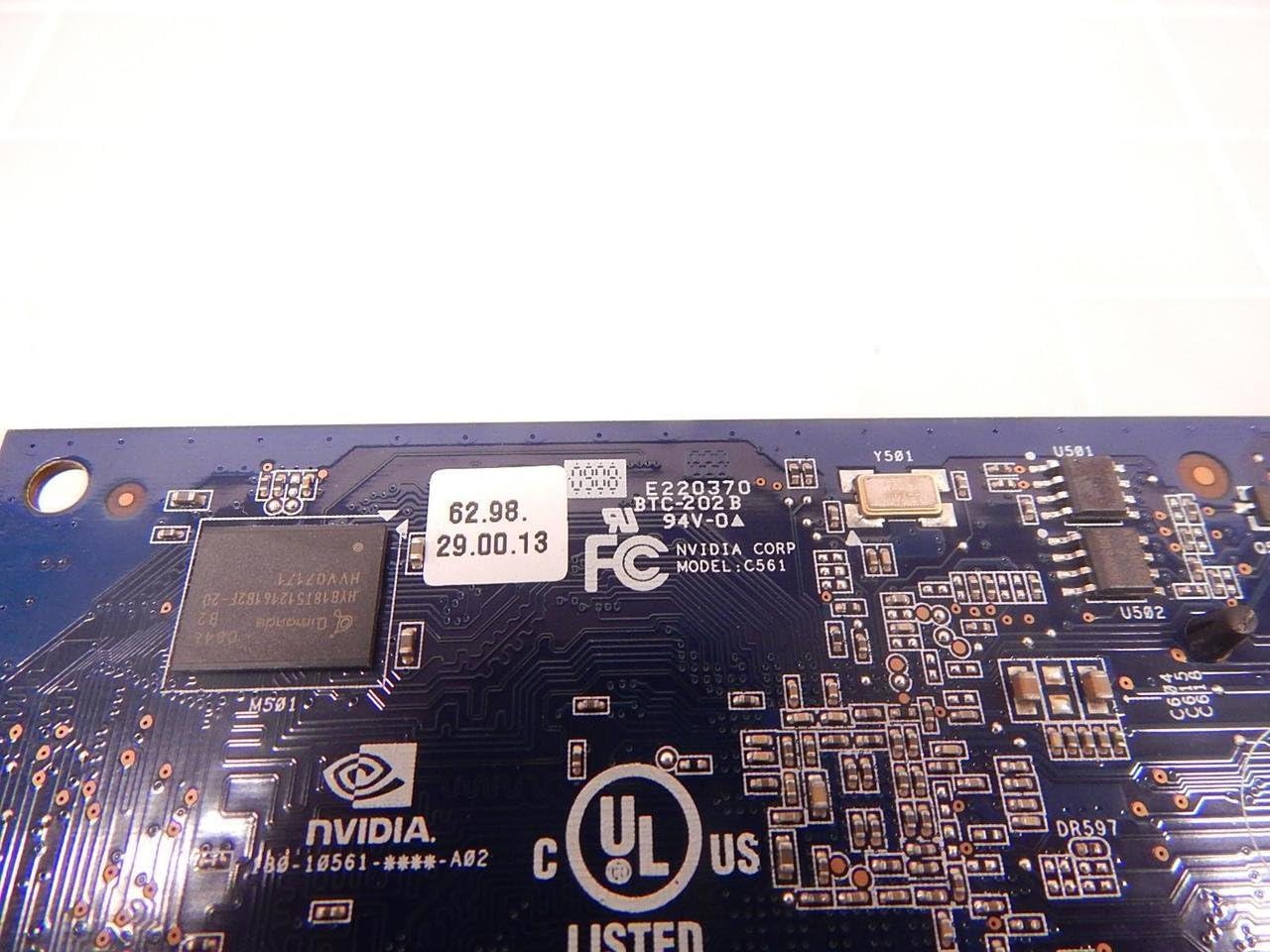
7.1. irudia: Xehetasuna view of the NVIDIA E220370 PCB, showing the model number E220370 and BTC-202B, along with other manufacturing details.
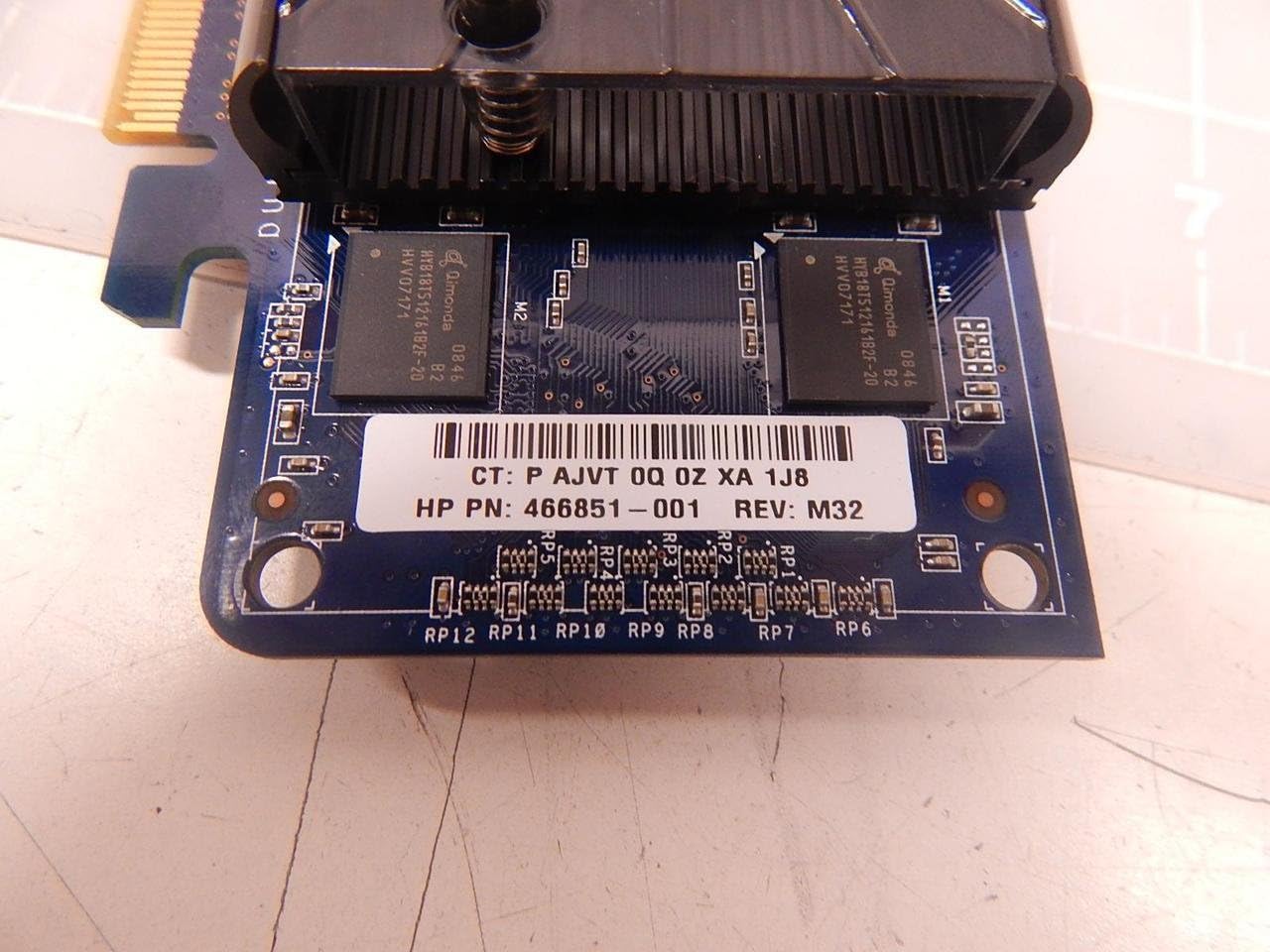
Figure 7.2: Close-up showing the HP Part Number 466851-001, which is associated with this NVIDIA E220370 video card.
8. Bermea eta Laguntza
For warranty information and technical support, please refer to the documentation provided with your original purchase or visit the official NVIDIA support webgunea.
- NVIDIA Support: www.nvidia.com/support
- Produktuen erregistroa: Registering your product may be required for warranty claims.
- Erosketaren froga: Gorde erosketaren egiaztagiria bermea balioztatzeko.