
1. Sarrera
This manual provides comprehensive instructions for the installation, operation, and maintenance of the HP Aruba 2930F 24G 4SFP+ Switch (Model JL253A). Please read this manual thoroughly before using the device to ensure proper setup and optimal performance. Retain this manual for future reference.
2. Produktua amaitu daview
The HP Aruba 2930F 24G 4SFP+ Switch is a high-performance network switch designed for enterprise edge deployments. It features 24 Gigabit Ethernet ports and 4 SFP+ ports for high-speed uplinks, providing reliable and secure connectivity.

2.1. irudia: Aurrealdea view of the HP Aruba 2930F 24G 4SFP+ Switch, showing 24 RJ45 Gigabit Ethernet ports, 4 SFP+ uplink ports, and LED indicators.

2.2. irudia: Angeludun view of the HP Aruba 2930F 24G 4SFP+ Switch, highlighting its compact design suitable for rack mounting.
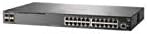
2.3. irudia: Aldea view of the HP Aruba 2930F 24G 4SFP+ Switch, showing ventilation slots for heat dissipation.
3. Konfigurazioa
3.1 Desontziratzea eta edukiaren egiaztapena
Kontu handiz deskonprimitu etengailua eta egiaztatu osagai guztiak daudela. Paketeak honako hauek izan beharko lituzke:
- HP Aruba 2930F 24G 4SFP+ Switch (Model JL253A)
- Elikatze kablea
- Arraunean muntatzeko kit
- Kontsolaren kablea
Elementuren bat falta bada edo hondatuta badago, jarri harremanetan zure saltzailearekin berehala.
3.2 Instalazio fisikoa
- Rack muntatzea: Use the provided rack-mount kit to secure the switch in a standard 19-inch equipment rack. Ensure adequate ventilation around the switch.
- Potentzia-konexioa: Connect the power cable to the switch's power input and then to a grounded AC power outlet.
- Hasierako sare konexioa: Connect a computer to the switch's console port using the console cable for initial configuration, or connect to any RJ45 port for network access if DHCP is available.
Ensure all cables are securely connected and routed to prevent accidental disconnections.
4. Funtzionamendu-argibideak
4.1 Piztea eta hasierako abiaraztea
Once the power cable is connected, the switch will automatically power on. Observe the LED indicators on the front panel. The Power LED should illuminate, indicating the device is receiving power. Other LEDs will indicate port status and activity.
4.2 Port Connectivity
- RJ45 Ports (10/100/1000BASE-T): Connect standard Ethernet cables (Cat5e or higher) to these ports for connecting network devices such as computers, servers, and other switches. These ports support auto-negotiation for speed and duplex settings.
- SFP+ Ports (10 Gigabit Ethernet): Use compatible SFP+ transceivers and fiber optic cables for high-speed uplinks to core switches or servers.
- PoE+ (Power over Ethernet Plus): If your model supports PoE+, these ports can provide power to compatible devices like IP phones, wireless access points, and security cameras, eliminating the need for separate power supplies.
4.3 LED adierazleak
Aurrealdeko paneleko LEDek etengailuaren eta bere portuen egoera bisuala ematen dute:
- Power LED: Energiaren egoera adierazten du (piztuta/itzalita).
- Akatsen LEDa: Indicates system errors or malfunctions.
- Port Link/Activity LEDs: Indicate link status (solid green for link) and network activity (flashing green). Different colors or patterns may indicate different speeds (e.g., amber for 100Mbps, green for 1Gbps). Refer to the device's specific LED guide for detailed interpretation.
5. Mantentzea
5.1 Garbiketa
Garbitu etengailuaren kanpoaldea aldizka oihal leun eta lehor batekin. Ez erabili garbitzaile likido edo aerosolik. Ziurtatu aireztapen-irekidurak hautsik eta oztoporik gabe daudela aire-fluxu egokia mantentzeko.
5.2 Firmware eguneraketak
Periodically check the Hewlett Packard (Aruba) support webfirmware eguneratzeetarako gunea. Firmwarea eguneratuta mantentzeak errendimendu optimoa, segurtasuna eta funtzio berrietarako sarbidea bermatzen ditu. Jarraitu arretaz firmware eguneratze paketearekin batera emandako argibideak.
6. Arazoak
This section addresses common issues you might encounter with your HP Aruba 2930F switch.
- Potentziarik gabe:
- Verify the power cable is securely connected to both the switch and a working power outlet.
- Egiaztatu entxufea beste gailu batekin funtzionatzen duela ziurtatzeko.
- Ez dago estekarik portu batean:
- Ziurtatu Ethernet kablea bi muturretan behar bezala konektatuta dagoela.
- Saiatu beste Ethernet kable batekin.
- Test the connected device with another port or switch to isolate the issue.
- Ziurtatu konektatutako gailua piztuta dagoela eta behar bezala funtzionatzen duela.
- Slow Network Connection:
- Egiaztatu sareko trafiko gehiegi edo oztopoak dauden.
- Ensure cables are Cat5e or higher for Gigabit speeds.
- Verify duplex settings on connected devices match the switch's auto-negotiated settings.
- Consider updating the switch firmware.
For more advanced troubleshooting or persistent issues, consult the official Hewlett Packard (Aruba) support documentation or contact technical support.
7. Zehaztapenak
| Ezaugarri | Balioa |
|---|---|
| Marka | HEWLETT PACKARD |
| Modelo zenbakia | JL253A |
| Elementuaren pisua | 2.4 kilogramo (5.28 libra) |
| Produktuaren neurriak (LxWxH) | 17.42 x 7.88 x 1.73 hazbete |
| liburukiatage | 200 Volt |
| Interfaze mota | RJ45, SFP+, PoE+ |
| Datuen transferentzia-tasa | 100 Megabits Per Second (per port, supports Gigabit on RJ45 and 10 Gigabit on SFP+) |
| RAM | 1024 MB |
| Portu kopurua | 24 Gigabit Ethernet, 4 SFP+ (Total 28 logical ports) |
| Dakarten osagaiak | Power cable, rack-mount kit, console cable |
| Kolorea | Beltza |
| Gailu bateragarriak | Desktop (general network devices) |
Note: Data Transfer Rate of "100 Megabits Per Second" may refer to a baseline or specific port type; the switch supports Gigabit Ethernet on RJ45 ports and 10 Gigabit Ethernet on SFP+ ports.
8. Bermea eta Laguntza
This HP Aruba 2930F 24G 4SFP+ Switch is manufactured by HEWLETT PACKARD. For warranty information, please refer to the warranty card included with your product or visit the official Hewlett Packard Enterprise (Aruba) website. Technical support and additional resources can be found on their support portal.
Laguntza jasotzeko, mesedez bisitatu: Aruba Networks-en laguntza


