
1. Sarrera
This manual provides detailed instructions for the installation, operation, and maintenance of your Thomson 512331 720p WiFi IP Camera. This wireless security camera features 720p HD resolution, advanced night vision, motion detection, and remote viewing capabilities via a smartphone or tablet application. Designed for outdoor use, it boasts an IP66 weather-resistant rating and a durable metal construction.
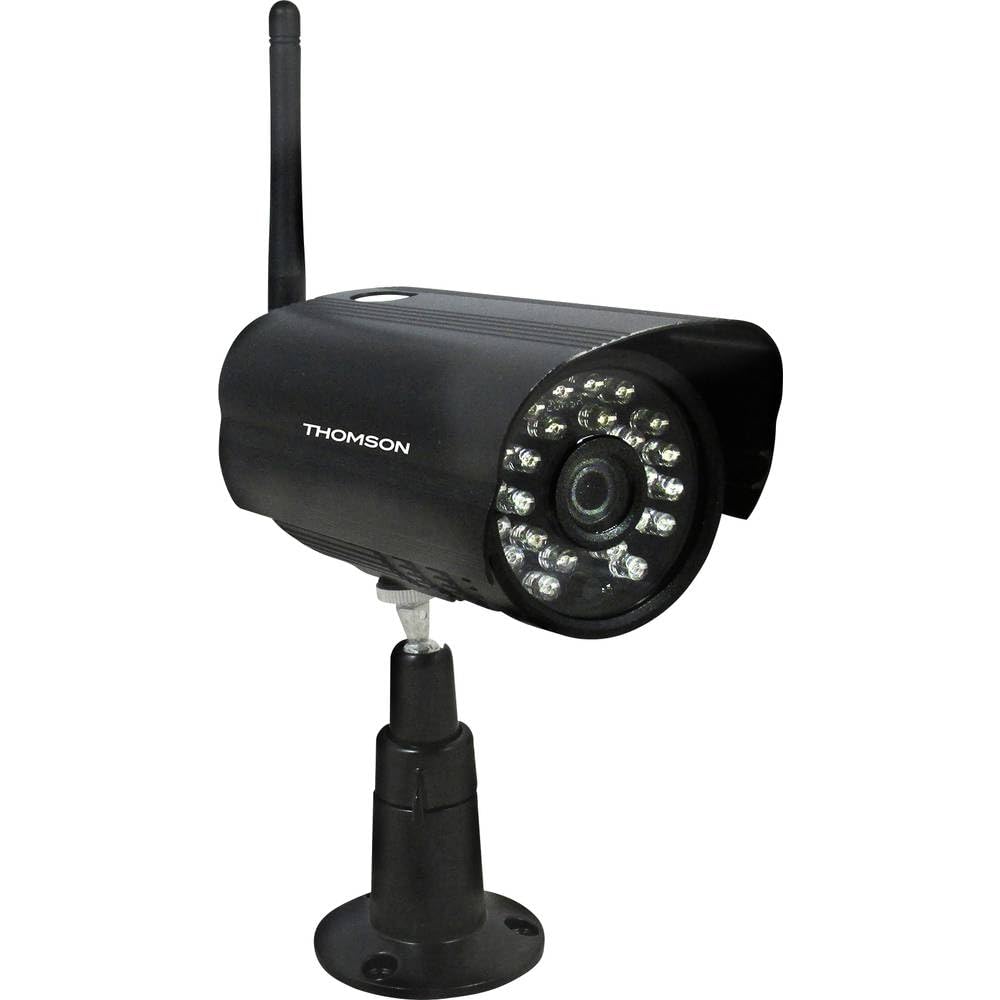
1. irudia: Aurrealdea view of the Thomson 512331 720p WiFi IP Camera. This image shows the camera's main body, lens, and antenna connection point, highlighting its compact and robust design suitable for outdoor surveillance.
2. Paketearen edukia
Please verify that all items listed below are included in your package. If any items are missing or damaged, contact customer support.
- Thomson 512331 IP Camera
- Power Adapter (230VAC/12VDC 500mA)
- WiFi antena
- Mounting Kit (screws and wall plugs)
- Erabiltzailearen eskuliburua (dokumentu hau)
3. Produktua amaitu daview
The Thomson 512331 camera is designed for reliable surveillance with the following key features:
- Lentea: 3.6mm fixed lens for a wide field of view.
- Ebazpena: 1280x720 (720p) HD video capture.
- Gaueko ikuspegia: Infrared night vision with 24 LEDs, providing a range of up to 20 meters. Features color night vision capability.
- Audioa: Integrated microphone for audio acquisition.
- Konektibitatea: Wireless Wi-Fi connectivity for flexible placement.
- Eguraldiarekiko erresistentzia: IP66 rated for outdoor use, protecting against dust and powerful water jets.
- Materiala: Metalezko karkasa iraunkorra.
- Potentzia: 12VDC 500mA power input, maximum consumption 5W.
- Bideo-konpresioa: H.264 for efficient storage and streaming.
- Biltegiratzea: Supports SD card for local storage (SD card not included).
4. Konfigurazioa
4.1 Instalazio fisikoa
- Aukeratu kokapena: Select a suitable outdoor location for the camera, ensuring it has a clear view of the area you wish to monitor and is within range of your Wi-Fi network.
- Muntatu kamera: Use the provided mounting kit to securely attach the camera to a wall or other stable surface. Drill pilot holes if necessary, insert wall plugs, and fasten the camera bracket with screws.
- Attach WiFi Antenna: Screw the WiFi antenna firmly onto the designated port on the camera.
- Konektatu energia: Connect the power adapter to the camera's 12VDC input port and plug the adapter into a suitable power outlet. Ensure the power outlet is protected from weather if installed outdoors.
4.2 Network Configuration and App Setup
- Deskargatu aplikazioa: Bilatu the official Thomson IP Camera application on your smartphone's or tablet's app store (iOS or Android). Download and install the application.
- Sortu kontu bat: Ireki aplikazioa eta jarraitu pantailan agertzen diren argibideei erabiltzaile-kontu berri bat sortzeko edo saioa hasteko, dagoeneko baduzu.
- Gehitu kamera: In the app, select the option to "Add Device" or "Add Camera." Follow the in-app wizard to connect your camera to your Wi-Fi network. This typically involves scanning a QR code on the camera or entering your Wi-Fi credentials.
- Konfiguratu ezarpenak: Once connected, you can configure various settings such as motion detection sensitivity, recording schedules, and alert notifications within the app.
5. Funtzionamendu-argibideak
5.1 Bizi View
Open the Thomson IP Camera app on your smartphone or tablet. Select your camera from the device list to view the live video feed. You can typically switch between standard and HD resolution, and access controls for audio and recording.
5.2 Mugimenduaren detekzioa eta alertak
The camera is equipped with motion detection. When motion is detected, the camera can trigger recordings and send push notifications to your connected device. Adjust motion detection sensitivity and alert preferences in the app's settings.
5.3 Gaueko ikusmena
The camera automatically switches to infrared night vision in low-light conditions, providing clear black and white video. It also supports color night vision in certain conditions. The 24 built-in IR LEDs illuminate up to 20 meters.
5.4 Grabaketa eta erreprodukzioa
If an SD card is installed (not included), the camera can record video locally. Recordings can be triggered by motion or set on a schedule. Access recorded footagaplikazioaren erreprodukzio funtzioaren bidez.
6. Mantentzea
- Garbiketa: Aldian-aldian garbitu kameraren lentea eta karkasa zapi leun eta lehor batekinamp zapi bat hautsa eta zikinkeria kentzeko. Ez erabili produktu kimiko gogorrik edo garbitzaile urratzailerik.
- Firmware eguneraketak: Check the app regularly for firmware updates. Keeping your camera's firmware up-to-date ensures optimal performance and security.
- Elikatze-iturria: Ensure the power adapter and cable are in good condition and free from damage.
- Wi-Fi konexioa: Verify your Wi-Fi signal strength periodically to ensure a stable connection for continuous surveillance.
7. Arazoak
- Kamera ez da wifira konektatzen:
- Ziurtatu kamera zure Wi-Fi bideratzailearen irismenean dagoela.
- Verify your Wi-Fi password is entered correctly in the app.
- Berrabiarazi zure bideratzailea eta kamera.
- Ziurtatu zure Wi-Fi sarea 2.4 GHz-koa dela, 5 GHz-ko sareak ez baitira bateragarriak izango.
- Bideo-jariorik ez:
- Egiaztatu kamera piztuta dagoen.
- Confirm a stable internet connection on both the camera and your viewgailua.
- Berrabiarazi kamera eta aplikazioa.
- Mugimendu-detekzioa ez dabil:
- Check motion detection settings in the app; ensure it is enabled and sensitivity is adjusted correctly.
- Ziurtatu kameraren ikuspegia blokeatzen duen oztoporik ez dagoela view.
- Gaueko ikusmenaren kalitate eskasa:
- Garbitu kameraren lentea zikinkeria edo orbanak kentzeko.
- Ensure there are no reflective surfaces close to the camera that might interfere with IR illumination.
8. Zehaztapenak
| Ereduaren izena | 512331 |
| Marka | Thomson |
| Neurriak (L x W x H) | 50 x 50 x 28 cm |
| Pisua | 500 gramo |
| Konektibitate Teknologia | Haririk gabekoa, Wi-Fi |
| Ezaugarri Berezia | Gaueko Ikusmena |
| Gailu bateragarriak | Tableta, Smartphone |
| Energia iturria | AC Power (12VDC 500mA adapter) |
| Kontrolagailu mota | iOS (via application) |
| Muntatze Mota | Hormako Muntaia |
| Produktuaren Ezaugarriak | Night Vision, Motion Detection |
| Materiala | Metala |
| Uraren Erresistentzia Maila | IP66 (iragazgaitza) |
| Alerta mota | Mugimendua bakarrik |
| Argi iturri mota | LED |
| Kontrol-metodoa | Aplikazioa |
| Energia-kontsumoa | 5 Watt |
| Beharrezko bateriak | Ez |
| Kanal kopurua | 1 |
| Foku mota | Foku automatikoa |
| Sentsore Optikoen Teknologia | BSI CMOS |
| Bideo Ebazpena | 720p (1280x720 Pixels) |
| Gaueko Ikusmenaren barrutia | 20 metro |
| Gaueko Ikusmen Mota | Infrared with Color Night Vision capability |
| Flash memoria mota | SD (for local storage) |
9. Bermea eta Laguntza
For warranty information and technical support, please refer to the documentation provided with your purchase or visit the official Thomson webgunea. Gorde erosketaren egiaztagiria bermearen erreklamazioetarako.
Sareko baliabideak: www.thomson.eu