
Sarrera
Thank you for choosing the auna Connect 90 Internet Radio. This manual provides essential information for the safe and efficient operation of your device. Please read it thoroughly before use and keep it for future reference. The auna Connect 90 offers versatile audio entertainment with Internet Radio, FM radio, and USB MP3 playback capabilities, all accessible via WiFi connectivity.
Segurtasun-argibideak
- Irakurri arretaz argibide guztiak gailua erabili aurretik.
- Keep the device away from water, moisture, and high humidity.
- Ez jarri gailua eguzki-argia zuzenean edo muturreko tenperaturetara.
- Ziurtatu aireztapen egokia dagoela; ez blokeatu aireztapen-irekidurak.
- Erabili emandako korronte-egokigailua soilik.
- Ez saiatu gailua zeuk irekitzen edo konpontzen. Mantendu konponketa guztiak langile kualifikatuen esku.
- Mantendu gailua haurren eskura.
Paketearen edukia
Mesedez, egiaztatu elementu guztiak bertan daudela eta egoera onean daudela:
- auna Connect 90 Internet Radio Unit
- Elikatze-moldagailua
- Urruneko Kontrola
- Erabiltzailearen eskuliburua (dokumentu hau)
Produktua amaituview
Aurrealdeko panela eta pantaila
The front panel features the main display, control buttons, and the navigation dial for easy interaction.
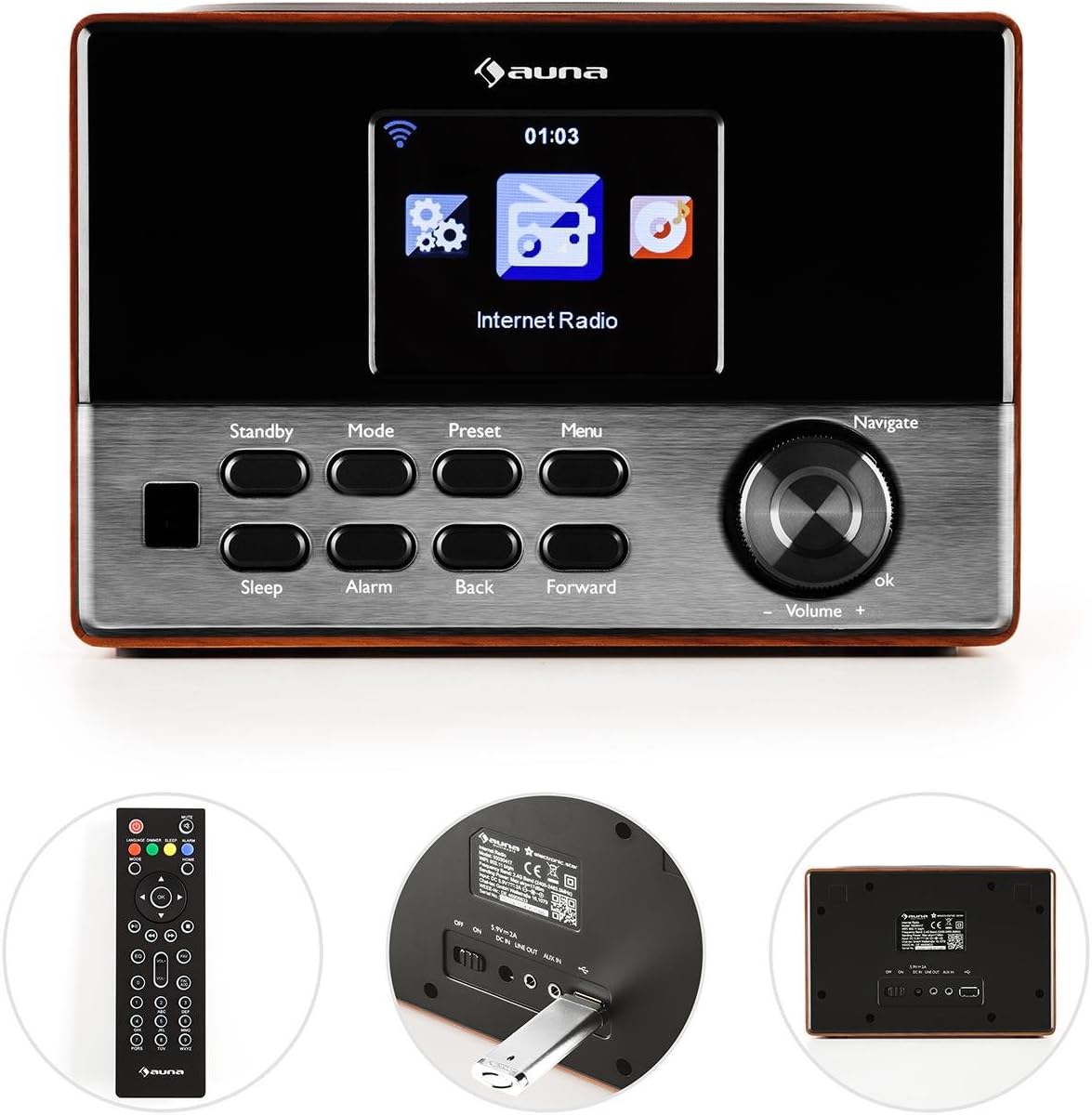
Irudia: Aurrealdea view of the auna Connect 90, showing the color display, control buttons (Standby, Mode, Preset, Menu, Sleep, Alarm, Back, Forward), and the Navigate/Volume dial.
- Pantaila: Color screen showing time, station information, and menu options.
- Egonean: Unitatea pizten edo itzaltzen du.
- Modua: Switches between Internet Radio, FM, and USB modes.
- Aurrez ezarritakoa: Accesses saved radio station presets.
- Menua: Enters the main menu for settings and options.
- Lo egin: Lo egiteko tenporizadorea ezartzen du.
- Alarma: Alarma ezarpenak konfiguratzen ditu.
- Atzera/Aurrera: Navigates through menus or tracks.
- Navigate/Volume Dial: Rotates to scroll through options or adjust volume; press to confirm (OK).
Atzeko panela eta konexioak
The rear panel provides essential connection ports for power and external devices.
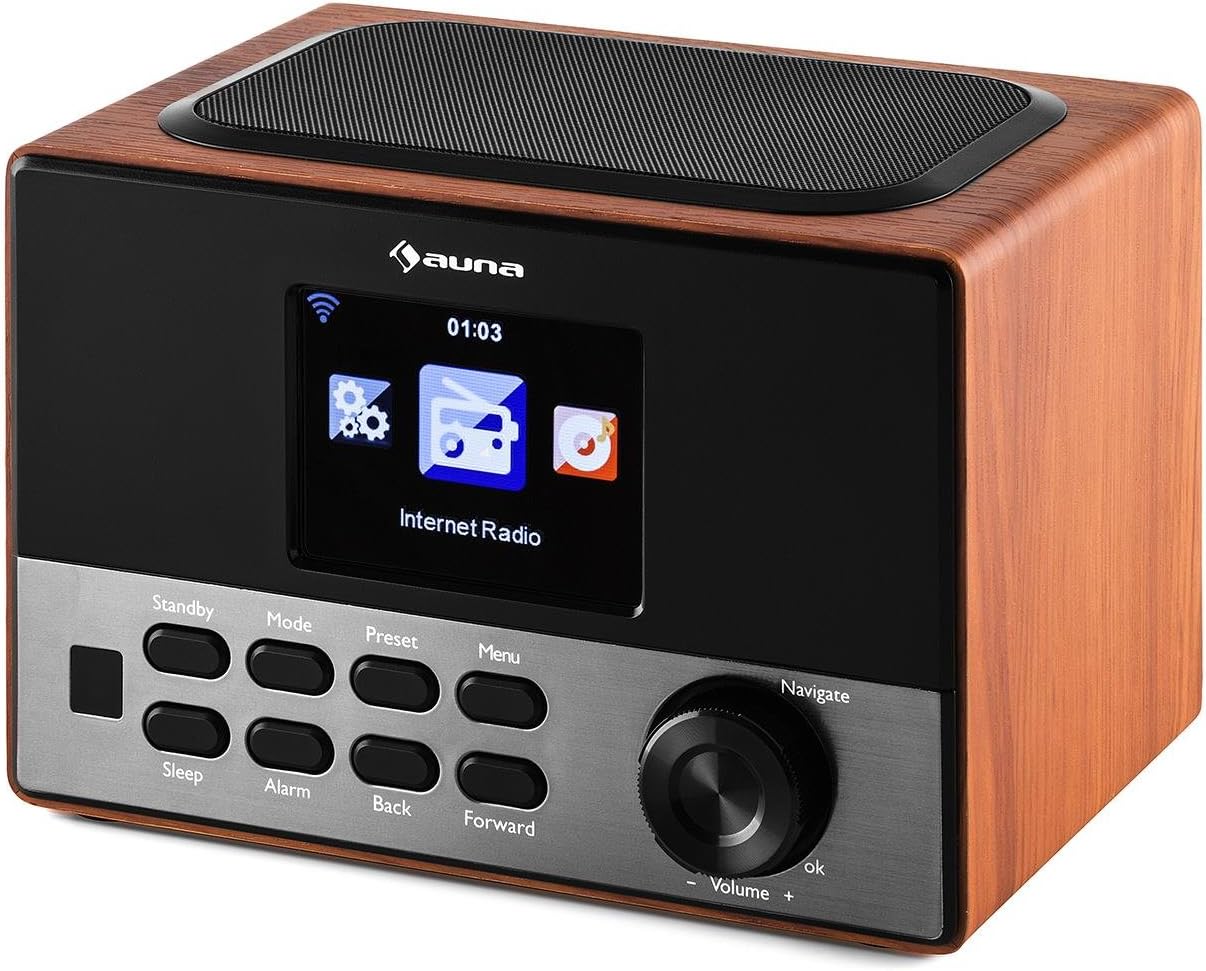
Irudia: Atzekoa view of the auna Connect 90, showing the power input, USB port, and Aux-out port.
- DC IN 5V: Barne dagoen egokitzailerako elikatze-sarrera.
- USBa: Port for connecting a USB drive for MP3 playback.
- AUX OUT: 3.5mm audio output for connecting to external speakers or headphones.
Konfigurazioa
1. Energia-konexioa
- Konektatu korronte egokitzaileari DC 5V-tan irratiaren atzealdeko ataka.
- Entxufatu korronte-egokigailua hormako entxufe batera.
- The radio will power on to standby mode. Press the Egonean botoia pizteko.
2. Hasierako konfigurazioa eta sareko konexioa
Upon first power-on, the radio will guide you through the initial setup wizard.
- Hizkuntza hautaketa: Erabili Nabigatu dial to select your preferred language and press OK baieztatzeko.
- Sarearen morroia: The radio will prompt you to connect to a network. Select 'Yes' and press OK.
- Sareak bilatu: The radio will scan for available WiFi networks. Select your network from the list.
- Sartu pasahitza: Erabili Nabigatu dial to enter your WiFi password (WPA/WPA2). Rotate to select characters, press Aurrera to move to the next character, and press OK pasahitza berresteko.
- Konexioa: The radio will attempt to connect to your WiFi network. Once successful, it will display a confirmation message.
If the connection fails, double-check your password and try again. Ensure your WiFi router is within range.
Funtzionamendua
1. Aldaketa moduak
Sakatu Modua button repeatedly to cycle through available modes:
- Interneteko irratia: Access thousands of online radio stations.
- FM irratia: Tune into local FM broadcasts.
- USBa: Erreproduzitu MP3 files konektatutako USB unitate batetik.
2. Interneteko irratia
- Hautatu Interneteko irratia modua.
- Erabili Nabigatu dial to browse categories (e.g., Location, Genre, Popular Stations).
- Sakatu OK to select a category or station.
- To save a station as a preset, press and hold the Aurrez ezarritakoa button, then select a preset number and press OK.
- Aurrezarpen bat berreskuratzeko, sakatu Aurrez ezarritakoa button briefly, then select the desired preset and press OK.
3. USB MP3 erreprodukzioa
- Sartu MP3a duen USB unitate bat files sartu USBa atzeko paneleko ataka.
- Hautatu USBa modua erabiliz. Modua botoia.
- The radio will scan the USB drive. Use the Nabigatu dial to browse folders and tracks.
- Sakatu OK to play a selected track.
- Erabili Itzuli eta Aurrera pistak saltatzeko botoiak.
4. Bolumenaren kontrola
Biratu Nabigatu/Bolumena dial clockwise to increase volume and counter-clockwise to decrease volume.
5. Alarm and Sleep Timer
- Alarma: Sakatu Alarma button to set up one or two alarms. Follow the on-screen prompts to set time, source (buzzer, internet radio), and frequency.
- Lo egin: Sakatu Lo egin button repeatedly to set a sleep timer (e.g., 15, 30, 60 minutes). The radio will automatically turn off after the set time.
Mantentzea
- Garbiketa: Erabili zapi leun eta lehor bat irratiaren kanpoaldea garbitzeko. Ez erabili garbitzaile likidorik edo material urratzailerik.
- Biltegiratzea: If not in use for an extended period, unplug the power adapter and store the radio in a cool, dry place.
- Aireztapena: Ziurtatu aireztapen-zirrikituak ez daudela blokeatuta gehiegi berotzea saihesteko.
Arazoak konpontzea
| Arazoa | Kausa posiblea | Irtenbidea |
|---|---|---|
| Botererik ez | Korronte egokitzailea ez dago konektatuta; entxufea ez dabil. | Egiaztatu konexio elektrikoak; saiatu beste entxufe batekin. |
| Ez dago Interneteko konexiorik | Incorrect WiFi password; router out of range; router issue. | Re-enter WiFi password; move radio closer to router; restart router. |
| Soinu kalitate eskasa / Estatikoa | Weak internet signal; FM interference. | Improve WiFi signal strength; adjust radio position for FM. |
| USB erreprodukzioa ez da funtzionatzen | USB unitatea ez dago behar bezala formateatua; ez da onartzen file format; drive faulty. | Ensure USB is FAT32 formatted; use MP3 files; try another USB drive. |
| Urruneko kontrola ez dabil | Bateriak agortuta; oztopoa. | Replace batteries; ensure clear line of sight to radio. |
Zehaztapenak
- Marka: auna
- Eredua: KC6-Connect 90 WD
- Konektibitatea: WiFi, USB, 3.5mm Audio Out
- Tuner Teknologia: FM (87.5-108 MHz)
- Energia iturria: 5V DC (via power adapter)
- Gailu bateragarriak: Smartphone, Laptop, MP3 Player, Tablet (for audio output)
- Produktuaren neurriak: 13.5 x 18 x 12 cm
- Produktuaren pisua: 794 g
Bermea eta Laguntza
This product comes with a standard manufacturer's warranty. Please refer to the warranty card included with your purchase for specific terms and conditions. For technical support or service inquiries, please contact your retailer or the auna customer service department.