
1. Sarrera
Thank you for choosing the Timex Ironman Original Shock watch, model TW5M09500. This digital watch is designed for durability and functionality, featuring a chronograph, timer, multiple alarms, and Indiglo backlight. This manual provides essential information for proper setup, operation, and care of your watch.
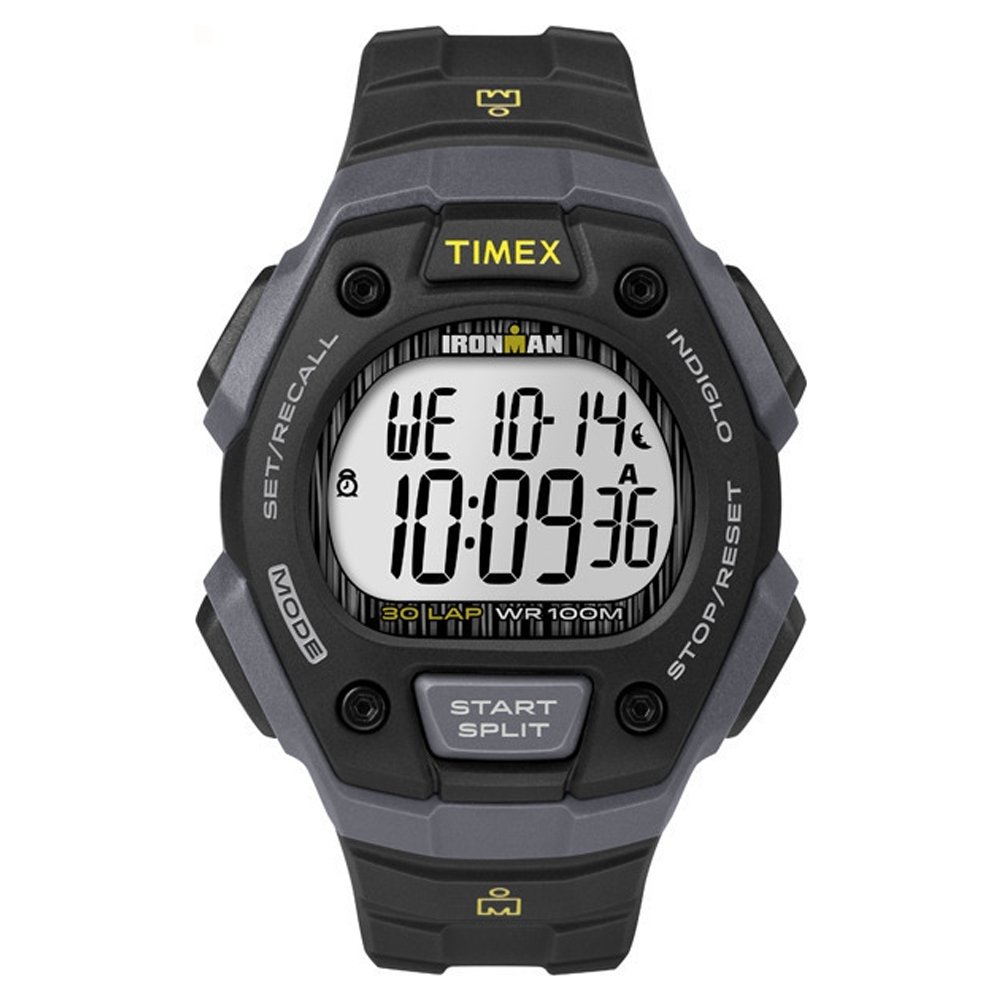
Irudia: Aurrealdea view of the Timex Ironman Original Shock watch, showcasing its digital display and robust design in black and gray.
2. Konfigurazioa
Before using your watch, it is important to set the time and date correctly.
2.1. Ordua eta data ezartzea
- Enter Time Set Mode: Eduki sakatuta EZARRI/BERRIKURTU button (usually top left) until the time display flashes.
- Doitu digituak: Erabili HASI / ZATITU button (usually top right) to increase the flashing digit, or the STOP / RESET button (usually bottom right) to decrease it.
- Move to Next Digit: Sakatu MODUA button (usually bottom left) to move to the next digit (hours, minutes, seconds, month, day, year).
- Exit Time Set Mode: Ezarpen guztiak doitu ondoren, sakatu botoia EZARRI/BERRIKURTU button again to save and exit.

Irudia: Albokoa view of the watch, illustrating the button layout for setting adjustments.
2.2. Alarmak ezartzea
- Sartu alarma modua: Sakatu MODUA botoia behin eta berriz sakatu pantailan "ALARMA" agertu arte.
- Ezarri alarmaren ordua: Eduki sakatuta EZARRI/BERRIKURTU button until the alarm time flashes. Adjust hours and minutes using the HASI / ZATITU eta STOP / RESET buttons, and move between digits with the MODUA botoia.
- Aktibatu / Desaktibatu alarma: Alarma moduan, sakatu tekla HASI / ZATITU button to toggle the alarm on or off. An alarm icon will appear when active.
- Irten alarma modutik: Sakatu MODUA button to return to the main time display.
3. Funtzionamendu moduak
Your Timex Ironman watch offers several useful functions accessible via the MODUA botoia.
3.1. Kronografoa (kronometroa)
- Sartu Kronografo Moduan: Sakatu MODUA button until "CHRONO" or "STOPWATCH" appears.
- Hasi/Gelditu: Sakatu HASI / ZATITU to begin timing. Press it again to pause.
- Itzuli/Zati Denbora: Kronografoa martxan dagoen bitartean, sakatu EZARRI/BERRIKURTU to record a lap or split time. The main timer continues running in the background.
- Berrezarri: When paused, press STOP / RESET kronografoa zeroraino ezabatzeko.
3.2. Timer (Countdown)
- Enter Timer Mode: Sakatu MODUA button until "TIMER" appears.
- Set Countdown Time: Luze sakatu EZARRI/BERRIKURTU to set the desired countdown duration. Adjust digits using HASI / ZATITU eta STOP / RESET, and move between digits with MODUA. Sakatu EZARRI/BERRIKURTU gordetzeko.
- Hasi/Gelditu: Sakatu HASI / ZATITU Atzerako kontaketa hasteko. Sakatu berriro pausatzeko.
- Berrezarri: When paused, press STOP / RESET tenporizadorea ezarritako iraupenera berrezartzeko.
3.3. Indiglo Night-Light
The Indiglo night-light illuminates the watch display for easy reading in low-light conditions.
- Aktibatu: Sakatu INDIGLO button (usually top left, often integrated with EZARRI/BERRIKURTU or a dedicated button) to activate the backlight. It will remain lit for a few seconds.
4. Mantentzea
4.1. Bateria ordezkatzea
The watch is powered by one 'A' type battery. When the display dims or functions become erratic, it may be time to replace the battery. It is recommended to have the battery replaced by a qualified watch technician to ensure proper sealing and water resistance.
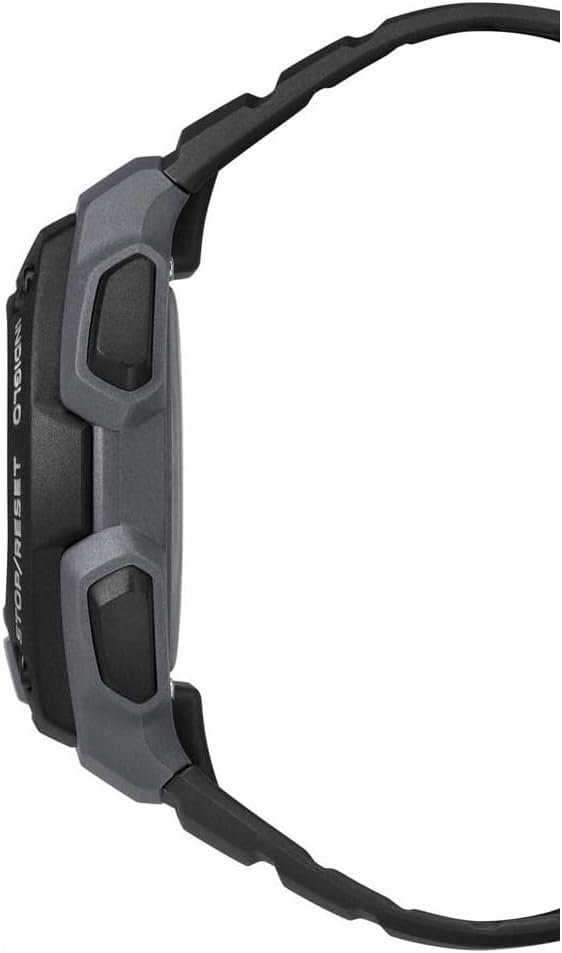
Irudia: Atzealdea view of the Timex Ironman Original Shock watch, showing the strap and buckle mechanism.
4.2. Urarekiko erresistentzia
This watch is water-resistant up to 100 meters (330 feet). This means it is suitable for swimming, showering, and snorkeling. Do not press any buttons while the watch is submerged, as this can compromise the water seal. Avoid exposing the watch to extreme temperature changes, which can also affect water resistance.
4.3. Garbiketa
Garbitu erlojua aldizka zapi leun eta lehor batekinamp cloth. For resin straps, mild soap and water can be used. Avoid harsh chemicals or abrasive materials that could damage the watch case or strap.
5. Arazoak
| Arazoa | Kausa posiblea | Irtenbidea |
|---|---|---|
| Pantaila hutsik edo ilun dago | Bateria baxua | Bateria aldatu (profesional batek gomendatua). |
| Watch "freezes" or stops responding | Aldi baterako akats elektronikoa | Press and hold all four buttons simultaneously for a few seconds to perform a soft reset. If the issue persists, replace the battery. |
| Erlojuaren barruko ura | Buttons pressed underwater, damaged seal, or extreme temperature change | Immediately take the watch to a qualified service center for inspection and repair. Do not attempt to open it yourself. |
| Ordua/data okerra | Incorrect setting, or battery recently replaced | Refer to Section 2.1 "Setting Time and Date" to re-adjust. |
6. Zehaztapenak
- Modelo zenbakia: TW5M09500
- Bistaratzeko mota: Digitala
- Mugimendu mota: Kuartzoa
- Kasuaren materiala: Erretxina
- Uhalaren materiala: Erretxina
- Kasuaren diametroa: 40 mm
- Kasuen lodiera: 13 mm
- Uraren erresistentzia: 100 metro (330 oin)
- Ezaugarri bereziak: Chronograph, Indiglo Night-Light, Timer, Alarm
- Bateria: 1 'A' type battery (included)
- Produktuaren neurriak: 6.8 x 12.8 x 7.4 cm; 45.3 g
7. Bermea eta Laguntza
Your Timex Ironman Original Shock watch is covered by a manufacturer's warranty. For specific details regarding warranty coverage, duration, and terms, please refer to the warranty card included with your purchase or visit the official Timex webgunea.
For technical support, service, or inquiries about your watch, please contact Timex customer service through their official webgunea edo zure produktuaren ontzian emandako harremanetarako informazioa.
Timex ofiziala Webgunea: www.timex.com