
Sarrera
This manual provides detailed instructions and helpful tips for users of the Samsung Galaxy S5 smartphone. It covers essential functions, advanced features, and optimization techniques to help you get the most out of your device.
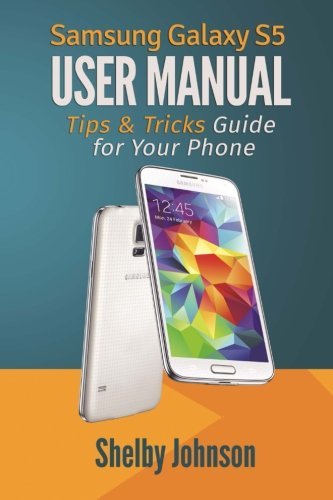
Irudia: Aurrealdea eta atzealdea view of the Samsung Galaxy S5, illustrating the device discussed in this guide.
1. Hasteko urratsak eta konfigurazioa
This section guides you through the initial setup of your Samsung Galaxy S5.
1.1 Hasierako gailuaren aktibazioa
Follow the on-screen prompts to activate your device, select your language, and connect to a Wi-Fi network.
1.2 Transferring Contacts
Learn various methods to transfer your existing contacts to your new Galaxy S5, including using Google account sync, Samsung Smart Switch, or importing from a SIM card.
1.3 Setting Up the Fingerprint Scanner
Configure the fingerprint scanner for enhanced security and convenient unlocking. Navigate to Settings > Finger Scanner eta jarraitu argibideei zure hatz-markak erregistratzeko.
2. Operating Your Galaxy S5
Explore the core functionalities and advanced features of your smartphone.
2.1 Phone Basics and Navigation
Understand the basic gestures, home screen customization, and notification panel usage.
2.2 Utilizing S Voice and S Beam
- S Voice: Activate S Voice to control your phone using voice commands for tasks like calling, texting, and setting alarms.
- S habea: Use S Beam to quickly share files, photos, and videos with other NFC-enabled Samsung devices by tapping them together.
2.3 Kameraren funtzioak
Learn how to take photos and record videos with your Galaxy S5. Explore various camera modes, settings, and editing options available directly on your device.
3. Advanced Features and Optimization
Discover hidden features and optimize your Galaxy S5 for better performance and extended functionality.
3.1 Hidden Features and Tips
This section delves into less obvious functionalities and shortcuts that can enhance your user experience.
3.2 Gomendatutako aplikazioak
Explore a selection of useful free applications to expand your phone's capabilities, including productivity tools and entertainment options.
3.3 Enhancing with Accessories
Information on choosing and utilizing accessories designed to complement your Samsung Galaxy S5, such as cases, chargers, and external storage.
4. Mantentzea eta Arazoak Konpontzea
Guidelines for maintaining your device and resolving common issues.
4.1 Gailuen arreta
Regular maintenance tips to ensure optimal performance and longevity of your Galaxy S5, including battery management and storage optimization.
4.2 Ohiko arazoak eta irtenbideak
A guide to troubleshooting frequently encountered problems, such as connectivity issues, app crashes, or slow performance. Solutions often involve restarting the device, clearing app caches, or performing a factory reset (as a last resort).
5. Zehaztapenak
Key technical specifications for the Samsung Galaxy S5 (American version).
| Ezaugarri | Xehetasuna |
|---|---|
| Eredua | Samsung Galaxy S5 (American Version) |
| Sistema eragilea | Android (version at release) |
| Bistaratzea | Super AMOLED (specific size and resolution not provided in source) |
| Prozesadorea | Quad-core (specific model not provided in source) |
| Kamera | Rear and Front cameras (specific megapixels not provided in source) |
| Konektibitatea | Wi-Fia, Bluetooth, NFC, USB |
| Ezaugarri bereziak | Fingerprint Scanner, Heart Rate Sensor, Water and Dust Resistance (IP67) |
Note: Specific technical details like exact display size, resolution, and processor model are not detailed in the source material for this manual.
6. Bermea eta Laguntza
Information regarding product warranty and customer support resources.
6.1 Produktuaren bermea
For detailed warranty information, please refer to the documentation included with your Samsung Galaxy S5 device or visit the official Samsung webgunea. Bermearen baldintzak eta zehaztapenak eskualdearen arabera alda daitezke.
6.2 Bezeroarentzako laguntza
If you require further assistance or encounter issues not covered in this manual, please contact Samsung customer support through their official webgunea edo izendatutako zerbitzu-zentroak.