
Sarrera
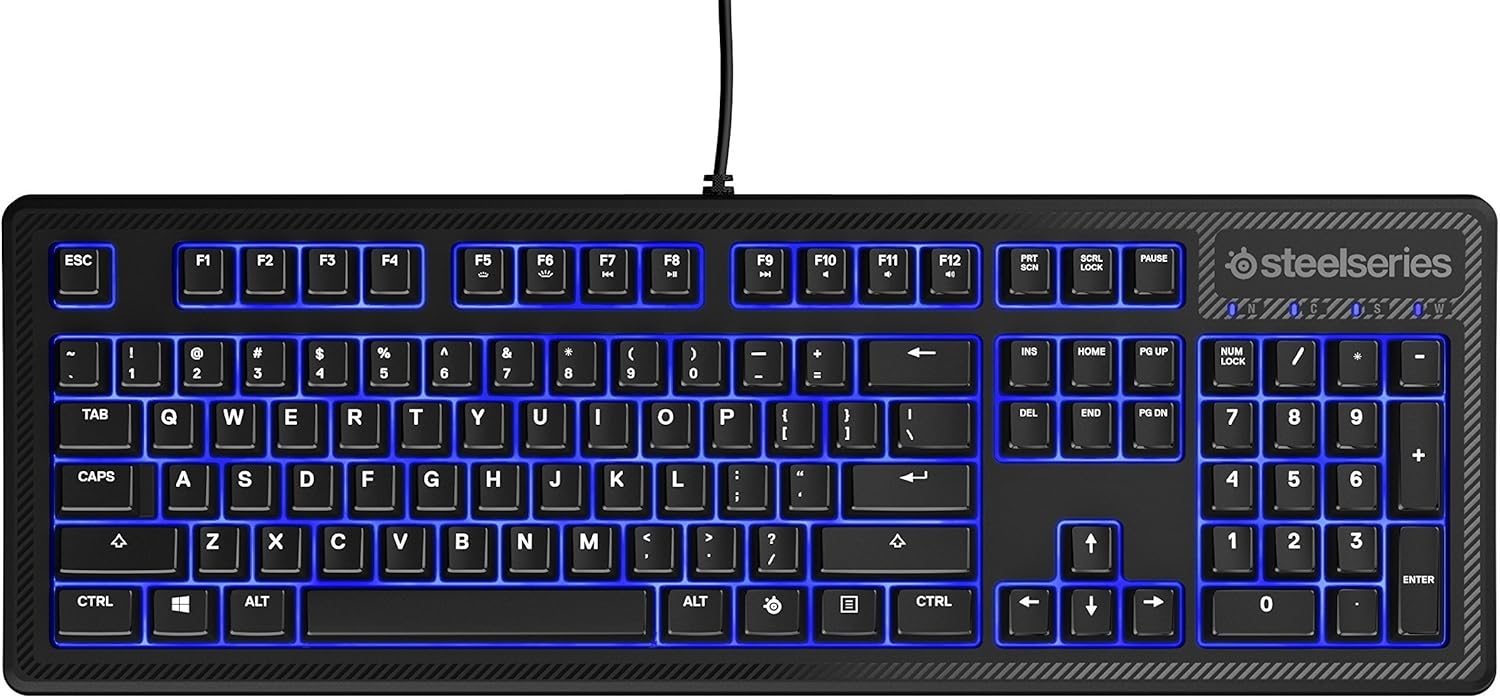
The SteelSeries Apex 100 Gaming Keyboard is designed for optimal gaming performance, featuring Quick Tension Switches for fast reaction times, tactile feedback, and quiet operation. It includes blue LED backlighting, advanced anti-ghosting, and is built with splash resistance for durability.
Konfigurazioa
1. Teklatua konektatzea
Connect the keyboard's USB-A cable to an available USB port on your computer. The keyboard is plug-and-play, and your operating system should automatically detect and install the necessary drivers.

Irudia: Goian view of the SteelSeries Apex 100 Gaming Keyboard, showing the full QWERTY layout with blue LED backlighting and the attached USB cable.
2. Softwarearen instalazioa (aukerakoa)
For advanced customization, including macro programming and backlighting adjustments, download and install the SteelSeries Engine 3 software from the official SteelSeries webgunea (steelseries.com/motorraJarraitu pantailan agertzen diren argibideei instalaziorako.
Teklatua funtzionatzea
Ezaugarri nagusiak
- Quick Tension Switches: Designed to mimic mechanical switches, providing a tactile feel and fast actuation.
- LED urdinaren atzeko argiztapena: Offers brilliant ground effects backlighting. Intensity can be adjusted via SteelSeries Engine 3.
- Ghostingaren aurkako aurreratua: Ensures all key presses are registered accurately during intense gaming sessions.
- Multimedia kontrolak: Integrated media control functions are accessible via function keys (F7-F12) in combination with the Fn key.
Irudia: Albokoa view of the SteelSeries Apex 100 Gaming Keyboard, highlighting its ergonomic design and keycap profile.
Customization with SteelSeries Engine 3
The SteelSeries Engine 3 software allows you to:
- Create and assign macros to any key.
- Adjust the intensity of the blue LED backlighting.
- Configure polling rates and other performance settings.
Mantentzea
Garbiketa
To clean your keyboard, disconnect it from your computer. Use a soft, dry cloth to wipe down the keys and chassis. For stubborn dirt, a slightly damp cloth with mild soap can be used, ensuring no liquid enters the key switches or internal components. The keyboard is splash resistant, but not waterproof; avoid submerging it or exposing it to excessive liquids.
Iraunkortasuna
The Apex 100 keyboard features a guaranteed 20-million click lifespan for its switches, ensuring long-term reliability under heavy use.

Irudia: Behealdea view of the SteelSeries Apex 100 Gaming Keyboard, showing the drainage channels and adjustable feet.
Arazoak konpontzea
Teklatuak ez du erantzuten
- Ziurtatu USB kablea ondo konektatuta dagoela bai teklatura bai ordenagailura.
- Saiatu teklatua beste USB ataka batera konektatzen.
- Berrabiarazi ordenagailua.
- USB hub bat erabiltzen baduzu, saiatu zuzenean ordenagailura konektatzen.
Atzeko argiztapen arazoak
- Check the backlighting settings within the SteelSeries Engine 3 software.
- Ensure the keyboard's brightness level is not set to minimum.
Gakoak ez dira erregistratzen
- Garbitu kaltetutako teklak ingurua hondakinak kentzeko.
- If the issue persists, consider reinstalling the SteelSeries Engine 3 software or updating your USB drivers.
For further assistance, please refer to the SteelSeries support webgunea.
Zehaztapenak
| Ezaugarri | Xehetasuna |
|---|---|
| Marka | SteelSeries |
| Ereduaren izena | Apex 100 |
| Modelo zenbakia | 64435 |
| Konektibitate Teknologia | USB-A |
| Teklatuaren deskribapena | Jolasa |
| Gomendatutako Erabilerak | Jolasa |
| Ezaugarri Berezia | Atzeko argia |
| Kolorea | Urdina |
| Teklatuaren atzeko argiaren kolore-laguntza | Single Color (Blue) |
| Estiloa | Whisper Quiet – Tactile & Silent |
| Produktuaren neurriak | 18.21"L x 6.13"Z x 1.58"A |
| Energia iturria | USBa |
| Aldatu mota | Tactile (Quick Tension Switches) |
| Teklatuaren diseinua | QWERTY |
| Botoi kopurua | 104 |
| Sistema Eragile Familia Bateragarria | Leihoak |
| Gako kopurua | 100 |
| Itxituraren Materiala | Plastikoa |
| Elementuaren pisua | 2.42 kilo |
| UPC | 813682020101 |
Bermearen informazioa
According to product information, this item comes with bermerik ez. Please check with your retailer for their return or exchange policies.
Laguntza
For additional support, driver downloads, or frequently asked questions, please visit the official SteelSeries support webgunea: