
1. Sarrera
Thank you for choosing the iMuto SL200QC 20000mAh Quick Charge Power Bank. This manual provides essential information for the safe and efficient operation of your device. Please read it thoroughly before use and retain it for future reference.
2. Produktua amaitu daview
The iMuto SL200QC is a high-capacity portable charger designed to provide fast and reliable power to your electronic devices. It features Qualcomm Quick Charge 3.0 technology and iM-Power auto-detection for optimized charging.
2.1 Paketearen edukia
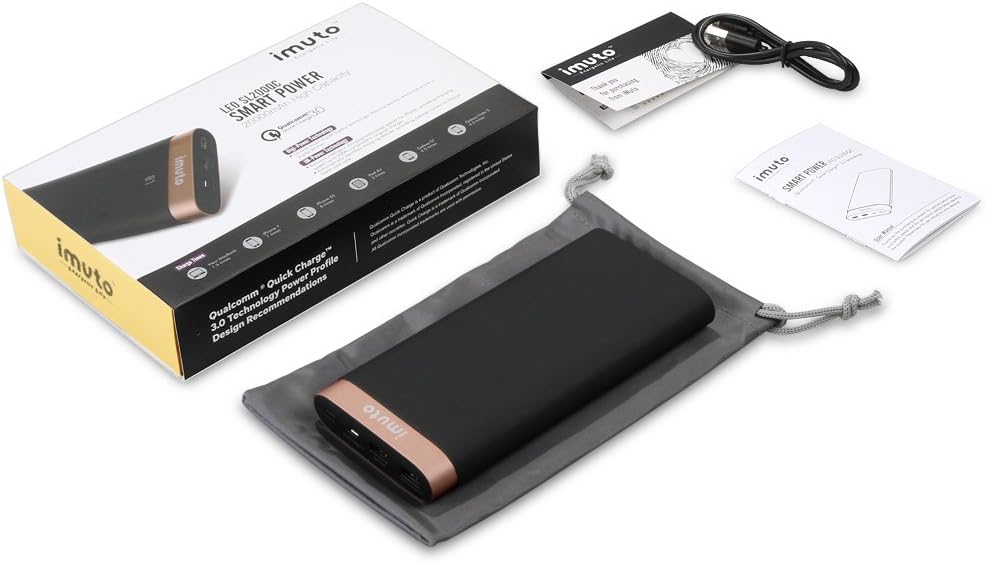
Image: The iMuto SL200QC Power Bank package contents, showing the power bank, a micro USB charging cable, a user manual, and a carrying pouch.
Paketeak normalean barne hartzen ditu:
- iMuto SL200QC Power Bank
- Mikro USB kargatzeko kablea
- Erabiltzailearen eskuliburua
- Eramateko poltsa
2.2 Gailuaren Ezaugarriak

Image: The iMuto SL200QC Power Bank, highlighting its two USB output ports (USB1 with Quick Charge 3.0, USB2 with iM-Power Technology), a Micro USB input port, and the digital power display.
- Digi-Power Teknologia: A smart digital screen displays the remaining power level in percentage.
- USB irteerako ataka bikoitzak:
- USB1: Qualcomm Quick Charge 3.0 (5-6V/3A, 6-9V/2A, 9-12V/1.5A) for compatible devices.
- USB2: iM-Power Technology (5V/1A-2.4A) for intelligent device detection and optimized charging.
- Mikro USB sarrera: Supports Quick Charge 3.0 (5V-9V/2A, 9V-12V/1.5A) for rapid recharging of the power bank.
- Edukiera handia: 20000mAh Li-ion battery cells.
- Segurtasun-babes adimenduna: Built-in safeguards against overcharge, overvoltage, gainkorrontea eta zirkuitulaburrak.
3. Konfigurazioa
Before first use, it is recommended to fully charge your iMuto SL200QC Power Bank.
3.1 Bateriaren kargatze azkarra
- Konektatu emandako Mikro USB kablea power bank-aren Mikro USB sarrera atakara.
- Connect the other end of the Micro USB cable to a USB wall charger (a Quick Charge 3.0/2.0 compatible charger is recommended for fastest recharging).
- The digital display will show the charging progress. The power bank is fully charged when the display shows "100".

Image: The iMuto SL200QC Power Bank connected to a wall charger via its Micro USB input, illustrating the recharging process. A full charge takes approximately 7 hours with a QC3.0/QC2.0 charger.
A full recharge using a Quick Charge 3.0/2.0 compatible charger typically takes about 7 hours. Using a standard 5V/2A charger will take longer.
4. Funtzionamendu-argibideak
4.1 Checking Remaining Power
Sakatu behin pizteko botoia pantaila digitala aktibatzeko. Pantailak bateriaren ehuneko geratzen dena erakutsiko du.tage. The display will turn off automatically after a few seconds to conserve power.
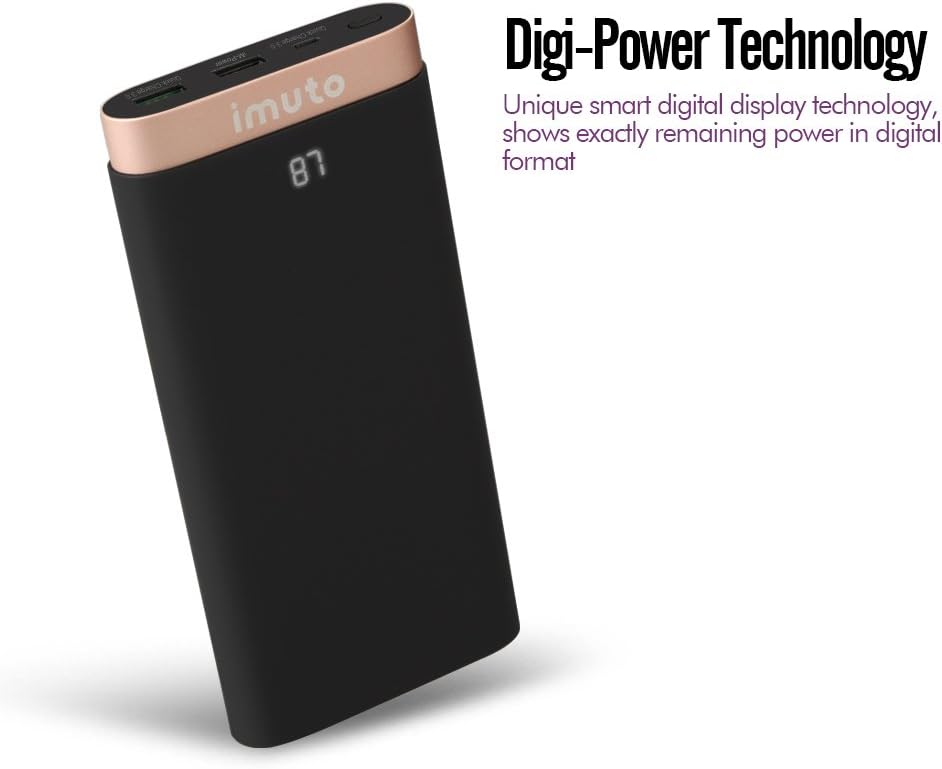
Image: The iMuto SL200QC Power Bank showing "87" on its digital display, indicating 87% remaining battery charge.
4.2 Zure gailuak kargatzea
The iMuto SL200QC can charge up to two devices simultaneously.

Image: The iMuto SL200QC Power Bank connected to a smartphone and a tablet, demonstrating its ability to charge two devices concurrently.
- Konektatu gailuaren kargatzeko kablea power bank-aren USB irteerako ataketako batera.
- Konektatu kablearen beste muturra zure gailura.
- The power bank will automatically begin charging your device. The digital display will illuminate to show the remaining power.
- Kargatzeari uzteko, deskonektatu gailua.
Note on Ports:
- USB1 (Quick Charge 3.0): Use this port for devices compatible with Quick Charge technology to achieve the fastest charging speeds.
- USB2 (iM-Power Technology): This port intelligently detects your device's charging requirements and delivers the optimal current up to 2.4A.
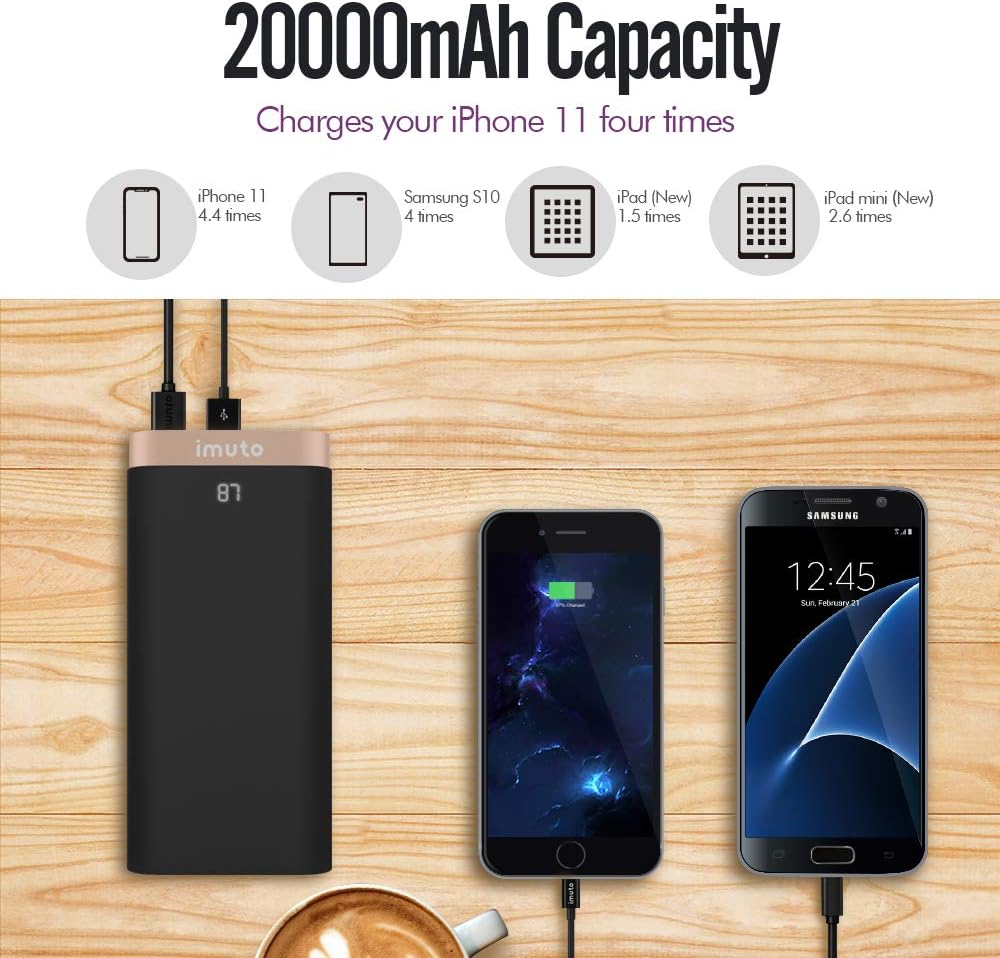
Image: The iMuto SL200QC Power Bank shown next to a smartphone and tablet being charged, with illustrations indicating its 20000mAh capacity can charge an iPhone 11 approximately 4.4 times, a Samsung S10 4 times, an iPad (New) 1.5 times, and an iPad mini (New) 2.6 times.
5. Mantentzea
- Mantendu bateria eramangarria muturreko tenperaturetatik, eguzki-argitik zuzenean eta ingurune hezeetatik urrun.
- Ez jarri power banka uretara edo beste likidoetara.
- Garbitu bateria eramangarria zapi lehor eta leun batekin. Ez erabili garbitzaile edo disolbatzaile urratzailerik.
- Store the power bank in a cool, dry place when not in use. For prolonged storage, it is recommended to charge the power bank to about 50-75% every 3 months to maintain battery health.
- Saihestu potentzia-bankua erortzea edo eragin gogorrak jasan behar izatea.
6. Arazoak
| Arazoa | Kausa posiblea | Irtenbidea |
|---|---|---|
| Power bankuak ez ditu gailuak kargatzen. |
|
|
| Energia-bankua ez da berriro kargatzen. |
|
|
| Kargatzeko abiadura motela. |
|
|
| Pantaila digitala ez dabil. |
|
|
7. Zehaztapenak
| Ezaugarri | Xehetasuna |
|---|---|
| Eredua | SL200QC |
| Bateria Edukiera | 20000mAh / 74Wh |
| Bateria mota | Li-ion (8 cells) |
| Micro USB Input (QC 3.0) | 5V-9V/2A, 9V-12V/1.5A |
| USB1 Output (QC 3.0) | 5-6V/3A, 6-9V/2A, 9-12V/1.5A |
| USB2 Output (iM-Power) | 5V / 1A-2.4A |
| Irteera Potentzia osoa | 25 watt (gehienez) |
| Neurriak | 17.2 x 8.18 x 2.24 cm |
| Pisua | 650 g |
| Gailu bateragarriak | iPhone, iPad, Samsung Galaxy, Google Nexus/Pixel, Nintendo Switch, Xperia, LG, Lumia, and other USB-powered devices. |

Irudia: Leherketa bat view of the iMuto SL200QC Power Bank, illustrating its internal components including A-class Li-ion battery cells, Digi-Power technology circuit board, multiple smart protection system, power button, and aviation aluminum alloy shell.
8. Bermea eta Laguntza
8.1 Bermearen informazioa
The iMuto SL200QC Power Bank comes with an 18 hilabeteko bermea erosketa-datatik aurrera. Berme honek fabrikazio-akatsak estaltzen ditu eta erabilera normalaren pean errendimendu fidagarria bermatzen du. Gorde erosketaren egiaztagiria berme-erreklamazioetarako.
Bermeak ez ditu estaltzen erabilera okerrak, istripuek, baimenik gabeko aldaketek edo hondamendi naturalek eragindako kalteak.
8.2 Bezeroarentzako laguntza
For any questions, technical assistance, or warranty claims, please contact iMuto customer support. Refer to the contact information provided on the official iMuto webgunea edo zure erosketa-dokumentazioa.