
Deftun MSR X6(BT)
MSR X6(BT) Bluetooth Magnetic Credit Card Reader Writer Encoder User Manual
Model: MSR X6(BT) | Brand: Deftun
1. Sarrera
The Deftun MSR X6(BT) is a versatile Bluetooth magnetic stripe card reader, writer, and encoder. It is designed for reading, writing, and erasing data on magnetic stripe cards, supporting various data formats. This manual provides comprehensive instructions for the proper setup, operation, and maintenance of your device.
2. Segurtasun Jarraibideak
- Please ensure the device is guztiz kargatuta hasierako erabileraren aurretik.
- Use a standard phone adapter for charging to prevent damage.
- When swiping cards, ensure the magnetic strip is aligned with the direction of the magnetic head.
- Irristatu txartela berdintsu and smoothly for accurate data processing.
- Keep the device away from strong magnetic fields to avoid data corruption.
- Ez saiatu gailua desmuntatzen edo aldatzen, horrek bermea baliogabetuko baitu eta kalteak eragin ditzakeelako.
3. Paketearen edukia
Mesedez, egiaztatu behean zerrendatutako elementu guztiak zure paketean sartuta daudela:
- MSR X6(BT) Magnetic Card Reader Writer Encoder
- USB kablea
- Head Cleaning Card
- Softwarearen CDa (edo deskargatzeko esteka)

Image: All components included in the MSR X6(BT) product box.
4. Product Features & Overview
The MSR X6(BT) is a compact and portable device designed for efficient magnetic stripe card operations. It features both Bluetooth and USB interfaces for flexible connectivity with various devices.

Image: The MSR X6(BT) device in use, demonstrating its ergonomic design.
Ezaugarri nagusiak:
- Reads, writes, and erases up to 3 tracks of information.
- Supports ISO7811, AAMVA, and CA DMV standards.
- Dual connectivity: Bluetooth for mobile devices and USB for computers.
- Compatible with Windows, macOS, Linux, iOS, and Android operating systems.
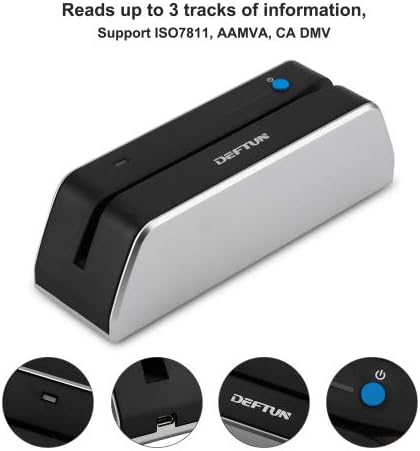
Image: The device indicating its capability to read up to 3 tracks of data.

Image: Illustration of the device's Bluetooth and USB connectivity options.
5. Konfigurazioa eta konexioa
Hasierako konfigurazioa:
- Gailua kargatu: Before first use, fully charge the MSR X6(BT) using the provided USB cable and a compatible phone adapter.
- Deskargatu aplikazioa: Deskargatu
Ask a question about this manual
Ask about setup, troubleshooting, compatibility, parts, safety, or missing instructions. Manuals+ will review the question and use this page’s manual context to help answer it.