
JBL JBL E55BT
JBL E55BT Over-Ear Wireless Headphones User Manual
Model: JBL E55BT
Sarrera
The JBL E55BT are over-ear wireless headphones designed for comfortable listening and convenient portability. These headphones connect wirelessly via Bluetooth, offering freedom from tangled cables. They feature a durable design with faux leather earcups and a fabric headband, providing a comfortable fit for extended use. The JBL E55BT headphones are engineered to deliver the signature JBL sound experience.
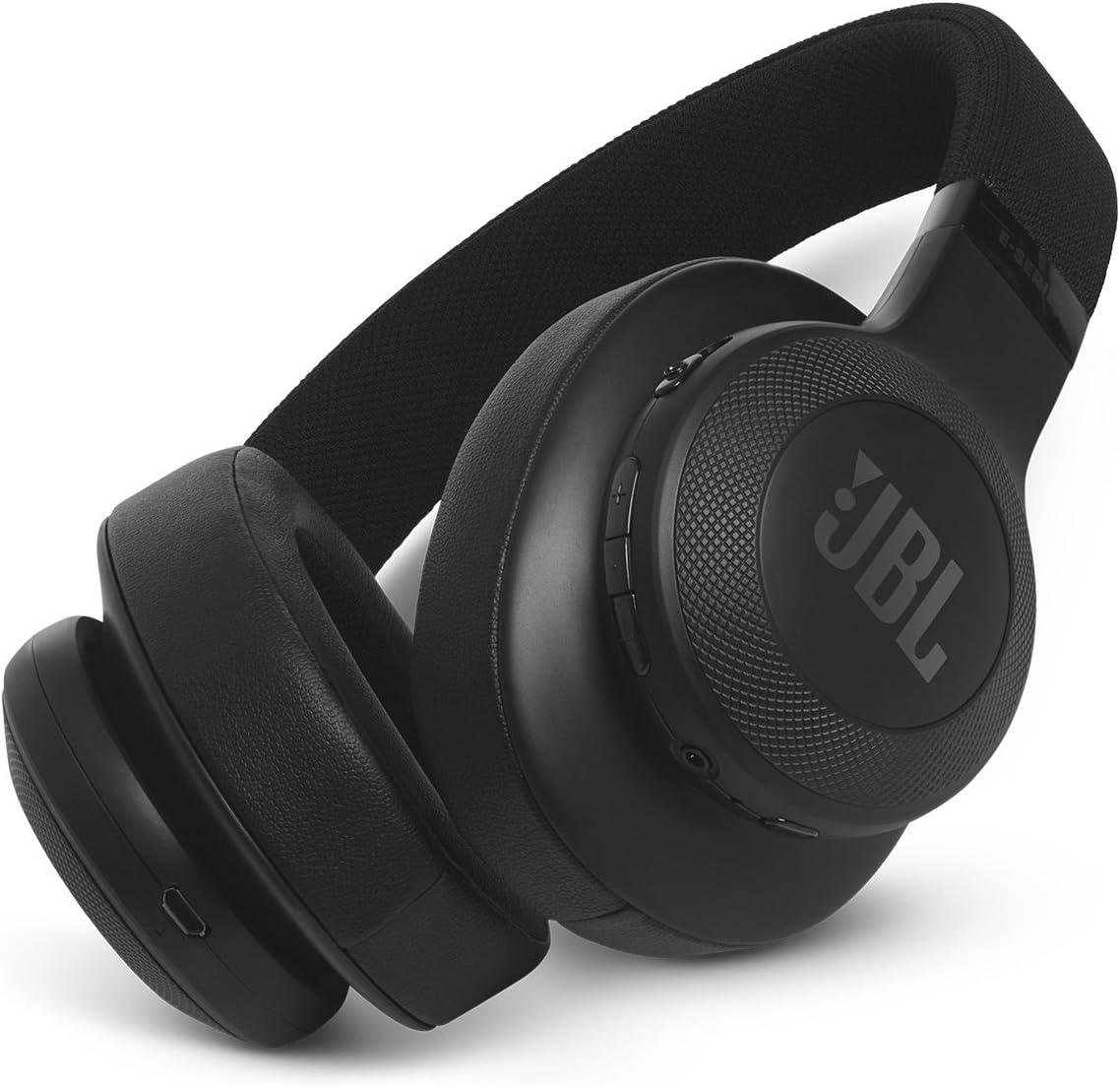
Figure 1: JBL E55BT Over-Ear Wireless Headphones, black, showcasing the overall design and earcups.
Konfigurazioa
1. Entzungailuak kargatzea
Before initial use, fully charge your JBL E55BT headphones. A full charge provides approximately 20 hours of playback time.
- Locate the micro-USB charging port on the headphone earcup.
- Connect the provided USB charging cable to the headphone's charging port and the other end to a USB power source (e.g., computer USB port, USB wall adapter).
- The LED indicator on the headphone will show charging status. It typically turns off or changes color when fully charged.

Figure 2: The JBL E55BT headphones shown with their included USB charging cable and detachable audio cable.
2. Piztu/Itzaltzea
- To power on, press and hold the Power button located on the earcup until the LED indicator lights up.
- Itzaltzeko, sakatu eta eutsi berriro pizteko botoia LED adierazlea itzali arte.
3. Bluetooth parekatzea
Aurikularrak Bluetooth gaitutako gailu batera konektatzeko:
- Ziurtatu entzungailuak itzalita daudela.
- Sakatu eta eutsi pizteko botoia 5 segundo inguruz, LED adierazlea urdinez azkar keinuka hasi arte, parekatze modua adieraziz.
- Zure gailuan (telefono adimenduna, tableta, ordenagailua), gaitu Bluetooth eta bilatu eskuragarri dauden gailuak.
- Select "JBL E55BT" from the list of found devices.
- Once connected, the LED indicator on the headphones will turn solid blue or flash slowly.
Entzungailuak funtzionatzea
Kontrolak amaitu diraview
Kontrol nagusiak eskuineko entzungailuan daude:
- Pizteko botoia: Powers the headphones on/off, enters pairing mode.
- Volume Up/Down Buttons (+/-): Entzuteko bolumena doitzen du.
- Funtzio anitzeko botoia (erdikoa):
- Sakatu bakarra: Musika erreproduzitu/pausatu, deia erantzun/amaitu.
- Double press: Skip to next track (music).
- Triple press: Skip to previous track (music).
- Press and hold: Activate voice assistant (Siri, Google Assistant).

3. irudia: hurbileko planoa view of the right earcup, highlighting the control buttons for power, volume, and multi-function.
Deiak egitea eta jasotzea
- Dei bati erantzutea: Sakatu funtzio anitzeko botoia behin.
- Dei bat amaitzea: Sakatu funtzio anitzeko botoia behin dei batean zehar.
- Dei bat ukatzea: Eduki sakatuta funtzio anitzeko botoia 2 segundoz.
- Switching Between Calls: During a call, if another call comes in, press the Multi-function button once to answer the new call and put the current call on hold. Press again to switch back.
Musika Entzutea
- Erreproduzitu/Pausatu: Sakatu funtzio anitzeko botoia behin.
- Hurrengo ibilbidea: Sakatu bi aldiz funtzio anitzeko botoia.
- Aurreko pista: Sakatu hiru aldiz funtzio anitzeko botoia.
- Doitu bolumena: Use the Volume Up (+) or Volume Down (-) buttons.
Mantentzea
Garbiketa
To maintain the condition and longevity of your JBL E55BT headphones:
- Garbitu entzungailuak eta buruko zinta oihal leun batekinamp cloth. Avoid using harsh chemicals or abrasive cleaners, especially on the faux leather material.
- Do not submerge the headphones in water or expose them to excessive moisture.
- Clean the charging port and audio jack regularly to prevent dust buildup.
Biltegiratzea
Erabiltzen ez dituzunean, gorde entzungailuak leku fresko eta lehor batean, eguzki-argitik eta muturreko tenperaturetatik babestuta. Entzungailuak tolestu daitezke biltegiratze trinkoa lortzeko.

Figure 4: The JBL E55BT headphones shown in their folded position, demonstrating their portability and ease of storage.
Arazoak konpontzea
| Arazoa | Kausa posiblea | Irtenbidea |
|---|---|---|
| Entzungailuak ez dira pizten. | Bateria baxua. | Kargatu entzungailuak guztiz. |
| Ezin da gailuarekin parekatu. | Entzungailuak ez daude parekatze moduan; gailua Bluetooth itzalita; gailutik urrunegi. | Ensure headphones are in pairing mode (rapid blue flashing LED). Turn device Bluetooth off and on. Move headphones closer to device. |
| Soinurik ez edo bolumen baxua. | Volume too low on headphones or device; headphones not connected; incorrect audio output selected on device. | Increase volume on both headphones and device. Reconnect headphones. Check device's audio output settings. |
| Soinu kalitate txarra. | Interferentzia; gailua urrunegi; bateria gutxi. | Move closer to the device. Avoid strong Wi-Fi signals or other Bluetooth devices. Charge headphones. |
Zehaztapenak
| Ezaugarri | Xehetasuna |
|---|---|
| Ereduaren izena | JBL E55BT |
| Konektibitate Teknologia | Bluetootha |
| Haririk gabeko Komunikazio Teknologia | Bluetootha |
| Bluetooth bertsioa | 4.0 |
| Entzungailuaren forma | Belarri gainekoa |
| Materiala | Faux Larrua |
| Elementuaren pisua | 231.6 gramo (8.2 ontza) |
| Maiztasun barrutia | 20 Hz - 20 kHz |
| Bateriaren iraupena | 20 ordu |
| Inpedantzia | 32 Ohm |
| Produktuaren neurriak | 4.17 x 9.61 x 8.82 hazbete |
| Fabrikatzailea | JBL |
Bermea eta Laguntza
For detailed warranty information, product registration, and technical support, please refer to the documentation included with your JBL E55BT headphones or visit the official JBL webgunea. Fabrikatzailearen website typically provides the most up-to-date information regarding product support and service.
You can visit the JBL brand store for more information: JBL Denda Ofiziala
Ask a question about this manual
Ask about setup, troubleshooting, compatibility, parts, safety, or missing instructions. Manuals+ will review the question and use this page’s manual context to help answer it.