
Bang Olufsen BeoSound 5/BeoMaster 5
Bang & Olufsen BeoSound 5 & BeoMaster 5 User Manual
Konfigurazio, funtzionamendu eta mantentze-lanetarako gida osoa.
Sarrera
The Bang & Olufsen BeoSound 5 and BeoMaster 5 system is a sophisticated digital music server and media controller designed for an immersive audio experience. The BeoMaster 5 acts as the central hub with a 1TB hard drive for storing your music collection, while the BeoSound 5 provides an intuitive visual interface for browsing and controlling your media. This manual provides essential information for setting up, operating, and maintaining your system.
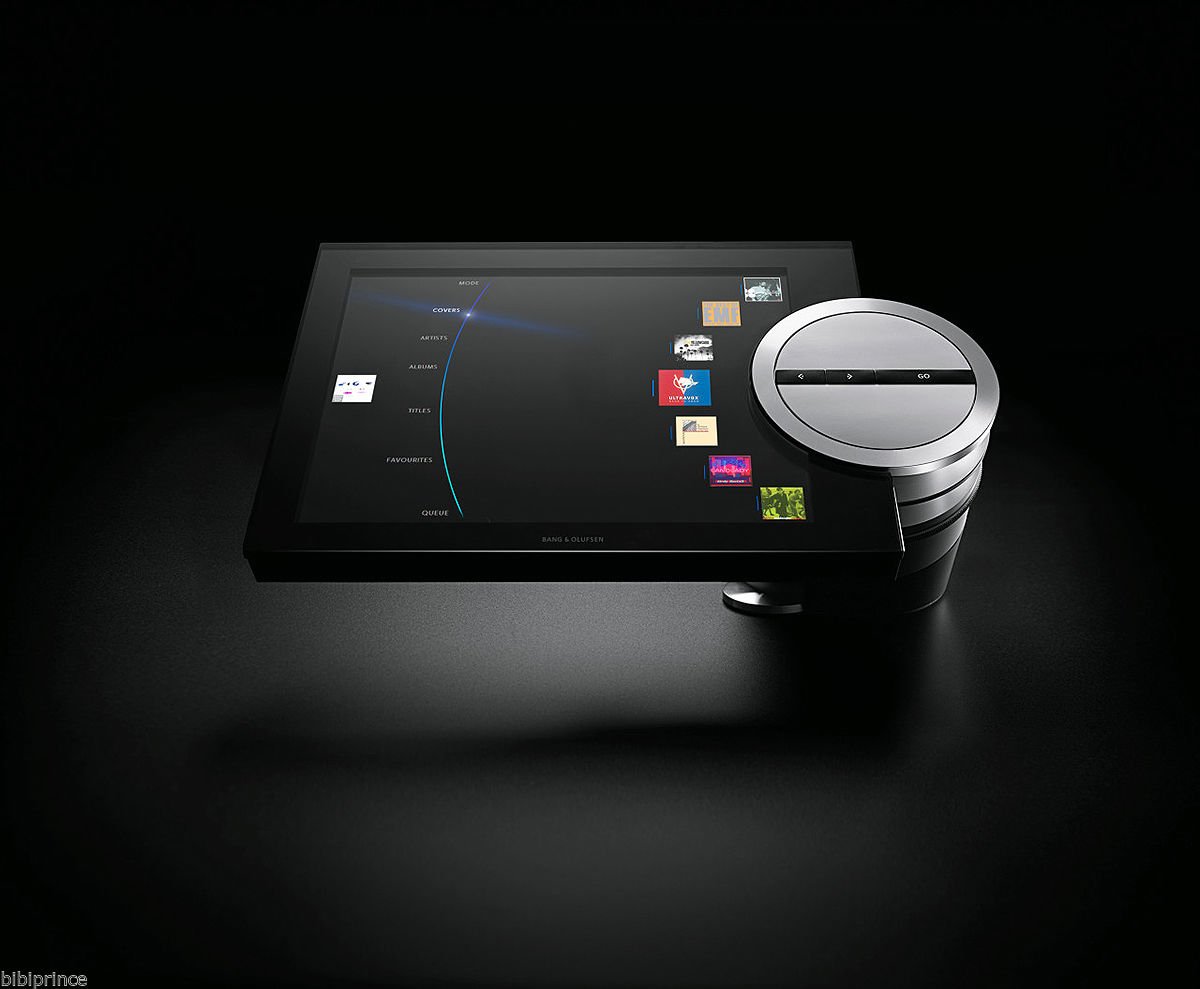
1. irudia: The Bang & Olufsen BeoSound 5 display unit connected to its table stand, showcasing its user interface and the distinctive silver control wheel. The BeoMaster 5, the server component, is typically placed out of sight.
Konfigurazio Gida
Follow these steps to correctly set up your BeoSound 5 and BeoMaster 5 system.
1. Deskargatzea
- Carefully remove all components from the original packaging. Ensure all parts are present: BeoSound 5 display, BeoMaster 5 unit, table stand components, power cables, and necessary connection cables.
- Inspect all items for any signs of damage. The system is designed to be scratch-resistant, but always handle with care.
2. Assembling the Table Stand
- Assemble the table stand according to the included diagram. Ensure all screws are tightened securely.
- Attach the BeoSound 5 display unit to the assembled table stand. Ensure it is firmly seated and stable.
3. Connecting the BeoMaster 5
The BeoMaster 5 is the core processing unit. Place it in a well-ventilated area, preferably out of direct sight.
- Potentzia-konexioa: Connect the power cable to the BeoMaster 5 and then to a 220V AC power outlet.
- Sare-konexioa: Connect an Ethernet cable from your home network router to the LAN port on the BeoMaster 5 for internet access and network music streaming.
- Audio irteera: Connect the BeoMaster 5 to your Bang & Olufsen audio system or other compatible audio equipment using the appropriate audio cables (e.g., PowerLink, RCA).
4. Connecting BeoSound 5 to BeoMaster 5
- Connect the dedicated cable (typically a DVI or HDMI for video and a USB for touch/control) from the BeoSound 5 display unit to the corresponding ports on the BeoMaster 5. Refer to the port labels on both devices.
5. Hasierako piztea eta konfigurazioa
- Once all connections are secure, plug the BeoMaster 5 into the power outlet. The system will begin its startup sequence.
- Follow the on-screen prompts on the BeoSound 5 display to complete the initial setup, including network configuration, time zone settings, and any software updates.
Funtzionamendu-argibideak
Learn how to navigate and utilize the features of your BeoSound 5 system.
1. Interfazea nabigatzea
- The BeoSound 5 features a large display and a unique control wheel. Use the wheel to scroll through menus and options.
- Press the center of the wheel or tap the screen to select items.
- The interface is designed for intuitive browsing of your music collection by artists, albums, titles, or covers.
2. Managing Your Music Library
- Musika inportatzea: Music can be imported to the 1TB hard drive of the BeoMaster 5 from various sources, including CDs (via a connected CD player), USB drives, or network shares. Refer to the on-screen instructions for specific import procedures.
- Antolakuntza: The system automatically organizes your music. You can create playlists and mark favorites for quick access.
3. Musika Jotzea
- Browse your library using the BeoSound 5 interface. Select a track, album, or playlist to begin playback.
- Use the control wheel and on-screen controls for volume adjustment, skipping tracks, pausing, and stopping playback.
- The "More of the Same" feature allows the system to suggest similar tracks from your library, creating a continuous listening experience.
Mantentzea
Proper maintenance ensures the longevity and optimal performance of your BeoSound 5 and BeoMaster 5 system.
1. Garbiketa
- The display and exterior surfaces are designed to be scratch-resistant. Use a soft, dry, lint-free cloth to gently wipe the display and other surfaces.
- Marka egoskorretarako, apur bat dampen the cloth with water. Avoid using harsh chemicals, abrasive cleaners, or sprays directly on the unit.
- Ziurtatu sistema itzalita eta deskonektatuta dagoela garbitu aurretik.
2. Software eguneraketak
- Periodically check for software updates through the system's settings menu. Updates can provide new features, performance improvements, and bug fixes.
- Ensure a stable internet connection during updates and do not power off the system until the update process is complete.
3. Disko gogorraren kudeaketa
- The BeoMaster 5 has a 1TB hard drive. Monitor the storage space through the system settings.
- Regularly back up your music library to an external device or network location to prevent data loss.
Arazoak konpontzea
This section addresses common issues you might encounter with your BeoSound 5 and BeoMaster 5 system.
| Arazoa | Kausa posiblea | Irtenbidea |
|---|---|---|
| No Power / System Not Turning On | Power cable disconnected; Power outlet issue; System fault. | Check if the power cable is securely connected to both the BeoMaster 5 and the power outlet. Test the outlet with another device. If the issue persists, contact support. |
| Ez dago soinu-irteerarik | Audio cables disconnected; Volume too low; Incorrect audio source selected; Connected audio system off. | Verify all audio cables are correctly connected between BeoMaster 5 and your audio system. Increase volume on BeoSound 5 and your audio system. Ensure the correct input is selected on your audio system. |
| Ez dago sare-konexiorik | Ethernet cable disconnected; Router issue; Incorrect network settings. | Check the Ethernet cable connection. Restart your router. Verify network settings in the BeoSound 5 menu. |
| Pantailak ez du erantzuten | Loose display cable; Software glitch. | Ensure the cable connecting BeoSound 5 to BeoMaster 5 is secure. Try restarting the BeoMaster 5 by unplugging it for 30 seconds and plugging it back in. |
Oinarrizko berrezarri
If the system is unresponsive, a power cycle can often resolve minor issues:
- Disconnect the power cable from the BeoMaster 5.
- Itxaron 30 segundo gutxi gorabehera.
- Reconnect the power cable. Allow the system to fully boot up.
Zehaztapenak
Key technical specifications for the Bang & Olufsen BeoSound 5 & BeoMaster 5 system.
- Marka: Bang & Olufsen
- Eredua: BeoSound 5 / BeoMaster 5
- Biltegiratze Edukiera: 1 TB (Terabyte) Hard Disk Drive
- liburukiatage: 220 Volt
- Gailu bateragarriak: Laptop (for content transfer/management, though primarily standalone)
- Forma-faktorea: Trinkoa
- Kolorea: Beltza
- Lehenengo data eskuragarri: 21ko otsailaren 2020a
Bermearen informazioa
For detailed warranty terms and conditions, please refer to the documentation provided at the time of purchase or contact your authorized Bang & Olufsen dealer. Warranty coverage typically includes defects in materials and workmanship under normal use.
Bezeroarentzako Arreta
If you require further assistance or encounter issues not covered in this manual, please contact Bang & Olufsen customer support or your authorized retailer. Have your product model number (BeoSound 5/BeoMaster 5) and serial number ready when contacting support.
You can often find support contact details on the official Bang & Olufsen webgunea edo erosketa-dokumentazioaren bidez.
Produktu Ofizialaren Bideoak
Momentuz ez dago saltzailearen produktu honen bideo ofizialik eskuragarri.
Erlazionatutako dokumentuak - BeoSound 5/BeoMaster 5
 |
BeoPlayer 與 BeoPort 使用指南 Bang & Olufsen BeoPlayer 和 BeoPort 的詳細使用說明,涵蓋軟體安裝、操作規則、遙控器使用、音樂管理及更多功能。 |
 |
Podręcznik użytkownika Bang & Olufsen Beosound A9 5. generacji Instrukcja obsługi dla głośnika bezprzewodowego Bang & Olufsen Beosound A9 5. generacji, zawierająca informacje o konfiguracji, użytkowaniu, specyfikacjach i bezpieczeństwie. |
 |
BeoConnect vadovas: Muzikos ir medijos valdymas su Bang & Olufsen Vadovas, kaip naudoti BeoConnect programinę įrangą, skirtą „Windows“, muzikai ir nuotraukoms perkelti bei Bang & Olufsen gaminiams valdyti. Sužinokite apie diegimą, nustatymus ir produktų valdymą. |
 |
BeoConnect for Windows User Guide A comprehensive guide to using BeoConnect software for Windows, detailing installation, music transfer, photo and web enjoyment, product management, and troubleshooting. |
 |
BeoConnect User Guide: Software for Bang & Olufsen Devices Comprehensive guide to installing, configuring, and using BeoConnect software from Bang & Olufsen for managing music, photos, and web content on your devices. Includes troubleshooting and system requirements. |
 |
BeoConnect for Windows User Guide A comprehensive guide to installing and using BeoConnect software from Bang & Olufsen for Windows, enabling music, photo, and website transfer to Bang & Olufsen products. |