
LMHOME GT06
LMHOME GT06 GPS Tracker User Manual
Real-Time GPS Tracking Device for Vehicles
1. Produktua amaitu daview
The LMHOME GT06 GPS Tracker is a versatile real-time tracking device designed for various vehicles including cars, motorcycles, trucks, and off-roaders. It provides advanced features such as real-time location tracking, remote engine cut-off, voice monitoring, and multiple alarm functions to enhance vehicle security and fleet management.

Figure 1: LMHOME GT06 GPS Tracker connected to a smartphone showing real-time location.

Figure 2: The GT06 GPS Tracker with its wiring, demonstrating real-time tracking capabilities on a mobile application.
2. Paketearen edukia
Ziurtatu elementu guztiak paketean daudela:
- 1 x GT06 GPS SMS and GPRS Vehicle Locator
- 1 x GPS Sensor
- 1 x Erreleboa
- 1 x SOS Cable
- 1 x Bozgorailu kablea
- 1 x Elikatze-kablea
- 1 x Erabiltzailearen eskuliburua
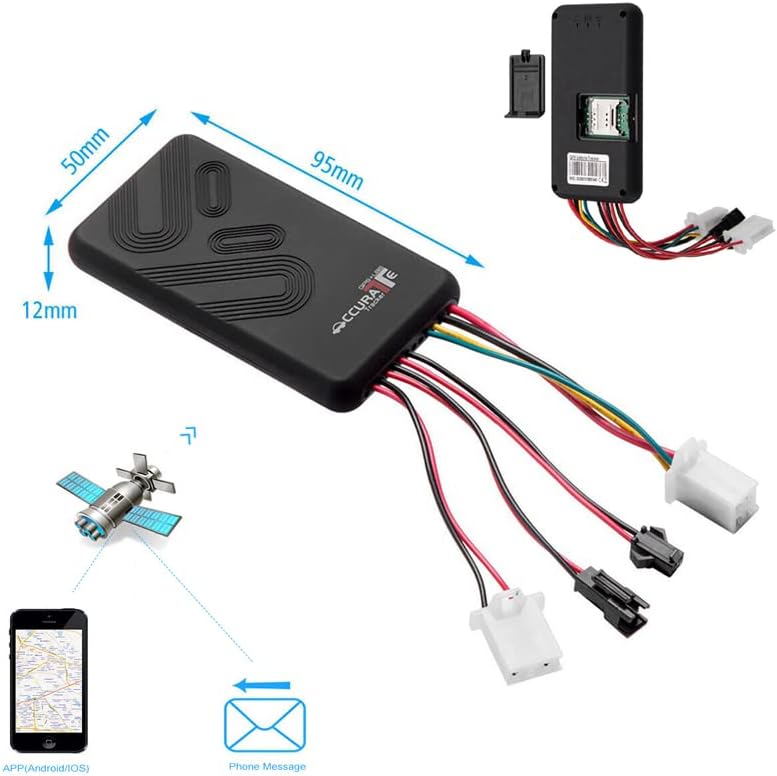
Figure 3: Included accessories with the GT06 GPS Tracker.
3. Konfigurazioa eta instalazioa
3.1 SIM txartelaren instalazioa
The GT06 GPS Tracker requires a 2G SIM card for operation. It is recommended to use a SIM card from a reliable provider such as Vodafone (as per product feature bullets).
- Bilatu SIM txartelaren zirrikitua gailuan.
- Insert the 2G SIM card into the slot, ensuring it is correctly oriented.
- Ensure the SIM card is activated and has sufficient credit for SMS and GPRS data.
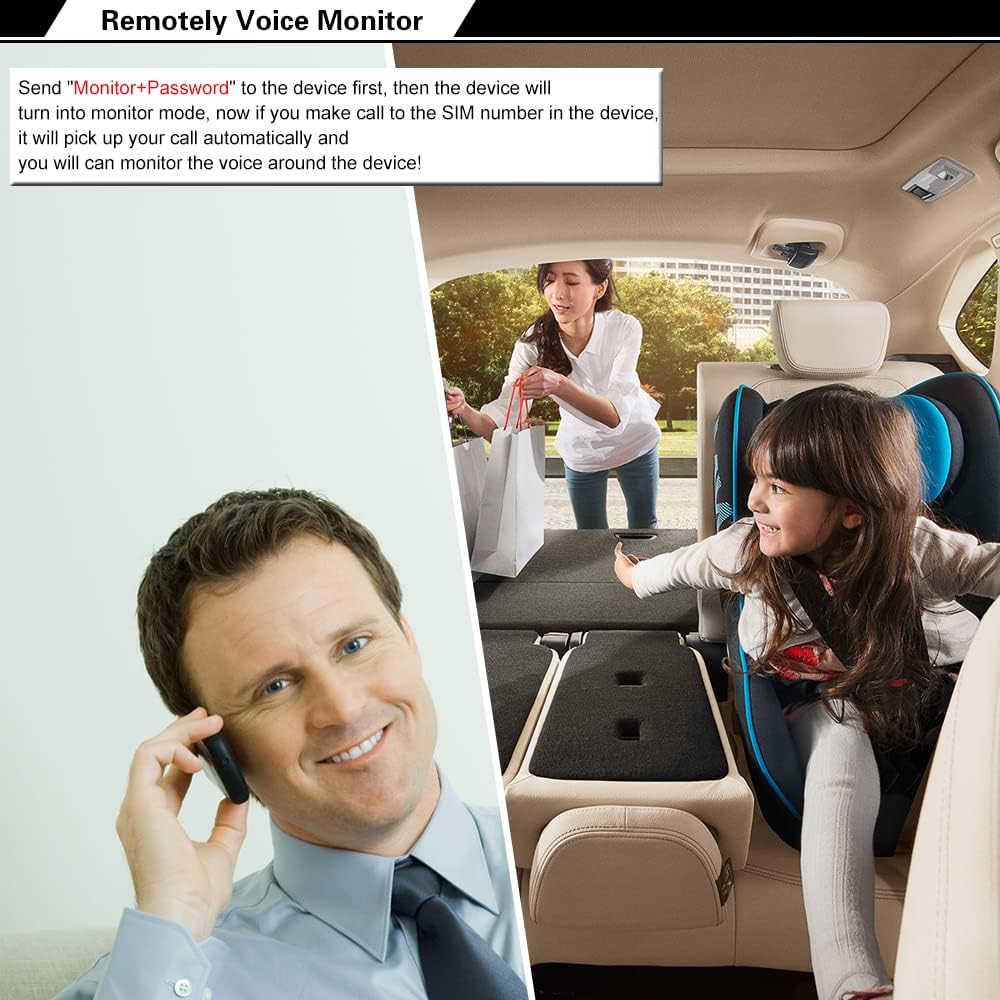
Figure 4: SIM card insertion point on the GT06 device.
3.2 Initial Activation and Configuration
To activate the device and restore factory settings, send the following SMS command to the SIM card number in the tracker:
hasi123456
The device will respond with "OK", indicating successful initialization.
3.3 Wiring and Vehicle Integration
The GT06 tracker is designed for integration into a vehicle's electrical system. Professional installation is recommended due to the complexity of vehicle wiring.
- Connect the power cable to the vehicle's power supply (9V-36V, typically 12V-24V).
- Connect the ACC wire to the vehicle's ignition for ACC detection.
- Connect the relay for remote fuel/power cut-off functionality.
- Connect the SOS button and speaker cable if these features are desired.

5. irudia: Aurrealdea view of the GT06 device, showing its compact design.

6. irudia: Aldea view of the GT06 device.

7. irudia: Atzealdea view of the GT06 device.

Figure 8: Physical dimensions of the GT06 GPS Tracker.
4. Funtzionamendu-argibideak
4.1 Kokapenaren jarraipena
- Single Location: Dial the device's SIM card number or send an SMS. The device will hang up and reply with a real-time tracking message.
- Continuous Automatic Tracking: Send an SMS with the specified format (refer to the full manual for specific commands) to receive continuous real-time tracking messages.
- Aplikazioa/Web Jarraipena: Utilize the dedicated mobile application (Android/iOS) or web platform for real-time positioning via Google Maps. The minimum data upload interval is 5 seconds. Historical track playback is available for up to 180 days.

Figure 9: Historical track playback feature on the mobile application.

Figure 10: Real-time positioning using Google Maps on the mobile application.
4.2 Alarma-funtzioak
The GT06 supports various alarm types:
- Geo-fence Alarm: Set up virtual boundaries, and receive alerts when the vehicle enters or exits these areas.
- ACC Operational Alarm: Alerts when the vehicle's ignition is turned on or off.
- Bibrazio-alarma: Sends a message to the owner if abnormal vibration is detected.
- Power Failure Alarm: Activates backup power and sends a message if the main power supply is disconnected.
- Abiadura gehiegizko alarma: Alerts if the vehicle exceeds a predefined speed limit.
- SOS alarma: Triggered by the SOS button (if connected), sending an emergency signal.
11 Irudia: Gainetikview of multiple alarm and control features.
4.3 Urrutiko agintearen ezaugarriak
- Remote Engine Cut-off: Safely cut off the vehicle's fuel and power system by sending a specific SMS command to the device. This feature is crucial for anti-theft.
- Ahots monitorea: Send "Monitor+Password" to the device. It will enter monitor mode. When you call the SIM number in the device, it will automatically pick up, allowing you to monitor the voice around the device.
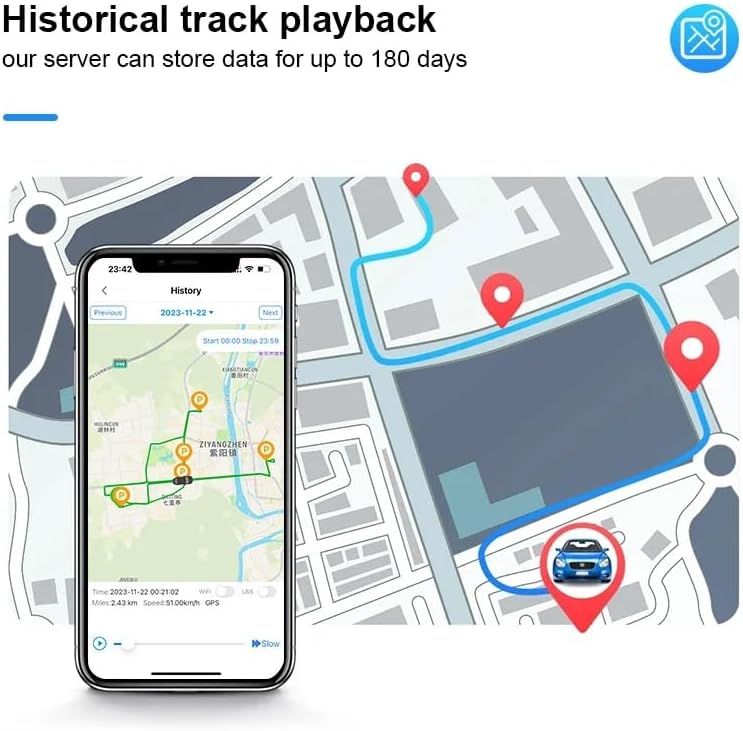
Figure 12: Anti-theft capabilities of the GT06 tracker.

Figure 13: Remote voice monitoring feature in use.
5. Mantentzea
The LMHOME GT06 GPS Tracker is designed for low maintenance. Keep the device clean and free from excessive dust or moisture. Ensure all connections are secure. The internal battery has a capacity of approximately 210 mAh, providing about 50 minutes to 1 hour of standby time. For optimal performance, ensure the device is connected to a continuous power source in the vehicle.
6. Arazoak
- Device Not Responding to SMS:
- Ensure the 2G SIM card is correctly inserted and activated.
- Check if the SIM card has sufficient balance for sending/receiving SMS and data.
- Verify network coverage in the device's location.
- Confirm the initial activation SMS "begin123456" was sent correctly and received an "OK" response.
- Inaccurate Location or No GPS Signal:
- Ziurtatu gailuak argia duela view of the sky for GPS signal reception. Avoid installing it in enclosed metal areas.
- Check the GPS sensor connection.
- Aplikazioa/Web Platform Issues (Offline, History Not Showing):
- Verify the device has active GPRS data connection.
- Ensure the device is properly registered on the platform.
- Note: Some users have reported that the app/web service may have a limited duration (e.g., one year) after which it may require renewal or subscription. Please contact the seller or service provider for details regarding service longevity and renewal options.
- Difficulty with Wiring/Installation:
- Refer to the detailed wiring diagram in the complete user manual.
- If unsure, seek assistance from a qualified auto electrician for installation.
7. Zehaztapenak
| Eredua | GT06 |
| GPS Bandak | GSM 850 / 900 / 1800 / 1900 MHz |
| Sarea | GPRS, GSM |
| liburukiatage Barrutia | 12V - 24V (Operating), 9V - 36V (Supported) |
| GPS sentsibilitatea | -159 dBm |
| GPS Start Time | Cold: 45s; Warm: 35s; Hot: 1s |
| GPS kokapenaren zehaztasuna | 5 metro |
| Bateria Edukiera | Gutxi gorabehera. 210 mAh |
| Biltegiratze Tenperatura | -40 °C eta 85 °C artean |
| Funtzionamendu-tenperatura | -20 °C eta 55 °C artean |
| Hezetasuna | % 5 - % 95 (kondentsaziorik gabe) |
| Neurriak (L x W x H) | 95 mm x 50 mm x 12 mm |
| Materiala | Akrilonitrilo Butadieno Estirenoa (ABS) |
8. Bermea eta Laguntza
For information regarding product warranty, please refer to the purchase documentation or contact the seller directly. Specific warranty terms may vary depending on your region and retailer.
For technical support or further assistance, please contact the seller or manufacturer through the contact information provided at the point of purchase or on the product packaging. You may also refer to the official LMHOME webbaliabide gehigarrietarako gunea.
Ask a question about this manual
Ask about setup, troubleshooting, compatibility, parts, safety, or missing instructions. Manuals+ will review the question and use this page’s manual context to help answer it.