
Delock 83687
Delock USB 2.0 AB kablearen erabiltzailearen eskuliburua
Eredua: 83687
Produktua amaituview
This manual provides instructions for the Delock USB 2.0 A-B Cable, model 83687. This cable is designed for connecting devices with a USB Type-A port to devices with a USB Type-B port, facilitating data transfer.
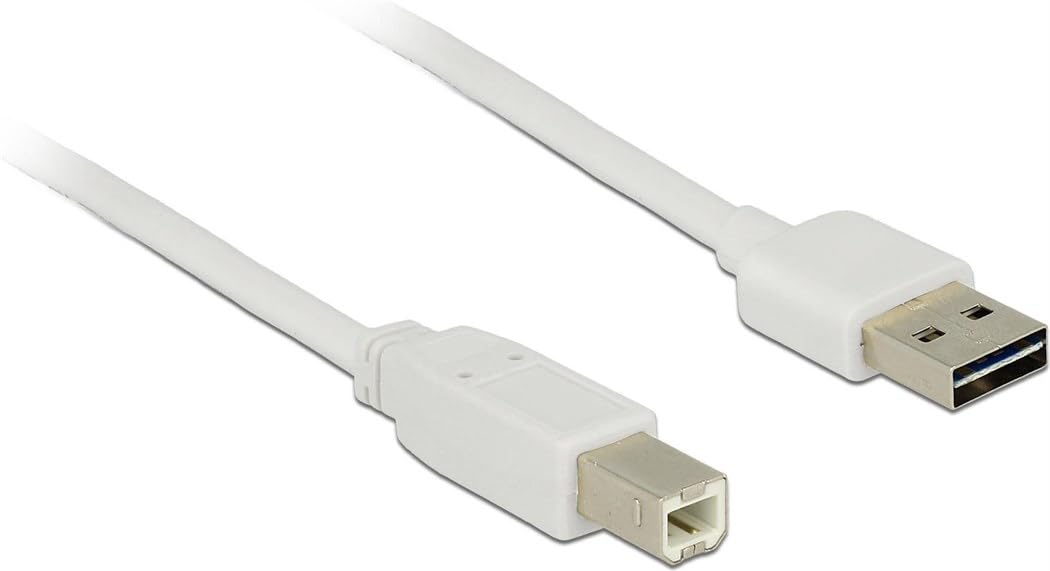
Image: The Delock USB 2.0 A-B Cable, featuring a white cable and gold-plated connectors. The USB Type-A connector is visible on the right, and the USB Type-B connector is on the left.
Konfigurazioa
The Delock USB 2.0 A-B Cable is designed for simple plug-and-play operation. Follow these steps to connect your devices:
- Portuak identifikatu: Locate the USB Type-A port on your host device (e.g., computer, laptop) and the USB Type-B port on your peripheral device (e.g., printer, scanner, external hard drive).
- Connect USB Type-A: Insert the USB Type-A connector of the cable into the corresponding USB Type-A port on your host device. Ensure it is fully seated.
- Connect USB Type-B: Insert the USB Type-B connector of the cable into the corresponding USB Type-B port on your peripheral device. Ensure it is fully seated.
- Egiaztatu konexioa: Once both ends are connected, your operating system should automatically detect the peripheral device. If necessary, install any required drivers for your peripheral device as per its manufacturer's instructions.
This cable is compatible with devices such as laptops and personal computers.
Funtzionamendu-argibideak
Once the cable is properly connected, it facilitates data transfer between the connected devices. The cable supports USB 2.0 specifications, allowing for data transfer rates of up to 480 Mbit/s.
- Ensure both connected devices are powered on for proper communication.
- Initiate data transfer operations (e.g., printing, scanning, file transfer) through the software or operating system interface of your host device.
- For optimal performance, avoid disconnecting the cable during active data transfer.
Mantentzea
To ensure the longevity and optimal performance of your Delock USB 2.0 A-B Cable, follow these maintenance guidelines:
- Biltegiratzea: Gorde kablea leku fresko eta lehor batean, eguzki-argitik eta muturreko tenperaturetatik babestuta. Saihestu kablea estu kiribiltzea edo tolestea, batez ere konektoreen ondoan, barneko kalteak saihesteko.
- Garbiketa: If the cable or connectors become dirty, gently wipe them with a soft, dry, lint-free cloth. Do not use liquid cleaners or abrasive materials.
- Manipulazioa: Always grasp the connector housing when plugging or unplugging the cable, rather than pulling on the cable itself. This prevents strain on the cable's internal wires and connections.
- Babesa: Keep the cable away from sharp objects, heavy furniture, or areas where it might be stepped on or pinched, as this can damage the insulation and internal conductors.
Arazoak konpontzea
If you encounter issues with your Delock USB 2.0 A-B Cable, consider the following troubleshooting steps:
| Arazoa | Balizko Kausa / Irtenbidea |
|---|---|
| Ez da gailua ezagutzen |
|
| Datuen transferentzia motela |
|
| Etengabeko konexioa |
|
Zehaztapenak
| Ezaugarri | Xehetasuna |
|---|---|
| Marka | Delock |
| Modelo zenbakia | 83687 |
| Kable mota | USB 2.0 AB kablea |
| Kablearen luzera | 2 metro (6.56 oin) |
| Konektorea 1 | USB A motako gizonezkoa |
| Konektorea 2 | USB Type-B Male |
| USB bertsioa | 2.0 |
| Datuen transferentzia-tasa (gehienez) | 480 Mbit/s |
| Kontaktuak | Urrez estalita |
| Kolorea | Zuria |
| Gailu bateragarriak | Laptop, Personal Computer, and other devices with USB A and B ports |
| Ezaugarri Berezia | Datuen transferentzia |
Bermea eta Laguntza
For information regarding warranty coverage and technical support for your Delock USB 2.0 A-B Cable, please refer to the official Delock webwebgunera edo jarri harremanetan bezeroarentzako arreta-zerbitzura zuzenean. Berme-baldintza espezifikoak eskualdearen eta saltzailearen arabera alda daitezke.
Manufacturer: DeLOCK
Date First Available: August 29, 2017
Ask a question about this manual
Ask about setup, troubleshooting, compatibility, parts, safety, or missing instructions. Manuals+ will review the question and use this page’s manual context to help answer it.