
Sony UBP-X800
Sony UBP-X800 4K UHD Blu-ray Disc Player User Manual
Modeloa: UBP-X800
Sarrera
This manual provides comprehensive instructions for the Sony UBP-X800 4K UHD Blu-ray Disc Player. It covers essential information for setting up, operating, maintaining, and troubleshooting your device. Please read this manual thoroughly to ensure proper use and to maximize your viewentzuteko eta entzuteko esperientzia.

Irudia: Aurrealdea-goia view of the Sony UBP-X800 4K UHD Blu-ray Disc Player. The device is black with a textured top surface and a glossy front panel featuring the Sony logo on the left and "UltraHD Blu-ray" on the right.
Konfigurazioa
1. Desontziratzea eta kokatzea
Carefully remove the player from its packaging. Place the player on a stable, level surface with adequate ventilation. Avoid placing it near heat sources or in direct sunlight.
2. Telebistara konektatzea
Use a high-speed HDMI cable to connect the player to your television. The UBP-X800 features two HDMI outputs:
- HDMI OUT 1 (Video/Audio): For connecting to your TV or AV receiver for both video and audio signals.
- HDMI OUT 2 (Audio Only): For connecting to an audio system for audio signals only, allowing for separate audio processing.
Ziurtatu telebista HDMI sarrera zuzenera konfiguratuta dagoela.

Image: Rear panel of the Sony UBP-X800 Blu-ray Disc Player, displaying various connection ports. These include two HDMI outputs, a digital coaxial audio output, an Ethernet port, and a USB port.
3. Energia-konexioa
Connect the supplied power cord to the AC IN terminal on the player and then to a wall outlet. This player supports 100-240V, 50/60Hz for worldwide use.
4. Sare konexioa (aukerakoa)
For streaming services and firmware updates, connect the player to your network:
- Kablezko konexioa: Connect an Ethernet cable from your router to the LAN (100) port on the player.
- Haririk gabeko konexioa: The player has built-in Wi-Fi. Follow the on-screen instructions during initial setup to connect to your wireless network.
5. Hasierako konfigurazio morroia
Upon first power-on, the Initial Setup Wizard will guide you through basic settings such as language, network configuration, and video output settings. Follow the prompts on your TV screen.
Funtzionamendu-argibideak
1. Diskoaren erreprodukzioa
The UBP-X800 supports a wide range of disc formats, including 4K UHD Blu-ray, Blu-ray (2D/3D), DVD, and SACD.
- Turn on your TV and the Blu-ray player.
- Insert a disc into the disc slot with the label side facing up. The player will automatically load the disc.
- Playback should begin automatically. If not, select "Play" from the on-screen menu.
- To eject a disc, press the Eject button on the player or the remote control.
Region-Free Functionality: This player is designed to be region-free for Blu-ray (A/B/C) and DVD (0-9) discs. For Blu-ray discs, you may need to manually switch the region setting using the remote control before inserting the disc, as per specific instructions provided with your region-free modification.
2. Streaming zerbitzuak
Access popular streaming applications via the player's network connection. Navigate to the Home menu and select the desired streaming app. You may need to log in to your accounts for these services.
3. USB multimedia erreprodukzioa
Connect a USB storage device to the front USB port to play digital media fileak (argazkiak, musika, bideoak).
- Sartu USB gailua USB atakan.
- From the Home menu, select the USB option.
- Browse and select the file jolastu nahi duzu.
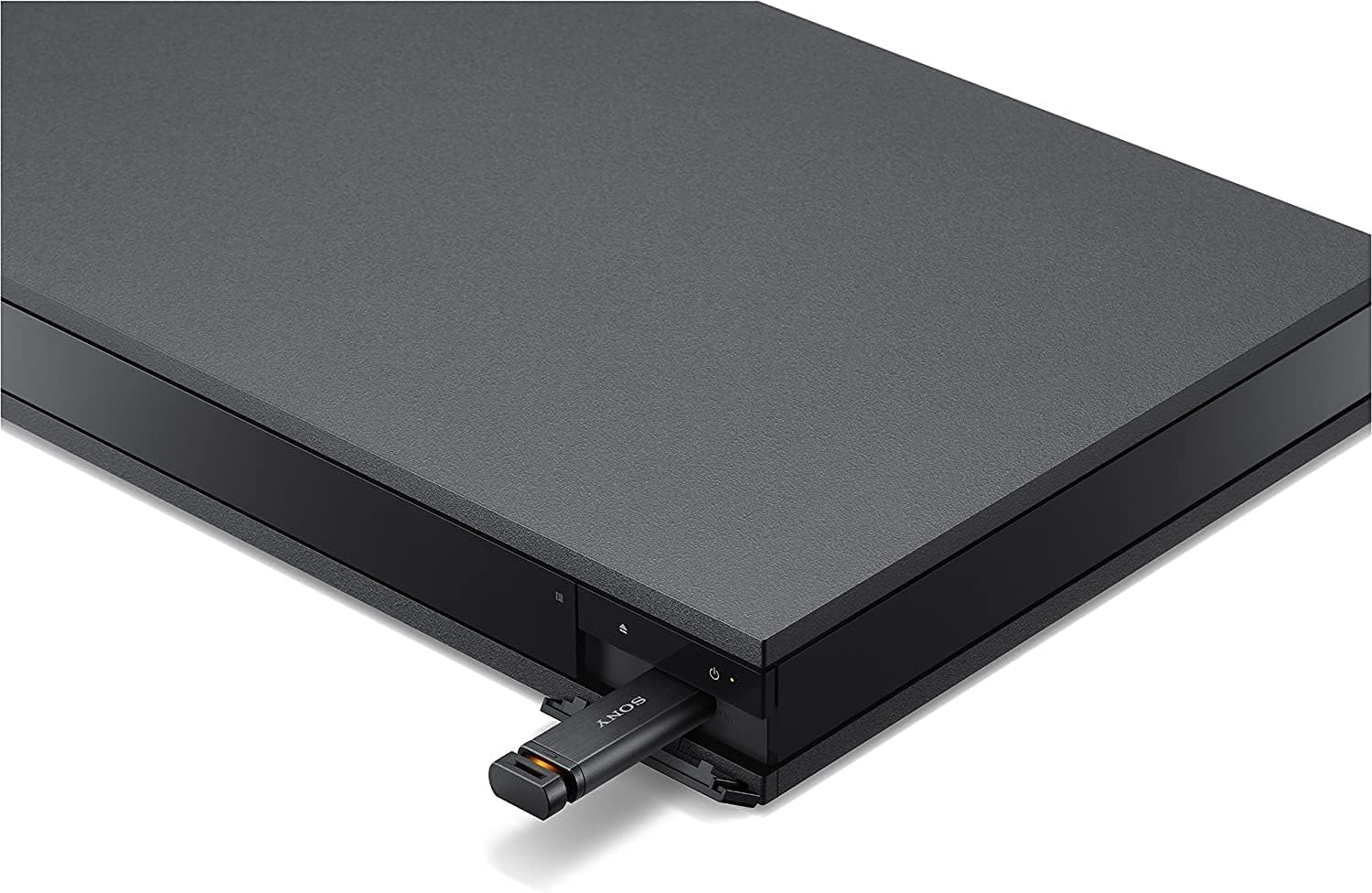
Image: A USB flash drive inserted into the front USB port of the Sony UBP-X800 Blu-ray Disc Player. The port is located on the right side of the front panel, beneath the power button.
4. Audio ezarpenak
The player supports advanced audio formats including Dolby TrueHD, Dolby Atmos, DTS:X, and High-Resolution Audio. Access the audio settings menu to configure output options for your connected audio system.
- Dolby Atmos / DTS:X: Ensure your AV receiver and speaker setup are compatible to experience immersive object-based audio.
- Bereizmen handiko audioa: Enjoy superior sound quality from compatible audio files and discs.
5. Bluetooth konexioa
You can connect Bluetooth headphones for private listening or Bluetooth speakers for alternative audio output. Refer to the on-screen menu for Bluetooth pairing instructions.

Image: A person wearing over-ear headphones, seated on a couch, watching a movie on a large flat-screen television. The Sony UBP-X800 Blu-ray Disc Player is visible on the TV stand below the screen, demonstrating its use in a home entertainment setup.
Mantentzea
1. Unitatea garbitzea
Wipe the exterior of the player with a soft, dry cloth. Do not use abrasive pads, scouring powder, or solvents such as alcohol or benzene. For stubborn stains, use a slightly damp zapi eta gero lehortu.
2. Firmware eguneraketak
Sony periodically releases firmware updates to improve functionality and performance. Connect the player to the internet to check for and install updates. You can usually find this option in the player's settings menu under "System Update" or "Software Update."
Arazoak konpontzea
Zure erreproduzitzailearekin arazoak badituzu, jo ezazu honako ohiko irtenbide hauetara:
Ez dago irudirik edo soinurik
- Ziurtatu HDMI eta elikatze kable guztiak ondo konektatuta daudela.
- Egiaztatu telebista HDMI sarrera zuzenera konfiguratuta dagoela.
- Check the audio output settings on the player and your AV receiver/sound system.
- Saiatu beste HDMI kable batekin.
Disc Does Not Play
- Egiaztatu diskoa behar bezala sartuta dagoen, etiketa gora begira duela.
- Ziurtatu diskoa garbi dagoela eta marradurarik edo orbanik gabe dagoela.
- Verify the disc format is supported by the player (e.g., Blu-ray, DVD, UHD Blu-ray).
- For region-locked discs, ensure the player's region setting matches the disc's region.
Sareko konexio arazoak
- Confirm your router is powered on and functioning correctly.
- For wired connections, check the Ethernet cable.
- For wireless connections, re-enter your Wi-Fi password in the network settings.
- Restart your router and the Blu-ray player.
Urruneko kontrola ez dabil
- Ordeztu bateriak urrutiko agintean.
- Ziurtatu urrutiko agintearen eta erreproduzitzailearen IR sentsorearen artean oztoporik ez dagoela.
Zehaztapenak
| Marka | Sony |
| Ereduaren izena | UBP-X800 |
| Media mota | Blu-Ray Disc, DVD, UHD Blu-ray, SACD |
| Ebazpena | 3840x2160 (4K UHD) |
| Ezaugarri bereziak | Region Free (Blu-ray A/B/C, DVD 0-9), 4K High Dynamic Range (HDR), High-Resolution Audio, BT.2020 Color Space, Dolby Atmos, DTS:X, Wi-Fi, Bluetooth |
| Konektibitate Teknologia | Bluetooth, Ethernet, HDMI (x2), USB, Wi-Fi |
| Audio irteera modua | Surround (7.1.4 channel support) |
| Onartutako audio formatuak | Dolby TrueHD, Dolby Atmos, DTS:X, MP3, AAC, FLAC, OPUS |
| Energia-kontsumoa | 50 Watt |
| Elementuaren pisua | 9.7 kilo |
| Neurriak (L x W x H) | 18.8" x 14.2" x 3.8" |
Bermearen informazioa
This product is covered by a manufacturer's warranty. Please refer to the warranty card included with your product or visit the official Sony support website for detailed terms and conditions, including warranty duration and service procedures. Keep your proof of purchase for warranty claims.
Bezeroarentzako Arreta
Laguntza gehiago, laguntza teknikoa edo zerbitzu-kontsultak egiteko, jarri harremanetan Sonyren bezeroarentzako arreta-zerbitzuarekin. Harremanetarako informazioa eta baliabide gehigarriak aurki ditzakezu Sonyren webgune ofizialean. website. When contacting support, please have your model number (UBP-X800) and serial number ready.