
1. Sarrera
This manual provides detailed instructions for the setup, operation, and maintenance of your LMP USB Wired Keyboard with Numeric Keypad, Model 17203. This keyboard is designed for use with Mac computers and features a German (QWERTZ) layout.
Paketearen edukia:
- LMP USB Wired Keyboard (Model 17203)
- USB kable integratua

2. Konfigurazioa
Follow these steps to connect your LMP USB Wired Keyboard to your Mac computer.
- Konektatu teklatua: Locate an available USB port on your Mac computer. Insert the USB connector of the keyboard's integrated cable into the USB port.
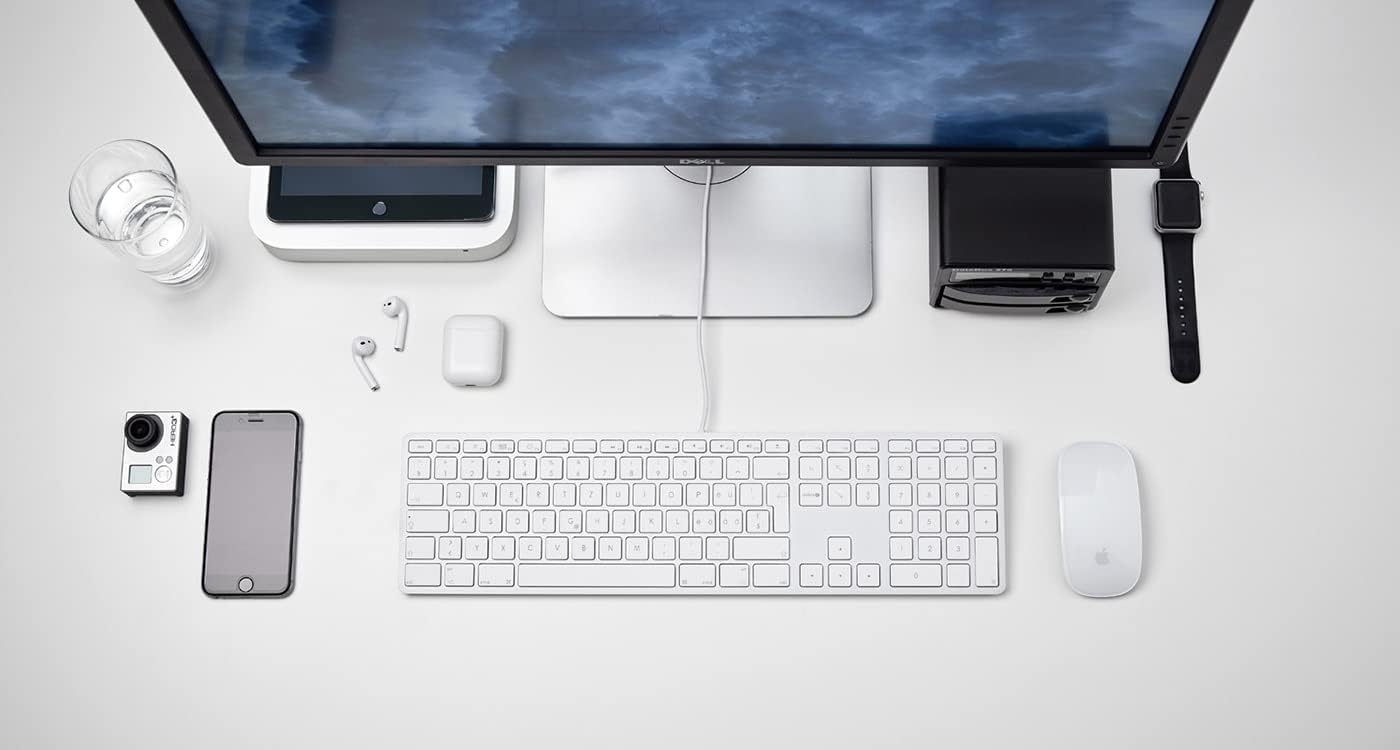
2.1. irudia: The LMP USB Wired Keyboard integrated into a typical Mac desktop setup, demonstrating its connection via USB. - Sistemaren Ezagutza: Your Mac operating system (macOS 10.5 or higher is required) should automatically detect and configure the keyboard. No additional drivers are typically needed.
- Hasierako proba: Open a text editor or any application where you can type to confirm the keyboard is functioning correctly.
3. Funtzionamendu-argibideak
This section details the primary functions and features of your LMP USB Wired Keyboard.
3.1 Idazketa estandarra
The keyboard features a full German (QWERTZ) layout with 110 laser-engraved keys, providing a familiar typing experience. All standard alphanumeric, symbol, and modifier keys function as expected on macOS.
3.2 Funtzio-teklak (F1-F12)
The top row of keys includes dedicated function keys (F1-F12) that control various macOS features:
- Distira kontrola: F1 (decrease), F2 (increase)
- Mission Control/App Exposé: F3
- Abiarazte-plataforma: F4
- Keyboard Backlight (if applicable): F5 (decrease), F6 (increase) - Note: This keyboard does not feature backlighting.
- Multimedia kontrolak: F7 (previous track), F8 (play/pause), F9 (next track)
- Bolumen kontrola: F10 (mute), F11 (decrease), F12 (increase)
To use F-keys as standard function keys (e.g., F5 for refresh in a browser), you may need to hold the Fn key simultaneously or adjust settings in System Preferences > Keyboard.
3.3 Zenbakizko teklatua
The integrated numeric keypad on the right side of the keyboard allows for efficient data entry and calculations. It includes standard number keys, arithmetic operators, and navigation keys.
3.4 Integrated USB Hubs
The keyboard features two USB 2.0 hubs, one on each side, allowing you to connect low-power USB devices directly to your keyboard. These are suitable for devices such as USB mice, flash drives, or other peripherals that do not require significant power.

Garrantzitsua: High-power devices (e.g., external hard drives, some webcams) may not function correctly when connected to the keyboard's USB hubs due to power limitations. Connect such devices directly to your Mac's USB ports.
4. Diseinua eta Ezaugarriak
The LMP USB Wired Keyboard is crafted with a focus on functionality and aesthetic integration with Mac environments.
- Aluminum Top Cover: The keyboard features a durable aluminum top cover, contributing to its robust construction and sleek appearance.
- Laser-Engraved Keys: All keycaps are laser-engraved, ensuring long-lasting legibility and resistance to wear.
- German (QWERTZ) Layout: Specifically designed for users requiring a German keyboard layout, including special characters and key placements.
- Tamaina osoko diseinua: Includes a full complement of 110 keys, including a dedicated numeric keypad and a full set of function keys.


5. Mantentzea
Proper care will extend the lifespan of your keyboard.
- Azalera garbitzea: Erabili lipurrik gabeko zapi leun bat dampened with water or a mild, non-abrasive cleaning solution. Avoid spraying liquids directly onto the keyboard.
- Cleaning Between Keys: Use compressed air to remove dust and debris from between the keys. A soft brush can also be used.
- Saihestu isurketak: Mantendu likidoak teklatutik urrun barneko osagaiei kalterik ez egiteko.
- Biltegiratzea: Denbora luzez erabiltzen ez baduzu, gorde teklatua leku garbi eta lehor batean.
6. Arazoak
Teklatuarekin arazoak badituzu, jo ezazu ohiko irtenbide hauetara:
| Arazoa | Balizko Kausa / Irtenbidea |
|---|---|
| Teklatuak ez du erantzuten. |
|
| Teklak ez dira ondo idazten edo itsaskorrak dira. |
|
| Devices connected to the keyboard's USB hubs are not working. |
|
| Function keys (F1-F12) are not performing expected macOS actions. |
|
7. Zehaztapenak
| Ezaugarri | Xehetasuna |
|---|---|
| Marka | LMP |
| Ereduaren izena | KB-1243 |
| Modelo zenbakia | 17203 |
| Konektibitate Teknologia | USB (kablea) |
| Teklatuaren deskribapena | QWERTZ (German Layout) |
| Gako kopurua | 110 (ISO) |
| Ezaugarri bereziak | Integrated Numeric Keypad, 2x USB 2.0 Hubs, Laser-engraved keys |
| Gailu bateragarriak | Mac computers with USB port (macOS 10.5 or higher) |
| Materiala | Aluminum (top cover) |
| Kolorea | Zilarrezkoa |
| Dakarten osagaiak | USB kablea |
8. Bermea eta Laguntza
For warranty information and technical support, please refer to the documentation provided with your purchase or visit the official LMP webgunea. Gorde erosketaren egiaztagiria bermearen erreklamazioetarako.