
1. Produktua amaitu daview
The Neoteck Digital Dial Indicator is a precision measuring instrument designed for accurately determining small linear distances in various mechanical, industrial, and laboratory applications. It eliminates reading errors common with analog indicators, providing reliable and precise measurements for tolerance checks and quality control.
Key features include a large, easy-to-read LCD display, a wide measuring range, and high accuracy, making it an indispensable tool for professionals and hobbyists alike.

Figure 1.1: Neoteck Digital Dial Indicator and included accessories (back cover, battery, storage case).
2. Ezaugarriak
- Pantaila LCD handia: Clear 3-digit display for easy reading.
- Neurketa-eremu zabala: 0 to 12.7 mm (0 to 0.51 inches).
- Zehaztasun handia: Precision up to 0.01 mm (0.0005 inches).
- Unitate-bihurketa: Easily switch between millimeters (mm) and inches (in).
- Zero ezarpena: Convenient zero-setting function at any point.
- Eraikuntza iraunkorra: Made from aluminum alloy for longevity.
- High Performance Chipset: Supports more accurate and faster measurements.
- Glass Sensor: Ensures stable and reliable measurement.

Figure 2.1: Internal components highlighting the high-performance chipset and glass sensor for enhanced accuracy.
3. Konfigurazioa
3.1 Bateriaren instalazioa
- Locate the battery compartment on the back of the indicator.
- Ireki bateriaren estalkia astiro-astiro irristatu.
- Insert one 1.5V LR44 button cell battery, ensuring the correct polarity (+/-).
- Itxi bateriaren estalkia ongi.

Figure 3.1: The battery compartment is easily accessible for quick battery replacement.
4. Funtzionamendua
4.1 Piztu/Itzali
- Sakatu ON/OFF button to turn the indicator on.
- Eduki sakatuta ON/OFF button for a few seconds to turn the indicator off.
4.2 Zeroa ezartzea
- Position the contact point against the reference surface or at the desired starting point.
- Sakatu ZERO button to set the current position as zero. The display will show "0.000".
4.3 Unitate-bihurketa
- Sakatu hazbete/mm button to toggle between millimeter (mm) and inch (in) units.
4.4 Neurketak hartzea
- Ensure the indicator is securely mounted (e.g., on a magnetic base, not included).
- Bring the contact point into contact with the object to be measured.
- Move the object or the indicator to measure the linear displacement. The reading on the LCD display will show the precise measurement relative to the set zero point.
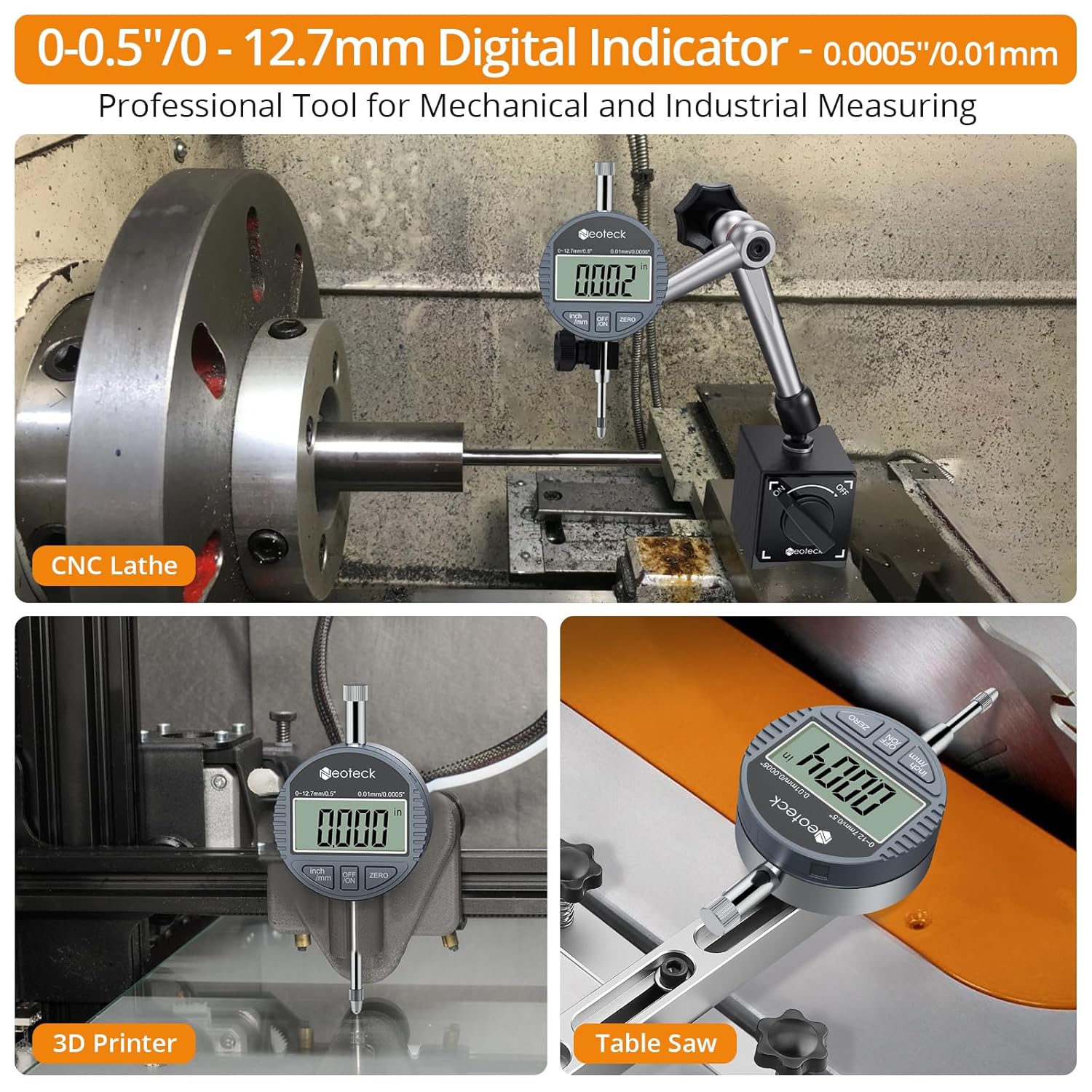
Figure 4.1: The digital dial indicator is versatile and can be used in various applications such as CNC lathes, 3D printers, and table saws for precise measurements.
5. Mantentzea
5.1 Garbiketa
- Wipe the indicator with a soft, dry cloth after each use to remove dust and debris.
- Do not use abrasive cleaners or solvents, as they may damage the display or finish.
5.2 Biltegiratzea
- Store the indicator in its protective storage case when not in use to prevent damage.
- Mantendu gailua leku lehor batean, eguzki-argitik eta tenperatura altuetatik urrun.
5.3 Bateria ordezkatzea
- Replace the LR44 battery when the display becomes dim or the indicator fails to power on. Refer to Section 3.1 for battery installation instructions.
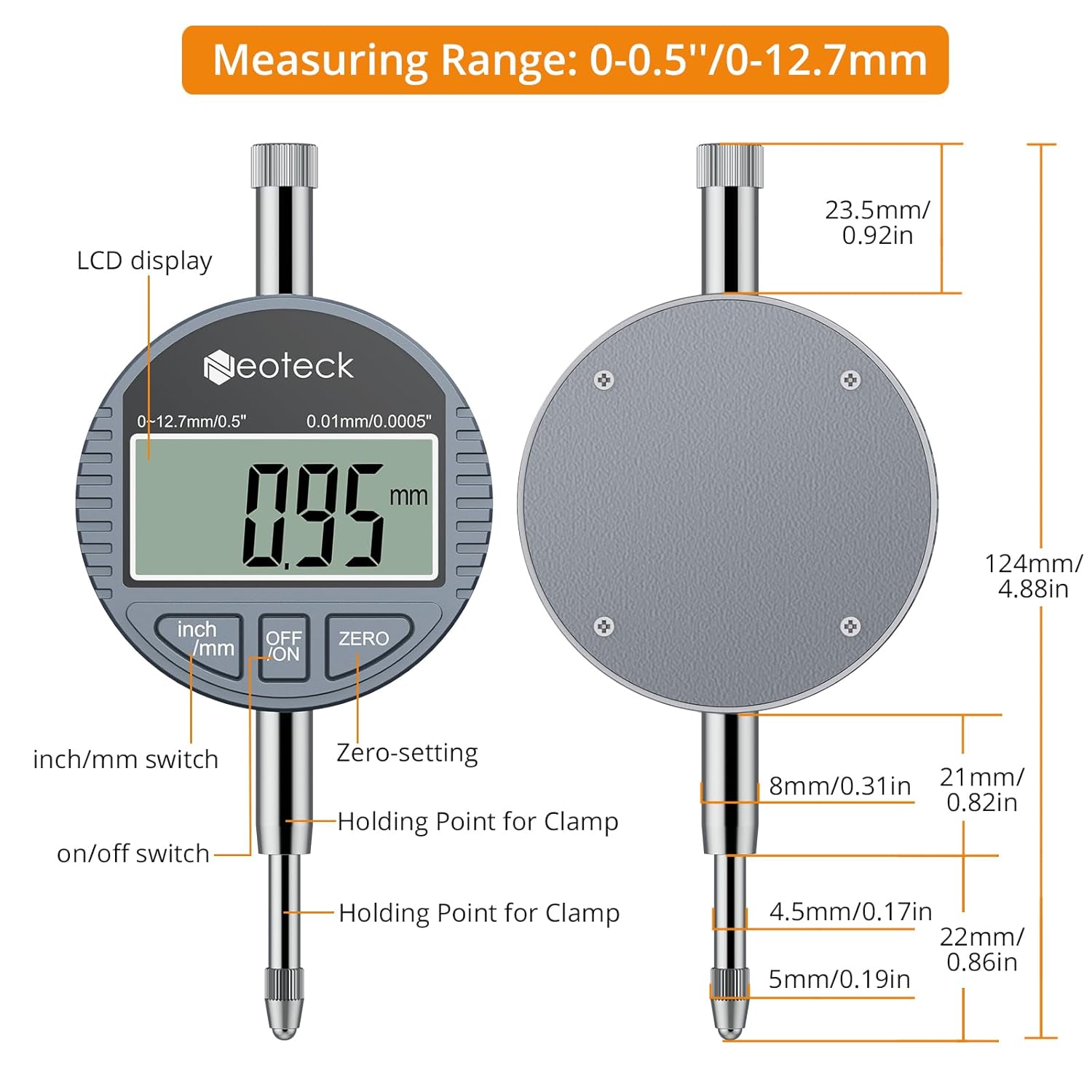
Figure 5.1: The included storage case provides excellent protection for the indicator, and a spare battery is often included for extended use.
6. Arazoak
| Arazoa | Kausa posiblea | Irtenbidea |
|---|---|---|
| Pantaila hutsik edo ilun dago. | Bateria baxua edo hilda. | Ordeztu LR44 bateria. |
| Irakurketa okerrak. | Contact point dirty or damaged; Indicator not properly zeroed; Environmental factors (temperature/humidity). | Clean the contact point; Re-zero the indicator; Ensure operating within specified temperature/humidity range. |
| Botoiek ez dute erantzuten. | Battery issue; Internal malfunction. | Replace battery; If problem persists, contact customer support. |
7. Zehaztapenak
| Parametroa | Balioa |
|---|---|
| Neurketa-eremua | 0 ~ 12.7 mm (0 ~ 0.51 inch) |
| Zehaztasuna | 0.01 mm (0.0005 hazbete) |
| Erantzun Denbora | ≤ 0.5 m/s |
| Funtzionamendu-tenperatura | 0 ~ 40 ° C (32 ~ 104 ° F) |
| Biltegiratze Tenperatura | -20 ~ 70 ° C (-4 ~ 154 ° F) |
| Hezetasun erlatiboa | ≤ % 80 RH |
| Materiala | Aluminiozko aleazioa |
| Elikatze Hornidura | 1 × 1.5V LR44 Button Cell Battery (included) |
| Product Dimensions (L×W×D) | Approx. 122 × 55 × 26 mm (4.8 × 2.16 × 1.03 inch) |
| Produktuaren pisua | Approx. 129 grams (4.55 ounces) (battery included) |
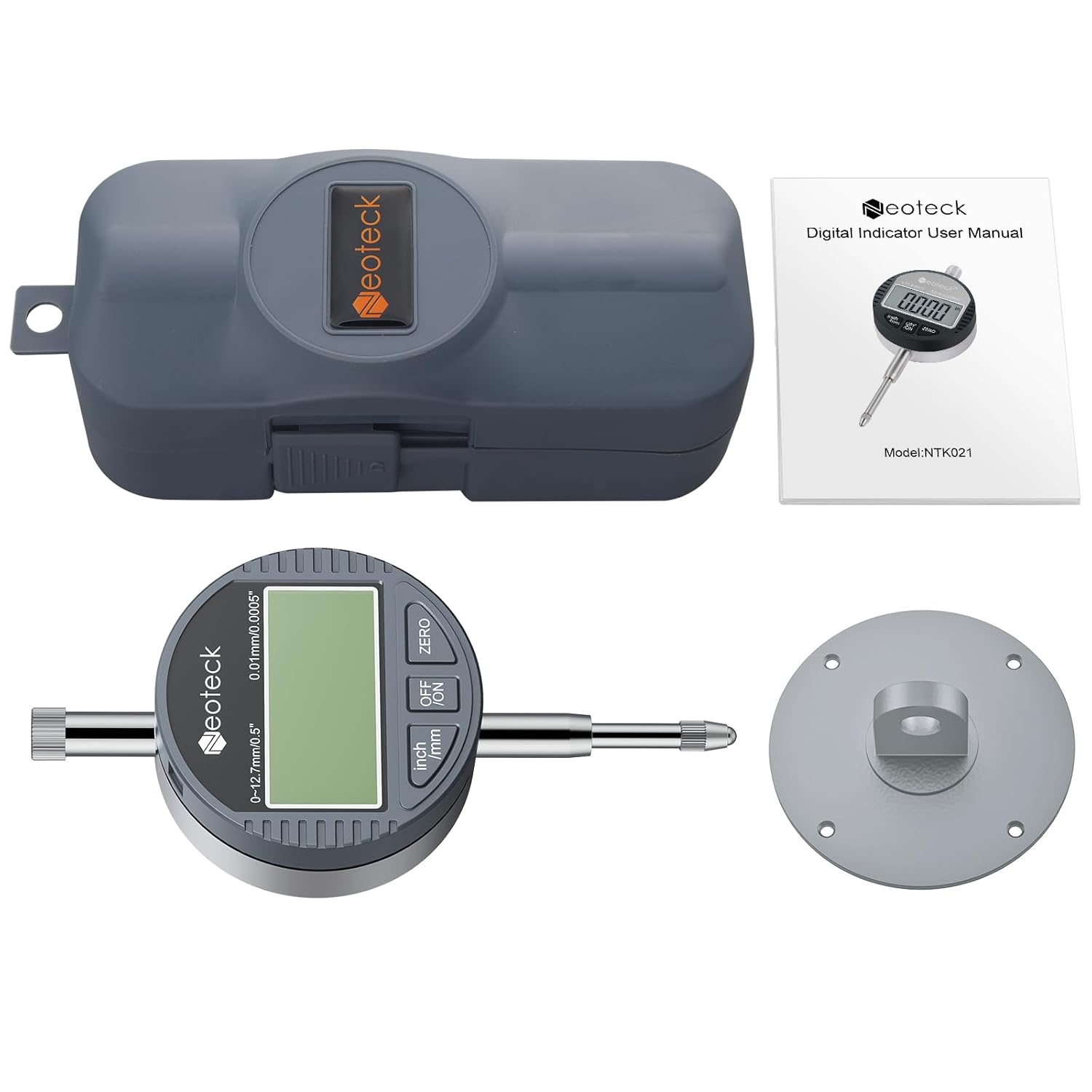
Figure 7.1: Detailed dimensions and labeled components of the digital dial indicator.
8. Paketearen edukia
- 1 × Neoteck Digital Dial Indicator
- 1 × Back Cover
- 1 × 1.5V LR44 Battery
- 1 × Argibide eskuliburua
- 1 × Storage Case


