
SoundPEATS Q34
SoundPEATS Q34 Bluetooth Headset User Manual
Eredua: Q34
Sarrera
Welcome to the SoundPEATS Q34 Bluetooth Headset user manual. This guide provides detailed instructions on how to set up, operate, maintain, and troubleshoot your new wireless earbuds. The SoundPEATS Q34 offers a comfortable and secure fit, high-fidelity sound with Bluetooth 4.1 and aptX technology, and convenient in-line controls for music and calls.
Paketearen edukia
Mesedez, egiaztatu elementu guztiak zure paketean daudela:
- 1 x SoundPEATS Q34 Bluetooth Headset
- 1 x USB kargatzeko kablea
- 8 x Interchangeable Ear Tips (various sizes)
- 6 x Interchangeable Ear Hooks (various sizes)
- 1 x Line Buckle
- 1 x Pouch Bag / Zipper Case
- 1 x Erabiltzailearen eskuliburua

Image: All items included in the SoundPEATS Q34 Bluetooth Headset package, including the headset, charging cable, ear tips, ear hooks, line buckle, pouch, and user manual.
Produktua amaituview

Image: The SoundPEATS Q34 Bluetooth Headset, showcasing its black color, in-ear design, and the in-line control module.
The SoundPEATS Q34 Bluetooth Headset is designed for comfort and high-quality audio. Key features include:
- Fashion Design & Lightweight: Built with a metal casing for a high-end look, weighing only 0.60 ounces for easy portability.
- Bluetooth 4.1 + aptX: Ensures smooth Bluetooth transmission and high-fidelity sound, compatible with most Bluetooth-enabled Android and iOS devices.
- Strong Built-in Magnets: Earbuds can be attached together like a necklace for secure storage when not in use, preventing tangles.
- Secure & Comfortable Fit: Ergonomically designed with an oblique angle in-ear fit, along with soft, different-sized ear tips and hooks to reduce ambient noise and ensure snug wearing.

Image: A person wearing the SoundPEATS Q34 headset, demonstrating the ergonomic oblique angle in-ear design and comfortable fit.

Image: A person wearing the SoundPEATS Q34 headset with the earbuds magnetically attached around their neck, illustrating the magnetic feature for secure carrying.
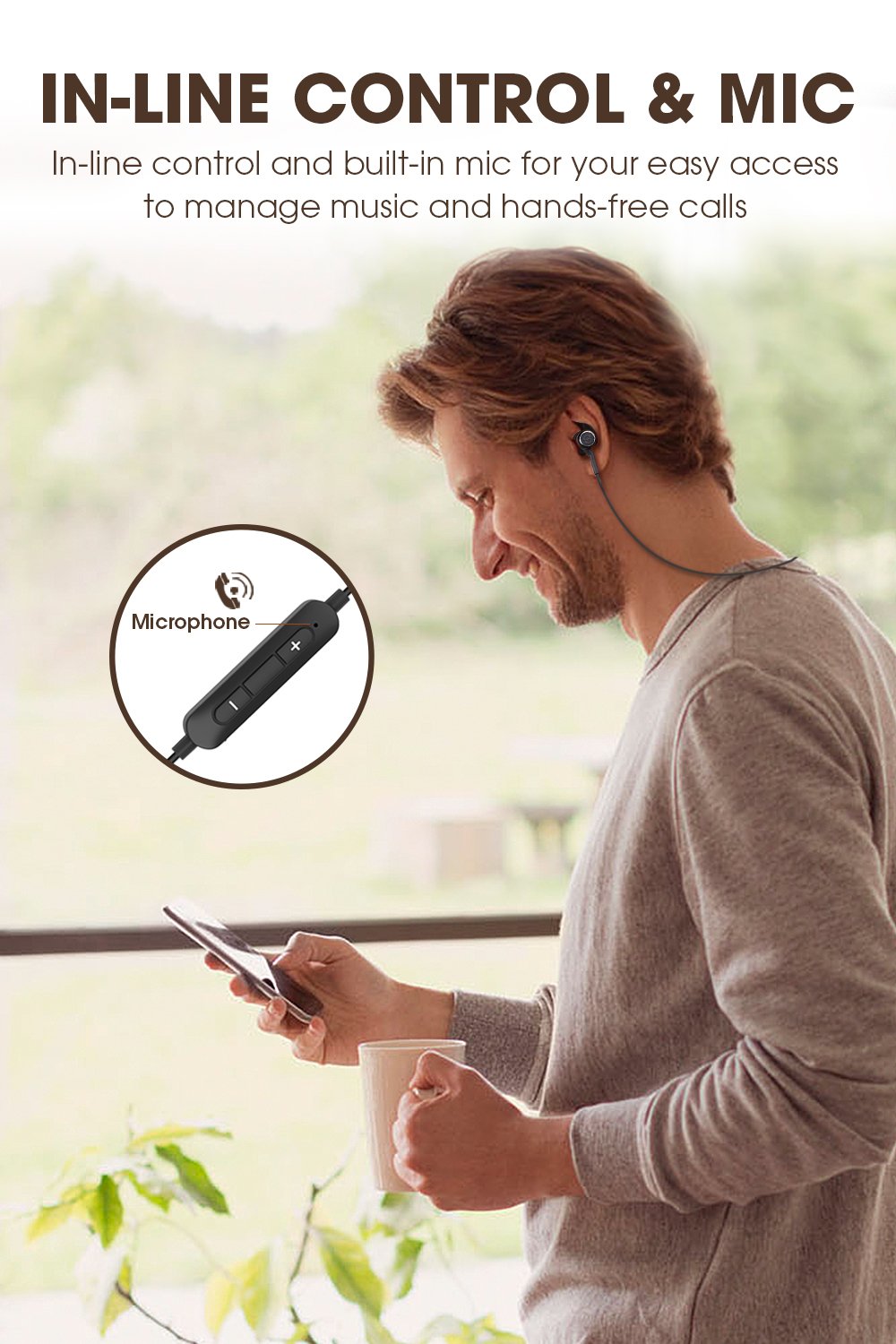
Image: A person interacting with the in-line control module of the SoundPEATS Q34 headset, highlighting the built-in microphone and control buttons.
Konfigurazioa eta parekatzea
1. Entzungailua kargatzea
Before first use, fully charge your SoundPEATS Q34 headset. Connect the provided USB charging cable to the charging port on the in-line control module and plug the other end into a USB power source (e.g., computer USB port, wall adapter). The LED indicator will show charging status.

Image: A visual representation of the SoundPEATS Q34 headset's battery life, indicating up to 7 hours of play time and showing a phone screen with a 100% battery indicator for the connected Bluetooth device.
2. Piztu/Itzaltzea
- Pizteko: Press and hold the Multi-function Button (usually the center button on the in-line control) for approximately 3 seconds until the LED indicator flashes blue and you hear a voice prompt.
- Itzaltzeko: Press and hold the Multi-function Button for approximately 3 seconds until the LED indicator flashes red and you hear a voice prompt.
3. Bluetooth parekatzea
- Ziurtatu entzungailua itzalita dagoela.
- Press and hold the Multi-function Button for approximately 5-7 seconds until the LED indicator flashes red and blue alternately. This indicates the headset is in pairing mode.
- Aktibatu Bluetooth-a zure gailuan (telefonoa, tableta, ordenagailua).
- Bilatu "SoundPEATS Q34" in the list of available Bluetooth devices.
- Select "SoundPEATS Q34" to connect. Once connected, the LED indicator will flash blue slowly, and you will hear a voice prompt confirming the connection.
- Pasahitza eskatzen badizute, idatzi "0000".
Aurikularrak automatikoki saiatuko dira azken parekatutako gailura berriro konektatzen piztean, gailuaren Bluetooth-a aktibo badago eta irismen-eremuan badago.
Funtzionamendu-argibideak
Musika Kontrola
- Erreproduzitu/Pausatu: Sakatu funtzio anitzeko botoia behin.
- Hurrengo ibilbidea: Press and hold the "+" (Volume Up) button for 2 seconds.
- Aurreko pista: Press and hold the "-" (Volume Down) button for 2 seconds.
- Bolumena igo: Sakatu labur "+" botoia.
- Bolumena jaitsi: Sakatu labur "-" botoia.
Deien Kontrola
- Deia erantzun/amaitu: Sakatu funtzio anitzeko botoia behin.
- Deia baztertu: Eduki sakatuta funtzio anitzeko botoia 2 segundoz.
- Transfer Call (Headset to Phone): During a call, press and hold the Multi-function Button for 2 seconds.
- Aktibatu ahots-laguntzailea (Siri/Google Assistant): Sakatu birritan funtzio anitzeko botoia.
Mantentzea eta zaintzea
- Keep the headset dry. Do not expose it to extreme temperatures or humidity.
- Garbitu entzungailuak eta kargatzeko kontaktuak aldizka zapi leun eta lehor batekin.
- Saihestu entzungailuak erortzea edo kolpe gogorren eraginpean jartzea.
- Store the headset in the provided pouch/zipper case when not in use to prevent tangling and damage.
- Ez saiatu entzungailuak desmuntatzen edo aldatzen. Horrek bermea baliogabetuko du.
Arazoak konpontzea
| Arazoa | Irtenbidea |
|---|---|
| Aurikularrak ez dira pizten. | Ensure the headset is fully charged. Press and hold the Multi-function Button for 3 seconds. |
| Ezin da gailuarekin parekatu. |
|
| Soinurik ez edo bolumen baxua. |
|
| Konexioa maiz galtzen da. |
|
Zehaztapenak
| Ezaugarri | Xehetasuna |
|---|---|
| Eredua | 34.G |
| Marka | Soinu PEATS |
| Konektibitate Teknologia | Haririk gabekoa (Bluetooth 4.1) |
| Belarrien Kokatzea | Belarrian |
| Forma-faktorea | Belarrian |
| Mikrofonoaren formatua | Eraikitakoa |
| Kontrol-metodoa | Touch (In-line controls) |
| Materiala | Metala |
| Elementuaren pisua | 13.6 g (0.03 libera) |
| Produktuaren neurriak (LxWxH) | 66.04 x 4.19 x 3 cm |
| Pilak | 2 litio-polimeroko bateria (barne) |
| Jolas ordua | Gehienez 7 ordu |
Bermea eta Laguntza
SoundPEATS products come with a warranty. For specific warranty terms and conditions, please refer to the warranty card included in your package or visit the official SoundPEATS website. For technical support, troubleshooting assistance, or warranty claims, please contact SoundPEATS customer service through their official channels.
You can find more information and support on the official SoundPEATS store page: SoundPEATS Official Store
Ask a question about this manual
Ask about setup, troubleshooting, compatibility, parts, safety, or missing instructions. Manuals+ will review the question and use this page’s manual context to help answer it.