
1. Sarrera
This manual provides detailed instructions for the installation, operation, and maintenance of your UHPPOTE 2-Channel Color Quad System Video Splitter. This device is designed to process and display video feeds from up to two analog security cameras, offering various display modes and image adjustments. Please read this manual thoroughly before using the product to ensure proper functionality and safety.
Oharra: This device is only compatible with AHD/TVI analog cameras.
2. Segurtasun informazioa
- Ziurtatu elikadura hornidura boltage matches the device's requirements (DC 12V).
- Ez jarri gailua hezetasun edo muturreko tenperaturetara.
- Ez jarri gailua eguzki-argia zuzenean edo bero iturrietatik gertu.
- Ez saiatu gailua zeuk irekitzen edo konpontzen. Mantendu konponketa guztiak langile kualifikatuen esku.
- Mantendu gailua eremu magnetiko indartsuetatik urrun.
3. Paketearen edukia
Egiaztatu behean zerrendatutako elementu guztiak zure paketean sartuta daudela:
- 1 x UHPPOTE 2-Channel Video Splitter/Processor
- 1 x Urruneko kontrola
- 1 x ingelesezko erabiltzailearen eskuliburua
- 1 x korronte egokitzailea
- 3 x BNC Adapters
4. Produktua amaitu daview
Aurrealdeko panela
The front panel features control buttons and indicators for managing video inputs and display modes.

4.1. irudia: Aurrealdea view of the video splitter. It displays buttons for MENU, ENTER, A/B, PB, directional arrows, ZOOM, FREEZE, MODE, AUTO, and a POWER switch.
Atzeko panela
The rear panel provides all necessary connection ports for video input, video output, and power.

4.2. irudia: Atzekoa view of the video splitter. It shows two BNC video input ports labeled VIDEO1 and VIDEO2, one BNC monitor output port, and a DC 12V power input jack.
Behean View
The bottom of the device features rubber feet for stability and ventilation holes.
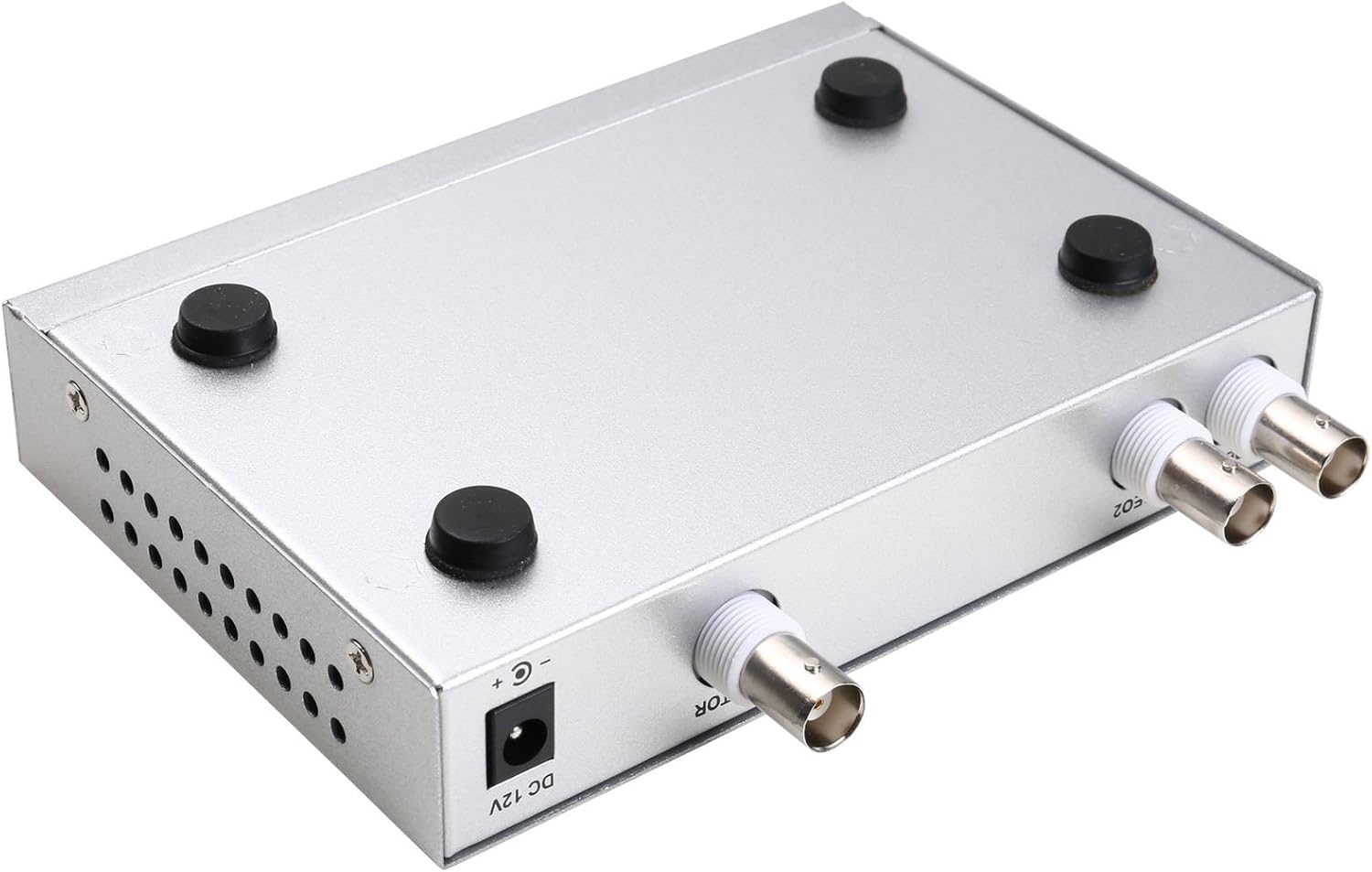
4.3. irudia: Behean view of the video splitter, highlighting the four rubber feet for stable placement.
Elikatze-moldagailua
The included power adapter supplies the necessary DC 12V power to the unit.

4.4. irudia: The power adapter provided with the unit, rated for DC 12V output.
5. Konfigurazioa
Follow these steps to connect your video splitter:
- Konektatu kamerak: Connect your AHD/TVI analog cameras to the VIDEO1 and VIDEO2 BNC input ports on the rear panel of the splitter. Use the provided BNC adapters if necessary.
- Konektatu monitorearekin: Connect your display monitor to the MONITOR OUT BNC port on the rear panel.
- Konektatu energia: Plug the DC 12V power adapter into the DC 12V input jack on the rear panel, then plug the adapter into a power outlet.
- Piztu: Flip the POWER switch on the front panel to the 'ON' position.

5.1. irudia: Connection schematic. (1) Video input from cameras (CAM1, CAM2) to VIDEO1, VIDEO2. (2) Video output from MONITOR OUT to a display monitor. (3) Power input to DC 12V.
6. Funtzionamendu-argibideak
The video splitter offers various display modes and image adjustment features. Use the front panel buttons or the remote control to operate the device.
6.1. Bistaratzeko moduak
Sakatu MODUA button to cycle through different display layouts:
- Single Channel Display: View one camera feed in full screen (Full 1, Full 2).
- Dual Panoramic Display: View two camera feeds side-by-side (left/right split) or top/bottom split.
- Irudian irudia (PIP): View one main camera feed with a smaller inset window of the second camera. PIP positions are switchable (top-left, top-right, bottom-left, bottom-right).
6.2. Irudiaren doikuntzak
You can adjust image parameters for each camera channel:
- Sakatu MENUA button to access the on-screen display (OSD) menu.
- Use the directional arrow buttons (▲ / ▼ / ◀ / ▶) to navigate through menu options.
- Sakatu SARTU aukera bat hautatzeko edo ezarpen bat berresteko.
- Adjust parameters such as Brightness, Contrast, Saturation, Hue, eta Zorroztasuna for each camera channel individually.
- Sakatu MENUA berriro OSD menutik irteteko.
6.3. Funtzio bereziak
- IZOZTU: Sakatu IZOZTU button to pause the current video frame. Press again to resume live video.
- ZOOM: Sakatu ZOOM button to activate electronic zoom. Use the directional arrows to select the enlarged area. Press ZOOM berriro irteteko.
- AUTOA: Sakatu AUTO button to enable auto-cruise mode, which cycles through different camera views or display modes automatically. Each channel can be set for auto-cruise.
- A/B: Switch between camera inputs.
- PB: Playback function (if supported by connected DVR/NVR, otherwise may not be active).
7. Mantentzea
- Garbiketa: Erabili zapi leun eta lehor bat gailuaren kanpoaldea garbitzeko. Ez erabili garbitzaile likidorik edo aerosolik.
- Aireztapena: Ziurtatu aireztapen-zuloak ez daudela blokeatuta gehiegi berotzea saihesteko.
- Biltegiratzea: When not in use for extended periods, store the device in a cool, dry place, away from direct sunlight and dust.
8. Arazoak
If you encounter issues with your video splitter, refer to the following common problems and solutions:
- Potentziarik gabe:
- Check if the power adapter is securely connected to the device and the power outlet.
- Ziurtatu aurrealdeko paneleko etengailua 'ON' posizioan dagoela.
- Egiaztatu korronte-hartunea funtzionala dela.
- Bideo-irteerarik ez:
- Confirm that cameras are properly connected to the VIDEO IN ports.
- Ensure the monitor is correctly connected to the MONITOR OUT port and is powered on.
- Check the video cables for damage or loose connections.
- Verify that the cameras are AHD/TVI analog cameras, as other types are not supported.
- Try cycling through display modes using the MODE button.
- Irudiaren kalitate eskasa:
- Adjust Brightness, Contrast, Saturation, Hue, and Sharpness settings via the OSD menu.
- Ensure video cables are of good quality and not excessively long.
- Check the camera's own settings and lens focus.
- Urruneko kontrola ez dabil:
- Egiaztatu eta ordezkatu urrutiko agintearen bateriak.
- Ensure there are no obstructions between the remote control and the device's IR receiver.
9. Zehaztapenak
| Ezaugarri | Zehaztapena |
|---|---|
| Marka | UHPPOTE |
| Modelo zenbakia | 402 |
| Materiala | Metalezko Maskorra |
| Kolorea | Zilarrezkoa |
| Bideo Sarrera | 2-way (BNC) |
| Bideo Irteera | 1-way (BNC) |
| PAL Resolution | 720x576 @ 50Hz |
| NTSC Resolution | 720x480 @ 60Hz |
| Elementuaren pisua | 0.88 kilo |
| Bateragarritasuna | AHD/TVI Analog Cameras Only |
10. Bermea eta Laguntza
For warranty information or technical support, please refer to the contact details provided with your purchase or visit the official UHPPOTE webgunea. Gorde erosketa-agiria erosketaren frogagiri gisa, berme-erreklamazioetarako.