
1. Sarrera
This instruction manual provides essential information for the installation, operation, and maintenance of the Hikvision DS-7604NI-K1/4P 4-Channel 4K PoE Network Video Recorder (NVR). Please read this manual thoroughly before using the product to ensure correct and safe operation. Keep this manual for future reference.
2. Segurtasun informazioa
Gailuari lesioak edo kalteak saihesteko, jarraitu segurtasun neurri hauek:
- Elikatze-iturria: Use only the power adapter specified for this device. Ensure the power voltage is stable and meets the device's requirements.
- Aireztapena: Do not block ventilation openings. Ensure proper airflow to prevent overheating.
- Ingurumena: Avoid exposing the device to extreme temperatures, humidity, dust, or corrosive environments. Do not place heavy objects on the device.
- Instalazioa: Install the device on a stable surface. Avoid strong vibrations or impacts.
- Zerbitzua: Ez saiatu gailua desmuntatzen edo aldatzen. Mantendu konponketa guztiak langile kualifikatuen esku.
3. Produktua amaitu daview
The Hikvision DS-7604NI-K1/4P is a 4-channel Network Video Recorder designed for surveillance systems. It supports up to 4K resolution for live view, recording, and playback, and features Power-over-Ethernet (PoE) interfaces for direct connection and power supply to compatible IP cameras.
3.1 Paketearen edukia
- Hikvision DS-7604NI-K1/4P NVR Unit
- Elikatze-moldagailua
- USB sagua
- HDD instalaziorako torlojuak
- Hasierako gida azkarra
3.2 Aurreko panela
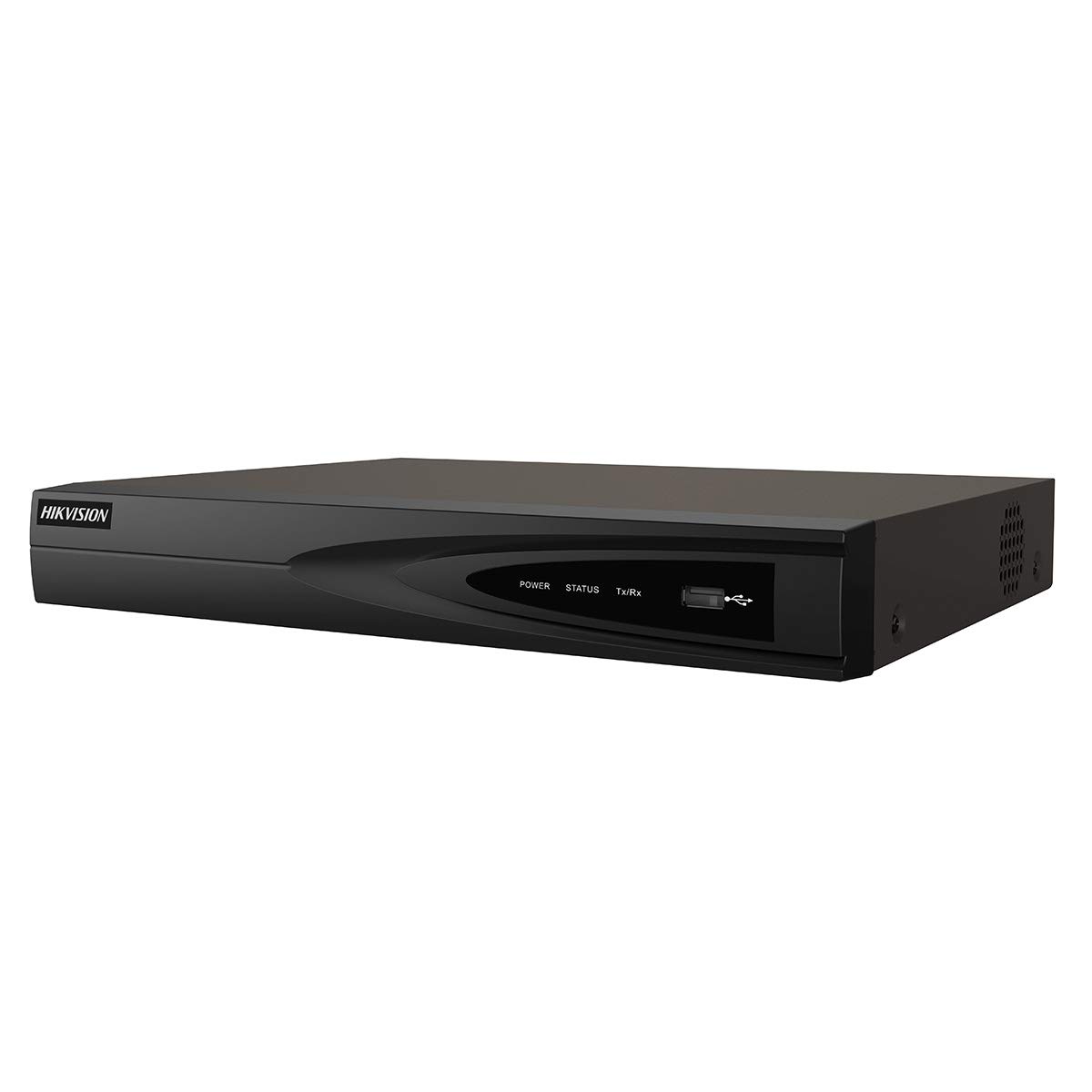
1. irudia: Aurrealdea view of the Hikvision DS-7604NI-K1/4P NVR. This image displays the front panel of the NVR, typically featuring status indicator lights and a USB port for peripheral connections.
3.3 Atzeko panela
Atzeko panelak konektagarritasunerako hainbat ataka ditu:
- PoE Ports (x4): For connecting IP cameras and providing power.
- LAN ataka: For network connection to a router or switch.
- HDMI irteera: For connecting to a monitor or TV for high-definition video output.
- VGA irteera: For connecting to a monitor for video output.
- USB Ports (x2 total, typically one front, one rear): For mouse, USB drive, or other peripherals.
- Audio sarrera (RCA): For connecting an external audio source.
- Potentzia sarrera: Korronte-egokigailua konektatzeko.
4. Konfigurazioa
4.1 Disko gogorraren instalazioa (aukerakoa)
The NVR supports one internal SATA hard drive for video storage (up to 6 TB). If a hard drive is not pre-installed, follow these steps:
- Kendu eta kendu NVRaren goiko estalkia.
- Konektatu SATA datu-kablea eta elikatze-kablea disko gogorrera.
- Align the hard drive with the mounting holes and secure it with the provided screws.
- Replace the NVR's top cover and secure it with screws.
4.2 Periferikoak konektatzea
- Monitorea: Konektatu monitore bat NVR-aren HDMI edo VGA irteera atakara.
- Sagua: Konektatu USB sagua NVR-ko USB ataka batera.
- Sarea: Konektatu NVRaren LAN ataka zure bideratzailera edo sare-etengailura Ethernet kable bat erabiliz.
- Kamerak: Connect IP cameras to the NVR's PoE ports. The NVR will automatically power and detect compatible Hikvision PoE cameras.
4.3 Piztea eta hasierako konfigurazioa
- Konektatu korronte-egokitzailea NVR-aren elikatze-sarrerara eta gero korronte-entxufe batera.
- NVRa automatikoki piztuko da.
- Upon first boot, the NVR will guide you through an initialization wizard. Follow the on-screen prompts to set up a strong password, network settings, and hard drive formatting (if applicable).
- Ensure the hard drive is formatted before recording can begin.
5. Funtzionamendua
5.1 Bizi View
After initial setup, the NVR will display the live video feed from connected cameras on the monitor. You can switch between single-camera view eta kamera anitzeko sareta view pantailako kontrolak edo sagua erabiliz.
5.2 Grabaketa
NVR-ak hainbat grabazio modu onartzen ditu:
- Grabaketa jarraitua: Bideoa etengabe grabatzen du.
- Mugimendua detektatzeko grabazioa: Kameraren mugimendua detektatzen denean bakarrik grabatzen du. view.
- Programatutako grabazioa: Records based on a predefined schedule.
Configure recording settings via the NVR's menu interface (typically accessible by right-clicking on the live view screen and selecting 'Menu').
5.3 Erreprodukzioa
Berrizview foo grabatuatage:
- Sartu 'Erreprodukzioa' menura NVRren interfaze nagusitik.
- Hautatu nahi dituzun kamera(k) eta data/ordu tartea.
- Erabili erreprodukzio-kontrolak (erreproduzitu, pausatu, aurreratu, atzeratu) foo-n zehar nabigatzeko.tage.
5.4 Urruneko sarbidea
Urrunekorako viewing and management, download the Hik-Connect app on your mobile device or use the Hik-Connect web portal. The NVR must be connected to the internet, and you will need to register the device with your Hik-Connect account. Refer to the Hik-Connect documentation for detailed instructions.
6. Mantentzea
6.1 Firmware eguneraketak
Aldian-aldian egiaztatu Hikvision-en webgune ofiziala. website for firmware updates. Updating the firmware can improve performance, add new features, and enhance security. Follow the instructions provided with the firmware update package carefully.
6.2 Disko gogorraren kudeaketa
Regularly check the health status of your hard drive through the NVR's menu. If the hard drive shows errors or is nearing its end of life, consider replacing it to prevent data loss. You may also need to format the hard drive periodically, which will erase all recorded data.
6.3 Garbiketa
Garbitu NVRaren kanpoaldea oihal leun eta lehor batekin. Ez erabili garbitzaile likidorik edo aerosolik. Ziurtatu aireztapen-irekiduretan hautsik eta hondakinik gabe daudela.
7. Arazoak
| Arazoa | Kausa posiblea | Irtenbidea |
|---|---|---|
| Ez dago bideorik monitorearen bistaratzerik | Kable konexio soltea, sarrera iturri okerra monitorean, NVR piztuta ez. | Check HDMI/VGA cable connections. Ensure monitor is set to correct input. Verify NVR power. |
| Ez dago kameraren irudirik | Camera not powered, network issue, camera not added/activated. | Check PoE cable connection. Ensure camera is powered. Verify camera IP address and add it to the NVR. |
| Cannot record video | No hard drive, hard drive not formatted, hard drive full, recording schedule not set. | Install and format a hard drive. Check hard drive status. Configure recording schedule. |
| Urruneko sarbidea ez dabil | NVR not connected to internet, incorrect network settings, Hik-Connect account issue. | Verify NVR network connection. Check network settings (IP, DNS). Ensure NVR is added to Hik-Connect. |
8. Zehaztapenak
| Ezaugarri | Zehaztapena |
|---|---|
| Modelo zenbakia | DS-7604NI-K1/4P |
| Marka | Hikvision |
| Konektibitate Teknologia | Ethernet |
| Gailu bateragarriak | Kamera |
| Produktuaren neurriak (L x W x H) | 8.5 x 29.8 x 42.1 cm |
| Memoria Biltegiratzeko Ahalmena | 6 TB |
| Disko gogorraren tamaina | 6 TB |
| Kanal kopurua | 4 |
| Elementuaren pisua | 2.2 kilo |
| Digital Video Media Format | Disko gogorra |
| Audio Sarrera | RCA |
| USB portuak guztira | 2 |
| Bideo Sarrera | VGA, HDMI |
| Unitate kopurua | 1.0 zenbaketa |
| Fabrikatzailea | Hikvision |
| Merkataritza Globalaren Identifikazio Zenbakia | 06954273652883 |
| Zati zenbakia | KNVRDS7604NI-K1/4P |
9. Bermea eta Laguntza
For warranty information, technical support, and service inquiries, please refer to the official Hikvision website or contact your authorized Hikvision dealer. Keep your purchase receipt as proof of purchase for warranty claims.
Sareko baliabideak: Visit the official Hikvision support page for FAQs, downloads, and contact information.