
MITSUBISHI FX3U-232-BD
Ask a question about this manual
Ask about setup, troubleshooting, compatibility, parts, safety, or missing instructions. Manuals+ will review the question and use this page’s manual context to help answer it.
MITSUBISHI FX3U-232-BD Communication Expansion Board User Manual
Model: FX3U-232-BD | Brand: MITSUBISHI
1. Sarrera
This manual provides essential information for the safe and effective use of the MITSUBISHI FX3U-232-BD Communication Expansion Board. This module is designed to provide RS-232 communication capabilities for compatible Mitsubishi programmable logic controllers (PLCs), functioning as a servo add-on module/board.
2. Segurtasun informazioa
Please read and understand all safety precautions before installing, operating, or maintaining the FX3U-232-BD module. Failure to follow these instructions may result in injury or equipment damage.
- Ensure power is disconnected from the PLC and module before installation or removal.
- Do not expose the module to moisture, extreme temperatures, or corrosive environments.
- Handle the module with care to avoid damage to electronic components.
- Langile kualifikatuak bakarrik egin behar ditu instalazioak eta mantentze lanak.
- Egiaztatu konexio guztiak seguru daudela piztu aurretik.
3. Produktua amaitu daview
The MITSUBISHI FX3U-232-BD is a communication expansion board designed to extend the communication capabilities of Mitsubishi FX3U series PLCs. It provides an RS-232 interface for serial communication with external devices.
3.1. Osagaiak
- FX3U-232-BD Communication Expansion Board
- Mounting Screws (if included)
- Argibide eskuliburua (dokumentu hau)
3.2. Visual Reference

Figure 1: Mitsubishi FX3U-232-BD communication expansion board in its original packaging, alongside the board itself and small screws.

Figure 2: Close-up of the Mitsubishi FX3U-232-BD product label on the cardboard box, showing model number, lot, code, and compliance marks.
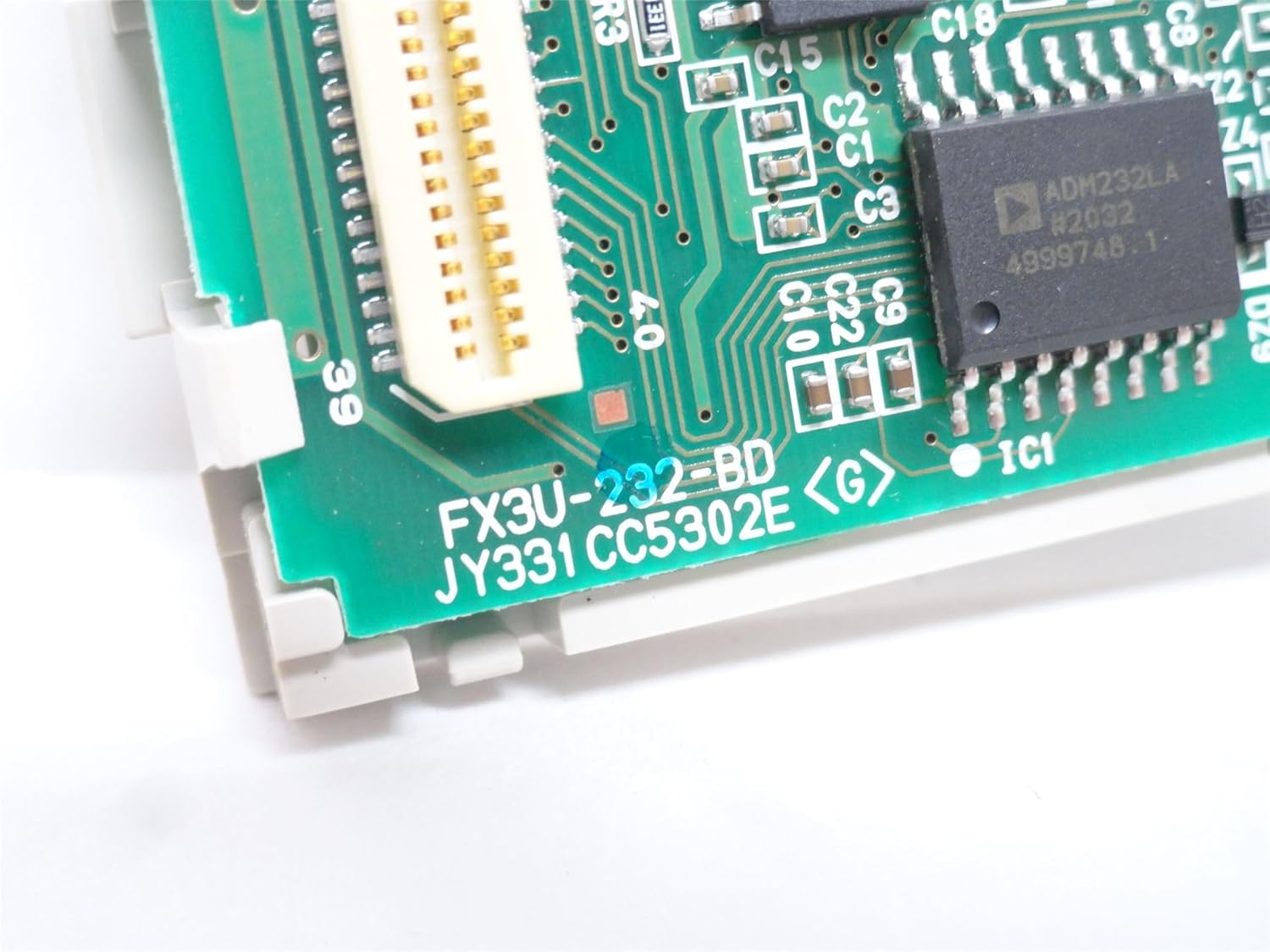
3. irudia: Xehetasuna view of the Mitsubishi FX3U-232-BD circuit board, highlighting the model number printed on the PCB and various electronic components.
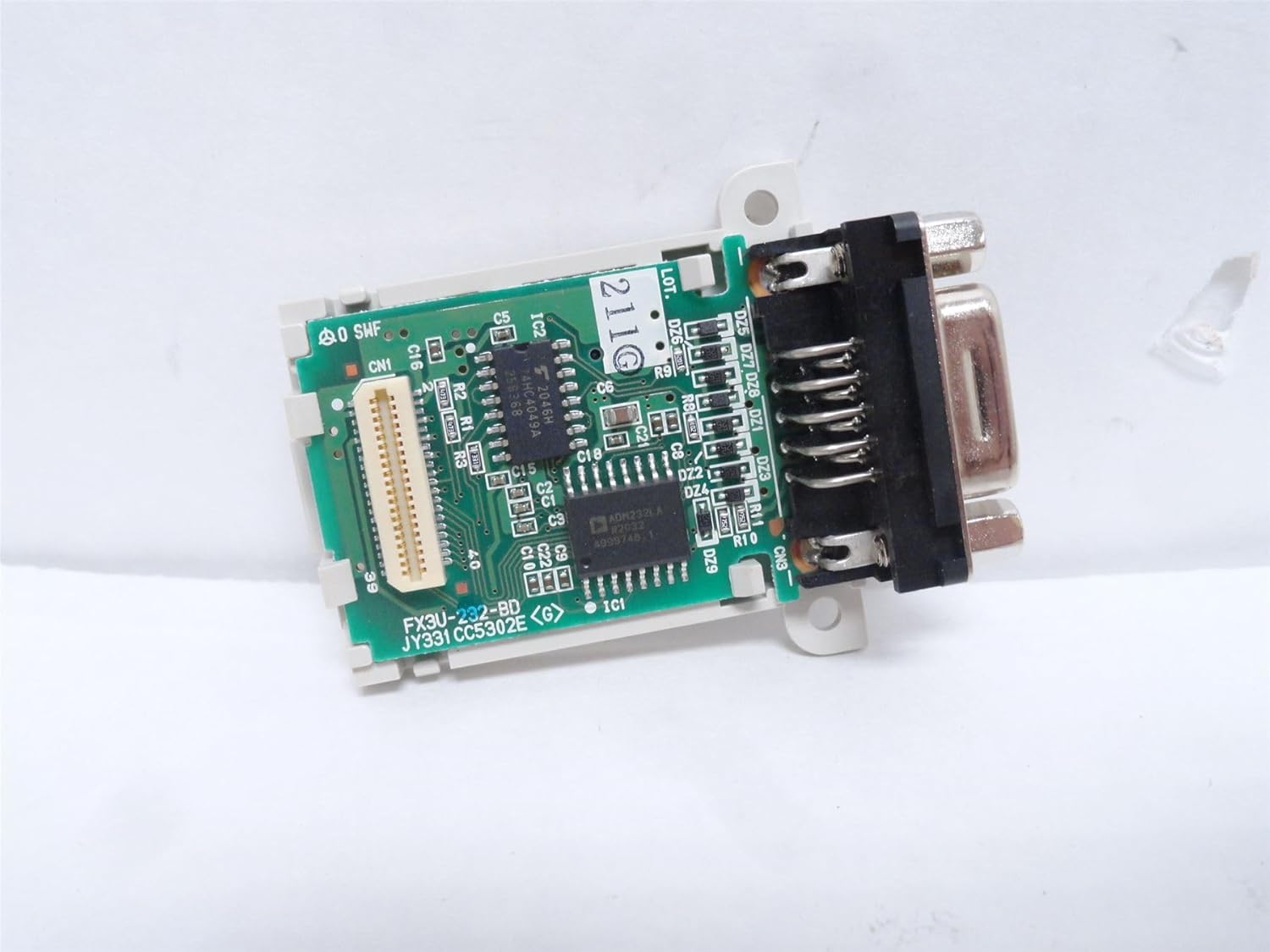
4. irudia: Goitik behera view of the Mitsubishi FX3U-232-BD module, showing the circuit board, connector, and mounting holes.

5. irudia: Aurrealdea view of the Mitsubishi FX3U-232-BD module, focusing on the 9-pin D-sub (RS-232) connector.

6. irudia: Aldea view of the Mitsubishi FX3U-232-BD module, showing the RS-232 connector and the module's profile.
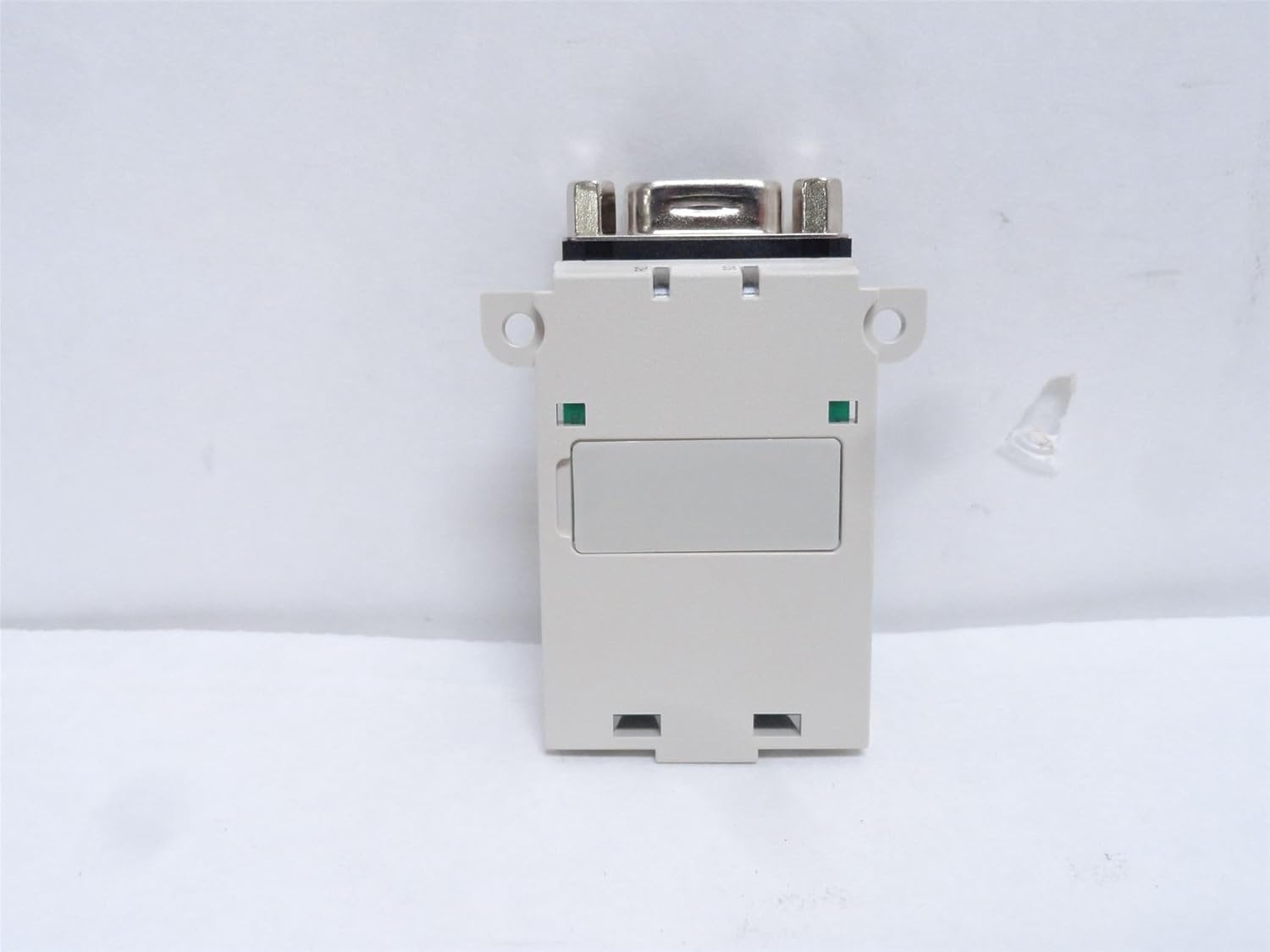
7. Irudia: Atzealdea view of the Mitsubishi FX3U-232-BD module, showing the back casing and mounting features.
4. Konfigurazioa
4.1. Instalazioa
- Itzali: Ensure the PLC system is completely powered off and disconnected from the main power supply.
- Locate Expansion Slot: Identify an available expansion slot on your compatible Mitsubishi FX3U series PLC.
- Txertatu modulua: Carefully align the FX3U-232-BD module with the expansion slot and gently push it into place until it is securely seated. Do not force the module.
- Modulu segurua: If applicable, use the provided mounting screws to secure the module to the PLC chassis.
- Konektatu kableak: Connect your RS-232 communication cable to the 9-pin D-sub connector on the FX3U-232-BD module.
- Piztu: Once installation is complete and all connections are verified, restore power to the PLC system.
5. Funtzionamendu-argibideak
5.1. Oinarrizko Funtzionamendua
The FX3U-232-BD module provides an RS-232 interface for serial communication. Its operation is primarily controlled through the PLC program. Refer to your PLC programming software manual for detailed instructions on configuring the RS-232 port and implementing communication protocols.
- Komunikazio-parametroak: Configure baud rate, data bits, stop bits, and parity within the PLC program to match the connected device.
- Komunikazio-protokoloak: Implement the necessary communication protocols (e.g., MODBUS, custom protocols) in your PLC ladder logic or structured text.
- Datu-trukea: Use dedicated PLC instructions to send and receive data via the RS-232 port.
6. Mantentzea
The FX3U-232-BD module is designed for reliable operation with minimal maintenance. However, periodic checks can help ensure longevity and performance.
- Garbiketa: Keep the module and its connectors clean and free from dust and debris. Use a soft, dry cloth for cleaning. Do not use liquid cleaners.
- Konexioaren egiaztapena: Aldian-aldian egiaztatu kable-konexio guztiak ondo lotuta daudela eta kalterik ez dutela ziurtatzeko.
- Ingurumen-baldintzak: Ziurtatu funtzionamendu-ingurunea zehaztutako tenperatura eta hezetasun tarteen barruan mantentzen dela.
7. Arazoak
If you encounter issues with your FX3U-232-BD module, refer to the table below for common problems and solutions.
| Arazoa | Kausa posiblea | Irtenbidea |
|---|---|---|
| Module not recognized by PLC | Module not properly seated; PLC firmware issue | Ensure module is fully inserted. Check PLC manual for firmware updates or compatibility. |
| No communication via RS-232 | Incorrect wiring; Incorrect communication parameters; PLC program error | Verify cable wiring. Check PLC program for correct baud rate, data bits, stop bits, and parity. Debug PLC communication logic. |
| Etengabeko komunikazioa | Loose connections; Electrical noise; Damaged cable | Secure all connections. Ensure proper grounding and shielding. Replace communication cable if damaged. |
8. Zehaztapenak
The following table outlines the key specifications for the MITSUBISHI FX3U-232-BD Communication Expansion Board:
| Zehaztapena | Balioa |
|---|---|
| Modelo zenbakia | FX3U-232-BD |
| Komunikazio Interfazea | RS-232 |
| liburukiatage Bateragarritasuna | 5V |
| ROHS betetzen duena | Bai |
| Kategoria | Servo Add-On Module/Board |
| Elementuaren pisua | 0.06 kilogramo |
| Fabrikatzailea | MITSUBISHI |
| Eskuragarri dagoen lehen data | 19ko irailaren 2015a |
9. Bermea eta Laguntza
For information regarding product warranty, please refer to the terms and conditions provided at the time of purchase or contact your authorized Mitsubishi distributor.
For technical support, troubleshooting assistance, or further inquiries, please contact Mitsubishi Electric Corporation or visit their official support channels. You can find more information about Mitsubishi products at the Mitsubishi Store on Amazon.