
1. Sarrera
Eskerrik asko erosketagatik.asing the BLOW BT910 Portable Bluetooth Speaker. This manual provides essential information for the safe and efficient operation of your device. Please read it thoroughly before use and keep it for future reference.
2. Segurtasun informazioa
- Ez jarri gailua tenperatura altuen, eguzki-argiaren eraginpean edo hezetasun handiaren eraginpean.
- Mantendu bozgorailua uretatik eta beste likidoetatik urrun.
- Ez saiatu gailua zeuk desmuntatzen edo konpontzen. Mantendu mantentze-lan guztiak langile kualifikatuen esku.
- Erabili emandako kargatzeko kablea eta egokitzailea soilik.
- Mantendu haurren eskura.
- Entzumen-kalteak saihesteko, saihestu denbora luzez bolumen altuan entzutea.
3. Paketearen edukia
Ziurtatu elementu guztiak paketean daudela:
- BLOW Bazooka 30-331 Speaker (Black)
- Kargatzeko kablea
- Audio-kablea
- Erabiltzailearen eskuliburua
4. Produktua amaitu daview
Familiarize yourself with the components of your BLOW BT910 speaker.
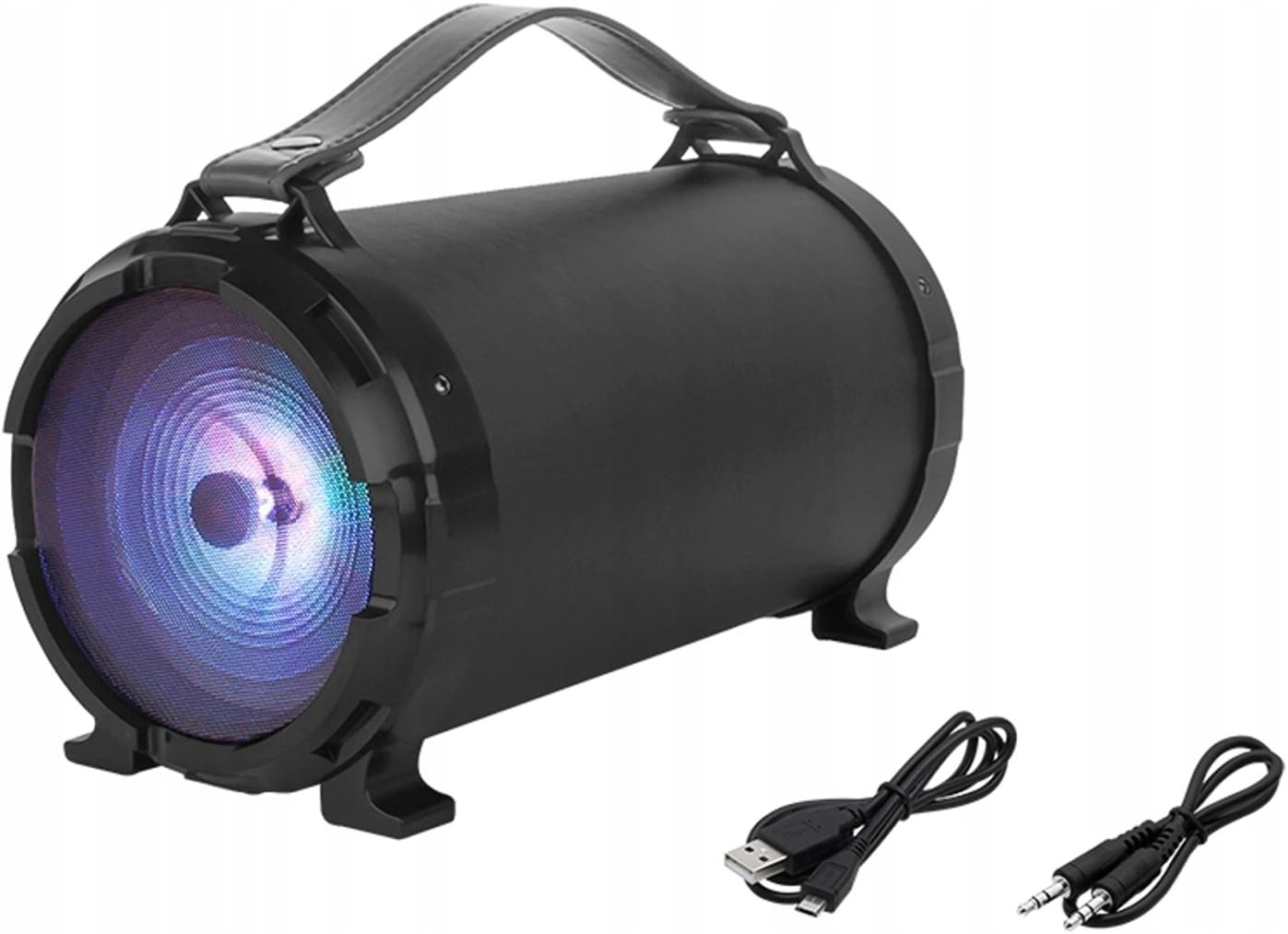
1. irudia: Aurrealdea view of the BLOW BT910 Portable Bluetooth Speaker, showing the main speaker grille and included charging and audio cables.

2. irudia: Atzekoa view of the BLOW BT910 Portable Bluetooth Speaker, highlighting the BLOW brand logo.

3. irudia: The BLOW BT910 Portable Bluetooth Speaker shown within its retail packaging, displaying key features.

4. irudia: Diagram illustrating the dimensions of the BLOW BT910 Portable Bluetooth Speaker: 34cm length, 17cm width, and 18cm height.
Kontrolak eta Portuak:
- Pizteko botoia: Bozgorailua piztu/itzali egiten du.
- Modu botoia (M): Switches between Bluetooth, FM Radio, USB, SD, and AUX modes.
- Erreproduzitu/Pausatu botoia: Plays or pauses audio. Also answers/ends calls in Bluetooth mode.
- Bolumena igo (+)/Hurrengo abestia: Sakatu labur bolumena igotzeko, sakatu luze hurrengo abestia ikusteko.
- Bolumena jaitsi (-)/Aurreko pista: Sakatu labur bolumena jaisteko, sakatu luze aurreko abestira joateko.
- LED argiaren botoia: Controls LED lighting modes.
- USB ataka: USB flash unitatean erreproduzitzeko.
- SD txartelaren zirrikitua: SD txartela erreproduzitzeko.
- AUX sarrera: For connecting external audio devices via 3.5mm audio cable.
- Mikrofonoaren sarrera: Karaoke funtziorako.
- Kargatzeko ataka: Bozgorailuen barneko bateria kargatzeko.
5. Konfigurazioa
5.1 Bozgorailua kargatzea
- Konektatu kargatzeko kablea bozgorailuaren kargatzeko atakara.
- Konektatu kargatzeko kablearen beste muturra USB egokitzaile bateragarri batera (ez dago barne) edo USB ataka batera.
- The LED indicator will show charging status. It will typically turn off or change color once fully charged.
5.2 Piztu/Itzali
- Pizteko: Press and hold the Power button for a few seconds until you hear an audible prompt or see the LED indicators light up.
- Itzaltzeko: Press and hold the Power button again for a few seconds until you hear an audible prompt or the LED indicators turn off.
6. Funtzionamendu-argibideak
6.1 Bluetooth parekatzea
- Ensure the speaker is powered on and in Bluetooth mode (indicated by a flashing blue LED). If not, press the Mode button to switch to Bluetooth mode.
- Gaitu Bluetooth-a zure telefonoan, tabletan edo beste Bluetooth gaitutako gailu batean.
- Bilatu available Bluetooth devices and select "BT910" from the list.
- Behin parekatuta, bozgorailuak baieztapen entzungarri bat igorriko du, eta LED urdina keinuka utziko du eta finko mantenduko da.
- Orain zure gailuko audioa bozgorailuaren bidez erreproduzitu dezakezu.
6.2 FM Irrati modua
- Sakatu Modu botoia FM irrati modura aldatzeko.
- Sakatu Erreproduzitu/Pausatu botoia behin eskuragarri dauden FM irrati-kateak automatikoki eskaneatu eta gordetzeko.
- Use the Next Track/Previous Track buttons to navigate between saved stations.
6.3 USB/SD txartelaren erreprodukzioa
- Insert a USB flash drive or SD card (with MP3 files) dagokion portuan/zirrikituan.
- The speaker will automatically switch to USB or SD mode and begin playing music. If not, press the Mode button to select the correct mode.
- Use the Play/Pause, Next Track, and Previous Track buttons to control playback.
6.4 AUX sarrera modua
- Connect one end of a 3.5mm audio cable (AUX cable) to the speaker's AUX input port.
- Connect the other end of the audio cable to the audio output jack of your external device.
- Sakatu Modu botoia AUX modura aldatzeko.
- Kontrolatu audio erreprodukzioa zure kanpoko gailutik.
6.5 Karaoke funtzioa
- Connect a microphone (not included) to the microphone input port.
- Adjust the microphone volume and echo effects using the dedicated controls on the speaker (if available).
- Play music through any of the available modes and sing along.
6.6 LED argiztapenaren kontrola
- Press the LED Light button to cycle through different lighting modes or to turn the lights off.
6.7 Volume and Track Control
- Bolumena igo: Sakatu labur '+' botoia.
- Bolumena jaitsi: Sakatu labur '-' botoia.
- Hurrengo ibilbidea: Sakatu luze '+' botoia.
- Aurreko pista: Sakatu luze '-' botoia.
6.8 Bideo erakustaldiak
No relevant product videos from the seller were found for the BLOW BT910 speaker (ASIN: B07FPH955W).
7. Mantentzea
- Garbitu bozgorailua zapi leun eta lehor batekin. Ez erabili garbitzaile edo disolbatzaile urratzailerik.
- Gorde bozgorailua leku fresko eta lehor batean erabiltzen ez duzunean.
- Saihestu bozgorailua erortzea edo kolpe gogorren eraginpean jartzea.
8. Arazoak
| Arazoa | Irtenbide posiblea |
|---|---|
| Bozgorailuak ez du pizten. | Ziurtatu bateria kargatuta dagoela. Konektatu bozgorailua energia-iturri batera eta saiatu berriro. |
| Ezin da Bluetooth bidez parekatu. | Make sure the speaker is in Bluetooth pairing mode. Ensure your device's Bluetooth is on and within range. Forget previous pairings on your device and try again. |
| Ez dago soinurik bozgorailutik. | Egiaztatu bozgorailuaren eta konektatutako gailuaren bolumen-maila. Ziurtatu sarrera-modu zuzena hautatuta dagoela. |
| FM irratiaren harrera eskasa da. | Extend the antenna (if available) or reposition the speaker for better signal. |
9. Zehaztapenak
| Ezaugarri | Xehetasuna |
|---|---|
| Marka | Kolpea |
| Modelo zenbakia | IN-ACT-AKGBLOGLO0016 |
| Hizlari mota | Eramangarria |
| Konektibitate Teknologia | Laguntzailea, Bluetooth, USB |
| Bozgorailuen irteerako potentzia maximoa | 50 Watt |
| Audio irteera modua | Estereoa |
| Gailu bateragarriak | Sakelako telefonoa |
| Inguruko soinu-kanalaren konfigurazioa | 2.0 |
| Kolorea | Kolore anitzekoa |
| Produktuaren neurriak | 10f. x 48an. x 50al. centimeters (2.79 x 24.64 x 16.51 cm; 2 kg) |
| Elementuaren pisua | 2 kilogramo |
| Inpedantzia | 4 ohmio |
| Iragazgaitza | Gezurra |
| Gehienezko irismena | 10 metro |
| Kontrol-metodoa | Sakatu botoia, ukitu |
| Haririk gabeko Komunikazio Teknologia | Wi-Fi (Note: Bluetooth is the primary wireless audio connection) |
| Bozgorailuaren tamaina | 5 hazbete |
| Energia iturria | Battery (1 Lithium Ion battery required) |
| Ezaugarri Berezia | Baxuen indartzea, Bluetooth |
| Gomendatutako Erabilerak | For smartphones or tablets |
10. Bermea eta Laguntza
This product comes with a standard return policy of 30 days for refund/replacement. For specific warranty details and support, please refer to the documentation included in your product packaging or contact the seller directly. The manufacturer is BLOW.